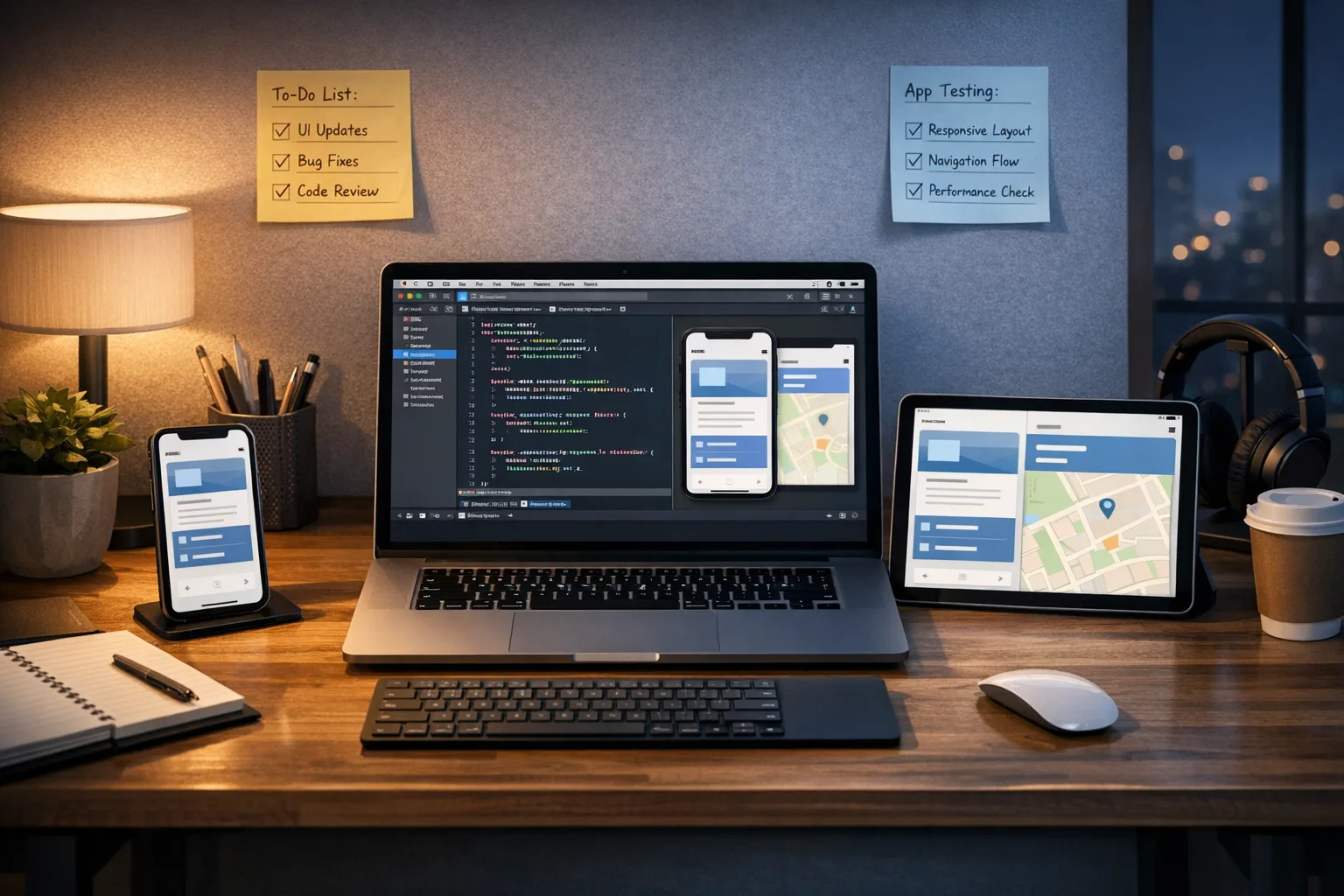
iOS 27 Developer Changes: What to Ship Now
iOS 27 developer changes aren’t abstract keynote promises—they’re concrete upgrades you can implement this month. Apple announced the release at WWDC 2026 with developer betas available now and a public release expected in September. App launch speeds are up, Photos loads faster, design has been refined, iPhone apps are resizable on iPad and in iPhone Mirroring, and App Intents plus on‑device Foundation Models took a big step forward. Here’s how to turn those updates into shipped value.
Why iOS 27 matters for shipping teams now
First, performance and polish. Apple cited faster app launch times and more responsive system behaviors across the board in iOS 27, including substantial speedups in Photos. That’s not trivia; it compounds. When apps feel faster, retention edges up, support tickets drop, and your five-star ratings breathe easier. If your team has been waiting for a “stability year,” this is it—paired with a modernized Siri and a more capable App Intents stack that turns your features into system-level actions.
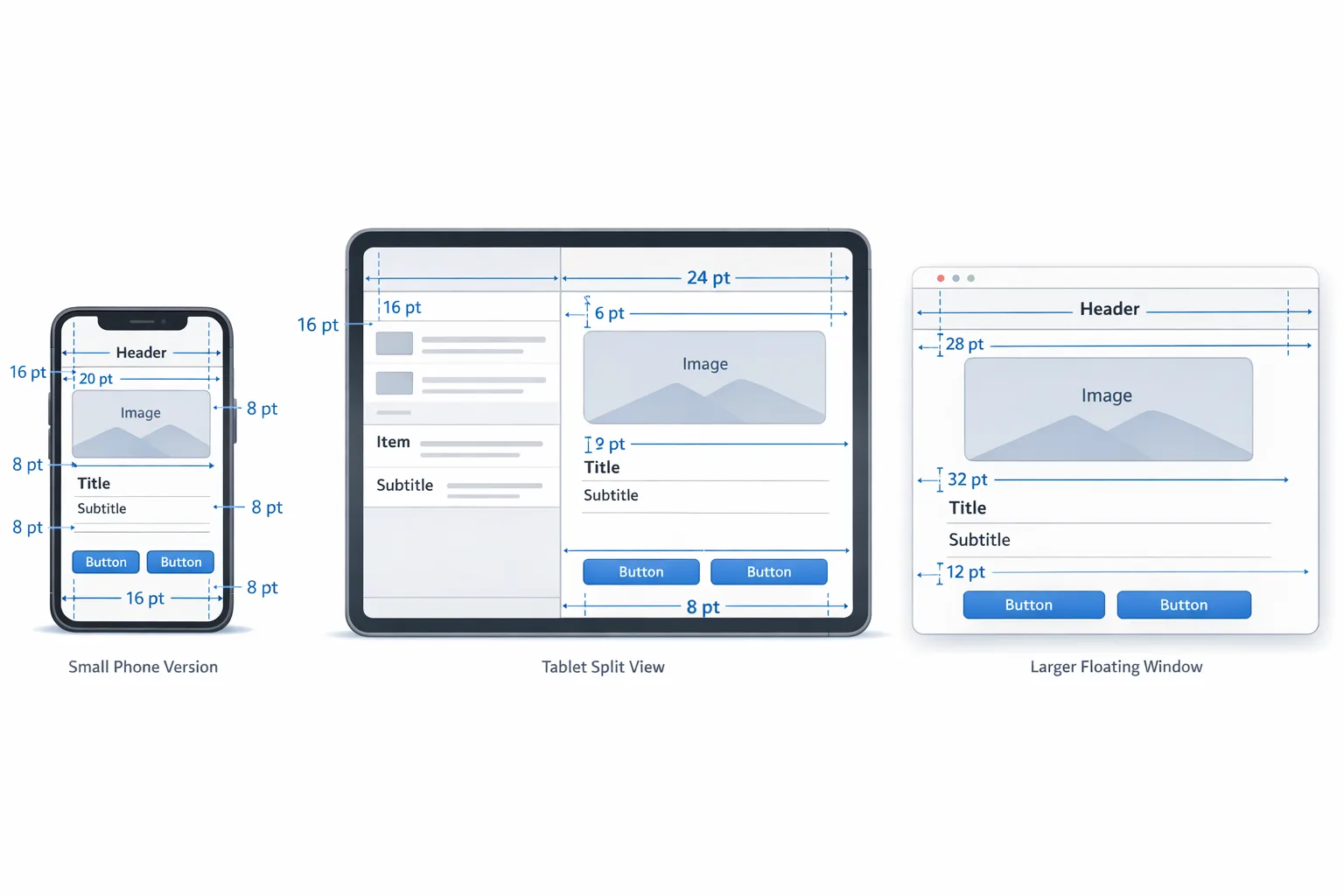
Second, new surface areas. iPhone apps can now run resizably on iPad and in iPhone Mirroring on Mac. That pushes your layout logic harder and broadens where your app can be used without a dedicated iPad build. If you do have an iPad build, the new behaviors still matter for accessory windows, multitasking, and testing your responsive strategy.
Third, AI with guardrails. Apple’s Foundation Models framework provides a model-agnostic way to use on-device models or Private Cloud Compute without locking you to a specific vendor API. That means you can deliver private, offline features where appropriate and still burst to the cloud for heavier tasks—inside one consistent abstraction layer.
The big iOS 27 developer changes
1) Resizable iPhone apps across devices
Apple’s updates let iPhone apps adapt to more sizes on iPad and in iPhone Mirroring on Mac. Rebuilding with the latest SDK opts you into system behaviors that expect your app to respond to size classes, safe areas, and dynamic text more faithfully. Translation: brittle, hard-coded frames will crack under pressure.
Practical takeaways:
- Audit top screens for adaptive layout: switch to Auto Layout constraints or flexible SwiftUI stacks if you still have fixed frames.
- Test four anchors: compact portrait, compact landscape, regular portrait, regular landscape. Treat each as a first-class citizen.
- Watch for “implicit” overflows: banners, toasts, and custom navigation bars often hide width assumptions.
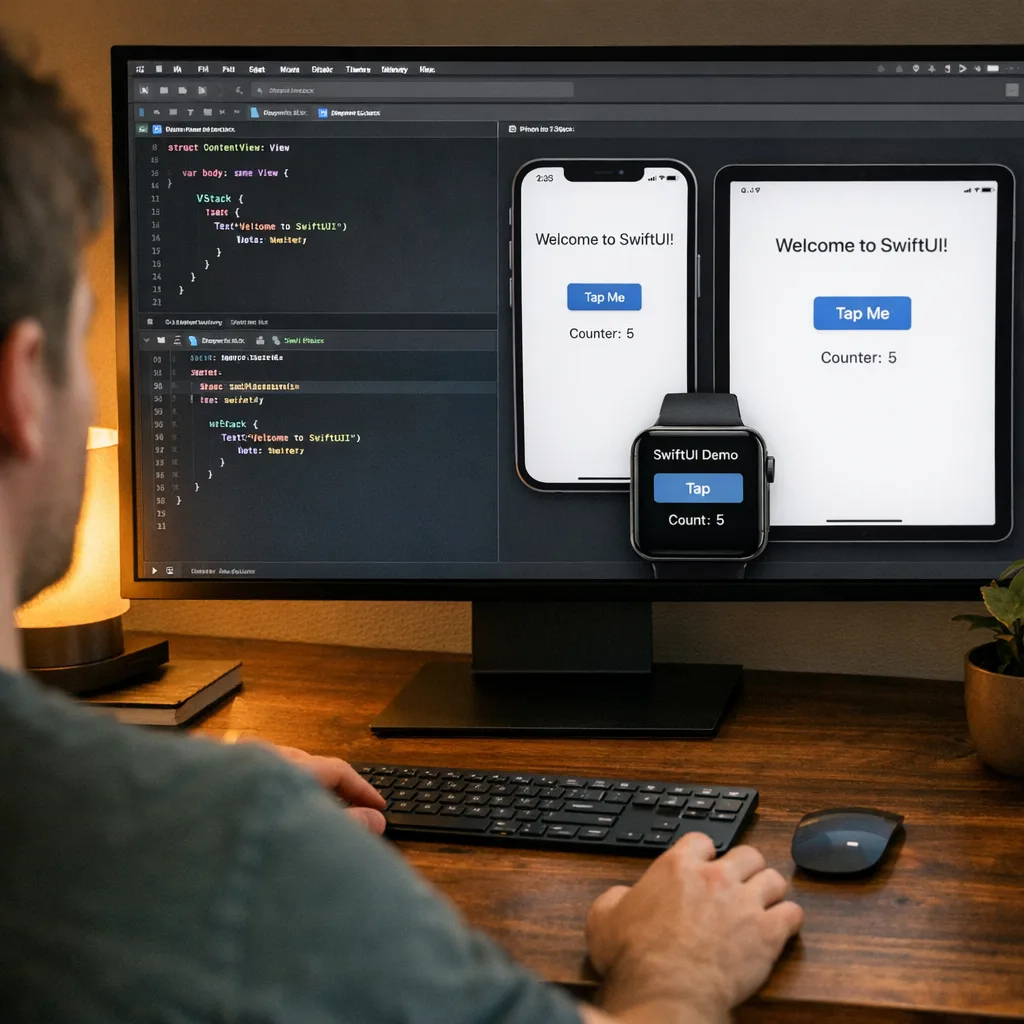
For teams using SwiftUI, prefer container-based layout (VStack/HStack/ZStack plus Grid and Layout protocols) and environment-driven decisions over geometry hacks. For UIKit, ensure traitCollectionDidChange flows are clean and your size-class checks are centralized.
2) SwiftUI quality-of-life upgrades
SwiftUI in iOS 27 continues its steady maturation: saner navigation, better interop, and more predictable previews. The preview system gained richer device and system setting toggles, which dramatically reduces the classic “works in previews, breaks on device” churn. You also get smoother adoption of the updated visual style without rewriting your entire view stack.
If you’ve been living on the fence—UIKit views wrapped in UIHostingController—this is a good year to move more leaf views to SwiftUI while keeping complex controllers in UIKit. The interop story is better, and you can chip away at tech debt incrementally.
3) Liquid Glass design refinements
The Liquid Glass aesthetic introduced previously has been tuned in iOS 27 for consistency and accessibility. You’ll notice more predictable translucency and layering, and a more coherent material system. Don’t sleep on this. Subtle visual shifts can push your contrast ratios under 4.5:1 or make foreground elements read as “mushy” against new materials.
Design checklist:
- Re-run your contrast audits with the updated materials and any blurred backdrops.
- Use semantic colors and materials instead of hard-coded values so your UI inherits Apple’s refinements automatically.
- Offer a “reduce effects” preference if your app leans on blur and transparency. Respect system Reduce Transparency and Reduce Motion.
4) App Intents and a more capable Siri
App Intents is the center of gravity for Siri and system actions in iOS 27. Apple expanded intent schemas, improved testing, and emphasized “actions inside and between apps.” That means your features surface through voice, Search, Shortcuts, widgets, and system UI with far less glue code than the old SiriKit era.
Here’s the bar I’m setting on client projects:
- Pick the five tasks people do most in your app and implement App Intents for each with good summaries and parameter metadata.
- Expose obvious variations (e.g., “create invoice for ACME for $500 due Friday”) using optional parameters so Siri can fill them naturally.
- Add App Intents-powered widget customization and test deep links back into the precise view state that completes the action.
Done right, this isn’t a “voice-only” feature. It’s ambient affordance—your app’s verbs become system verbs, available from more surfaces.
5) Foundation Models: on-device first, cloud when it helps
Apple’s Foundation Models framework in iOS 27 standardizes how you talk to models, whether they run on-device or via Private Cloud Compute. You get a unified protocol for session management, error types that differentiate model issues from session issues, and a clean abstraction that keeps your app’s AI logic portable.
How I decide on-device vs. cloud:
- Sensitive + Lightweight (summaries, categorization, intent extraction): run on-device to keep user data local and latency low.
- Heavy + Non-sensitive (long-form writing aid, multi-modal reasoning, high-quality image generation): burst to Private Cloud Compute.
- Regulatory surface: when in doubt, default to on-device or explicit opt-in for cloud processing, and update your privacy disclosures accordingly.
Architecturally, I recommend wrapping Foundation Models behind your own capability interfaces. That lets you swap providers or model sizes without rippling changes across your app.
6) Widgets and customization that actually convert
Widgets now compose better with App Intents and benefit from dynamic styling refinements. Treat widgets like a storefront: one job, one KPI. For commerce, it’s “reorder last purchase.” For productivity, it’s “join next meeting.” Back it with a single Intent that drops the user into a completion-ready screen.
7) Game dev notes: faster ports and better tooling
Game Porting Toolkit updates reduce the friction of bringing PC titles to Apple platforms, and the tooling around Metal and performance debugging got sharper. If you’ve been delaying an iOS build due to porting pain, revisit the numbers; the cost curve moved.
Let’s get practical: a 30‑day upgrade plan
You don’t need a rewrite to benefit from iOS 27. Here’s a pragmatic month-long plan I’m running with product teams today.
Week 1: Set the table
- Install the latest Xcode beta alongside stable. Create a separate CI job for iOS 27 SDK builds and UI tests.
- Turn on a resizability test matrix: iPhone 6.1” portrait/landscape, iPad 11” split view and full screen, Mac iPhone Mirroring.
- Freeze new UI features for five business days and focus on layout debt: convert fixed frames to constraints or SwiftUI stacks.
- Run Lighthouse-style checks for iOS visuals: contrast, tap targets, focus order with VoiceOver, and animations under Reduce Motion.
Week 2: Ship App Intents for the top five tasks
- Pick five high-frequency user tasks. Implement App Intents with clear titles, descriptions, and parameter names.
- Add widgets for one or two of those tasks and wire them directly to the Intents. Measure tap-through and task completion.
- Write Shortcuts examples your support team can share. Document them in release notes so power users spread the word.
Week 3: Add on‑device AI where it’s obviously useful
- Scope one feature for on-device models: summarizing a long note, extracting due dates from text, classifying receipts.
- Wrap Foundation Models calls behind a capability interface. Log latency, token counts (if exposed), and fallbacks.
- For any cloud escalation, add a settings toggle and a clear privacy explainer. Gate cloud calls behind explicit user consent.
Week 4: Fit and finish, then preview release
- Run a full resizability pass: screenshots at all target sizes, with dynamic type from XS to XXL. Fix clipping and awkward truncation.
- Accessibility verification: VoiceOver rotor order, actionable labels, headings, and rotor navigation structure.
- Performance smoke: cold launch, warm launch, first paint; target a perceptible improvement over your current baseline.
- Cut a TestFlight build labeled “iOS 27 Preview,” recruit a small beta cohort, and publish a roadmap post on your blog.
Risk ledger: where teams get bitten
Hard-coded visuals against Liquid Glass
Designers sometimes compensate for translucency with fixed overlays and alpha tweaks. Those will break when materials shift. Swap to semantic colors and system materials so your UI rides the OS refinements instead of fighting them.
Widget deep-link rot
Widgets that round-trip to a blank home screen or generic landing view lose trust. Always deeplink to the exact state that finishes the task initiated by the widget or Siri.
Layout assumptions in custom keyboards, banners, and toasts
Accessory UIs are notorious for ignoring safe areas. In iOS 27’s resizable contexts, those bugs become glaring. Audit overlays in landscape at compact and regular widths.
Privacy blunders when adding AI
Don’t send sensitive data to cloud models without clear consent. Provide an offline path where possible. If you add any server-side processing, review your privacy policy and disclosures. Keep a paper trail; you’ll be glad you did in an audit.
People also ask
Do I need to rewrite my app in SwiftUI to benefit from iOS 27?
No. UIKit remains first-class. You can modernize incrementally: move leaf views or new screens to SwiftUI, keep complex controllers in UIKit, and let the interop carry you. The key wins—resizability, App Intents, and visuals—don’t require a rewrite.
How do App Intents differ from the old Siri Shortcuts approach?
Shortcuts leaned on user-assembled automation. App Intents formalize your app’s verbs and parameters so the system can invoke them directly via Siri, Search, widgets, and other entry points. You still get Shortcuts, but now with a cleaner, typed contract.
When should I prefer on‑device models over cloud?
Use on-device for low-latency, privacy-sensitive tasks where the output doesn’t need heavy reasoning. Use cloud when the job is computationally expensive, accuracy-critical, and the data you send is either non-sensitive or user-approved.
Will iOS 27 break my current layouts?
Not automatically, but resizable contexts will expose brittle assumptions. If you’ve leaned on fixed widths, expect issues. Build and run on the iOS 27 SDK, then snapshot the four anchor layouts and fix what breaks.
Integration notes for web-heavy apps
If your app relies on web content or WKWebView, take the opportunity to retest any CSS that assumed fixed viewport sizes, revisit viewport meta settings, and audit performance of intensive scripts in resizable contexts. If you’re also shipping browser-based features, our earlier write-up on Safari’s platform changes pairs well with this iOS pass—see our guide to shipping WebKit upgrades without regressions.
Implementation framework: the 4x4 grid
Use this grid to prioritize work without creating a thicket of tickets:
- 1. Layout (Resizability): Top five screens, overlays/toasts, keyboards/inputs, settings-and-forms.
- 2. System verbs (Intents): Five high-frequency tasks, two widgets, spotlight integration, shortcut examples.
- 3. Intelligence (Models): One on-device feature, optional cloud escalation, privacy messaging, telemetry.
- 4. Accessibility & polish: Contrast, motion, VoiceOver rotor, performance smoke tests.
Each box should have an owner, a definition of done, and a before/after metric. Keep the cycle tight: spec Monday, build Tues–Wed, test Thursday, ship Friday to TestFlight.
Team enablement and CI/CD
Spin up a parallel CI lane with the iOS 27 SDK to catch regressions early, and run UI tests at both compact and regular sizes. If you maintain self-hosted runners or complex pipelines, now’s a good time to revisit your estate and ensure your agents have matching Xcode toolchains and simulators. For broader modernization across your stack, our note on recent CI changes is a good companion read.
If you need help turning this plan into a concrete sprint, our mobile engineering services and portfolio of shipped apps show how we compress risk while moving fast. Want a gut-check on your resizability or intents design? Ping us via contact and we’ll set up a rapid review.
What to do next
- Install the latest Xcode beta and spin up a separate CI job for iOS 27 builds.
- Snapshot your top five screens across compact/regular, portrait/landscape, and fix layout debt.
- Ship App Intents for five high-frequency tasks and wire two widgets directly to them.
- Add one on-device AI feature using Foundation Models; gate any cloud escalation behind consent.
- Re-audit accessibility and design against Liquid Glass updates; measure contrast and motion.
- Push a “iOS 27 Preview” TestFlight to a small cohort and gather structured feedback.
Here’s the thing: iOS 27 rewards teams that favor fundamentals over theatrics. Make your app fast, responsive, and reachable from anywhere the system can help a user act. That’s what will earn you stars in the fall—and keep them into 2027.
If you want deeper guidance as these changes roll out, keep an eye on our blog for hands-on playbooks and migration notes as the betas evolve.






Comments
Be the first to comment.