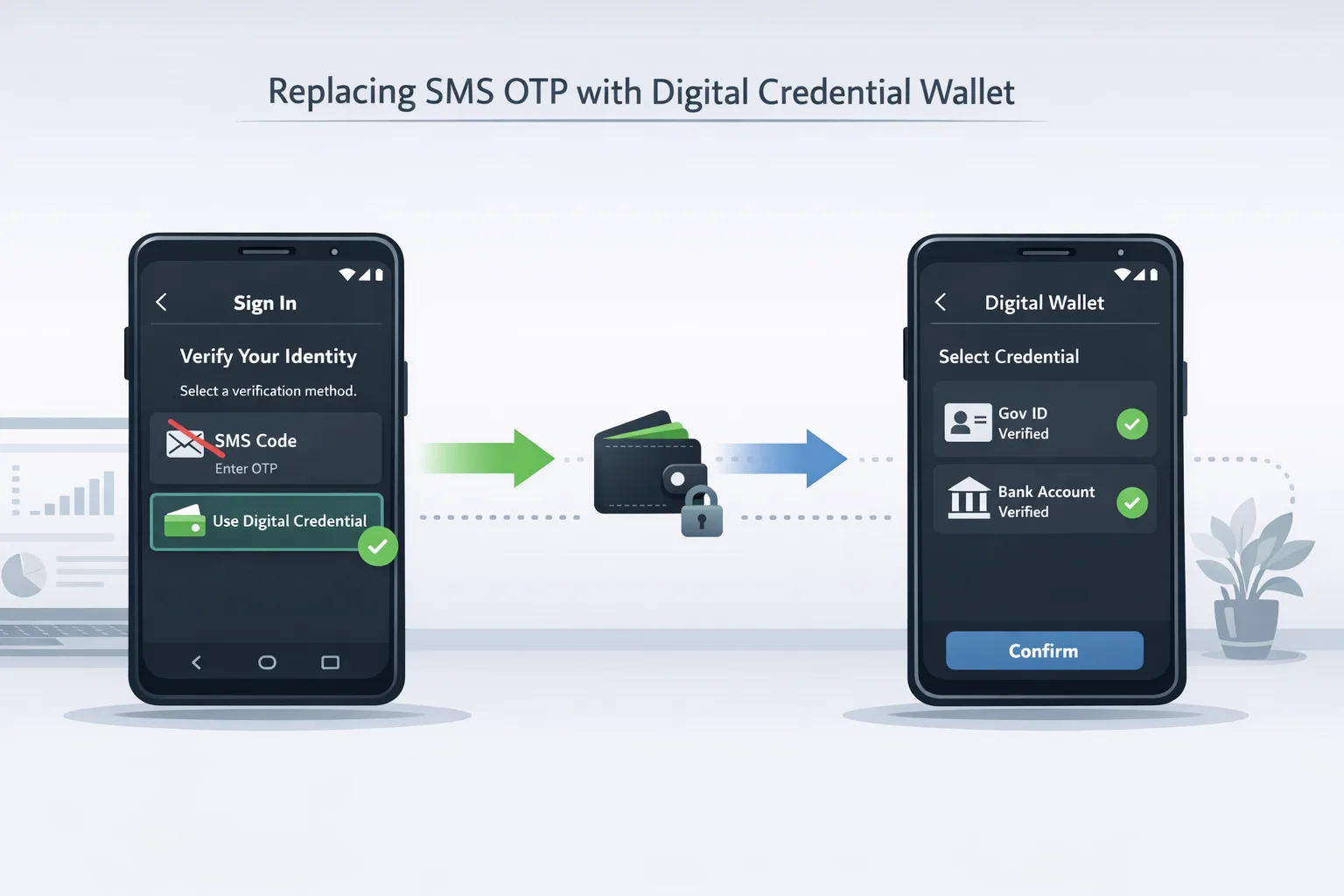
Stop Shipping SMS OTP: Move to Digital Credentials
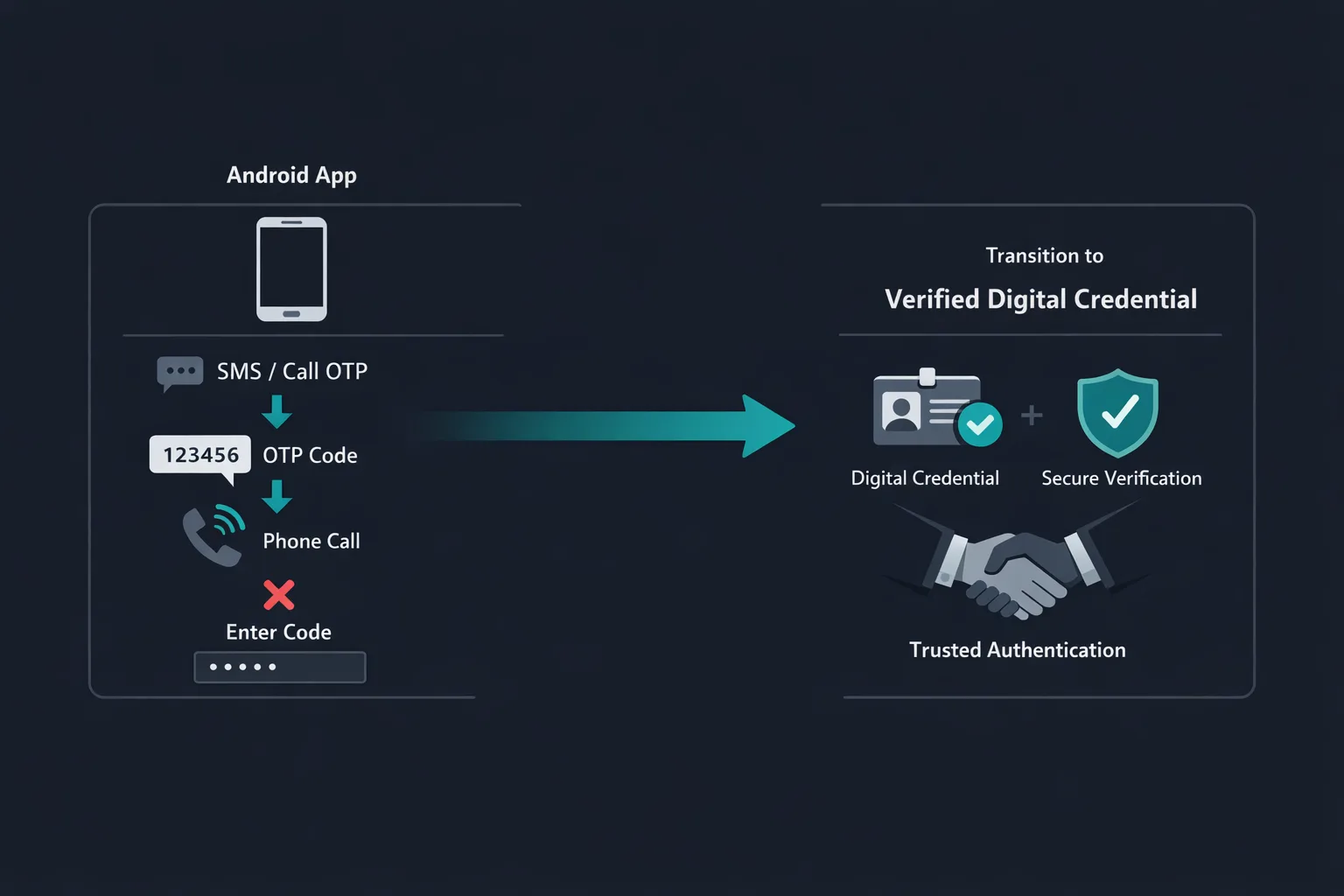
Here’s the thing: the primary keyword you should be optimizing for—Digital Credentials API—isn’t just another shiny SDK. As of late August 2026, Google Play’s policy timeline makes it crystal clear that verification flows must move away from sensitive permissions and brittle phone-call OTPs. And on January 27, 2027, Play’s permissions policy will stop allowing phone-call verification under the call log permission. If you still rely on SMS or call-based OTP, you’re on borrowed time and a degraded UX. The safer, future-proof path is Android’s Digital Credentials API, delivered through Credential Manager and designed to plug into verification providers without scraping messages or asking for risky permissions.
What exactly changed—and when?
Two dates matter for teams shipping Android apps right now:
• August 26, 2026: Google Play added multiple safety updates (including new restrictions for anonymous and random chat apps) and reinforced guidance to use modern verification methods. The documentation in that timeline points developers away from sensitive permissions and toward the Digital Credentials API or the SMS Retriever API when you truly need OTP via SMS.
• January 27, 2027: Play’s permissions policy will no longer permit account verification via phone calls tied to call log access. Translation: the “missed call” or IVR callback OTP tricks must go. If your verification depends on reading call logs or initiating phone-based verification, plan a replacement now.
These aren’t theoretical guardrails. They shape the review queues you’ll meet this fall and the audits you’ll face in early 2027.
Why SMS and phone verification are liabilities in 2026
Let’s be practical. SMS and phone OTPs are familiar, but they’re expensive, leaky, and increasingly fragile:
• Delivery and latency: OTPs arrive late or never, especially on roaming or dual-SIM devices. Support tickets spike and conversion drops at the worst time—first-run onboarding.
• Security posture: Thread hijacking, SIM swap, and social engineering all exploit SMS OTP weakness. U.S. guidance has restricted PSTN-based one-time codes for years; most modern security baselines now treat SMS OTP as a fallback at best.
• Permissions and review risk: The moment you ask for broad telephony or call log permissions, you’ve raised your review surface area. Even if you pass, future policy changes can invalidate that architecture overnight.
• Cost and fraud leakage: Per-message fees add up. Worse, OTP resends often correlate with fraud rings grinding credential-stuffing attempts.
Meet the Digital Credentials API (and Credential Manager)
Android’s Identity stack re-centers auth flows on cryptographically strong credentials and explicit user consent, without grabbing sensitive app permissions. The building blocks:
• Credential Manager: The system-level aggregator that presents sign-in and verification options—passkeys, passwords (where allowed), Sign in with Google, and, now, digital credentials for verification.
• Digital Credentials API: A contract between your app (the verifier) and a credential provider (a wallet app or secure component) to request, present, and verify claims. Think phone number ownership, email verification, or age attributes—bound to cryptographic proofs instead of fragile OTP transport layers.
• Provider ecosystem: You can integrate directly with a verification provider or rely on wallet apps that implement the standard flows. Android surfaces a first-class UI for the request/consent ceremony and returns a DigitalCredential object back to your app.
The upshot: you validate the user’s claim (for example, “I own +1…”) without scraping SMS or asking users to type a 6-digit code while a timer ticks down.
Does this kill SMS entirely?
No. You still have the SMS Retriever API as a policy-aligned option when you truly need SMS-based flows. But the bar has moved: use SMS Retriever to avoid reading messages manually; do not pair it with sensitive permissions. For mainstream onboarding and re-verification, the Digital Credentials API should be your default, with SMS only as a fallback for edge cases.
Primary keyword focus: Digital Credentials API in production
If you remember one technical directive, make it this: wire your verification to the Digital Credentials API via Credential Manager. As of mid-August 2026, the Identity docs show fresh examples for email and phone verification, and the androidx.credentials library exposes DigitalCredential under an experimental flag. Keep an eye on version notes; pre-release builds in the 1.6–1.7 line add verifier and provider-side improvements, including better OpenID4VP request handling and error mapping.
Architecture: how the pieces fit
The happy path for phone or email verification looks like this:
1) Your app constructs a verification request—typically an OpenID4VP payload that encodes the claim you want to verify.
2) You pass that request to Credential Manager (as a DigitalCredentials request). The system displays the wallet/provider choice UI.
3) The user consents, then the provider performs proof of control (for example, within the carrier network for phone, or via trusted email channel plus cryptographic attestation).
4) Credential Manager returns a signed credential (DigitalCredential) to your app. You send that token to your backend for verification.
5) Your server validates the signature, issuer, and claim. You persist a short-lived session or a long-lived account record with a verified flag, plus risk signals via the Play Integrity API if you need device attestation.
People also ask: Will this hurt conversion?
Short answer: it shouldn’t. In our shipping experience, eliminating code entry and bounce-prone SMS improves first-run completion. Users see a single, native sheet; consent, tap, done. The key is copy, timing, and fallbacks. If you bury the action behind a secondary button or nag users into SMS, they’ll choose the path of least resistance—so design the “Verify with digital credential” route as the primary CTA.
Another FAQ: Do we need a wallet app?
Not necessarily. Some verification providers ship a lightweight wallet component; others rely on system UI only. Credential Manager is the broker, so your UX remains consistent. Prototype with a hosted verifier to validate your flow; you can swap providers later if needed as long as you honor standards (OpenID4VP, JOSE signatures) and keep your server verification modular.
A migration playbook you can ship in 30 days
Week 1 — Discovery and risk mapping
• Inventory all SMS/phone verification entry points: sign-up, device change, high-risk actions, and customer support flows.
• Classify each by risk tier and audience (new vs. returning users, high-value cohorts).
• Decide your primary provider path. If you’re regulated or large-scale, select two partners for A/B and resiliency.
• Draft a policy note for leadership: call-based verification sunsets for Play permissions on January 27, 2027; SMS Retriever is acceptable as a fallback; primary is Digital Credentials API. Include projected conversion/chargeback impacts.
Week 2 — Integration spike
• Add Credential Manager if you haven’t already. Gate Digital Credentials behind a feature flag.
• Implement the verifier-side server endpoint to validate returned credentials. Log issuer, signature, timestamp, and claim payload.
• Add telemetry around the Credential Manager sheet: impressions, accept, cancel, fallback chosen, time-to-complete.
• Wire a fallback path with SMS Retriever (no sensitive permissions). Keep copy honest: “Can’t use a digital credential? Get a code via SMS.”
Week 3 — UX polish and risk controls
• Make the digital credential route the primary CTA on first-run.
• Add anti-hijack hardening: mark sensitive views accessibility-data-sensitive; combine with Play Integrity API device signals on high-value actions.
• Implement exponential backoff and lockouts for repeated verification failures to prevent abuse.
• Run dogfood with your support and fraud teams; collect cancellation reasons.
Week 4 — A/B and rollout
• 10% rollout to new installs. Track completion, time-to-verify, and support contacts per 1,000 MAU.
• Expand to 50–100% once parity beats SMS baseline.
• Turn off phone-call verification entirely. Keep SMS Retriever fallback for specific markets or devices as needed.
Integration gotchas we’ve seen
• Version drift: Pre-release androidx.credentials builds change method names and flags. Pin versions in Gradle and track release notes weekly.
• Provider latency: If your verification provider adds seconds of network round-trips, you’ll tank completion. Measure P50/P95 and set SLAs.
• Server validation mistakes: Always verify issuer, signature, and expiration. Treat credentials as bearer tokens only within a very short time window.
• Poor copy: Users don’t know what a “digital credential” is. Test strings like “Verify your phone without a code” or “Fast, code-free verification.”
Security and compliance checklist
Use this with your security lead and PM:
• Remove any dependency on call logs or dialer callbacks for verification by December 2026.
• Keep SMS Retriever-only fallback; never request broad SMS or call permissions for verification.
• Store only minimal verification artifacts server-side: issuer, claim, timestamp, and a non-reversible verification ID.
• Enforce TLS 1.2+ to your verification provider and require signed responses (JWS/JWT).
• Rotate verification keys with your provider at least quarterly; pin verification endpoints.
• Add rate limits and bot protection on the verification endpoint; integrate Play Integrity API for device risk on sensitive flows.
• Run privacy review: update your Data safety form and privacy policy to reflect the new verification data flows.
Data points you can take to leadership
• Policy reality: Google’s timeline highlights August 26, 2026 safety updates and a January 27, 2027 cutoff for call-based verification tied to call log permissions. Expect stricter review posture as that date approaches.
• Standards momentum: Android’s Identity docs shipped new examples in August 2026 for email and phone verification via Digital Credentials. The DigitalCredential class itself shows active iteration this summer.
• Market adoption: Passwordless is no longer a science project. Industry groups reported billions of passkeys in use globally in 2026 and near-universal awareness. Your users increasingly expect code-free verification flows.
How this fits with your broader roadmap
Verification sits next to sign-in. If you haven’t consolidated sign-in through Credential Manager, do that now—it reduces surface area and unlocks passkeys. Align this work with your quarterly security initiatives and performance goals: faster verification reduces drop-off; fewer SMS resends cut costs. If you’re planning a fall release, sequence the verification migration first, then passkeys for sign-in. Both use the same system UI, which simplifies QA.
What about regulated markets or special cases?
Some telecom markets or enterprise deployments require carrier-grade ownership checks or audit trails. That’s fine. Choose a provider with carrier integrations for phone verification credentials or implement email verification credentials for certain workflows. The Digital Credentials API doesn’t force one flow; it standardizes the handshake and puts the system UI in charge of consent and selection.
People also ask: Will older Android versions block this?
Credential Manager supports back to Android 9 for most sign-in features, and the Digital Credentials path is rolling out through Jetpack libraries plus wallet/provider apps. For very old devices, keep your SMS Retriever fallback. But don’t let the tail wag the dog: build for the majority, and route edge cases to fallback without permissions creep.
Implementation blueprint (server and client)
Client:
• Dependency: track the latest androidx.credentials library that includes DigitalCredential APIs. Mark experimental annotations as required.
• Request: build a CreateDigitalCredentialRequest or a verification request object the API expects for your provider; pass to Credential Manager.
• UX: primary CTA calls Credential Manager; secondary CTA triggers SMS Retriever fallback.
Server:
• Accept a credential payload (JWT/JWS). Validate signature, issuer, nonce, and expiration. Map claim to a normalized user record.
• Log verification outcomes with minimal PII. Emit risk signals to your fraud pipeline and attach Play Integrity device verdicts for sensitive actions.
• Fail closed: on invalid signatures or expired credentials, do not bounce to SMS automatically. Require a separate, rate-limited path.
Planning help and further reading
If you need a structured sprint to get this live, our team’s mobile security engineering services include verification migrations, Credential Manager adoption, and end-to-end QA plans. For compliance sequencing alongside other store deadlines, use our Google Play target API guide as a companion checklist. You can also browse our recent mobile releases for examples of code-free verification UX, or talk scope and timelines via app modernization and compliance sprints.
What to do next (this week)
• Decide to make Digital Credentials your default verification path.
• Add Credential Manager to your app if it’s not there already.
• Pick a verification provider (or two) and run a spike against your staging backend.
• Implement a clean SMS Retriever fallback—no sensitive permissions.
• Ship telemetry on the verification sheet and set success metrics: completion rate, time-to-verify, and support contacts per 1,000 MAU.
Zooming out
Android’s security story is converging on a simple idea: explicit consent, cryptographic proof, and least privilege. The Digital Credentials API embodies all three. If you move now, you’ll sidestep a choppy review season, cut operational pain from undelivered OTPs, and offer users a verification moment that feels like it belongs in 2026—not 2013. If you wait, you’ll be porting in a hurry while your metrics take the hit.








Comments
Be the first to comment.