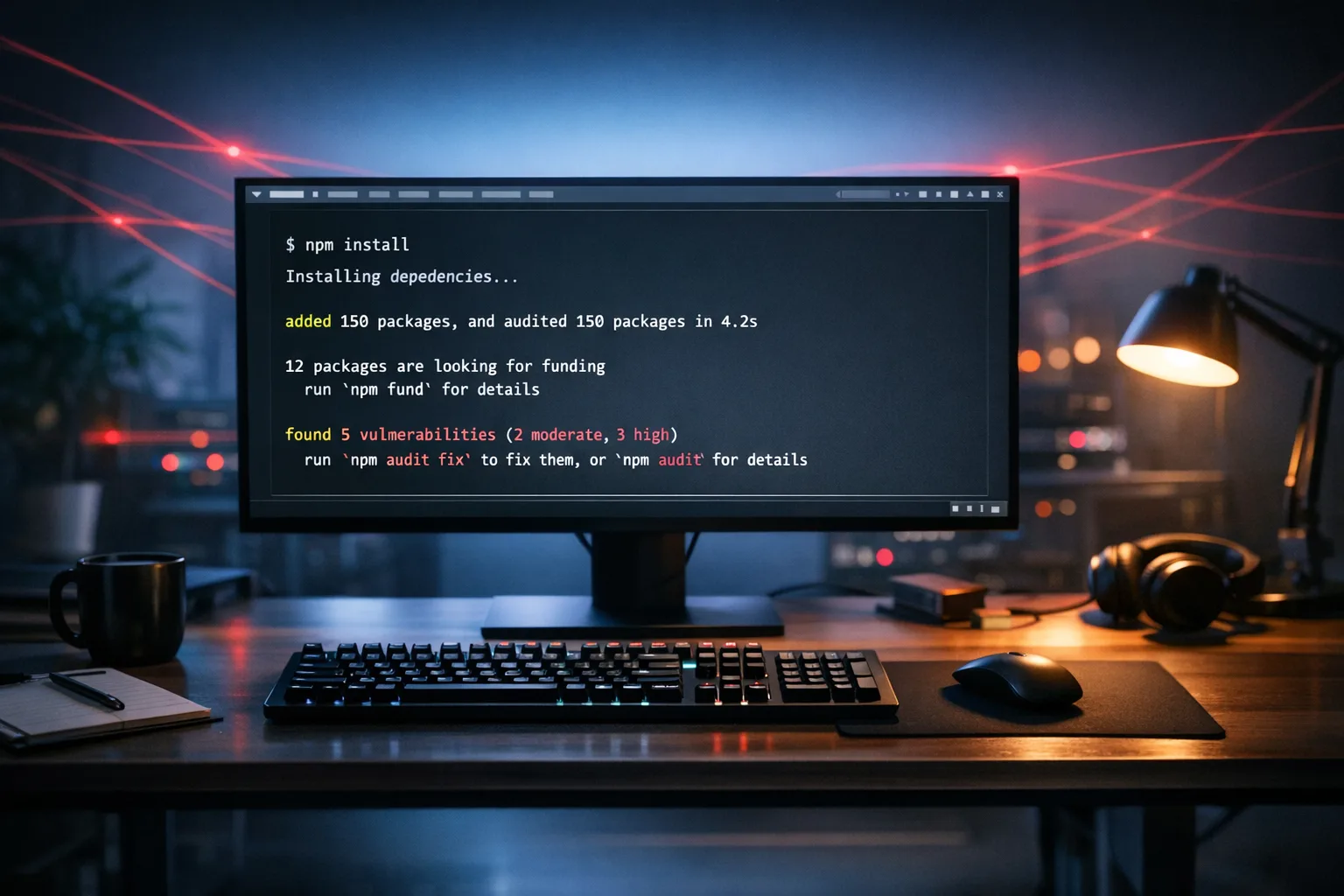
After the Axios Hack: npm Supply Chain Security Playbook
“npm supply chain security” isn’t an abstract buzzword anymore. On March 31, 2026, two malicious Axios releases briefly landed on the public registry, pushed through a hijacked maintainer account. The poisoned versions, [email protected] and [email protected], existed for just a few hours—long enough for busy CI systems and developer laptops to install them automatically. If your build or bootstrap scripts ran around 00:21–03:25 UTC on March 31, you had real exposure.
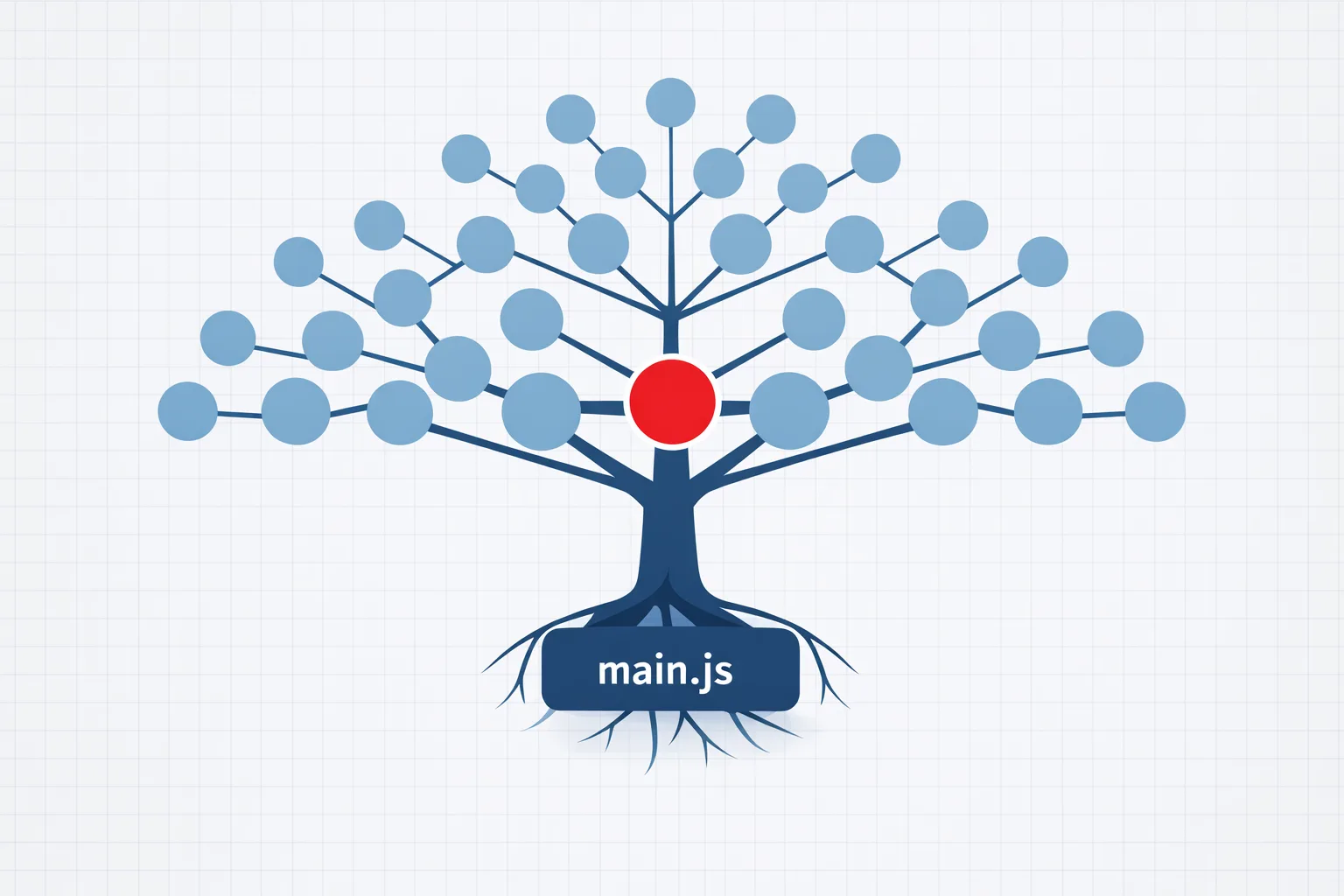
Here’s the thing: this wasn’t code slipped into Axios source. It was a silent dependency injection via a fake library, triggered by a postinstall script. That’s why teams that only scanned source missed it. The incident is a case study in modern software supply chain risk—and a blueprint for how to respond quickly and harden permanently.
What actually happened—and why it mattered
Attackers obtained a maintainer’s npm token and published two patch releases that looked routine. Neither contained obvious backdoor logic. Instead, they added a new dependency, [email protected], which ran a postinstall script the moment npm resolved it. That dropper reached out to a command-and-control server, fetched a platform-specific payload, then erased forensics by swapping in a clean package.json. Many developers could poke around node_modules after the fact and see nothing suspicious.
Why it stung: Axios is everywhere—frontend frameworks, backend starters, CLI tools. Teams pin ranges (“^1.14.0”), CI runs 24/7, Dependabot and Renovate merge quickly, and default builds allow lifecycle scripts. That’s a perfect blast radius when a popular dependency gets weaponized for two to three hours.
First 72 hours: the npm supply chain security triage plan
If your org touched the bad versions, treat this as incident response, not a simple package bump. Use a crisp timeline and split workstreams for speed.
0–8 hours: confirm exposure, contain, preserve
- Define the exposure window: 00:21–03:25 UTC on March 31, 2026. Pull CI logs, artifact timestamps, and merge histories for repos that depend (directly or transitively) on Axios.
- Check for presence, not just versions: search your trees and images for a
node_modules/plain-crypto-jsdirectory. Don’t trust reported version numbers—postinstall swapped metadata. - Snapshot and quarantine any CI runners or developer laptops that installed dependencies in that window. Preserve logs and network telemetry for later forensics.
- Block outbound traffic to the known C2 domain in your egress controls. Even if it’s offline now, treat it like an IOC you’d deny-list for good.
8–24 hours: eradicate and rotate
- Rebuild all images that pulled dependencies during the window. Force cache busting in Docker (
--no-cache) and purge any internal npm proxy caches. - Rotate secrets widely: npm tokens, GitHub PATs, SSO app tokens, CI credentials, cloud keys, package registry credentials, and container registry tokens. Assume credential theft on any impacted machine.
- Invalidate suspicious OAuth grants and PATs across your Git provider. Require re-auth with SSO and hardware-backed MFA where available.
- Ship a rapid dependency correction PR: downgrade to
[email protected]or the next verified-good build; commit, tag, and promote through controlled environments.
24–72 hours: verify and remediate at depth
- Threat hunt across endpoints for platform-specific artifacts that early advisories listed. On macOS, inspect suspicious cache paths; on Windows, look for odd binaries in
%ProgramData%and run keys; on Linux, scan temp dirs and service definitions. Treat any finding as full compromise. - Audit your org’s npm publishing posture. If you publish packages, move to OIDC-based “Trusted Publishing” and require provenance attestation for releases.
- Freeze dependency updates org-wide for 48–72 hours while you push hardening changes below.
Let’s get practical: a durable npm supply chain security baseline
This is the opinionated checklist we implement on client teams. It’s designed to be boring, automatable, and compatible with real-world JavaScript stacks.
1) Default to npm ci --ignore-scripts in CI
Lifecycle scripts (preinstall/install/postinstall) are the easiest execution primitive for attackers. In CI:
- Use
npm ci --ignore-scriptsfor deterministic installs frompackage-lock.json. - If a handful of packages legitimately require compile steps (native modules), follow with explicit
npm rebuild pkg-one pkg-two --build-from-sourcein a sandbox stage. Make it an allowlist you can audit.
Yes, a few builds will need refactoring. That trade—an extra minute of build time for an order-of-magnitude risk reduction—is worth it.
2) Prove who published: enforce provenance for first- and third‑party code
When you publish internal packages, use OIDC “Trusted Publishing” from CI and include provenance attestation (npm publish --provenance). For consumption, add checks on release metadata during PRs: fail if a new dependency lacks a trusted publisher signature pattern your org accepts.
How to start:
- Document the expected publisher metadata for top dependencies (maintainer, signing/provider norms, repo link). Keep this list in your monorepo and gate changes to it via code review.
- Integrate a provenance check job that looks up registry metadata for any
package-lock.jsondiff. If a new package lacks the expected publisher pattern or provenanced release, the job blocks the PR until a human approves.
3) Slow the blast radius: staged updates with a cool‑down
Auto-merge of dependency bumps is great until the registry itself is the problem. Add a cool-down timer:
- Dependabot/Renovate opens PRs within hours, but merges wait at least 48 hours—long enough for the community to flag a bad release. High-risk packages (network clients, build tools, auth libs) default to manual review.
- Promote updates through an internal npm proxy or artifact repository that snapshots once and pins immutably. Treat the public registry as ingress, not a production dependency.
4) Pin, freeze, and verify—beyond package.json
Ranges like ^1.14.0 are fine for app development; they’re a liability for releases. In build pipelines for deployable artifacts:
- Install strictly from the exact lockfile (
npm ci) and ensure lockfiles are committed for every deployable project. - Enforce a policy that production images can only be built from a locked dependency graph. Your CI should fail if
npm installmodifies the lockfile.
5) Pre-commit and PR-time guardrails
Catch risky patterns before they merge:
- Flag any new dependency that introduces lifecycle scripts. A simple script can parse
package.jsondeltas in PRs and post a comment for reviewers. - Run a
lockfile-lintstep to forbid registry URLs outside your allowlist and to block protocol downgrades. - Static review for suspicious
postinstallorpreparehooks in first-party packages before publish.
6) Network and runtime controls around CI
Assume something will slip by one day. Limit how far it can run:
- Apply egress filtering in CI. Allow your npm proxy, Git provider, and a small set of build-time destinations. Block raw internet by default.
- Segregate build runners from long-lived secrets. Short-lived OIDC tokens to cloud and registries; no static keys on disk.
- Record DNS and process telemetry from builds. You want to know if a build tried to phone home to a new domain within seconds of install.
7) Developer machines: least privilege, fast rollback
Dev laptops are high-value targets because they hold auth to everything. Use device management to:
- Separate daily-driver accounts from privileged administrative tasks.
- Maintain rollback images that let you reimage machines within hours when an IOC is found.
- Capture install logs from package managers; if a team member installed dependencies during a compromise window, you can respond quickly.
People also ask: quick answers your team will want immediately
Was Axios itself backdoored?
No. The compromised releases added a malicious dependency with a postinstall script. That’s why source code diffs didn’t obviously reveal anything, and why checking for the plain-crypto-js directory is a better signal than reading version strings.
If I ran npm install during the window, am I owned?
Treat the system as compromised until proven otherwise. Rotate credentials, reimage high-value machines, and rebuild artifacts from clean environments. Don’t assume uninstalling the package removes impact.
How do I check if our CI pulled the bad versions?
Start with build timestamps from 00:21–03:25 UTC on March 31, 2026. Inspect logs for dependency resolution involving Axios. If you snapshot artifacts, hash-compare them to freshly rebuilt equivalents. Any mismatch without a code change in between deserves scrutiny.
Should we disable postinstall scripts everywhere?
Disable by default in CI and production builds (--ignore-scripts), then allowlist legitimate rebuild steps explicitly. On developer machines, it’s harder—some tooling expects scripts—but you can still alert on new packages that introduce lifecycle hooks.
A simple framework you can apply this week
I use a four-step loop for client teams. It’s boring—and that’s the point.
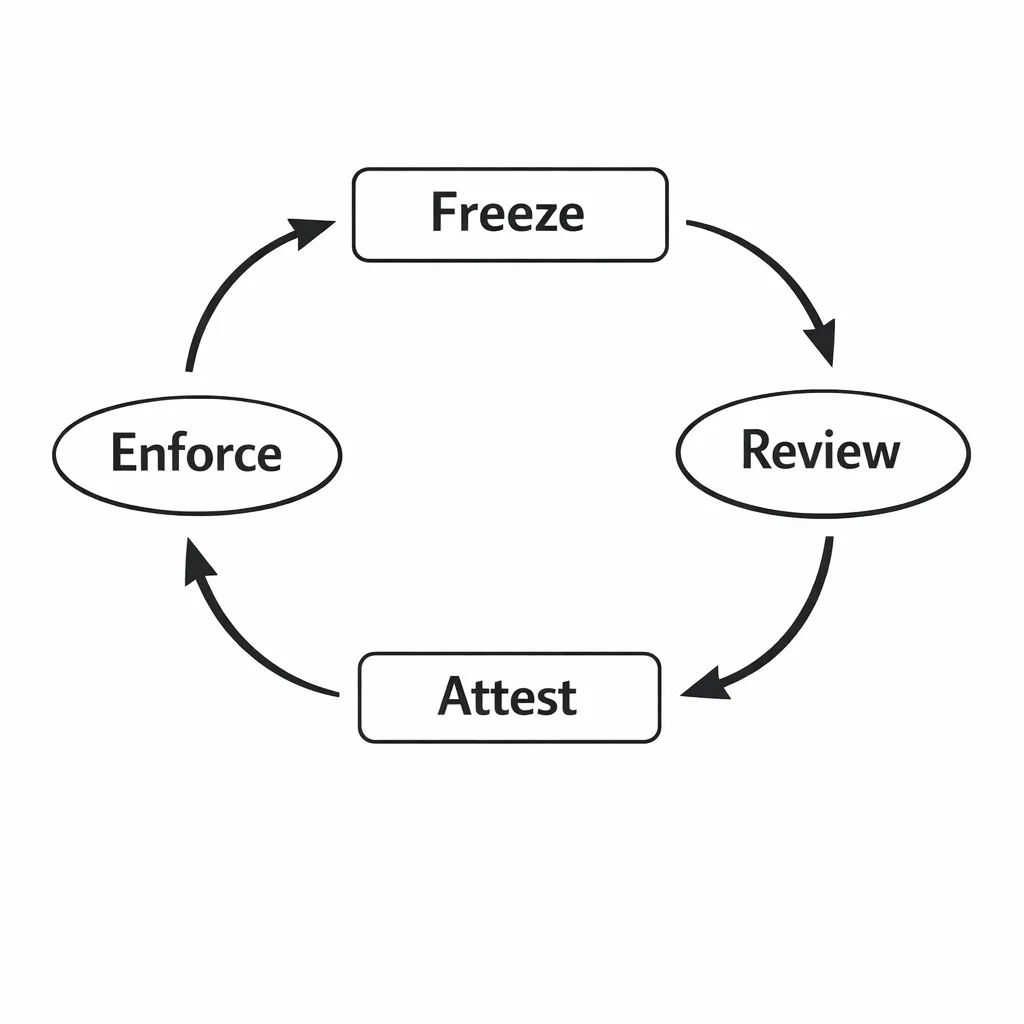
FRAME: Freeze → Review → Attest → Enforce
- Freeze: Route dependency updates through an internal proxy with a 48–72 hour cool-down. No direct installs from the public registry in production builds.
- Review: Gate PRs that alter the lockfile. Surface new packages, lifecycle scripts, and publisher provenance for human review.
- Attest: Require OIDC-based publishing and package provenance for your own packages. Prefer dependencies with verifiable provenance.
- Enforce: Expand
--ignore-scripts, egress controls, and short-lived credentials in CI. Fail builds that modify lockfiles or fetch from unapproved registries.
Wrapped around your existing SCA and SBOM tooling, FRAME reduces the chance of silent execution and limits the damage when it happens.
Data that matters: window, versions, and indicators
Anchor your internal comms to specifics so teams can move fast and in sync:
- Compromised releases:
[email protected](modern) and[email protected](legacy). - Operational window: roughly 00:21–03:25 UTC on March 31, 2026, before npm removed the packages and locked the injected dependency.
- Silent mechanism:
postinstallin fake dependency[email protected], which fetched a platform-specific payload from a C2 server, then replaced its ownpackage.jsonto evade naive checks. - Detection tip: presence of
node_modules/plain-crypto-jsin any tree built during the window. Don’t trust version strings alone.
Communicating these details clearly helps non-security stakeholders understand why the response includes credential rotation and image rebuilds, not just a dependency bump.
Zooming out: this won’t be the last time
Package registries are an incredible force multiplier. They’re also irresistible to attackers because trust is concentrated in a few keystrokes. We can’t opt out of the JavaScript ecosystem, but we can design our pipelines so that a bad upstream release burns minutes, not weeks.
If you need a release gating blueprint that balances speed and safety, we documented the approach we use with product teams in our write‑up on a runtime upgrade strategy that ships without drama. It pairs well with the FRAME loop above.
Related reads from our team:
- Our pragmatic release gating checklist: runtime upgrade strategy that ships in 2026
- What we help clients with in secure delivery and incident response: software services and security reviews
- Need help scoping a rapid clean‑room rebuild and credential rotation? Talk to our team
What to do next (developers)
- Switch CI installs to
npm ci --ignore-scriptsand add an explicit allowlist rebuild step for legitimate native modules. - Introduce a 48–72 hour cool‑down on dependency auto‑merges; snapshot through an internal proxy.
- Gate on provenance: add a metadata check for new dependencies in PRs; prefer packages with trusted publisher signatures.
- Add a pre-merge lockfile policy: fail if a PR modifies
package-lock.jsonwithout a matching changeset or maintainer sign‑off.
What to do next (engineering leaders)
- Mandate short‑lived, OIDC‑issued credentials in CI; kill long‑lived access tokens.
- Budget a one‑sprint hardening push to land FRAME (Freeze, Review, Attest, Enforce) across all services.
- Turn on egress filtering in CI and centralize logs from build runners for quick anomaly detection.
- Run a tabletop exercise around a registry compromise. Measure how fast you can inventory exposure, rotate secrets, and rebuild images today.

The bottom line
Incidents like the March 31 Axios event aren’t edge cases; they’re the new normal for a mature, fast-moving ecosystem. You don’t need perfect defenses—you need defaults that make silent execution unlikely, limit what a malicious script can touch, and give you crisp playbooks for the first 72 hours.
Do the boring things, make them automatic, and your team ships safely without slowing down. And the next time a popular package gets briefly weaponized, you’ll spend more time sipping coffee than firefighting.
Want an outside set of hands to pressure‑test your pipeline or help with incident response? Our team has done this before. Start with a short scope call via our contact page, or browse our blog for practical guides product teams actually use.




Comments
Be the first to comment.