Android Developer Verification: Pass It Now
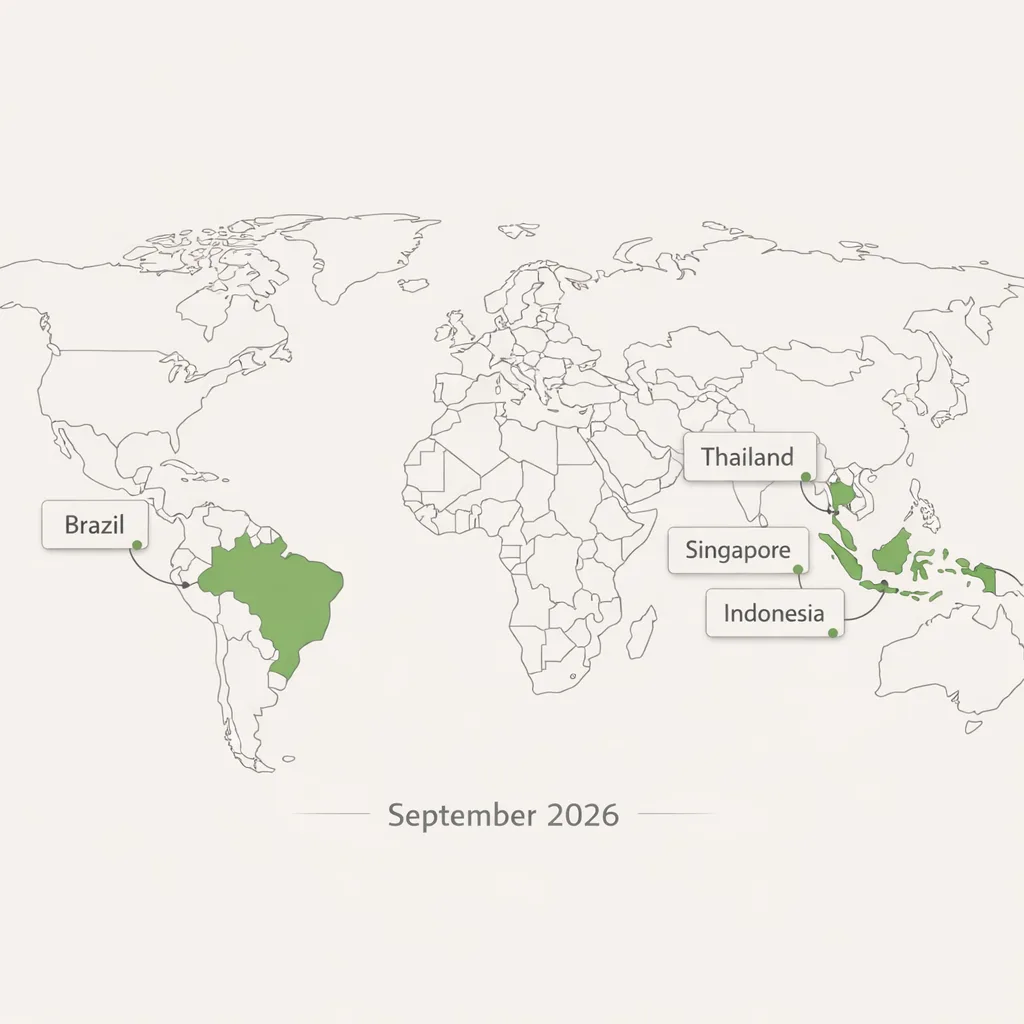
Android developer verification is no longer theoretical—it's here. As of March 2026, the program is open to all developers. Starting in September 2026, certified Android devices in Brazil, Indonesia, Singapore, and Thailand will require apps to be registered by a verified developer, with global rollout continuing in 2027. If you build, ship, or sideload Android software for customers, partners, or employees, this is a distribution gate you can’t ignore.
What changed in March 2026—and what happens in September?
March 2026 is the opening of the lanes: every developer can enroll and complete verification. The key enforcement milestone lands in September 2026, when certified devices in the first four countries will only install apps from verified developers. That includes apps distributed outside the Play Store if the device is certified. After that, enforcement expands worldwide through 2027 and beyond. The message is clear: don’t wait for a frantic Q3 scramble.
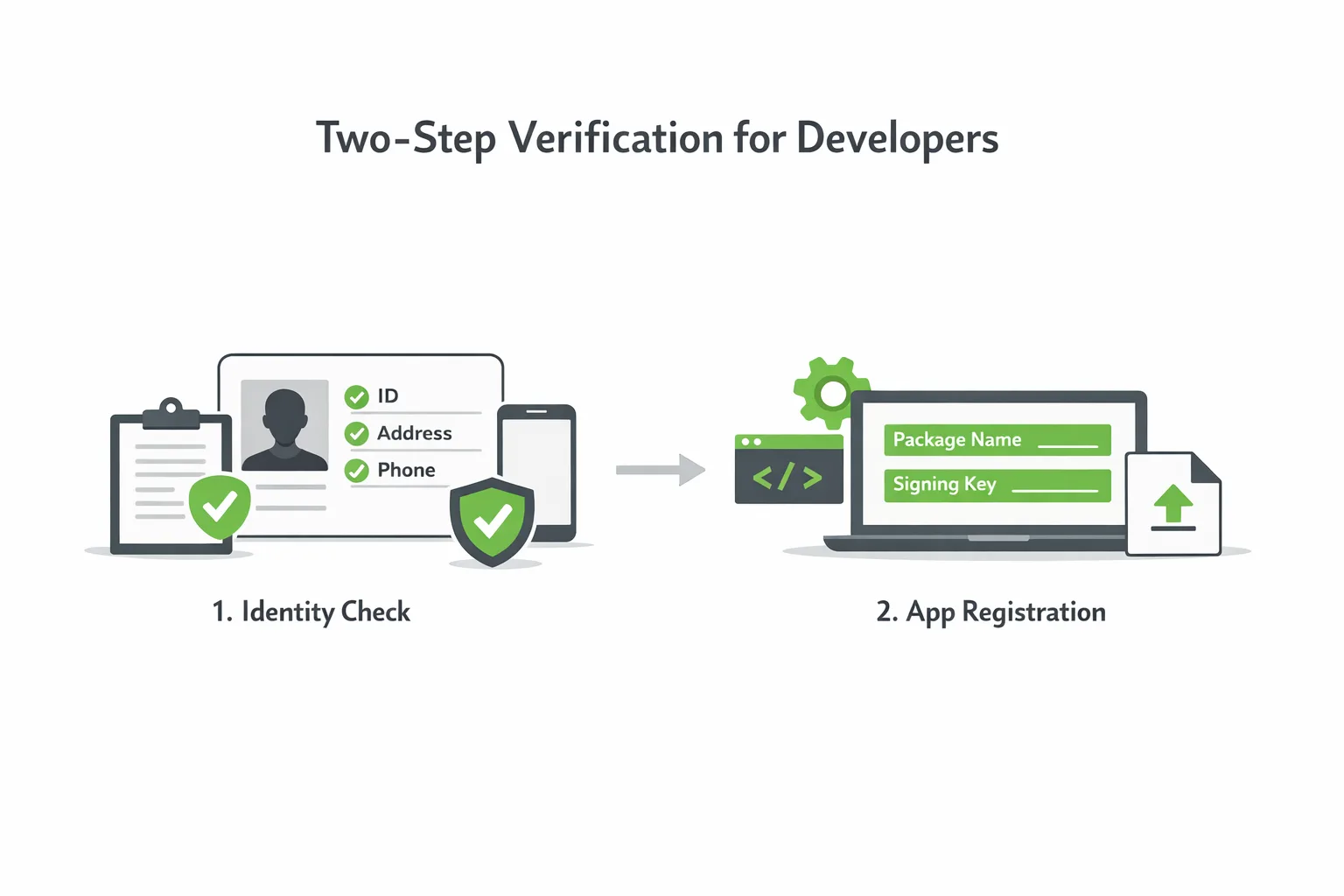
Verification is a two-step process. First, verify your identity (or your organization’s identity). Second, register your apps by package name and confirm ownership with the appropriate signing keys. If you already publish on Google Play, most of your Play-distributed apps will be auto-registered; you’ll still need to review what couldn’t be matched and register anything you distribute outside Play.
Android developer verification: what you actually need
Here’s the practical bill of materials most teams will touch:
- Individual or organization identity details. For orgs, plan on a D‑U‑N‑S number, legal name/address, website verification, a government ID from the account creator, and contact methods that can receive one-time passwords.
- Package names for every app you distribute, including private/internal builds and partner editions.
- App signing keys or proof you control the keys used to sign those packages.
- A small one-time registration fee for the non‑Play developer console (if you only distribute off‑Play). If you’re a Play developer, you’ll primarily work in Play Console—Android aims to auto-register the majority of existing Play apps for you.
Student and hobbyist developers are explicitly in scope. Google has said a dedicated account type is coming for smaller audiences, along with an “advanced flow” for installing unverified apps in certain scenarios. That tells us the ecosystem is tightening while keeping a pressure valve for legitimate edge cases.
The pass-first plan: a half-day sprint your team can run now
Here’s a sequence we’ve repeated across client teams to get from zero to verified with minimal drama.
1) Inventory packages and signing keys
Create a complete list of package names you ship—Play, enterprise, partner, and internal-only. Map each to the signing key in use today. If you use Play App Signing, pull the certificate fingerprints from Play; if you self-sign, document your keystores and SHA‑256 certs. Flag any product line with multiple keys over time (e.g., rebrands, vendor changes, or emergency key rotations).
2) Decide account structure and responsibility
Choose whether verification sits under a parent organization or business unit. Simpler is better—fewer verified identities mean less drift. Name clear owners for identity docs, key custody, package registration, and compliance reviews. If you work with external studios or OEMs, define who will register which packages and what happens when work-for-hire ends.
3) Prepare identity documents
For organizations, confirm your D‑U‑N‑S entry matches how you present on your website and in invoices. Validate that the site you’ll verify via Search Console is current and accessible. Ensure the account creator can provide a government ID and receive OTPs. For individuals, gather legal name, address, phone, and ID.
4) Tidy your signing story
Standardize on Play App Signing for Play-distributed apps wherever possible; it reduces key loss risk and simplifies certificates. For off‑Play distribution, standardize keystore locations, access policies, and rotation procedures. Document where keys live, who has access, and when rotation last occurred. If you’ve got legacy builds signed with an old key, decide whether to migrate users or register multiple keys where supported.
5) Register early, then fix gaps
Enroll now while queues are short. Start by verifying identity for your primary account, review any apps Android auto-registered, and manually add the rest. Treat any “couldn’t match” items as risk tickets—usually they trace back to key mismatches, renamed packages, or old build pipelines still producing artifacts under stale IDs.
6) Lock in operational guardrails
Add checks in CI to fail builds that introduce a new package name without an associated registration record. Keep a living catalog of package→key pairs. For Play, schedule a periodic audit to ensure new tracks or country splits don’t create unregistered line items.
Does this kill sideloading or third‑party stores?
No—but there’s a catch. Android remains open to distribution outside Play. However, certified devices will expect apps to be registered by a verified developer starting September 2026 in the first wave of countries, and then elsewhere as rollout continues. Expect a smoother experience for “registered app stores” and for verified developers; unverified flows will get more friction. Practically, if you rely on direct downloads or partner catalogs, you still can—but you need your identity and packages in the system.
What happens if I don’t verify?
Install and update friction shows up first. On certified devices in the initial regions, new installs will be blocked for unregistered apps; other regions follow. You also invite support nightmares: partners can’t deploy your APKs, internal IT can’t push updates to enrolled fleets, and your team wastes cycles explaining security dialogs instead of shipping features. Verification is now a prerequisite for predictable distribution.
How this intersects with Google Play fee changes
Separate but timely: Google has announced lower baseline service fees and more distribution options after its Epic Games fight. If you monetize through Play, those changes may affect your economics starting mid‑2026 depending on region and program eligibility. From an operational viewpoint, handle identity and package registration first—then revisit monetization and store strategy. If you need a deeper rundown on the economics, our take on the Google Play fee changes covers timelines and decision points.
Edge cases and gotchas we’ve seen
Complex org charts. If you have subsidiaries with separate brands, decide whether they register under the parent or as distinct verified developers. The fewer silos, the better—unless regulatory or contractual boundaries require separation.
OEM/partner co‑development. If a hardware partner expects a white‑label APK under their package name, clarify who owns the signing key and who registers the app. Write it into your SOW; don’t discover it at ship time.
Key rotations and dual‑signed histories. Some apps swapped keys during an acquisition or move to Play App Signing. Track both fingerprints and make sure registrations reflect reality. If you’ve got a pre‑Play user base still on the legacy key, plan a migration or retain dual registration where supported.
MDM and private stores. Enterprise distribution remains viable. The difference is identity: your org needs to be verified, and the packages you push to fleets need to be registered. Expect smoother enrollment if your private store or EMM participates in Android’s registered‑store program when available in your region.
Hobby projects and student work. The platform has signaled a dedicated account type for small audiences and an advanced flow for unverified installs. That reduces risk for learning and research, but teams that publish to broad audiences should assume verification is mandatory.
People also ask: quick answers
Is Android developer verification free?
If you only use the new off‑Play developer console, expect a small registration fee for the account. If you’re a Play developer, you’ll primarily work through Play Console. Either way, budget a modest, one‑time amount and a bit of admin time.
How long does verification take?
There’s no single SLA. Identity checks and package registration can be fast if your documentation is clean and your keys are current. Start early, treat it like a release dependency, and give yourself room for follow‑ups.
Do I have to register internal/test packages?
If they install on certified devices in enforcement regions, yes—treat internal and partner builds like production from a registration standpoint. Avoid orphaned package names that your CI can produce but your org hasn’t registered.
A lightweight readiness checklist
Use this to drive your first working session:
- List every package you distribute (Play, partner, internal). Assign an owner per package family.
- For each package, record the signing method (Play App Signing vs self‑signed), the current certificate fingerprint, and keystore location/access.
- Confirm your organization’s legal name, D‑U‑N‑S number, and public website; make sure Search Console access works.
- Pick a primary account to hold verification and registrations. Document delegate access for release managers.
- Enroll and verify identity; let Play auto‑register matched apps; register remaining packages manually.
- Add a CI check that blocks builds introducing a new package without a registration ticket.
Strategy: keep distribution future‑proof
Here’s the thing—verification is the new baseline, but distribution strategy still matters. If you sell subscriptions, the Play fee changes may justify a reevaluation of your in‑app flows this summer. If you rely on enterprise or partner distribution, get into the “registered app store” conversations early so your channels stay smooth. And if you run multiple app lines across regions, centralize identity and key management so you’re not registering the same package ten different ways.
If you want a deeper dive into sequencing work and risk management for March, see our ship‑by‑March verification guide and the detailed March 2026 action plan. For context on what changed and why, start with our breakdown of what changes in 2026.
What to do next (developers and business owners)
Developers
- Run the inventory: package names, signing method, certificate fingerprints. Fix any mismatches now.
- Enroll and verify this week. Don’t wait for September pilots to kick off.
- Add CI policy and a shared registry of package→key→owner so new work can’t bypass registration.
Product/Business
- Confirm account structure (one org vs many) and draft a short SOP for partners who ship on your behalf.
- Book time in late March or April to revisit monetization and store distribution in light of the Play fee changes.
- Schedule a compliance review in June to make sure new lines and regional variants are registered before the September enforcement window.
Want help pressure‑testing your plan? Our team runs fast, fixed‑scope readiness sprints. See our services to get started, or browse outcomes similar teams have shipped in our portfolio.

Zooming out
Security and openness aren’t mutually exclusive, but they do require stronger identity in the supply chain. Android developer verification formalizes that. Treat it like PCI or SOC2’s little cousin for app distribution—lightweight, but consequential. Get your identity squared away, clean up your keys, register your packages, and wire it into your build gates. Do it now, while the lanes are empty, and September becomes just another release window instead of an all‑hands fire drill.







Comments
Be the first to comment.