
React 19 Migration: A 30‑Day Production Playbook
React 19 migration sounds like a straight dependency bump until you remember the realities of production: partial rollouts, third‑party packages with opinions, legacy class components that still do useful work, and a release calendar that won’t slow down for you. This guide gives you a fast, safe, 30‑day plan to get React 19 into production, with guardrails for Server Components, Actions, and testing so your customers never feel the change.
What changes in React 19 that affects how you ship
There’s plenty of marketing talk out there, so let’s keep this practical. React 19 tightens the loop between the server and the client, and it rewards teams that treat the network as a first‑class constraint. Three shifts matter most:
First, React Server Components (RSC) stop being a lab curiosity and become a viable default for UI that’s mostly read‑heavy or data‑composed. They cut client bundle size and can unlock simpler data access, but they also change how you think about boundaries and caching.
Second, Actions formalize server mutations. If you’ve wrestled with loading spinners, optimistic updates, and error states that drift from reality, Actions provide a consistent model—provided you keep side effects and validation disciplined.
Third, the ergonomics around async, streaming, and suspense‑friendly patterns encourage incremental adoption. You don’t have to rewrite everything to get a measurable win.
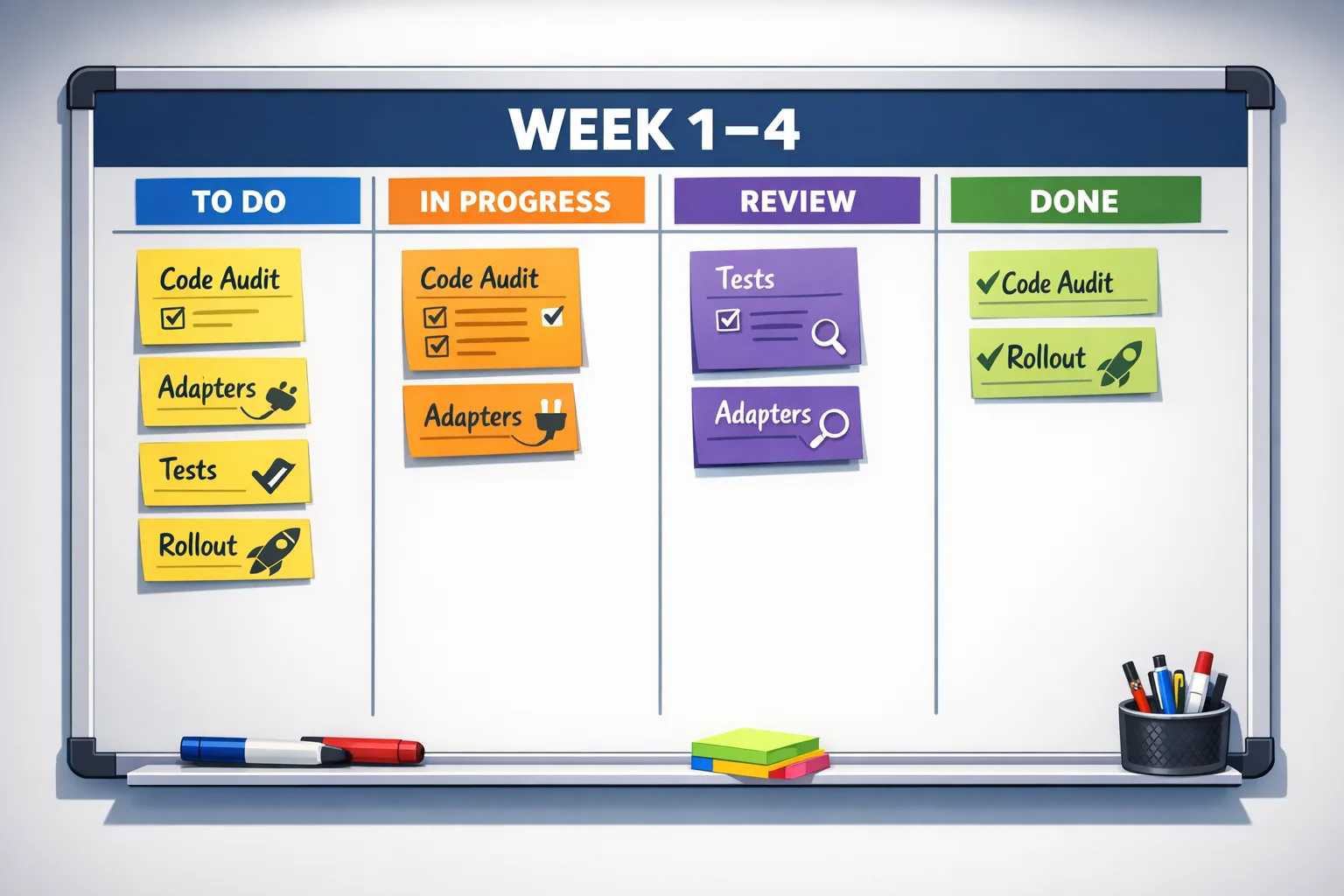
React 19 migration in 30 days
Use this calendar as a playbook. Adjust scope by risk: payment flows and auth should move last; low‑risk browse surfaces move first.
Week 1: Inventory, baselines, and a no‑surprises build
Start by freezing the ground under your feet. Create a branch dedicated to the upgrade and wire up a preview environment so product and QA can explore quietly. Then do a dependency census. Circle anything that patches React internals, decorates setState, or ships its own scheduler—those are fragile. Flag libraries that bundle their own copy of React or haven’t shipped a release in the last year.
Next, set baselines your future self will thank you for:
- TypeScript: stick to a current stable that your CI already trusts. Run
tsc --noEmitclean. - ESBuild/Vite/Webpack: pick the tool you actually use in prod and upgrade it first, not last.
- Testing: align Jest/Vitest + React Testing Library versions, and lock a single DOM environment.
- Browser support policy: document the minimums your app promises; that guides polyfills and error budgets.
Finally, run a zero‑feature build that swaps only React and its types. Expect a wave of missing peer dependency warnings. Fix them now; they’re telling you where the sharp edges are.
Week 2: Adapters, boundaries, and early RSC decisions
This is the week you decide how far you’ll go in this release. You don’t need to adopt Server Components to complete a React 19 migration, but you should draw future‑proof boundaries so you can add them without rewrites.
Concrete steps:
- Create a server/ui boundary: a folder where components must be pure and free of client‑only hooks. Even if they remain client‑rendered today, this discipline pays off when you move them server‑side later.
- Wrap side effects: isolate data‑fetching and mutations behind tiny adapters. If you adopt Actions this release, the adapters become your entry points. If not, they still declutter components.
- Normalize forms: pick a single form strategy and enforce it. Actions shine when forms are consistent about validation and error display.
- Routing audit: if you’re on a meta‑framework, align routing with suspense/streaming. If you’re homegrown, pilot suspense on one route with real traffic.
By Friday, you want the app compiling, running, and rendering with React 19 behind a feature flag that you can toggle per route or per cohort.
Week 3: Tests, performance, and failure rehearsals
This is where teams either gain confidence or stare at flaky dashboards. Focus on what customers feel: navigation timing, interaction latency, and error recovery.
Testing moves that matter:
- Golden path journeys: record synthetic journeys that cover sign‑in, a core conversion, and a non‑happy path (e.g., form validation failure). Keep them under five minutes wall‑clock so they run on each PR.
- Contract tests on adapters: if a server Action or fetch wrapper returns a shape, lock it with tests. Breakage here is cheap to detect and expensive in production.
- Accessibility checks: aXe or equivalent in CI for key flows. RSC and streaming can shuffle DOM timing; make sure ARIA roles and focus rules still hold.
Performance: watch Interaction to Next Paint (INP) and input delay across top templates. If moving a component server‑side lowers your client bundle by a measurable amount, try it on one high‑traffic surface and compare cohort metrics for a few days. Keep a rollback plan if error rates or INP regress.
Week 4: Rollout, SLOs, and clean‑up
Turn on React 19 for low‑risk routes first, then expand by risk slice. Tie each step to a service‑level objective—e.g., no more than 0.2% increase in JS errors for 48 hours or no worse than +10 ms median INP—and automate the decision. If a threshold trips, the flag rolls back. Humans review later.
Use the last two days to remove dead code paths, document new boundaries, and file follow‑ups for “nice‑to‑have” RSC conversions you deferred.
Common pitfalls I keep seeing in React 19 upgrades
Package gardens that conceal their React or scheduler versions. Your build passes locally but explodes in CI because a transitive dependency drags in a mismatched peer. Solve it by enforcing a single version with a resolution map and verifying with a dependency analyzer.
Monorepos that upgrade unevenly. If app A upgrades React but shared library B doesn’t, you risk two copies of React “helpfully” coexisting. Centralize the version in a workspace root and make all apps depend on it.
Suspense assumptions that crumble under streaming. Components that read synchronously during server render but fetch on the client can jitter or double‑render. Make data dependencies explicit and cache where it counts—near the server read.
Forms that bypass validation when Actions are added. If you previously validated only on the client, server‑side validation will surprise you with edge cases. Create a shared schema and run it both server‑ and client‑side.
Do you need React Server Components in this release?
Here’s the thing: RSC is a strategy, not a badge. Adopt it where you can prove a win with a simple experiment: move one list/detail page to server components, measure bundle size, cold start of the route, and INP across a week. If you don’t see a lift, don’t force it this quarter.
Great first candidates are read‑heavy pages, dashboards with many static widgets, and search/browse surfaces where you can stream content above the fold while the rest hydrates later.
Do I need a specific framework to ship RSC?
No, but frameworks that embrace RSC and streaming will save you time by handling routing, bundling, and cache boundaries the way React 19 expects. If you’ve already standardized on one, lean into its primitives. If you’re custom, borrow the ideas: server‑first data reads, clear client boundaries, and careful cache invalidation.
Can I ship React 19 without RSC at all?
Absolutely. React 19 migration is still valuable without moving a single component to the server. You gain modern Suspense semantics, tighter async patterns, and a better path to Actions later. Many teams treat RSC as a phase‑two project tied to a feature refresh.
Actions: commit now or later?
Actions let you centralize mutations and handle optimistic UI properly, but they work best when your form layer is consistent. If your app uses three form libraries and five ad‑hoc patterns, the fastest route is to standardize forms first, then introduce Actions behind adapters. The point is to avoid a half‑converted codebase that confuses every new engineer.
If you’re ready to try Actions today, start with one critical flow that already has a robust test harness—checkout or profile settings. Implement server‑side validation with a shared schema and track three metrics: error rate, time‑to‑acknowledge after submit, and the rate of optimistic rollback events. If those trend in the right direction, expand.
Performance and Core Web Vitals with React 19
React 19 doesn’t magic away network reality. You still win by cutting JavaScript on the wire, doing less work on the main thread, and streaming meaningful content as soon as possible. Server Components help by removing non‑interactive code from the client bundle. Suspense and streaming help first paint. Actions help by reducing client‑side orchestration around mutations.
Measure what users feel. Watch INP for interactivity, LCP for first meaningful content, and CLS for layout stability. If you adopt RSC on a page, protect the visible area above the fold from reflows as late‑loading widgets hydrate. Small CSS fixes—explicit heights, aspect‑ratio placeholders, and font loading discipline—buy you real numbers.
Security and dependency hygiene while you upgrade
A migration is the perfect time to empty the vulnerability drawer. Update your runtime to a supported LTS, refresh transitive dependencies, and run a full audit in CI. Patch front‑end packages that ship known issues, particularly ones handling input, serialization, or URL parsing.
If you need a current security triage to pair with this upgrade window, use our practical guide to prioritize patches in January 2026 and avoid carrying known CVEs into your new baseline. Read: January 2026 Patch Tuesday: What to Fix First.
People also ask
Do we have to convert class components?
No. Class components continue to work. You only need to convert when you want features that demand function components (certain hooks patterns) or when refactors make it cheaper to unify styles. Convert opportunistically, not dogmatically.
What if a critical library isn’t React 19‑ready?
Quarantine it behind a wrapper and pin the last compatible version. File an issue upstream with a minimal reproduction, and consider funding or contributing a PR. If it blocks too much surface area, gate React 19 by route and upgrade the rest of the app now.
Will SEO change if we adopt streaming and RSC?
Search engines can index streamed HTML just fine when content is server‑rendered and not gated behind client‑only code. If you gate critical copy behind client logic, fix that first. Stream meaningful HTML early and keep metadata stable.
Tooling baselines that save you hours
Lock a single package manager at the repo root and enforce it in CI. Add a dependency diff step to your PR template so reviewers eyeball risky upgrades. Turn on source maps in production and wire your error tracker to de‑duplicate errors by build ID; otherwise, you’ll chase ghosts during rollout.
For forms and Actions, adopt a shared schema library so validation runs the same on the server and the client. For caching, choose one policy per boundary—either time‑based or validation‑based—and document it. Nothing melts confidence faster than a flaky cache.
Copy‑paste checklist
Here’s a concise checklist you can paste into your tracker and work through as a team:
- Create migration branch and preview environment.
- Run dependency census; flag packages with deep React hooks or stale releases.
- Upgrade build tool and test stack before bumping React.
- Swap React to 19; fix peer warnings; enforce single version via resolutions.
- Establish server/client boundaries; create adapters for data and mutations.
- Pick a single form strategy; wire shared validation.
- Pilot Suspense/streaming on one route; measure INP/LCP/CLS.
- Decide RSC scope (none, pilot, or targeted rollout); measure bundle impact.
- Harden tests: golden journeys, contract tests, a11y checks.
- Define SLOs and rollout flags with automatic rollback.
- Audit security; patch high/critical vulns before final rollout.
- Document boundaries; remove dead code; file phase‑two RSC tasks.
What to do next
Want a second set of eyes on your upgrade plan? We’ve helped teams ship React at scale under real deadlines. Browse what we build in our portfolio of shipped projects, see what we do for product teams, and reach out if you want a focused migration sprint: talk to our engineers. For a deeper dive on early‑2026 specifics and migration timings, read our companion guide: React 19 Migration: What to Ship in Early 2026.

A realistic rollout story you can reuse
Picture a commerce app with a busy catalog, a handful of personalization widgets, and a checkout that must never hiccup. They upgrade the catalog routes first and keep checkout on the old client bundle for two weeks. They pilot RSC for category pages, stream the grid above the fold, and cache server reads by user segment. They measure a double‑digit reduction in JS cost on those pages and a small but real bump in interaction latency. Checkout stays untouched until the team has a week of steady dashboards—and then rolls forward with zero drama. That’s the goal: customer‑invisible progress.
Zooming out, this is why React 19 matters in 2026: it gives you better primitives for the apps we actually ship—apps that mix real‑time data with marketing surfaces, that run on shaky mobile networks, and that live or die by their ability to load something useful immediately. If you plan the migration like a product release, you get the benefits without the churn.

If you want more technical deep dives and shipping playbooks like this one, keep an eye on our engineering blog. And if your stack includes mobile, policy, and backend constraints, we regularly publish practical guides—from Android and Play policy changes to web release planning—so you can coordinate across teams without guesswork.









Comments
Be the first to comment.