
npm 2FA Changes: How to Fix Your CI Before It Breaks
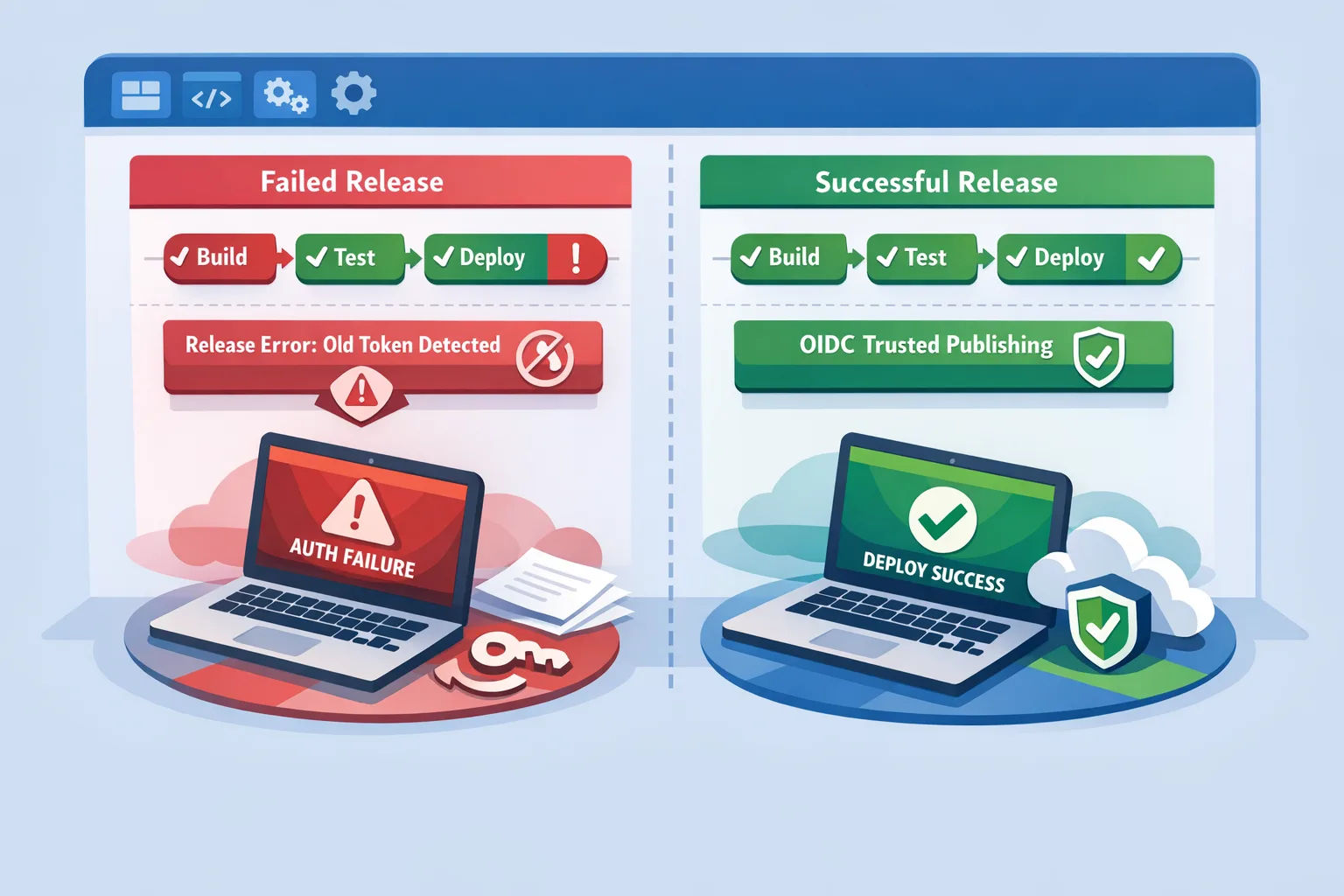
If you publish JavaScript packages, you’ve already felt the ripple effects of the npm 2FA changes. In August 2026, npm tightened how two‑factor authentication interacts with tokens and account actions. Workflows that once sailed through are now throwing errors at the worst time—release day. Here’s the thing: this isn’t a blip. It’s the beginning of a safer default for the registry. The teams that adapt now will keep shipping with less drama and a smaller attack surface.
Below I’ll break down what changed, who’s affected, and the two migration paths that actually work in production: Trusted Publishing (OIDC) for CI and carefully scoped granular tokens as a stopgap. We’ll also cover passkeys for maintainers, common OIDC gotchas, and a one‑week action plan you can run immediately.
What changed on npm in August 2026
On August 2026 timelines, npm restricted what bypass‑2FA granular access tokens can do. Specifically, tokens configured to bypass 2FA can no longer perform account‑identity or account‑governance actions (think changing your email/password, managing org membership, or sensitive package settings). That closes a major class of account‑takeover abuse that attackers used after stealing a maintainer’s token.
Two more facts worth baking into your mental model:
• Trusted Publishing for npm—tokenless, OIDC‑based CI publishing from GitHub Actions or GitLab CI/CD—has been generally available since mid‑2025 and is now the preferred path for automated releases.
• npm also added protective frictions for high‑impact accounts (those stewarding widely used packages). For example, if such an account changes its email or uses a 2FA recovery flow, the account can be placed in a short read‑only state to block rapid, malicious pushes while the owner verifies activity.
Net effect: day‑to‑day publishing continues, but the older “just mint a powerful token and hope for the best” model is fading fast. Expect more steady‑state hardening rather than a single big‑bang cutoff.
Who’s affected and what actually breaks?
Teams are seeing one or more of these symptoms:
• CI jobs that manage org or package settings with a bypass‑2FA token suddenly fail.
• Rotation scripts that create tokens or modify permissions stop working mid‑pipeline.
• Manual publishes from local machines now hit a 2FA prompt where they didn’t before.
• Security reviews flag long‑lived tokens with broad scopes that no longer align with policy—and auditors want an OIDC plan, not exceptions.
If your release process relies on classic assumptions—long‑lived tokens in repo or org secrets, loosely scoped permissions, or humans doing OTP dances—you’re sitting on operational risk. Your next incident won’t be a hypothetical; it’ll be a Tuesday.
The fastest safe path: Trusted Publishing (OIDC)
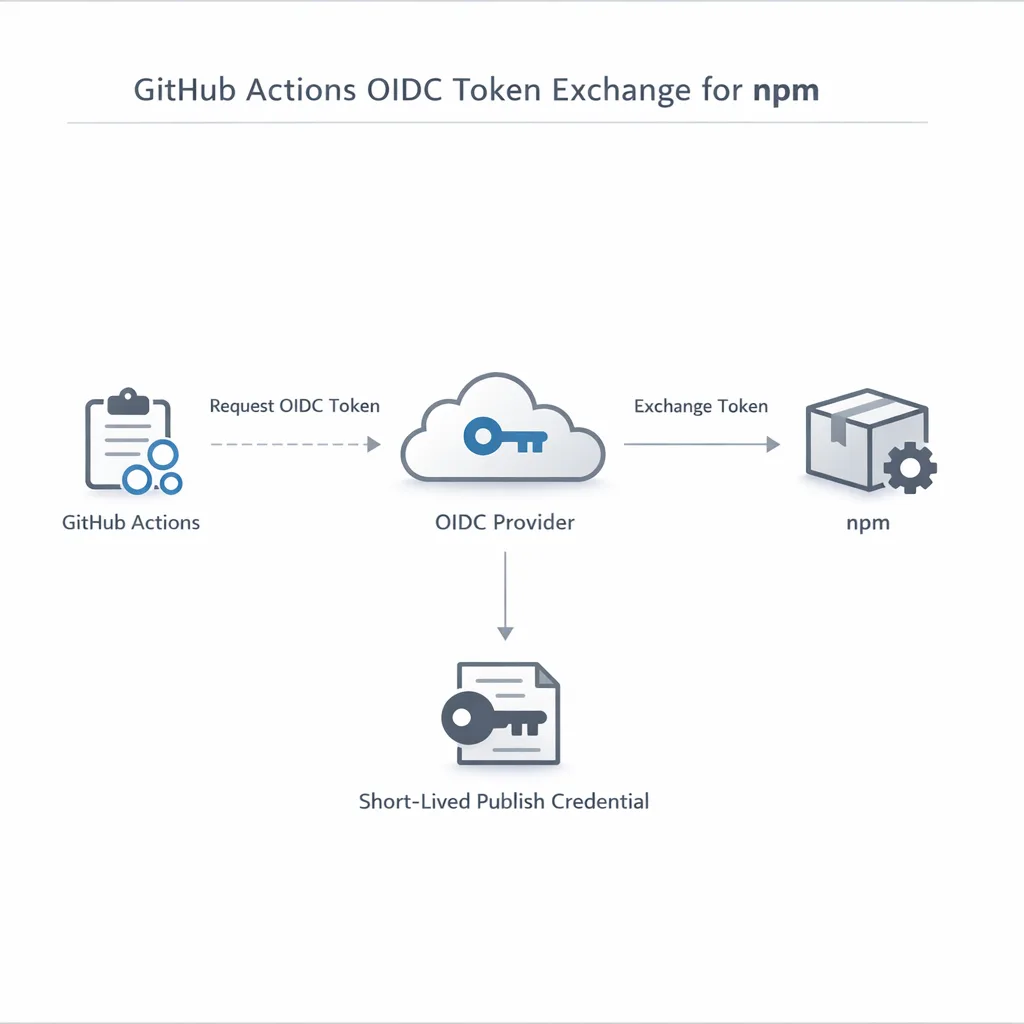
For CI/CD, move to OIDC‑based Trusted Publishing. Instead of storing a powerful npm token in secrets, GitHub (or GitLab) proves the identity of a specific workflow at publish time and npm issues a short‑lived credential for that run. No token to steal. No OTP prompt to bypass. Far fewer ways for malware to escalate.
Prerequisites you shouldn’t gloss over:
• npm CLI 11.5.1+ and Node 22.14.0+ on the runner.
• A package configured in npm with a Trusted Publisher entry that references your exact GitHub owner/repo/workflow (and optional environment).
• In GitHub Actions, permissions: id-token: write set for the job that publishes.
Minimal GitHub Actions snippet that actually ships
Use this as a reference. Most teams only need a small tweak from here:
name: release
on:
  push:
    tags:
      - 'v*'
jobs:
  publish:
    runs-on: ubuntu-latest
    permissions:
      contents: read
      id-token: write
    steps:
      - uses: actions/checkout@v4
      - uses: actions/setup-node@v6
        with:
          node-version: '22'
          registry-url: 'https://registry.npmjs.org'
      - run: npm ci --ignore-scripts
      - run: npm test
      - run: npm publish
Notes from the field: set --ignore-scripts during install on untrusted surfaces to neutralize malicious postinstall hooks in your dependency tree. Keep it on for CI unless you explicitly require scripts for a native addon build step (if so, isolate that job and ensure the source is trusted).
Common OIDC gotchas you’ll hit
• Exact‑match identity: the npm Trusted Publisher config must match the GitHub workflow identity precisely. A different repo path, a renamed workflow file, or an unexpected environment will cause a 404‑style failure that’s easy to misdiagnose as a registry issue.
• No NPM_TOKEN fallback: if your workflow keeps a token around “just in case,” someone will reintroduce risk. Delete the token secret once OIDC works.
• npm/Node versions matter: older runners will silently fail or produce misleading errors. Pin your toolchain versions in CI and verify on a throwaway package first.
• Monorepos and name mismatches: provenance and repository matching can trip you up if your package name differs from the repo. Start by getting a single package green, then codify a pattern for the rest.
Alternative path: granular access tokens (with care)
If you can’t switch to OIDC this week, you can still publish with granular access tokens—ideally with limited scope, short lifetimes, and rotation discipline. A few rules from audits we’ve run for clients:
• Restrict scopes to the specific package and action you need.
• Prefer short‑lived tokens tied to a narrow window around release jobs.
• Don’t grant organization‑wide or management scopes to a token used for publishing.
• Store tokens in your CI secret manager with write‑only access and audit who can retrieve them.
• Build a rotation routine into your release bot. Humans forget; bots don’t.
Remember, as of August 2026, even bypass‑2FA tokens cannot perform account‑identity or governance actions. Treat those capabilities as human+passkey territory, not CI automation.
What about passkeys and 2FA for maintainers?
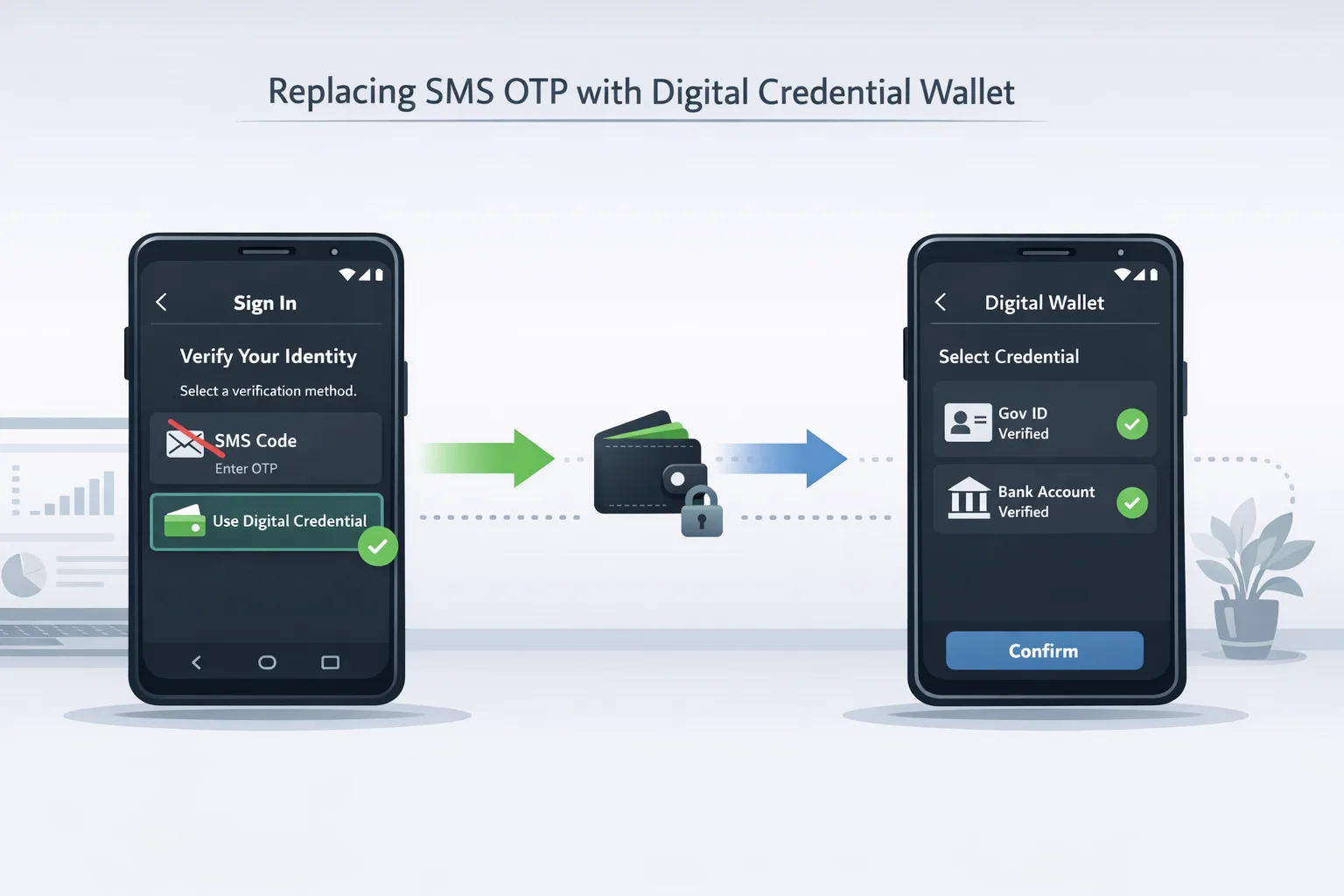
Adopt passkeys for maintainers now. They eliminate phishing risks that one‑time codes (and especially SMS) can’t. If your team still leans on SMS OTPs for core accounts, you’re patching a leaky boat. For a primer on shipping user authentication without brittle SMS flows, see our take on moving to digital credentials; the same mindset applies to maintainer security: strong, phishing‑resistant factors and fewer reusable secrets.
Data points that justify the migration
• August 2026: bypass‑2FA tokens lost the ability to perform account‑identity and account‑governance actions on npm. That removes a favorite attacker trick: change account details, mint new tokens, and lock out the owner while pushing trojaned updates.
• Mid‑2025 onward: npm’s Trusted Publishing became generally available across major CI providers, and it now auto‑generates provenance attestations at publish time. Those attestations make supply‑chain investigations faster and tamper attempts noisier.
• Summer 2026: safeguards kicked in for high‑impact packages, including temporary read‑only states after sensitive changes. Yes, it’s a speed bump—but it’s one that stops fast‑moving malware campaigns cold.
Zooming out, the registry defaults are aligning with modern software‑supply‑chain guidance: short‑lived credentials, strong factors, and explicit trust chains between CI and registries. The old “just stuff a token in secrets” pattern is on borrowed time.
People also ask: quick answers
Do we need to change every repository?
Prioritize the ones that publish to npm first. If a repo never pushes to the registry, it can wait—focus on packages that release frequently or sit deep in your dependency graph. Those are your blast‑radius multipliers.
Will tokens that bypass 2FA stop publishing soon?
The direction of travel is clear: fewer bypasses, more explicit trust. Publishing with long‑lived tokens is still possible today, but it’s strategically unwise. Move to OIDC for anything you plan to maintain in 2027 and beyond.
Does this work outside GitHub Actions?
Yes. Trusted Publishing supports other CI/CD providers through OIDC, including GitLab CI/CD. The end goal is the same: prove a specific workflow run’s identity to npm and receive a short‑lived credential only for that action.
How do we handle monorepos and release tools?
Pick one package as your pilot and get OIDC green. Then codify a pattern for your release tooling (Changesets, release‑it, semantic‑release). For monorepos, ensure each package’s Trusted Publisher entry points to the right workflow and environment. Consistency beats cleverness here.
A pragmatic migration framework (one sprint)
Here’s a lightweight plan we’ve used with teams that had hundreds of packages and a tangle of legacy tokens. Tweak the wording, keep the order.
Day 1–2: Inventory and risk scoring
• Enumerate all packages you publish to npm (public and private).
• For each pipeline, record how publishing is authenticated today (token vs. OIDC), token scopes, and where secrets live.
• Tag high‑risk packages: critical dependencies for customers, high weekly downloads, or security‑sensitive domains.
Day 3–4: Prove OIDC on a pilot package
• Add a Trusted Publisher configuration in npm for a single, non‑critical package.
• Update the workflow with id-token: write, pin Node 22 and npm 11.5.1+, and remove any NPM_TOKEN usages.
• Dry‑run a tag push to verify provenance and workflow identity.
Day 5–6: Standardize and scale
• Create a reusable workflow or composite action for publishing so teams don’t reinvent it.
• Document the naming rules for packages, repos, and environments so future you avoids identity mismatches.
• For repos that truly can’t switch yet, issue new granular tokens with minimal scope and short expiry. Put a sunset date on them.
Day 7: Lock down and remove footguns
• Delete legacy npm tokens from repo and org secrets once OIDC is live.
• Enable organization‑wide 2FA enforcement and require passkeys for maintainers.
• Add a scheduled job to test a no‑op publish (stage if you prefer) so any breakage is caught days—not minutes—before a real release.
Operational guardrails that pay off
• Use --ignore-scripts by default in CI installs and only allow scripts in isolated, auditable jobs.
• Restrict GitHub Actions triggers that can reach your publish job. Avoid overly permissive pull_request_target patterns.
• Keep a .npmrc in the repo to force the correct registry domain and prevent accidental publishes to the wrong place.
• Monitor for unexpected npm token or npm profile activity. Even with OIDC, human accounts still matter.
Edge cases and real‑world snags
• Organization splits and transfers: if you rename repos or move them across orgs, OIDC identities change. Update the Trusted Publisher config as part of the change request template—don’t wait for the next broken release.
• Private registries and mirrors: make sure your CI has clear separation between read‑from and publish‑to endpoints to avoid provenance confusion.
• Staged publishing: npm supports staging permissions separately from publish. If your release manager needs a final human check, grant the workflow stage‑only rights and let a maintainer complete the publish with a passkey.
What to do next
• Migrate at least one active package to Trusted Publishing this week.
• Remove long‑lived npm tokens from CI secrets and rotate any that remain.
• Enforce passkeys for maintainers and drop SMS‑based factors.
• Add a pre‑release CI job that validates OIDC identity, npm/Node versions, and provenance.
• If you operate self‑hosted runners, review our guidance on hardening GitHub Actions runners before September 25—OIDC and runner security go hand in hand.
• If you need hands‑on help, our team implements OIDC, provenance, and token hygiene for clients shipping every week. Explore our DevOps & security services or book a quick consult.
Final thought
Security moves that remove whole classes of risk are rare. Trusted Publishing is one of them. The npm 2FA changes aren’t a nuisance to work around; they’re the nudge to finally stop carrying the liability of long‑lived tokens. Make the upgrade, write it down once, and ship faster with fewer surprises.
Want a second pair of eyes on your release flow? See what we’ve built for teams like yours in our engineering portfolio and follow our latest checklists on the Bybowu blog.








Comments
Be the first to comment.