Node.js 20 EOL: Migrate Now, Lock Down Runtime
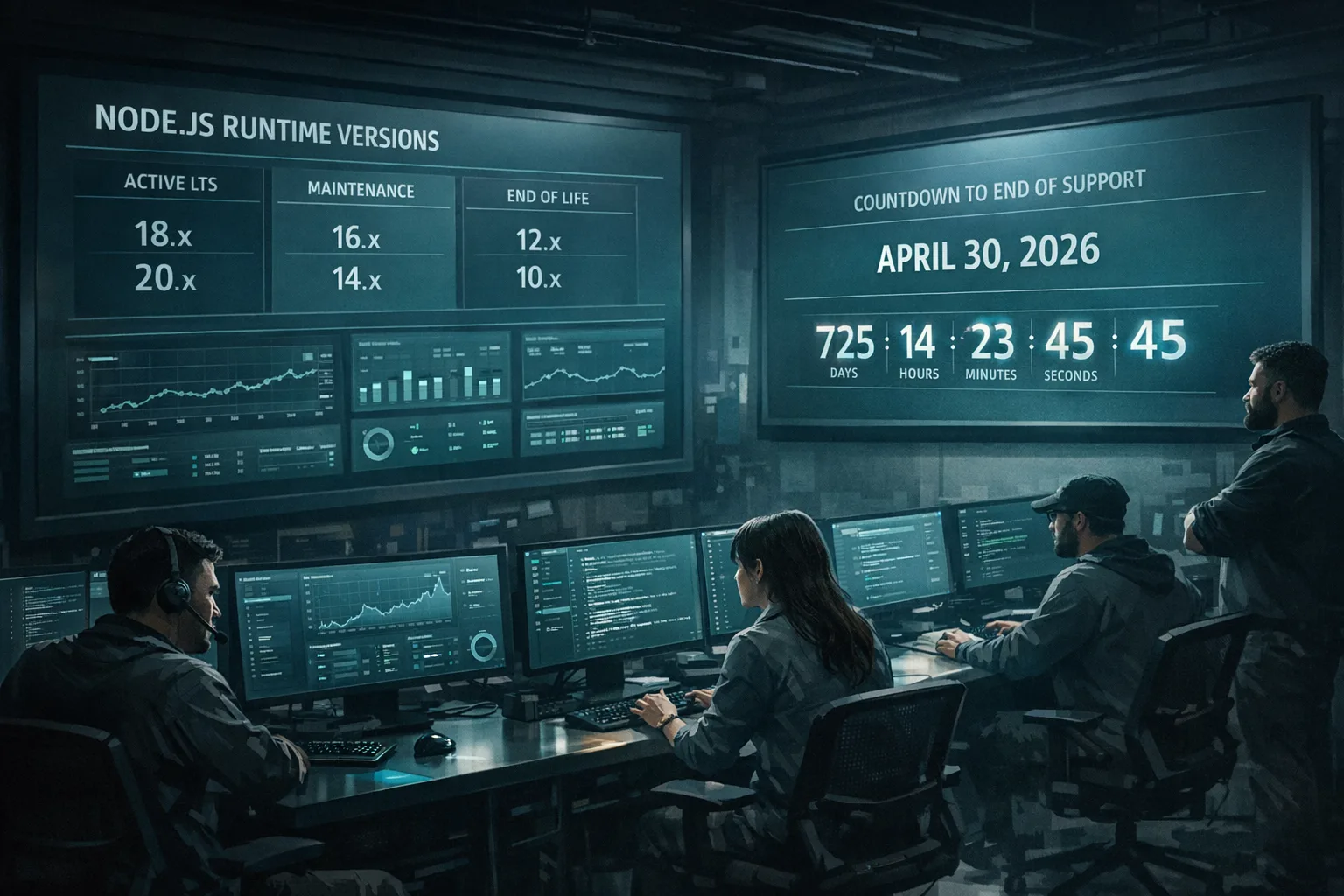
Node.js 20 EOL is April 30, 2026. If your production estate still runs 20.x, you’ve got a short runway to move—and a rare chance to tighten security while you’re at it. The smart path is to upgrade to a supported LTS (22 or 24) and use the now‑stable permission model to sandbox server processes. Here’s the practical plan I give clients when the pager (or the CFO) is on the line.
Why this EOL isn’t just another routine upgrade
Two things are true at once. First, Node 20 will stop receiving security fixes on April 30, 2026. Second, the platform matured meaningfully since you pinned to 20.x: the permission model reached stability in 22.x, the HTTP stack and test runner improved, and 24 LTS shipped with V8 13.6 and npm 11. That combo lets you upgrade and measurably reduce blast radius in one sprint.
Key dates to anchor your plan: Node 22 LTS went LTS in October 2024 and entered maintenance in October 2025, with security support through April 30, 2027. Node 24 LTS was promoted in late October 2025 and is supported through April 30, 2028. If you prefer lowest change risk right now, 22 is fine. If you want a longer runway and newer JS/Web APIs, 24 is the target.
Node.js 22 LTS vs 24 LTS: which target should you pick?
Here’s the thing: both are safe, supported choices. Your decision turns on time horizon, dependency churn, and operational appetite.
Reasons teams choose Node 22 LTS
It’s the conservative hop from 20. Most 20.x apps move with minimal friction because APIs and defaults are closer. Many orgs with strict change control like 22 for a short‑term stabler landing, especially if they plan a broader runtime uplift in Q3.
Reasons teams choose Node 24 LTS
24 brings tangible wins for modern stacks: V8 13.6 performance improvements, npm 11 out of the box, a test runner that better handles nested subtests, global URLPattern, and Undici 7 for more robust HTTP. If you’re trying to reduce future upgrades, 24’s support window to 2028 is attractive.
My bias: if you’re touching production anyway, go to 24 unless a critical dependency is currently green only on 22. It saves you one more change freeze this year.
The Node.js permission model (stable in 22.x) is your security multiplier
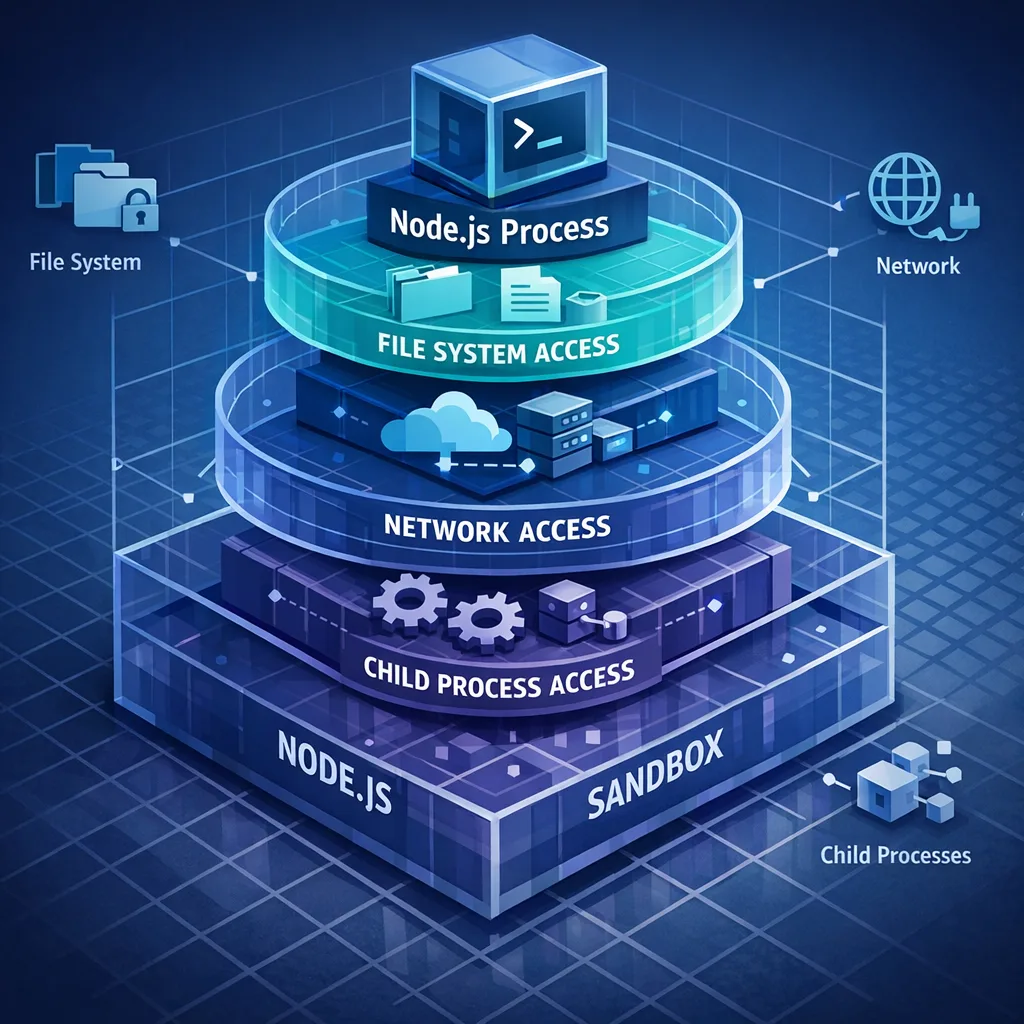
The permission model started life in 20 as experimental and graduated to stable in the 22 line. It’s a process‑level sandbox: start Node with --permission, then selectively grant access to the filesystem, network, child processes, workers, native addons, WASI, and the inspector. Without a grant, APIs throw. It’s simple, auditable, and CI‑friendly.
Example patterns we deploy in production:
1) Lock down everything, allow only what you need
Grant read‑only access to specific directories and block process execution except a supervised binary. Allow only outbound HTTPS to known hosts.
node --permission \
  --allow-fs-read=/app/config,/app/public \
  --allow-fs-write=/app/tmp \
  --allow-child-process=/usr/bin/convert \
  --allow-net=api.example.com:443,cache.internal:11211 \
  server.js
2) Separate duties by process
Run your HTTP API with no write access, and a background worker with limited write and queue access. If an SSR template bug drops a write payload, the HTTP tier can’t touch disk.
3) Add a CI check
Force your app to boot in CI with --permission. If code or a dependency tries to step outside the allowed surface, CI fails early instead of opening a hole in prod.
Is this bulletproof? No. It’s a powerful layer that complements container and kernel isolation. It also forces you to understand what your app truly needs—which usually leads to cleaner architecture.
People also ask: should we jump to 23 or 25 instead?
Short answer: no. Odd‑numbered releases (23, 25) are “Current,” not LTS. They move fast and age out quickly. Stick to even‑numbered LTS for production. If your team is curious about upcoming behaviors—like shifts around ES modules in 23—experiment in a feature branch or a canary service, then ship LTS to prod.
Migration playbook: 10 steps you can run in 30–60 days
When we run upgrades for clients, this is the backbone. Tailor the steps to your risk posture and release cadence.
1) Inventory and decide the target
List all Node services, versions, Docker base images, and hosting environments. Decide 22 LTS (lower churn) or 24 LTS (longer runway). Record owners. Put dates on the calendar.
2) Unpin the toolchain in a controlled branch
Create an upgrade/node22-lts or upgrade/node24-lts branch. Update .nvmrc, package.json engines, Dockerfiles, and CI images. If you build Node from source on Windows, note the toolchain change in the 24 line (ClangCL instead of MSVC) for bespoke builds.
3) Upgrade npm and lockfiles
If you’re targeting 24, npm 11 becomes the baseline. Regenerate lockfiles from a clean slate on the new runtime. In monorepos, align npm versions in CI to avoid mismatched lockfile formats.
4) Update core dependencies
Bump TypeScript, ts‑node/tsx, test frameworks, HTTP clients (consider Undici directly), and monitoring agents. Remove deprecated utilities (e.g., legacy util.is* patterns). Lean on your lint rules to catch API drift.
5) Run the suite on the new runtime
Expect subtle async timing changes with the updated V8 and test runner. If a test is order‑dependent or relies on internal timers, fix the test—not the runtime. This is where flaky tests finally get addressed.
6) Harden with permissions
Boot the app with --permission and progressively grant the minimum viable set. Document the final flags in Procfile, systemd service, or container entrypoint. Add a CI job that ensures the app starts with permissions enabled.
7) Audit the network surface
Replace wildcard --allow-net with explicit hosts and ports. Map your outbound calls: HTTP APIs, caches, databases, SMTP, observability backends. Every star you remove lowers risk.
8) Rebuild native addons
If you use native modules (Sharp, bcrypt, node‑gyp builds), rebuild them against the new ABI. In CI, cache per‑platform builds keyed on Node major version to avoid surprises during blue‑green deploys.
9) Run load, chaos, and rollback drills
Benchmark with production‑like load. Kill a pod during a file write and verify the app fails safely with permissions enforced. Practice rollbacks with a single command. Don’t discover your failover plan at 2 a.m.
10) Ship gradually
Roll out to 5%, then 25%, then 100%, watching latency, error rate, memory, and GC pauses. Lock the runtime version in your deploy spec to prevent accidental drift.
Security posture uplift: more than a runtime bump
An upgrade is a chance to pay back security debt without boiling the ocean. Here’s a focused set that pairs well with the permission model:
- Turn on read‑only filesystems for stateless containers and write to an ephemeral volume explicitly allowed via
--allow-fs-write. - Drop process execution entirely for your HTTP tier; allow it only in a worker that actually needs ImageMagick or FFmpeg.
- Rotate secrets and move anything still in environment variables to your cloud secret manager; use permissions to guard
process.envaccess if feasible in your model. - Run
npm auditand patch—then pin transitive dependencies that churn frequently. With npm 11, validate lockfile diffs in code review.
We’ve seen teams reduce effective write access in their API tier by 90% in a week just by enumerating grants and deleting everything else. It’s not glamorous, but it’s how incidents get prevented.
Gotchas and edge cases you should plan for
Windows toolchain changes in 24. If you compile Node from source or build native addons with a custom toolchain, verify ClangCL and modern SDKs are ready in your CI images. Most teams using prebuilt binaries won’t feel this, but platform teams do.
Async context differences. In 24, AsyncLocalStorage uses AsyncContextFrame by default. Observability agents and request tracing may behave slightly differently. There’s a flag to disable it, but I’d rather update the agent than cling to legacy behavior.
ESM/CommonJS footguns. If you flirted with experimental ESM behaviors on 20/22, clean up hybrid packages and ensure your bundler and test runner agree on module resolution. Don’t rely on unpublished Node internals.
Native addon rebuilds. ABI bumps are the classic upgrade friction. Prebuilds help, but verify the right ones are pulled for your CPU and OS in CI before production.
A realistic timeline from now to April 30, 2026
You can do this in four to eight weeks without heroics. Here’s a simple calendar that’s worked for enterprise apps with a few dozen services.
Week 1: Inventory, choose 22 or 24, cut the upgrade branch, update toolchain files, create an RFC doc. Pair a tech lead with a project manager so dates don’t slip.
Week 2: Bump core dependencies, regenerate lockfiles, fix obvious deprecations, get the test suite green locally and in CI. Stand up a canary environment.
Week 3: Introduce --permission with minimal grants, tighten outbound network, rebuild native addons, and complete load tests. Address flaky tests and any tracing changes.
Week 4: Roll out to 5% traffic, then 25%, with on‑call coverage. Run chaos drills and a timed rollback test. Prepare the formal production change ticket.
Weeks 5–8: Expand to the rest of the estate. Document final permission flags per service and lock runtime versions in deploy specs. Archive the RFC and close the upgrade epic.
Where this fits in your broader platform roadmap
If your team ships mobile apps, compliance sprints often bunch up in January. We’ve published deadline‑driven playbooks that pair nicely with this Node migration. For example, if your Android team is working through the January security bulletin, coordinate shared libraries and CI images while you’re tuning the build farm. Our Android January 2026 security update playbook covers developer impact and timelines.
For policy‑driven store changes, keep your backend upgrade in lockstep with app updates so telemetry stays comparable. See our shipping guides for App Store age rating updates due January 31 and Google Play external links changes due January 28 for concrete checklists and rollback strategies.
Quick framework: the R.U.N.T.I.M.E. checklist
Use this mnemonic to sanity‑check each service before rollout:
- Runtime: pinned to Node 22 or 24 in Docker/CI and verified at boot.
- Upgrades: dependencies updated; lockfile regenerated on the target Node.
- Network: explicit
--allow-nethosts only; no wildcards. - Tests: unit/integration/load tests passing; flaky tests eliminated.
- Isolation:
--permissiongrants minimal and documented; filesystem access least‑privilege. - Monitoring: alerts tuned for the new baseline; tracing validated under load.
- Exit: rollback rehearsed, artifact for previous runtime still cached.
What about performance—will 24 LTS pay for itself?
It depends on your workload. Apps with heavy async context usage, streaming I/O, or large HTTP fan‑out tend to see cleaner profiles and steadier tail latencies on 24. npm 11 can speed installs in CI. The performance gain isn’t guaranteed, but the operational benefits (longer support window, fewer flaky tests, simpler HTTP stack) usually justify the move even if raw throughput changes are single‑digit.
What to do next
- Decide your target (22 vs 24) and put the April 30, 2026 deadline on your team calendar and status page.
- Create the upgrade branch today and add a CI job that boots with
--permissionto flush out missing grants early. - Run the R.U.N.T.I.M.E. checklist on your top three high‑traffic services, then fan out.
- Schedule a 90‑minute game day to practice rollback from 24 to 20 on a staging environment.
- If you need help, tap our migration playbook or bring in a partner for a two‑week assisted upgrade.
If you want a deeper, sprint‑by‑sprint guide, start with our Node.js 20 EOL: 90‑day migration playbook. If you’d rather offload the heavy lifting, our team can scope and ship the upgrade and permissions hardening as a fixed‑fee engagement—see what we do, a few representative portfolio projects, and reach out via contacts. Your future self (and your weekend) will thank you.



Comments
Be the first to comment.