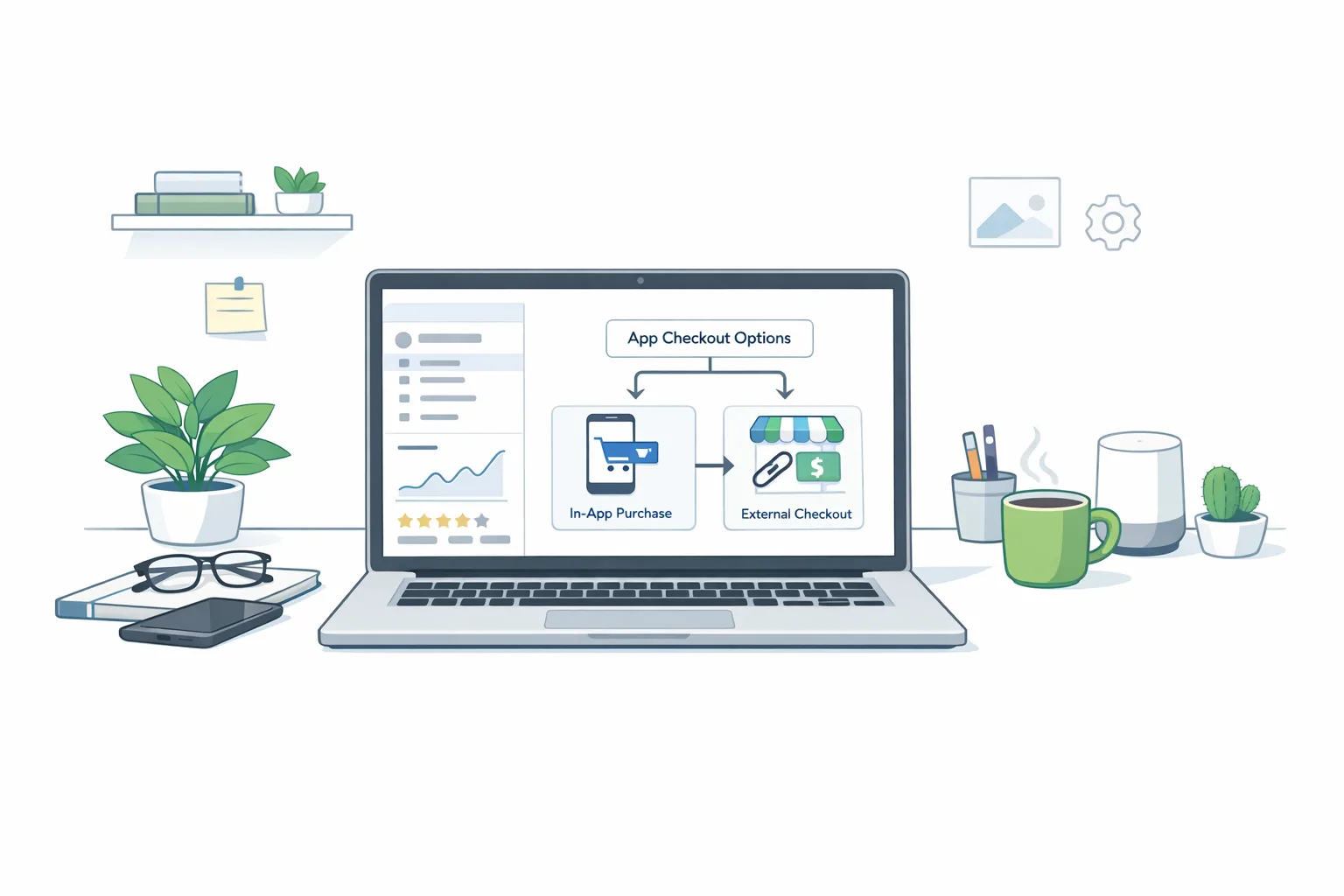
Google Play External Links: Ship the 2026 Playbook
Google Play external links are no longer a rumor or a loophole—they’re a program with rules, review gates, and a very real date. If you link users in the U.S. to a web checkout or to download an app outside Play, you must enroll and implement the proper APIs by January 28, 2026 or stop doing it. That’s the compliance line Google set after its October changes and December policy announcement. (support.google.com)
What changed—and the dates that matter
On October 29, 2025, Google began allowing U.S. apps on Play to steer users to external payments and downloads, and to use non‑Play billing inside apps. These adjustments exist because of the Epic v. Google injunction, which remains in effect and is slated to run through November 1, 2027. (support.google.com)
On December 9, 2025, Google launched two formal tracks for U.S. developers: External Content Links (web purchases or app downloads) and Alternative Billing (a non‑Play payment option presented in‑app). The kicker: if you want to keep linking out or offering alternative billing, your implementation must meet the program requirements by January 28, 2026. (support.google.com)
Legal context still moves in the background—appeals, proposed settlements, and hearings—but for builders, the operational reality is clear: enroll, integrate, and be review‑ready by the deadline. (reuters.com)
Google Play external links: what you must implement
Here’s the thing: this isn’t “just add a hyperlink.” External Content Links are API‑driven and reviewed like any other sensitive capability. At minimum your U.S. build needs to do the following:
- Use Play Billing Library (PBL) 8.2.1 or higher to access the External Content Links APIs. (developer.android.com)
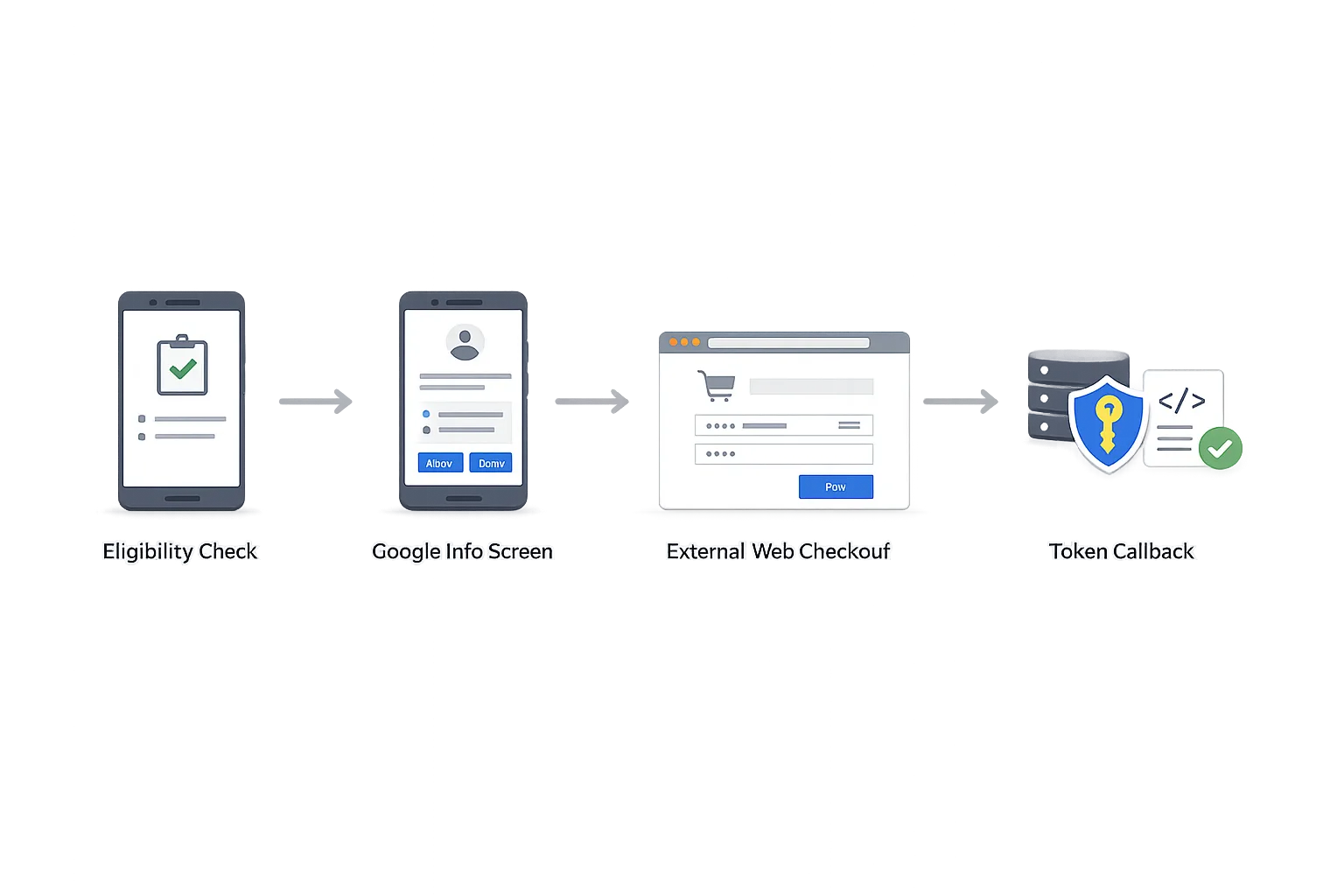
- Check runtime eligibility with
isBillingProgramAvailableAsync(BillingProgram.EXTERNAL_CONTENT_LINK)before showing the option. (developer.android.com) - Trigger Google’s standardized information screen before handing users off to the web or another store/app. (developer.android.com)
- Register and get approval for each destination domain (offers and downloads) in Play Console; if your landing page lists multiple apps, those package names also need approval. (developer.android.com)
- Generate and post back the external transaction token once a qualifying purchase or install completes so Google can attribute the event. (developer.android.com)
Skip any of these and you risk rejection—or worse, the link working for a while and then quietly failing compliance audits later.
Fees: how to model per‑install and service charges
Developers keep asking the same question: “If it’s my checkout on my site, do I still owe Google?” For the U.S. programs as outlined so far, Google has proposed fees for both External Content Links and Alternative Billing. The numbers on the table: for external links, 20% on most digital purchases and 10% for auto‑renewing subscriptions; for alternative billing inside your app, 25% on most purchases and 10% for auto‑renewing subscriptions. Additionally, Google has proposed a fixed per‑install charge when a user installs an external app within roughly 24 hours of clicking your in‑app link—$2.85 per app and $3.65 per game. A January hearing is expected to influence what becomes final, but these are the planning figures widely communicated to industry. (theverge.com)
Two practical realities flow from that: first, you absolutely should integrate now to meet the January 28 review bar; second, keep your pricing logic behind feature flags because fee enforcement and exact tiers can move as the court process plays out. (support.google.com)
How the per‑install fee bites
The proposed per‑install fee only triggers when the install happens shortly after a Play‑origin link. If your app sends users to a page that immediately offers an APK or store install and they complete it within the window, plan on a charge. If you’re driving to a general marketing site with no install path, that’s outside scope—but also outside the benefit of attribution tokens you may need later. Most teams will intentionally segment links: conversion pages for buyers, education pages for everyone else. (theverge.com)
A ship‑ready integration checklist for January 28
We use this with client teams to get to green in under two sprints.
- Decide your tracks. Are you offering alternative billing in‑app, external content links, or both? Identify SKUs that move off‑Play and keep high‑risk SKUs (refund‑heavy, fraud‑prone) on Play Billing.
- Upgrade dependencies. Target PBL 8.2.1+ and verify no transitive conflicts with billing client initialization. Build a feature flag for program availability. (developer.android.com)
- Design the UX around the information screen. Treat Google’s interstitial as part of your flow: pre‑educate with concise copy so the screen doesn’t feel like a surprise, and reinforce refund/support ownership post‑click. (developer.android.com)
- Register destinations in Play Console. Add every offer page and download target; if a landing page lists multiple apps, include each package name in the registration. Expect review turnarounds to vary. (developer.android.com)
- Implement tokenized reporting. On successful purchase or qualified install, post back the external transaction token and your external transaction ID. Log failures; you’ll want retry logic for flaky networks. (developer.android.com)
- Ship analytics with fee modeling. Add events for link views, interstitial impressions, click‑through, completion, and postback success. Pipe to a cost model that can simulate 10%/20% fees and $2.85/$3.65 per‑install scenarios by cohort. (theverge.com)
- QA like a regulator. Test parental controls, age gates, and refund copy. Make sure the web checkout honors regional pricing and taxes. Confirm deep links don’t bypass the interstitial.
- Set up ops. Train support on off‑Play refund rules. Update ToS and receipts for off‑Play transactions. Document your dispute process.
A simple model to forecast the economics
Use conservative assumptions until fees are finalized. Here’s a starter structure our clients use in Sheets:
- Traffic: 100,000 monthly U.S. users eligible for external links; 20% click‑through; 40% complete checkout or install on web/store.
- Revenue mix: 70% one‑time purchases (AOV $25), 30% subscriptions (AOV $9.99/mo).
- Fees: simulate 20% on one‑time external purchases, 10% on subscription renewals, and the per‑install charge for installs completed within the window. (theverge.com)
- Compare vs. Play Billing baseline and your processor costs. Remember: alternative billing inside the app follows a different 25%/10% ladder in the current proposal. (theverge.com)
Run sensitivities at 10k/50k/200k monthly installs attributed to Play‑origin links. The per‑install fee can dominate if you lean heavily into cross‑promoting an external app catalog.
Common pitfalls we’re seeing
These are the mistakes that slow teams down or create surprise costs:
- Using a plain
Intentto open the web without the info screen. Reviewers expect the interstitial triggered by the billing client flow—not a custom modal. (developer.android.com) - Unregistered landing pages. If your marketing page lists multiple apps with one‑click install, those package names need prior approval in Console. (developer.android.com)
- No token on completion. Without posting the external transaction token, you’ll miss attribution and risk reporting violations later. (developer.android.com)
- Ignoring U.S.‑only scope. These programs and timelines are U.S.‑specific under the current order; gate your UI by geography. (support.google.com)
- Hard‑coding fees. Keep economics configurable; the court can still tweak terms after January hearings. (theverge.com)
People also ask
Do I owe Google if I only use Stripe inside my app?
Yes, under the current U.S. proposal, “alternative billing” (i.e., your in‑app processor like Stripe) carries a distinct service fee ladder—25% for most digital purchases and 10% for auto‑renewing subscriptions. That’s separate from the external links program. Keep in mind legal review is ongoing, so treat these as planning figures and use feature flags. (theverge.com)
What if my link only opens a support article?
If there’s no path to purchase or download, you’re typically outside External Content Links. But if that support page embeds an offer or leads to an install, you’re back in scope—register it and use the APIs. (developer.android.com)
Is this permanent?
It’s bound to the injunction window and subject to ongoing court oversight and potential settlement terms. Google’s own policy page frames these changes as tied to the U.S. order; today’s rules can evolve with the case. (support.google.com)
Security and UX guardrails you shouldn’t skip
Alternate flows don’t absolve you from risk. Treat the interstitial as a trust contract: set expectations clearly about who handles billing questions and refunds. Make sure your web checkout mirrors your app’s auth and fraud controls. If you operate a kids’ experience, confirm parental controls still make sense when the flow leaves Play’s domain. (developer.android.com)
What to do next (this week)
- Kick off Console enrollment for External Content Links (and Alternative Billing if needed). Don’t wait for legal clarity to start integration. (support.google.com)
- Upgrade to PBL 8.2.1+ and wire eligibility checks, the information screen, and postback tokens in a feature‑flagged branch. (developer.android.com)
- Draft fee‑aware pricing tests and a communications plan. You’ll want levers to steer users to the path that makes sense for your margin structure. (theverge.com)
- Train support and update receipts/ToS for off‑Play transactions handled by your processor.
Where we can help
If you need a deeper walkthrough of the fee math and program logic, we’ve broken down the fee model for external links and a pragmatic fees & plan primer with examples. If you’re racing the clock, see our ship for Jan 28 checklist or talk to our team about mobile monetization and compliance services. We’ll get your flow live without nasty surprises.

Zooming out
Whether you love or hate the fee proposals, the direction is unmistakable: Android is opening up pathways long demanded by developers, with Google swapping exclusivity for governance and telemetry. The winning teams will treat this as product work, not just legal compliance—carefully designed funnels, clear value props for users choosing your checkout, and a margin model tuned to where fees actually land. The deadline is fixed; the economics may wiggle. Build for both.









Comments
Be the first to comment.