Google Play External Links, Apple Age Ratings: Jan 2026
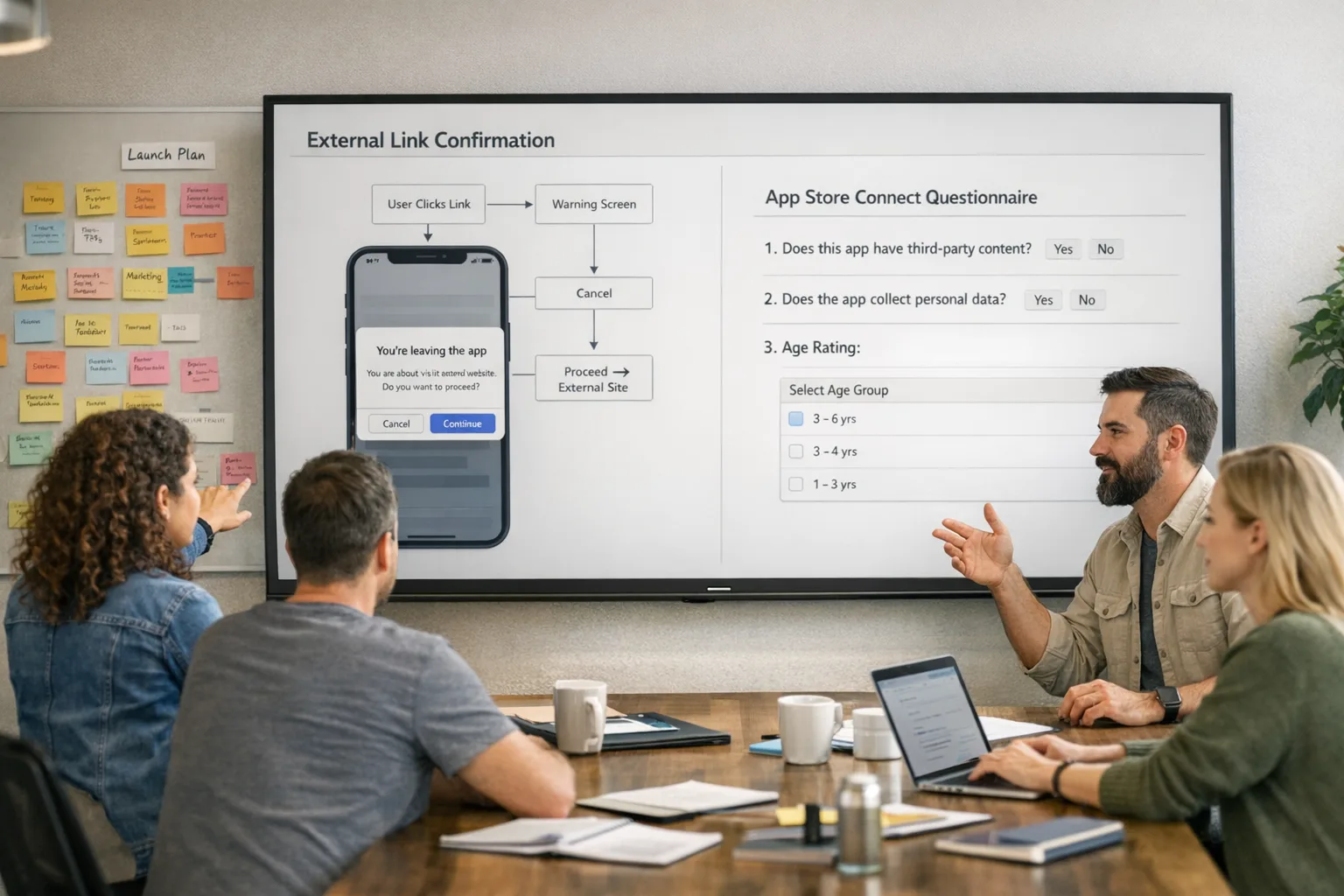
January brings two deadlines that will shape your roadmap: Google’s U.S. programs for Google Play external links and alternative billing hit a practical compliance date on January 28, 2026, and Apple’s age rating overhaul requires updated App Store Connect answers by January 31, 2026. The policy texts are dry; the operational work isn’t. Here’s the field guide we’re using with clients to ship on time—without wrecking conversion or risking removal.
What actually changed—and why it matters now
On Android in the U.S., there are now two formal paths: External Content Links (link users from your Play-distributed app to a web purchase or an external download) and Alternative Billing (present an in-app payment option that isn’t Google Play Billing). Both require enrollment, specific user-facing screens, and reporting. Google tied these to a January 28, 2026 compliance date. The broader injunction runs into November 2027, but fees and some mechanics may still shift late in the month. Translation: build the plumbing now and keep pricing logic behind feature flags.
On iOS, Apple introduced more granular age ratings—4+, 9+, 13+, 16+, and 18+—and automatically reassigned apps. Every developer must answer an updated age rating questionnaire in App Store Connect by January 31, 2026 or app updates get blocked until you do. The new ratings are wired into Screen Time and other parental controls across iOS 26, iPadOS 26, macOS Tahoe 26, watchOS 26, tvOS 26, and visionOS 26.
Google Play external links: what’s required now
You can’t just drop a button that says “Buy on our site.” Google expects three categories of work:
1) Enrollment and console setup. Enroll your app in the relevant U.S. program in Play Console. Register every external destination domain that can lead to a purchase or an external download. Expect review time—don’t do this the Friday before your rollout.
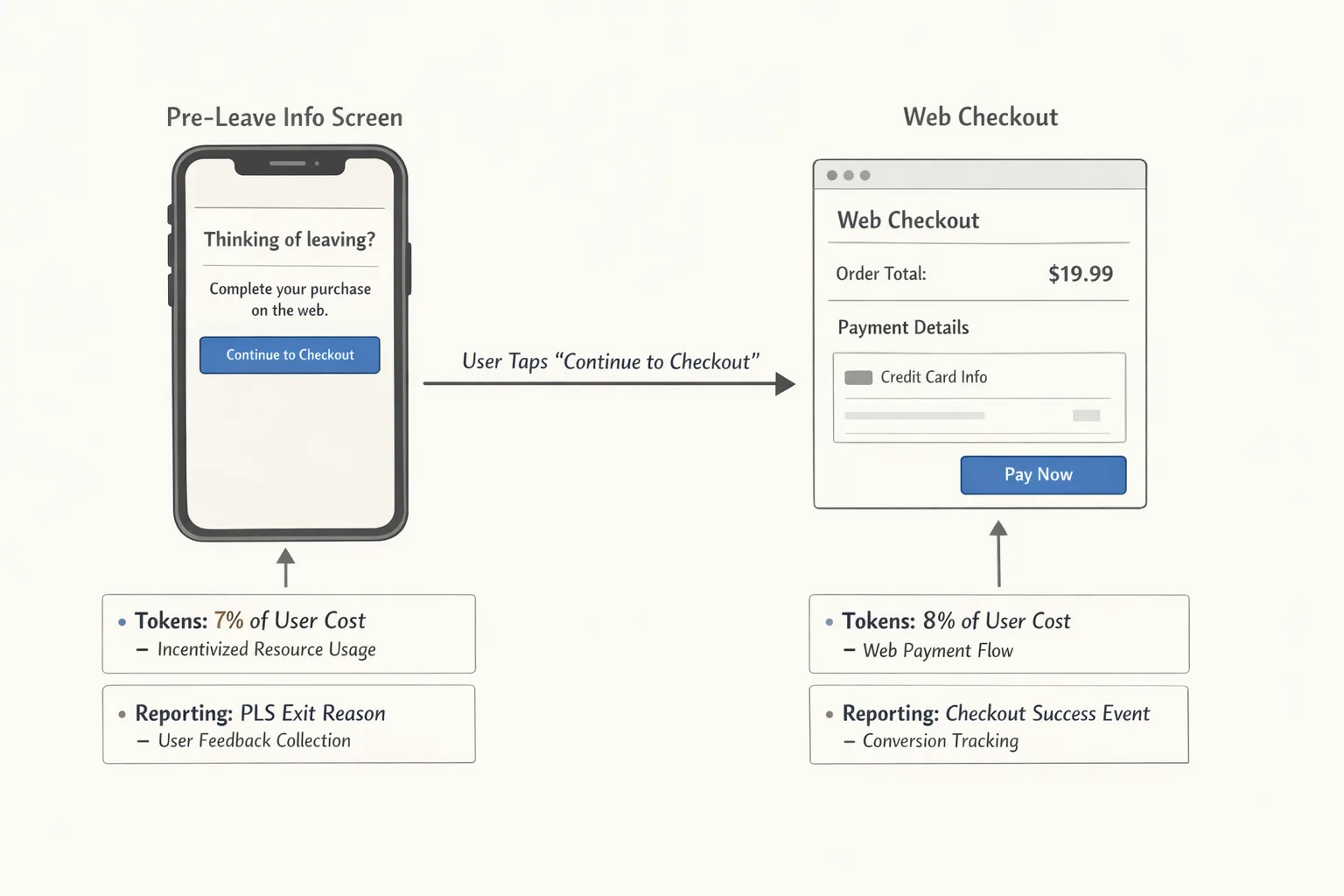
2) Client integration. Update to Play Billing Library 8.2.x or higher and integrate the external content links APIs. You must show Google’s standardized pre-leave information screen before opening the browser. For Alternative Billing, you must also present Google Play Billing alongside your processor in “user choice” flows and use the updated methods governing the information dialog.
3) Reporting and attribution. Generate and pass Google’s tokens on qualifying external transactions and external app installs attributed to a Play-originating click. Wire server-side reporting to avoid manipulation and to handle refunds cleanly.
There’s a compliance cliff on January 28 if you’re already linking out or planning to present alternative billing in the U.S. Without enrollment and the required UX, you’re inviting rejection or removal. If you want a deeper engineering blueprint, our step-by-step engineering plan for external links covers exact API calls, token lifetimes, and test cases.
Fees and unit economics: model before you move
Here’s the thing: policy opens doors, but the fee math decides whether you should walk through. Google has outlined service fees on off‑Play transactions and per‑install fees for external downloads attributed to Play-origin clicks, with reported U.S. rate cards under consideration around $2.85 per app install and $3.65 per game install within a short window after the click. Commission figures discussed publicly include 20% on most purchases and around 10% on subscriptions in off‑Play scenarios, with program-specific nuances. A court hearing on January 22, 2026 may confirm or refine the numbers; don’t bet your quarter on wishful thinking.
Practical example: for a $50 non‑subscription purchase completed on the web in the first six months after the user’s Play install, model an initial acquisition component plus an ongoing service fee. Even a conservative 10–20% range materially changes your margin. For an external app download attributed to your in‑app link, layer in the per‑install fee. If your LTV assumes “free” linkouts, recalibrate now.
Pro move: segment SKUs by average order value and churn risk. Many teams keep Play Billing for low‑AOV consumables and microtransactions, while steering high‑AOV annual plans or bundles to web checkout via owned channels (email, community, support), where Play-attributed fees don’t apply. Keep offers consistent to avoid user confusion and policy scrutiny.
Seven-step integration checklist (ship-ready)
1) Update libraries: Adopt Play Billing Library 8.2.x+, verify min SDK and proguard rules, and re-run your app size budget.
2) Register destinations: Create a link registry with every domain and path that can funnel to payment or download; submit in Play Console.
3) Implement the pre-leave screen: Use the required information dialog for external links; instrument abandon and continue events.
4) Token handoff: Generate link tokens server-side, attach to your outbound URLs, and validate on the first hop to your web tier.
5) Reporting pipeline: Store token-to-transaction mappings, post transaction summaries to Google on schedule, and reconcile with refunds.
6) Kill switch and feature flags: Add a remote-config flag to disable individual link destinations or entire flows by market and campaign.
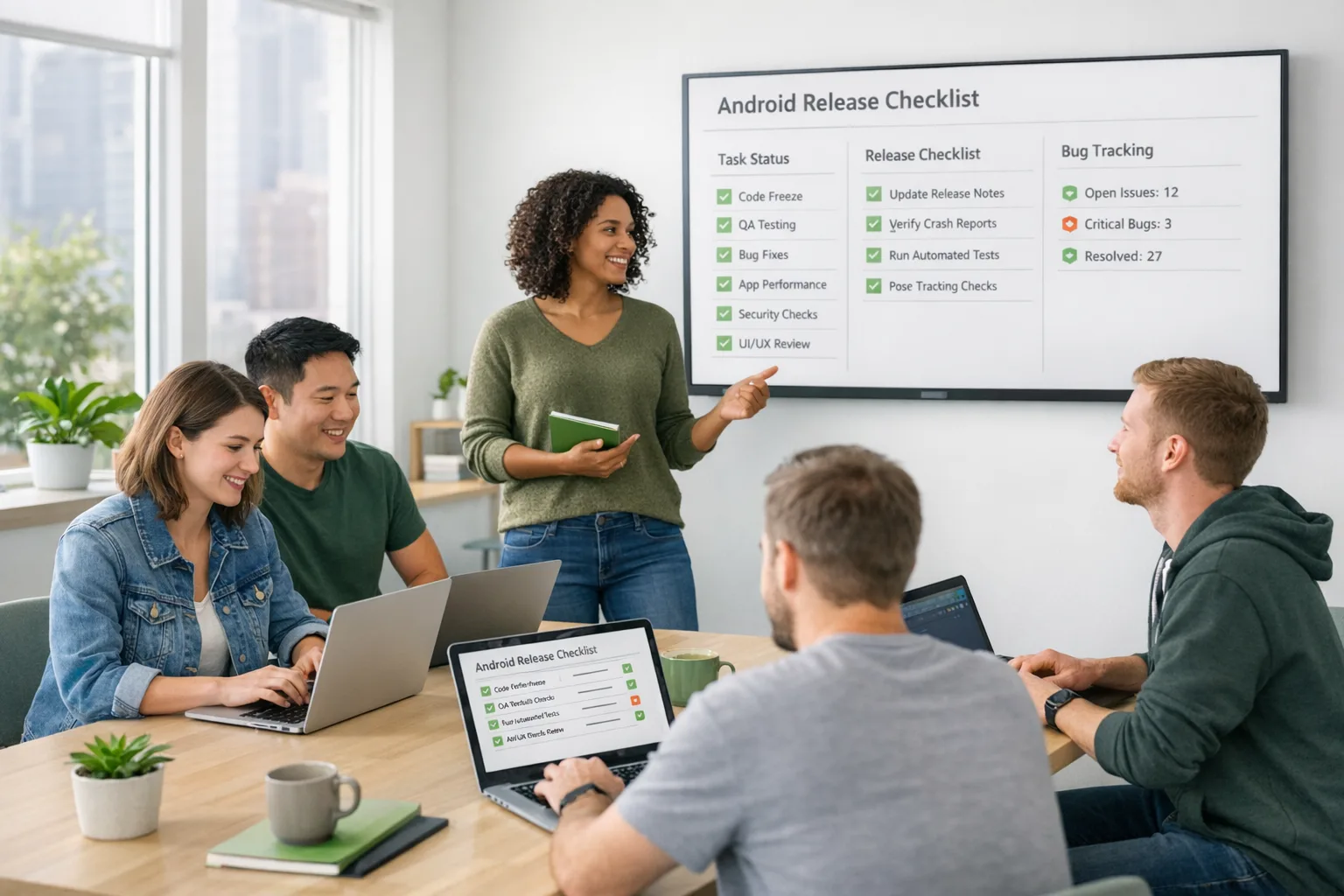
7) QA matrix: Test across work profiles, child accounts, device admin modes, and flaky network states. Validate copy, accessibility, and back-button behavior at every step.
Want a battle-tested week-by-week plan? Use the 4‑week schedule in our 2026 Builder’s Guide to Google Play external links and pair it with the fee modeling from our fees, flows, ROI explainer.
Apple’s new age ratings: what to do by January 31
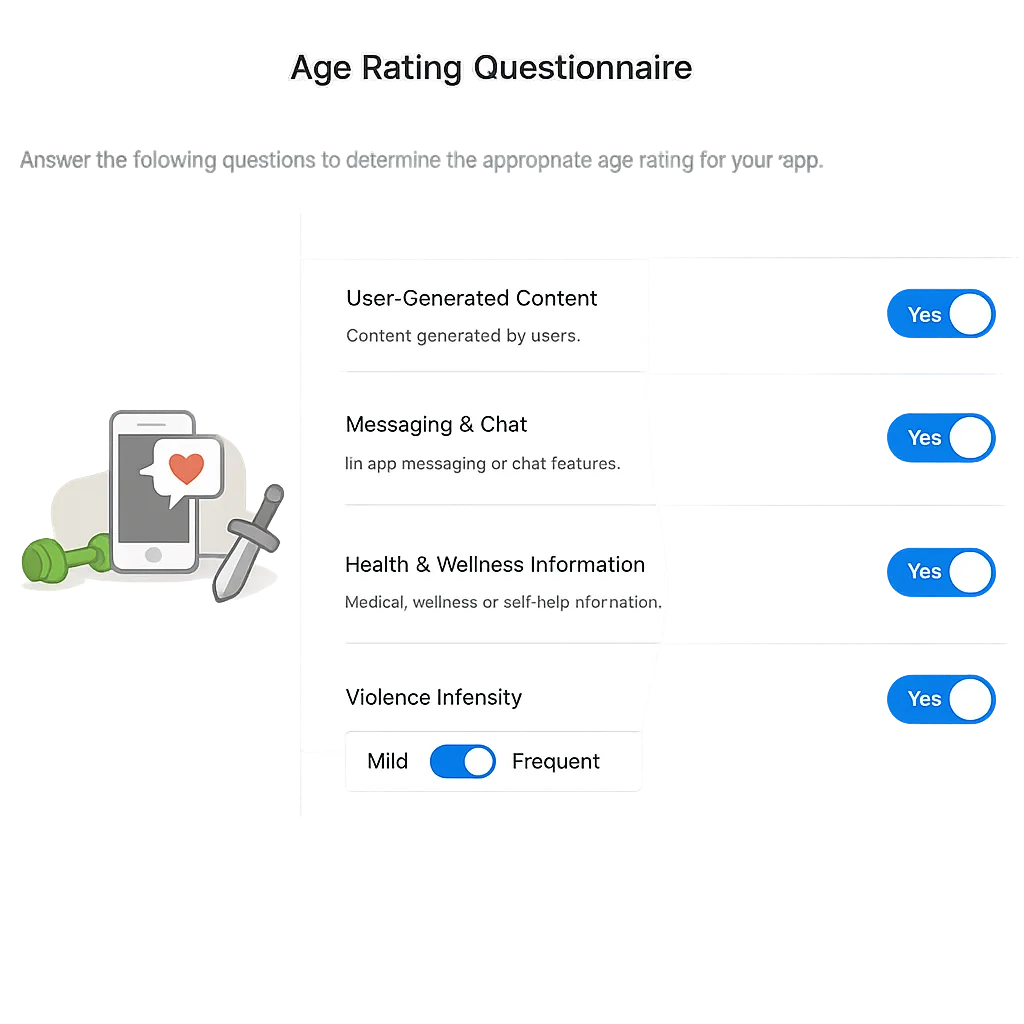
Apple replaced the broad “12+ / 17+” split with 13+, 16+, and 18+ tiers, plus 4+ and 9+. Apple auto-assigned ratings to all apps based on historical questionnaire answers. That’s convenient—until it isn’t. If you don’t complete the new questionnaire by January 31, 2026, you won’t be able to submit app updates until you do. You’ll find the updated questions in App Store Connect under App Information → Age Rating.
Expect deeper granularity around user-generated content, in-app controls, capabilities (like private messaging, screen sharing, location), medical or wellness information, gambling simulations, and the intensity/frequency of mature themes. Apple will also surface these details to users and wire them into family tools, so your answers affect distribution and perception, not just a badge on the page.
Five-step App Store Connect workflow
1) Audit your features: Inventory UGC surfaces, moderation tooling, reporting, and any AI features that may synthesize or transform content.
2) Map policy to product: For each platform (iOS, iPadOS, macOS, tvOS, watchOS, visionOS), identify age-sensitive capabilities and toggles.
3) Complete the questionnaire: Answer every prompt; when in doubt, choose the stricter interpretation if it reflects real user paths.
4) Update parental controls docs: Align your help center and in-app tips with the new rating and available controls.
5) Validate on device: Confirm that your assigned rating appears as expected on iOS 26 and friends. If it doesn’t fit your intent, adjust and resubmit.
If you need a practical deep dive with screenshots and edge cases, bookmark our App Store age rating playbook.
People also ask
Do I have to enroll if I only link to a support site?
If the destination never offers purchase or download paths, you’re generally outside the external links program. The catch is that many “support” pages embed shops or link to them. If there’s any reasonable path to purchase or download, assume enrollment is required and implement the information screen and tokens.
What happens if I miss January 28?
Your app can remain on Play if you don’t use external links or alternative billing. But if you do either without enrollment and the required UX, expect rejections or takedowns. Build the kill switch so you can disable outbound links without a hotfix.
Are games treated differently?
Often, yes. Proposed per‑install fees for external downloads are higher for games than for apps, and some commission structures distinguish purchases that provide gameplay advantage from those that don’t. If you ship a game, get clarity on the fee table and simulate worst‑case scenarios at multiple scale tiers.
Can I drop Google Play Billing entirely?
For “user choice” flows, you must continue to present Google’s option alongside your alternative. Some limited configurations allow alternative-only, but availability depends on eligibility and region. Verify in Play Console before changing your checkout architecture.
Risk calls and edge cases we’ve seen
• Deep links that bounce through an internal routing service can lose the attribution token; preserve query params end-to-end and test URL encodings.
• Custom tabs that skip the pre-leave information screen will fail review; always trigger the standardized screen first.
• Child accounts and enterprise profiles introduce extra friction; verify that copy and buttons meet accessibility and policy expectations.
• Server-side reconciliation must handle partial refunds and chargebacks; if you drop those events, your reports will drift and you’ll invite audits.
• On iOS, a new rating can silently shrink your addressable market in family settings. If your monetization relies on teens, don’t accept a higher rating without confirming it matches the content and controls you actually ship.
Zooming out: security patches in January
While you’re cutting builds, align with the January 2026 Android security patch levels. Devices claiming 2026‑01‑01 or later include the core Android fixes; some OEMs moved quickly. If your app uses native code, rerun your crash and ANR tests on patched devices—graphics drivers and WebView updates can shift timing and memory patterns.
Let’s get practical: a sprint plan you can copy
Week 1
• Decide: external links only, alternative billing, or both. Inventory destinations and create your registry. Enroll in Play programs. On iOS, assign an owner to the age rating questionnaire and collect inputs from safety, support, and legal.
Week 2
• Ship the pre-leave screen and token handoff. Wire server reporting and refunds. Implement the kill switch and feature flags. Draft information-dialog copy and test accessibility. In App Store Connect, complete the questionnaire and draft public-facing explanations.
Week 3
• QA across devices, child/enterprise contexts, and flaky networks. Stage rollout to 5%, then 25% with monitoring on abandon at the information screen and checkout completion. Verify App Store rating display across Apple platforms.
Week 4
• Scale rollout, rehearse incident response for fee or policy changes after the January 22 hearing, and lock your pricing toggles. Document everything in release notes and console submissions.

Decision framework for founders and PMs
Use this three-part screen before you commit to Google Play external links at scale:
• Margin reality: Model fees for your top three SKUs under conservative assumptions. If margin goes negative on discounts you routinely run, don’t link those SKUs externally.
• Funnel control: Can you drive high‑AOV traffic to web via owned channels (email, community, support) that aren’t Play‑attributed? If so, keep external links for support and education, and push high‑AOV purchase paths to those owned channels.
• Compliance posture: Do you have the engineering and ops discipline to maintain tokenized reporting, UX parity, and fast kill switches? If not, consider a narrower pilot.
What to do next
• Enroll in the external links and/or alternative billing programs this week and register all domains you’ll touch.
• Update to the latest Play Billing Library and implement the required information screen and tokens.
• Complete Apple’s age rating questionnaire and confirm the new rating on device.
• Build a fee-aware price and promo matrix with feature flags ready for post‑hearing changes.
• Expand QA to child accounts, enterprise profiles, and poor network states. Monitor abandon and conversion through the pre-leave flow.
Need help pressure-testing your plan? Our team ships these integrations and reviews every build like it’s going to production tomorrow. See our services, browse a few relevant case studies, or drop us a line via contacts. For policy specifics and timelines, you can also reference our January store policy ship list.
January is busy, but it’s manageable. Ship the compliance work, keep pricing flexible, and you’ll enter spring with both platforms dialed in—and a healthier P&L.








Comments
Be the first to comment.