Google Play External Links: 2026 Field Guide
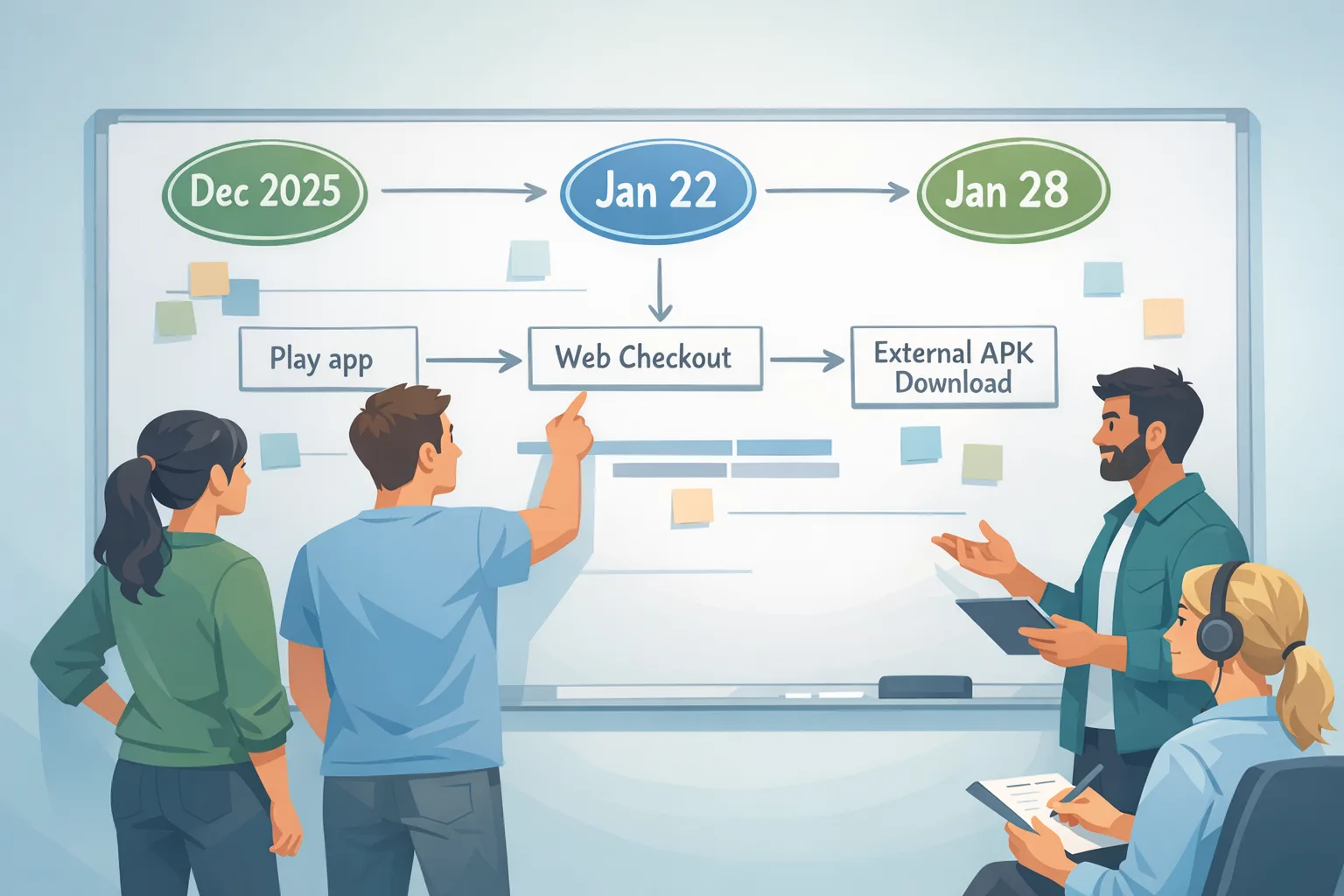
Google Play external links are officially in play in the United States, and the details matter. As of mid-January 2026, developers can link users from a Play-distributed app to web checkouts and even to external app downloads—if you integrate the new APIs, follow the review flow, and accept a new set of fees. Enrollment and compliance dates cluster around late January (with program milestones on January 22 and January 28, 2026), and the relevant client libraries landed in December 2025. If you’re shipping consumer Android this quarter, this is your roadmap.
What actually changed (and when)
Two distinct pathways opened for U.S. Android apps:
External offers and content links. Your Play app can present a link that launches an external browser to purchase digital content or to initiate an app download outside Play. To do this, you must integrate the Play Billing Library (PBL) external links/offer APIs (8.2.1 or higher), show the Play information dialog when required, register links in Play Console, and report qualifying transactions using a token generated right before you send the user out of the app.
External payments inside the app (alternative billing). Separate from linking out, you can present your own in-app billing option that routes to your payment processor. This path requires PBL 8.3.0 and has a different service-fee model than the link-out program.
Key dates to put on your wall: the external links and offers APIs shipped December 9, 2025 (PBL 8.2.0, fixed in 8.2.1 on December 15), while the external payments hooks shipped December 23, 2025 (PBL 8.3.0). The court overseeing the Epic v. Google remedies has evidentiary time blocked on January 22, 2026, and Google’s developer communications target late January—specifically January 28, 2026—for program enrollment and compliance milestones. Plan as if both dates are real.
Google Play external links: the fee model you’ll actually pay
Here’s the current U.S. shape, distilled to the parts that hit your P&L. Treat the dollar figures as planning numbers; the structure is the important bit.
For external links to purchases (web checkout):
- Initial Acquisition Fee: 3% on qualifying transactions within six months of the user’s Play-managed install. After six months, this fee drops to 0%.
- Ongoing Service Fee (Tier 1): 10% on qualifying off‑Play transactions while your app continues to benefit from Play services (security scanning, parental controls, account and device protections). Some teams will see an optional higher tier that adds capabilities in exchange for a higher rate (+10% for most one-time purchases or +3% for subscriptions).
- Category-specific terms: Auto-renewing subscriptions linked out via external offers are typically modeled at 10% ongoing service; many one-time purchases model at 20% in the press summaries for the link-out route. Keep those numbers on your sensitivity tabs until the court finalizes the exact U.S. cards.
For external links to downloads (installing an app outside Play):
- Per-install fee: a fixed charge if the user installs within a short window after tapping your link—reported figures are around $2.85 per app install and $3.65 per game install when the install occurs within 24 hours. Google already publishes fixed rate cards by country in some regions; for the U.S., use the figures above for modeling until the final U.S. rate card is posted.
For alternative billing inside your app:
- Discount against the standard Play service fee: Google signals only a 5% discount versus your prevailing Play rate. In other words, if you typically pay 30%, expect ~25% on in‑app purchases; subscription math follows the subscription tiers you already know.
Quick reality check: you can link out and still owe Google on qualified transactions and installs; you can also keep everything in-app with alternative billing and owe a slightly reduced percentage. The winning path depends on your conversion gains, payment processor take, fraud lift, and LTV by cohort.
The 5-box decision model: should you link out, bill inside, or stay with Play IAP?
When we model this with clients, we run five boxes—Acquisition, Conversion, Retention, Fees, and Risk—on a single sheet:
- Acquisition: If you route store traffic to an external download, what’s the incremental volume? Multiply expected clicks by your click-to-install rate and apply the per-install fee. A 10,000-click test that yields 2,000 installs at $3.65 (games) is a $7,300 line item before you even look at monetization.
- Conversion: Web checkout typically reduces friction for bundles and couponing. Are you seeing a meaningful lift versus Play IAP—say +10–20% on AOV or attach rate? Put a conservative lift in the base case and a generous lift in the upside case.
- Retention: Subscriptions billed off-Play at 10% ongoing service may improve retry logic and reduce involuntary churn because you control the dunning. Score that advantage—don’t assume it; many teams overestimate churn wins.
- Fees: For each scenario, layer: payment processor % + Google’s Initial Acquisition Fee (3% for six months) + Ongoing Service Fee (10% baseline) + any per-install charges. For alternative billing, drop the 3%/10% structure and instead apply your Play discount (about 5%) versus your current effective rate.
- Risk: Compliance scope, reporting overhead, fraud exposure on web payments, and the cost of building/maintaining two purchase stacks. Score this on a 1–5 scale and translate it to engineering weeks and potential chargeback rates.
Make the decision per SKU and per cohort. For high-LTV subscriptions with web-friendly onboarding, external links can win. For microtransactions with low ticket sizes, the per-install fees and service percentages can erase gains unless your web checkout converts substantially better.
API integration: what to ship in your next build
You need two tracks in engineering: external links/offers (PBL 8.2.1+) and external payments (PBL 8.3.0). Here’s the punch list that prevents last-minute review rejections.
- Upgrade the library: Set
com.android.billingclient:billingto 8.2.1 or higher for external links/offers; use 8.3.0 for external payments. Don’t mix older helper methods—several were deprecated with 8.2.0. - Gate by eligibility: Call
isBillingProgramAvailableAsync()before surfacing the link-out CTA. Geo and user eligibility can block the flow. - Generate the token just-in-time: Use
createBillingProgramReportingDetailsAsync()to obtain the external transaction token immediately before launching the link. Do not cache tokens across sessions; each attempt needs a fresh token to keep reporting in sync. - Launch properly: Start link-outs with
launchExternalLink()and set the correct linkType and launchMode. Apps often fail review for trying to deep-link without the Play info screen. - Record and reconcile: On the server, log the external transaction token, your own external transaction ID, the user, timestamp, SKU, price, currency, and attribution window. Postbacks to Play must include the token; build retries and idempotency on your webhook/queue path.
- Handle error codes: Don’t brute-force; respect
FEATURE_NOT_SUPPORTED,USER_CANCELED, andBILLING_UNAVAILABLEwith a graceful fallback to an in-app message or your standard IAP flow.
For teams offering in-app alternative billing, wire the 8.3.0 developer billing option—enable the program, present your payment sheet, and ensure the user can still choose Play IAP in markets where that’s required. Feature-flag the whole stack so you can pivot if the court tweaks parameters after January 22.
Review and reporting: pass the sniff test on the first try
Google’s review focuses on three patterns: truthful price communication, correct user warnings before they leave the Play app, and reliable reporting of qualifying transactions and installs. We use a simple compliance checklist in audits:
- Register every external link destination in Play Console and keep the URLs stable per release.
- Show the Play-provided information dialog when linking out; don’t inject your own language to downplay risk.
- Use the external transaction token in every reported purchase; build a dead-letter queue to catch missing/late events and reprocess within your SLA.
- For external downloads, track the link click, install timestamp, and origin to determine whether a per-install fee applies within the defined window. Store country and app category so finance can apply the right per-install rate.
- Document your fee logic (3% initial acquisition, 10% ongoing service, per-install fees, optional higher-tier services) so finance and engineering are aligned. Auditors will ask.
Will this make us more money than Play IAP?
It depends on your funnel mechanics. Here’s a concrete scenario for a mid-core game:
• 100,000 monthly Play store impressions → 6,000 app page taps → 3,000 link-outs to your download page → 600 installs within 24 hours at $3.65 = $2,190 in install fees.
• Of those 600, 200 buy a $9.99 pack on the web; assume your processor takes 2.9% + $0.30. Google’s ongoing service fee (20% for one-time purchases in the external links route as generally reported) makes your Google fee ~$400. Processor fees add ~$36. Subtotal: ~$436 in fees on ~$1,998 revenue, plus the $2,190 install fees. Your effective take is ~$1,998 − ~$436 − ~$2,190 = negative in this micro-funnel.
But change the knobs: a bigger AOV bundle ($24.99), higher attach (30%), or a subscription at a 10% ongoing service rate, and the math can flip. This is why you must build a cohort calculator by SKU and by traffic source, not a single blended assumption.
People also ask
Do I owe Google fees on $0 trials or coupons?
Yes, reporting still applies. The ongoing service and acquisition fee logic keys off qualifying transactions; even zero-priced entries often need to be reported to maintain an accurate ledger and unlock proper fee treatment on later conversions. Treat trials like purchases in your event design.
What if a user installs two days after clicking my link?
Per-install fees only apply within the defined attribution window. Design your analytics to separate in-window vs out-of-window installs so finance can model the liability correctly.
Can I avoid fees by distributing only outside Play?
If you never distribute the app via Play, the external links program doesn’t apply. But you also lose Play’s discovery, trust signals, parental controls, and security scanning—fewer users will find you, and you’ll carry more support and fraud burden. Most consumer apps will keep a Play presence and optimize their mix.
Is alternative billing better than linking out?
It’s simpler operationally, but the 5% discount versus your Play rate won’t move mountains unless you also see conversion or churn wins from your own checkout. Run a controlled test; many teams pilot both paths, then standardize on one by SKU.
Implementation pitfalls we keep seeing
Three gotchas show up in code reviews. First, token misuse: teams cache the external transaction token and reuse it across sessions—don’t. Second, missing retries: network faults drop purchase reports with no requeue; build idempotent retries keyed by your external transaction ID. Third, UX conflicts: not showing the Play-provided dialog or wrapping it with your own modal that obscures the message. Keep the default dialog clean, then guide users with your copy after the browser opens.
Security and platform hygiene you shouldn’t skip
Web checkouts expand your attack surface. Enable 3DS or network-tokenized cards where available, instrument bot detection, and audit your refund flows so they reconcile with Google’s fee ledger. Keep your Android baseline tight: monthly security patch rollouts, tamper checks, and telemetry to spot instrumented devices trying to game the link-out window. If your team also ships on iOS, align governance across both stores so customer support and finance don’t live in two worlds.
What to do this week
- Ship the client update: Upgrade to PBL 8.2.1 for external links and 8.3.0 if you’re testing external payments. Wrap in feature flags tied to region eligibility.
- Register destinations in Play Console: Add your web checkout and external download URLs; keep UTM parameters stable for reconciliation.
- Stand up server reporting: Create a resilient endpoint that accepts the external transaction token, posts the result to Google, and writes an immutable ledger event. Add a replay queue.
- Model by SKU: Build a spreadsheet tab for each product line: apply 3% initial, 10% ongoing service, proposed per-install fees, and your processor costs. Include a subscription tab with churn scenarios.
- Plan for January 22 and 28: Use config to flip fee assumptions if terms shift after the hearing, and set alerts so finance knows when to re-forecast.
Where to go deeper
If you want a tactical runbook with flow diagrams and fee modeling templates, our breakdown of the Google Play external links fees and planning steps walks through the math by cohort. For a hands-on build guide, see our implementation notes in Ship the flow and model the fees. If your organization needs experienced help stitching product, finance, and engineering, our services for mobile growth and compliance cover integration, reporting, and Play review readiness. And if your Android practice touches sensitive user data, keep an eye on platform security hardening—our January 2026 Android security bulletin guide explains how to prioritize patches without slowing releases.
The S.C.O.R.E. checklist for executives
Use this one-pager to align product, eng, and finance before you flip the switch:
- S — Scope: Decide SKU coverage and markets. Start U.S.-only, with one subscription and one one-time SKU.
- C — Compliance: Register links, integrate the mandated APIs, and validate the user info screen renders correctly on all supported devices.
- O — Observability: Implement end-to-end logging from
launchExternalLink()to payment confirmation. Capture token, transaction ID, amount, currency, and attribution window. - R — Revenue model: Run three scenarios (conservative/base/upside) per SKU: apply acquisition, service, and per-install fees; add processor costs; stress-test with ±20% conversion and ±10% churn.
- E — Experiment: A/B the external path against Play IAP for a fixed cohort over four to six weeks; guardrail gross margin and payback period. Publish the decision with criteria before you start.
Zooming out: the durable strategy
Even if the court nudges numbers after January 22, the direction is clear: Android now supports multiple monetization routes within a regulated framework. That means your advantage won’t come from policy arbitrage; it will come from disciplined funnel design, clean engineering, and rigorous finance modeling. Teams that treat external links as a product, not a loophole, will out-execute—cleaner reporting, fewer review surprises, better margins.
Final take
Don’t punt this to Q2. The building blocks are stable—the APIs are out, review patterns are predictable, and the financial logic is modelable. Ship one clean, instrumented experiment, make the call with data, and be ready to pivot after the late‑January court calendar. That’s how you turn a policy change into an advantage while everyone else is still arguing about the fee table.









Comments
Be the first to comment.