Chrome zero-day CVE‑2026‑2441: Your 48‑Hour Plan
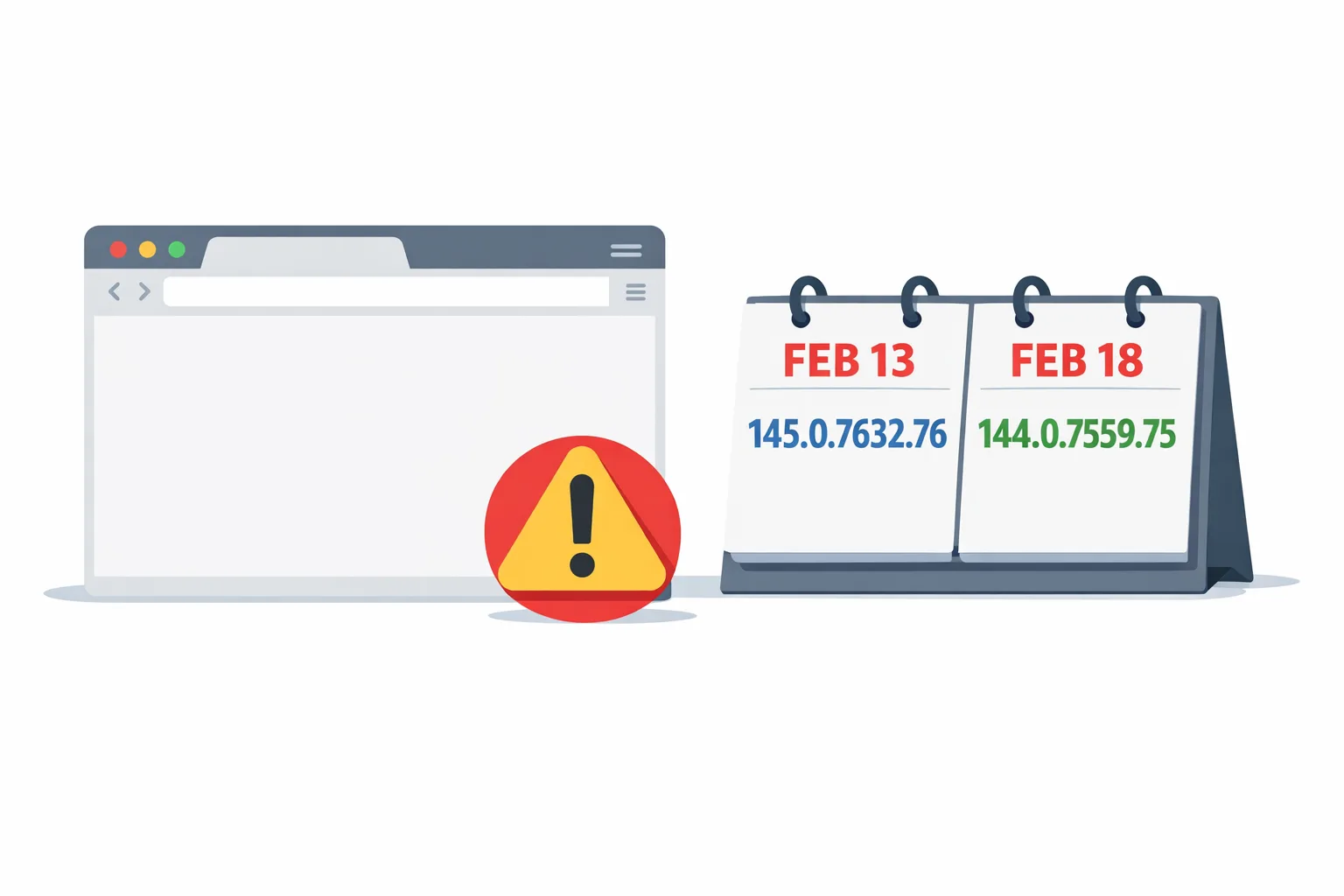
Chrome zero-day CVE-2026-2441 is a high-severity use‑after‑free in CSS that Google confirmed was being exploited in the wild and patched on February 13, 2026. The fix shipped as 145.0.7632.75/76 on Windows and macOS, and 144.0.7559.75 on Linux, with a follow‑on stable update on February 18. CISA has since added the CVE to the Known Exploited Vulnerabilities (KEV) catalog, setting a federal remediation due date of March 10, 2026. If your stack includes web apps, Electron/CEF clients, CI that drives headless Chrome, or Android apps that surface web content, treat this as a fast‑track update. (chromereleases.googleblog.com)
What happened, exactly?
On Friday, February 13, 2026, Google pushed an emergency stable update fixing one security issue: CVE‑2026‑2441, a CSS use‑after‑free. Google’s note: “Google is aware that an exploit for CVE‑2026‑2441 exists in the wild.” Two builds later (February 18), the stable channel moved again with additional fixes. Key versions to look for on user machines today: 145.0.7632.75 or .76 on Windows/macOS and 144.0.7559.75 on Linux (or newer). (chromereleases.googleblog.com)
By February 17, the CVE appeared in the CISA KEV catalog, which triggers agency‑level patch SLAs and should nudge every enterprise vulnerability program to prioritize rollout. (nvd.nist.gov)
Who’s at risk beyond the browser?
Here’s the thing: Chrome is everywhere in modern delivery. It’s the desktop browser, the engine inside Electron/CEF apps, the headless binary inside your Playwright/Puppeteer CI, and (on Android) the codebase behind Android System WebView and Chrome for Android. If any part of your product renders untrusted HTML/CSS with an unpatched Chromium engine, users are exposed. (developer.chrome.com)
Chrome zero-day CVE‑2026‑2441: the 48‑hour response playbook
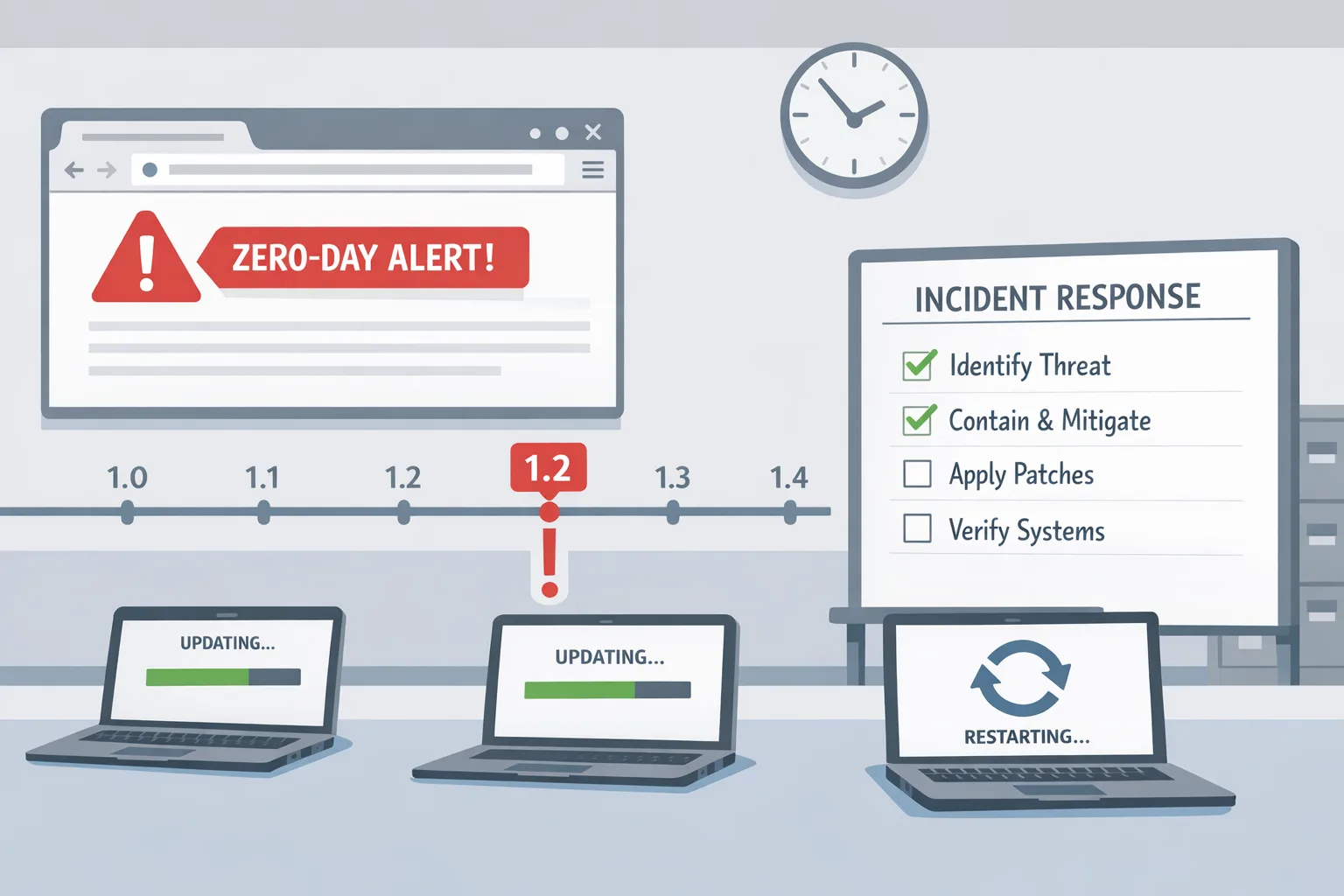
Pick an owner and run this like an incident. Your goal is to reduce dwell time on vulnerable builds and verify upgrades with evidence.
1) Confirm scope and exposure
Inventory where Chromium runs:
- End‑user browsers (Windows, macOS, Linux).
- Mobile surfaces: Chrome for Android and Android System WebView in your Android apps. (developer.chrome.com)
- Desktop clients: Electron or apps embedding CEF.
- Automation/CI: headless Chrome in Playwright/Puppeteer, Cypress, Selenium containers, and any server‑side rendering jobs.
For each surface, capture the current version (chrome --version or in‑app diagnostics) and note anything below the patched builds above. (chromereleases.googleblog.com)
2) Update desktop browsers fast and verify
Push or instruct a manual update and relaunch. Validated safe versions are 145.0.7632.75/76 (Windows/macOS) and 144.0.7559.75 (Linux), with subsequent stable builds acceptable. Use enterprise tooling (Google Update policies, MDM, RMM) to accelerate rollouts and force relaunch if needed; Chrome’s staged rollout means two users on the same day can see different point builds, so verify on the About page rather than assuming. (chromereleases.googleblog.com)
3) Close gaps in Chromium‑based browsers
Edge, Brave, Opera, and Vivaldi ride Chromium. Monitor their advisories and update immediately; most vendors respin quickly after a Chrome security fix. Several have already acknowledged shipping builds that incorporate this patch line. (notebookcheck.net)
4) Patch Android surfaces (Chrome + WebView)
Update Chrome for Android and Android System WebView via Google Play. WebView shares Chromium’s engine and updates independently; ensure QA verifies the WebView version in your app’s About/diagnostics screen on test devices. On modern Android, WebView and Chrome are separate APKs (Trichrome model), so confirm both. (developer.chrome.com)
5) Refresh CI, containers, and headless runners
If your tests or server processes launch headless Chrome, pull fresh images and re‑validate. Examples: reinstall google-chrome-stable in Debian/Ubuntu CI, refresh Playwright’s browsers cache (npx playwright install chromium), or rebuild any Docker images that pin specific Chrome channels. After rollout, assert with a chrome --version check in CI so failures catch stale executors.
6) Electron/CEF apps: plan the bump, mitigate until then
Electron bundles its own Chromium; you won’t get security fixes until the project ships a version on a patched Chromium branch. Prioritize that upgrade path now. Until then, reduce exposure by limiting remote content in embedded webviews, disabling risky in‑app browsers, and isolating untrusted HTML (for example, handle external links in the system browser). Document the temporary risk acceptance and follow up with the version bump the moment it’s available.
7) Kiosks, digital signage, and shared devices
These often lag behind auto‑updates. Push the patch and enforce a browser relaunch/reboot window. Physically verify a sample of devices if they’re public‑facing.
8) Validate with canaries and smoke tests
Post‑update, run a short canary flight (5–10% users/agents) with synthetic checks on authentication, payments, and rich UI flows. Then push to 100% once telemetry looks clean.
9) Threat monitoring and compliance notes
Record who upgraded, when, and how many endpoints remain. Because CVE‑2026‑2441 is in CISA KEV with a federal due date of March 10, 2026, keep ticketing evidence and screenshots for audit. (nvd.nist.gov)
The facts that matter to your rollout
- Vulnerability: CVE‑2026‑2441, use‑after‑free in CSS; actively exploited. (chromereleases.googleblog.com)
- Initial patch date/builds: February 13, 2026 — 145.0.7632.75/76 (Win/macOS), 144.0.7559.75 (Linux). Follow‑on stable: February 18. (chromereleases.googleblog.com)
- Risk window: remote code execution inside the browser sandbox via crafted HTML/CSS. (nvd.nist.gov)
- Regulatory signal: Added to CISA KEV on February 17, 2026; federal remediation due by March 10, 2026. (nvd.nist.gov)
People also ask
Is Chrome for Android and Android System WebView affected?
Yes in the sense that both ship the Chromium engine. Update Chrome for Android and the Android System WebView package via the Play Store, then verify app surfaces that render web content. WebView is a separate, updatable system component and tracks Chromium under the hood. (developer.chrome.com)
Do Electron apps need a full rebuild?
Usually, yes. Electron pins a Chromium build; security fixes arrive when a new Electron version lands on a patched Chromium. Until you adopt that release, embedded browsers inside your app remain vulnerable if they render untrusted content. Prioritize the upgrade and mitigate exposure paths in the interim.
What about Safari or Firefox?
This CVE is specific to Chromium’s CSS code path; the patch and versions above apply to Chrome/Chromium derivatives. Still, keep Safari and Firefox current—zero‑days hit every major engine over time, and modern OS vendors ship outside‑band fixes.
Hardening moves that help next time
Emergencies happen. Your job is to make the next drill faster and safer.
1) Enforce fast updates and relaunch
Many orgs patch Chrome but delay the relaunch that actually loads the new binary. In your device management stack, enable update cadence and relaunch nudges, and use Chrome’s enterprise controls (via Google Update policy or your MDM) to shorten the window from download to running build. Chrome’s staged rollouts mean you should verify versions explicitly during incidents rather than assuming global availability. (developer.chrome.com)
2) Track engine versions in telemetry
Capture the user agent or navigator.userAgentData and store major/minor builds alongside session data. Maintain a simple threshold alert: if more than N% of traffic is below “patched baseline,” page the on‑call.
3) Bake version checks into CI
Before running Playwright/Puppeteer, assert the Chromium version and fail the job if it’s older than your minimum. Keep a weekly bot that refreshes browser caches in build images so your pipelines don’t fossilize.
4) Reduce in‑app exposure to untrusted HTML
If your desktop or mobile apps embed webviews, design them to handle external links in the system browser, strip dangerous protocols (data:, file:), and apply Content‑Security‑Policy to any webview content you control. While a browser‑engine bug isn’t fixed by CSP, these patterns reduce the amount of untrusted markup you render, cutting risk surface while you wait for upstream patches.
5) Treat Android WebView as a first‑class dependency
QA your app against WebView Beta in pre‑prod, and add a test case that fails builds if WebView is older than your supported baseline. This isn’t just for features; it’s for security currency. (developer.chrome.com)
Let’s get practical: a one‑page checklist
- Verify all desktops run 145.0.7632.75/76+ (Windows/macOS) or 144.0.7559.75+ (Linux); relaunch required. Screenshot evidence. (chromereleases.googleblog.com)
- Update Chrome for Android and Android System WebView on test and pilot devices; verify versions inside your app surfaces. (developer.chrome.com)
- Rebuild CI images and reinstall headless browsers; assert versions before tests run.
- For Electron/CEF apps, schedule the Chromium bump and temporarily limit display of untrusted HTML.
- Audit kiosks/signage; force reboot to load patched binaries.
- Open a vulnerability ticket linking CVE‑2026‑2441 and CISA KEV; close only with rollout metrics and sample screenshots. (nvd.nist.gov)
Why this matters for your roadmap
Zero‑day browser vulns aren’t rare anymore—they’re rhythms. Shipping velocity now includes “engine currency” as a KPI: how quickly you can turn security patches into running code across browsers, CI, and embedded runtimes. Teams that practice this drill quarterly cut outage risk dramatically and avoid panicked scramble when the next CVE lands.
If you’d like a partner to harden your shipping pipeline, our team helps align product schedules with platform deadlines and security events. See how we plan and execute complex releases on the what we do page, explore recent work in the portfolio, and browse more ship‑ready guides on our blog. When you’re ready, start a conversation.
What to do next (today and this week)
Today (0–24 hours):
- Patch Chrome/Chromium everywhere and enforce relaunches.
- Refresh CI/headless and validate with a simple version gate.
- Update Android Chrome + WebView on pilot devices; verify in‑app web surfaces.
This week (24–96 hours):
- Plan/execute your Electron/CEF upgrade path.
- Add user‑agent/build telemetry and alerting for “below baseline.”
- Publish an internal postmortem: time‑to‑detect, time‑to‑patch, blockers, and next‑time improvements.
Zooming out, make this routine. When a browser CVE drops, you shouldn’t be starting from zero—you should be pulling a proven runbook.





Comments
Be the first to comment.