Chrome and Third‑Party Cookies in 2026: Ship This
Here’s the thing: the plan to remove third‑party cookies in Chrome didn’t happen. In July 2024 Google pivoted to a "user choice" model rather than deprecating by default, and in 2025 it even said there wouldn’t be a standalone prompt rollout. Third‑party cookies continue to exist in Chrome in 2026, but access is much more conditional. If you’re shipping modern web apps, you need to plan for restricted access by default, not a clean deprecation event. (theverge.com)
What third‑party cookies in Chrome 2026 really means
Chrome’s shift started with small‑scale restrictions in January 2024 (1% of users) and a test UI called Tracking Protection. The broader deprecation was put on ice while Google, the U.K. CMA, and the ecosystem debated. By mid‑2024, Google publicly said it would not remove third‑party cookies but would elevate user choice; in April 2025, it clarified that there wouldn’t be a separate accept/reject prompt. If you were waiting for a single flag day, it’s not coming. (privacysandbox.google.com)
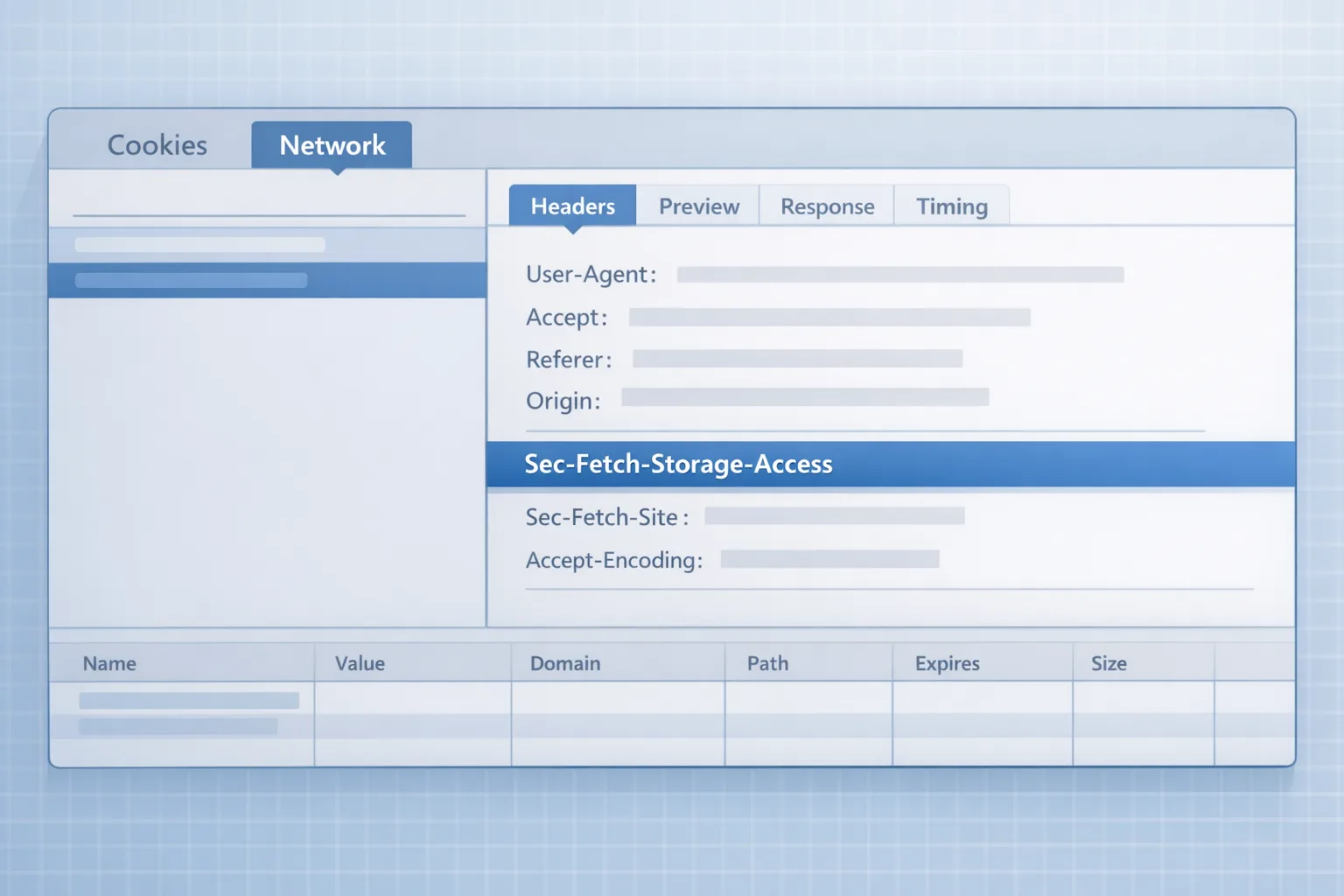
Operationally, Chrome continues to ship privacy plumbing that changes how cookies behave. For example, from Chrome 133 the browser adds the Sec‑Fetch‑Storage‑Access header on credentialed cross‑site requests to indicate whether an embed has access to unpartitioned cookies. This is invaluable for measurement and debugging server‑side. DevTools in Chrome 134 also improved third‑party cookie diagnostics, making issues easier to spot in the field. (privacysandbox.google.com)
And Chrome is still actively evolving identity APIs. In January 2026 (Chrome 143), Google updated the Federated Credential Management (FedCM) API—tighter validation, structured JSON responses, and some breaking changes targeted for Chrome 145. Identity teams should be tracking these milestones like they would a framework release. (developer.chrome.com)
Wait—don’t Safari and Firefox already block this?
Yes. Safari has fully blocked third‑party cookies by default since 2020 (on top of years of ITP hardening). Firefox shipped Enhanced Tracking Protection by default in 2019 and confines or blocks cross‑site cookies via Total Cookie Protection. If your experience only works when third‑party cookies are present, it’s already broken for a lot of users. (macrumors.com)
The minimal viable plan for 2026
Don’t engineer for a deprecation that isn’t happening; engineer for conditional access. Here’s how to keep logins, analytics, paywalls, and embeds working even when third‑party cookies are restricted.
1) Prefer partitioned cookies with CHIPS for embeds
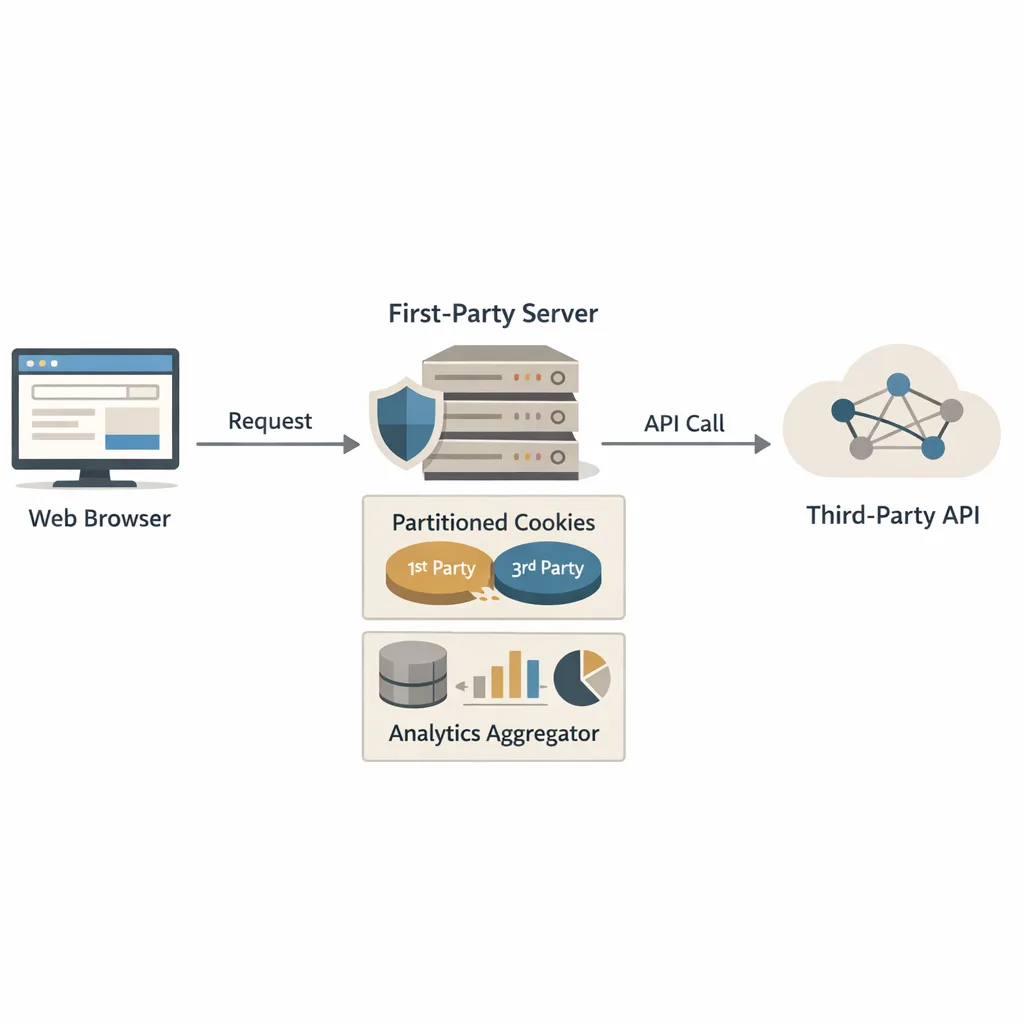
Partitioned cookies (CHIPS) are the safest default for third‑party resources that need per‑site state (chat, media, CDN preferences). They’re double‑keyed by the top‑level site and the third‑party origin, nullifying cross‑site tracking while preserving functionality. Example: Set‑Cookie: __Host‑session=abc; Path=/; Secure; SameSite=None; Partitioned. Ship this for embedded widgets and subresources. (privacysandbox.google.com)
2) Use the Storage Access API for necessary unpartitioned access
Some flows still need unpartitioned access (e.g., an account center embedded across properties). Use the Storage Access API (SAA): detect with document.hasStorageAccess(), and request with document.requestStorageAccess() behind a user gesture. On the server, observe Sec‑Fetch‑Storage‑Access: active, inactive, or none. Treat anything but active as no unpartitioned cookie access and fall back. (developer.mozilla.org)
3) Model your domains with Related Website Sets (RWS)
If you own multiple eTLD+1s that legitimately act as one product (for example, brand.tld and account.tld hosted separately), declare the relationship via RWS so SAA can grant access across your set after user intent. This keeps the UX coherent without punching a hole for unrelated third parties. (privacysandbox.google.com)
4) Migrate federated sign‑in flows to FedCM
FedCM replaces brittle third‑party cookie and redirect hacks for identity. Google’s identity libraries have been pushing teams toward FedCM, with explicit guidance to complete impact assessments and a transition window that referenced changes through August 2025. Chrome 143’s updates mean you should re‑test your flows now and prepare for follow‑ups in 145. (developers.google.com)
5) Capture more on the server, not in the browser
Low‑friction analytics remains possible: move critical events server‑side, lean into first‑party endpoints, and avoid depending on cross‑site scripts for essential signals. It’s better for performance, privacy, and resilience. If you need help architecting that, our team does this work daily—see our privacy‑aware analytics and engineering services.
Cookie Reality Checklist: 10 things to do this quarter
Use this to get from “we’ll deal with it later” to “we can ship next sprint.”
-
Inventory cross‑site dependencies. List embeds (chat, video, comments), identity (IdP/RP), CDNs that set cookies, analytics tags, and ad pixels. For each, note if they require reading unpartitioned cookies.
-
Flip DevTools into detective mode. In Chrome 134+ the cookie warnings are better; reproduce key user journeys and note where third‑party cookie access is blocked or partitioned. (gigazine.net)
-
Detect access at runtime. For iframes, call
document.hasStorageAccess(). On servers, logSec‑Fetch‑Storage‑Accessfrom credentialed cross‑site requests and segment behavior accordingly. (privacysandbox.google.com) -
Partition embeds with CHIPS. For state that doesn’t need to follow users across sites, mark cookies
Partitioned. EnsureSecureandSameSite=Noneare set, and prefer__Host‑prefixes to avoid domain scoping pitfalls. (privacysandbox.google.com) -
Wrap necessary unpartitioned access with SAA. Gate it behind user gestures and store a durable "allowed" signal per origin where supported. Design UX that tolerates denials without dead‑ends. (developer.mozilla.org)
-
Register a Related Website Set. If your product spans multiple eTLD+1 domains, ship RWS so your own cross‑site embeds can request access coherently after intent. (privacysandbox.google.com)
-
Move federated sign‑in to FedCM. Confirm browser support, migration flags, CSP and Permissions‑Policy updates, and test with Chrome 143’s changes. Coordinate with your IdP if you’re an RP. (developer.chrome.com)
-
Modernize consent and UI timing. Request storage only when needed; don’t spam users on first paint. If you’re upgrading your front‑end anyway, our React 19 migration notes cover server components that intersect with consent and analytics hydration.
-
Shift measurement to first‑party + server‑side. Replace fragile cross‑site tags with a server endpoint that batches events, and evaluate Privacy Sandbox measurement where it fits your stack. Keep your Node.js and proxies patched; production incidents spike when teams touch auth and cookies. Our quick primer on Node.js security releases can save you a late‑night rollback.
-
QA across the browser matrix. Test Chrome with third‑party cookies allowed and restricted, Safari (full block), and Firefox (ETP/Total Cookie Protection). Don’t ship features that mysteriously degrade in privacy‑focused browsers. (macrumors.com)
People also ask
Will Chrome kill third‑party cookies in 2026?
No. The current plan is to keep third‑party cookies and elevate user choice, not to deprecate by default. Google reiterated this pivot in July 2024 and clarified the no‑prompt stance in 2025. Build for conditional access, not a big bang removal. (theverge.com)
So why am I still seeing breakage?
Because other browsers block by default, enterprises set restrictive policies, users opt out, and Chrome’s own heuristics and APIs change how storage works in iframes. Your code needs to handle partitioned cookies, prompt for storage access when truly needed, or avoid third‑party state altogether. (privacysandbox.google.com)
Do I need to migrate to FedCM?
If you provide or rely on federated sign‑in, yes—especially if you expect users to browse with third‑party cookies restricted. Google’s guidance and Chrome 143’s updates make this the durable path for cross‑site identity in 2026. (developers.google.com)
How do I test whether an embed has unpartitioned cookie access?
Client side, call document.hasStorageAccess(). Server side, inspect Sec‑Fetch‑Storage‑Access on credentialed requests: treat anything except active as “assume no unpartitioned cookies.” Use DevTools to verify which cookies are partitioned. (privacysandbox.google.com)
Migration gotchas we keep seeing
Mixed partition state bugs. Teams try to keep both unpartitioned and partitioned cookies with the same name and get unpredictable results. Rename when you can, or expire the one you’re replacing during transition. (privacysandbox.google.com)
IdP/RP drift. Relying parties switch to FedCM but their identity provider hasn’t. You can’t adopt FedCM unilaterally—coordinate the rollout and verify endpoints, metadata, and CSP. Chrome 143’s stricter validation will surface mismatches. (developer.chrome.com)
iOS illusions. Chrome on iOS uses WebKit; if your flow relies on Chrome‑specific cookie behavior, it won’t behave the same on iOS. Test on Safari iOS and plan redirects carefully when ITP is in play. (developers.google.com)
Debugging without signals. If you aren’t logging Sec‑Fetch‑Storage‑Access and you aren’t checking SAA permissions, you’ll misdiagnose why a user can’t stay signed in. Add observability first; change code second. (privacysandbox.google.com)
Data points worth bookmarking
-
Chrome’s privacy status page shows service health and updates; last updated Jan 20, 2026. (status.privacysandbox.com)
-
Chrome 133 introduced the
Sec‑Fetch‑Storage‑Accessheader; Chrome 134 improved DevTools cookie diagnostics. (privacysandbox.google.com) -
Safari blocks third‑party cookies by default; Firefox blocks trackers and isolates cookies by default. (macrumors.com)
-
FedCM shipped new changes in Chrome 143 on January 12, 2026—re‑test your identity flows before Chrome 145. (developer.chrome.com)
What to do next
Make a two‑sprint plan. Sprint 1: inventories, DevTools runs, add logging for Sec‑Fetch‑Storage‑Access, and convert low‑risk embeds to CHIPS. Sprint 2: wire up SAA where justified, cut over your IdP/RP to FedCM, and move critical analytics server‑side. Keep a QA matrix across Chrome, Safari, and Firefox—and capture metrics on storage prompts and fallbacks. If you want a partner to accelerate the hard parts, talk to us—we design and ship this kind of work regularly.

Zooming out, Chrome’s "user choice" era doesn’t absolve teams from doing privacy engineering. It just removes the excuse to wait. Move to partitioned state where possible, request unpartitioned storage explicitly when it’s warranted, migrate identity to FedCM, and stop outsourcing essential measurement to brittle third‑party tags. The web gets simpler when you do.









Comments
Be the first to comment.