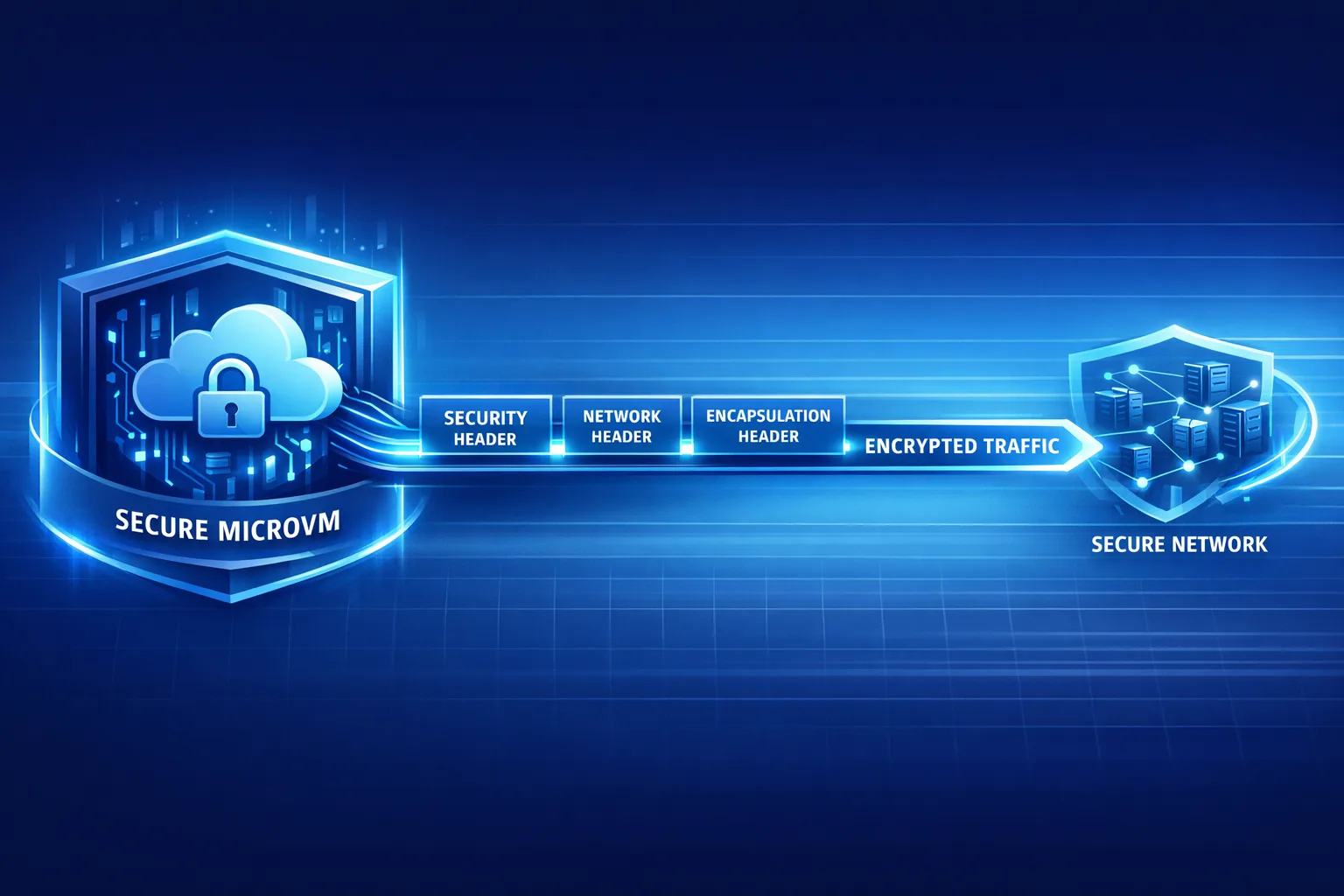
Vercel Sandbox: Credential Injection, Done Right
Vercel Sandbox just got a serious security boost. On February 23, 2026, Vercel introduced credential header injection for outbound requests from a sandbox, and in mid‑February it shipped advanced egress controls with TLS SNI host matching and CIDR rules. If you rely on Vercel Sandbox to run AI agents, evaluate third‑party code, or process user uploads, you can now keep API keys outside the microVM and still call the services you need—while blocking everything else. Here’s the why, the how, and a field‑tested playbook to tighten things up fast.
What changed this week—and why it matters
Three milestones landed in quick succession. First, on January 30, 2026, Sandboxes hit general availability, making Firecracker microVMs a first‑class primitive for executing untrusted code. Then, on February 11, egress firewall controls expanded to include SNI-based host allowlists and CIDR ranges, allowing you to block outbound connections at the TLS handshake—before bytes leak. Finally, on February 23, Vercel added header injection at the network policy layer, so your sandboxed process never touches secrets but can still reach authenticated services.
The net effect: you can run risky workloads (agent‑generated scripts, user‑submitted packages, evaluation harnesses) without handing them the keys to your kingdom. Secrets live outside the VM boundary. Outbound traffic goes only where you say it can go. And because injection happens as part of the sandbox’s egress path, even a prompt‑injected agent can’t print or exfiltrate your tokens.
How Vercel Sandbox enables zero‑trust for AI and untrusted code
Here’s the thing: most AI and plugin‑style architectures were designed for convenience, not containment. An agent fetches a tool, shells out, and suddenly you’ve granted wide egress and dropped environment variables into a process you don’t fully control. With Sandboxes, isolation starts at the compute boundary: no inherited env vars, no implicit access to production networks, and an auditable lifecycle you can tear down on demand. Layer on:
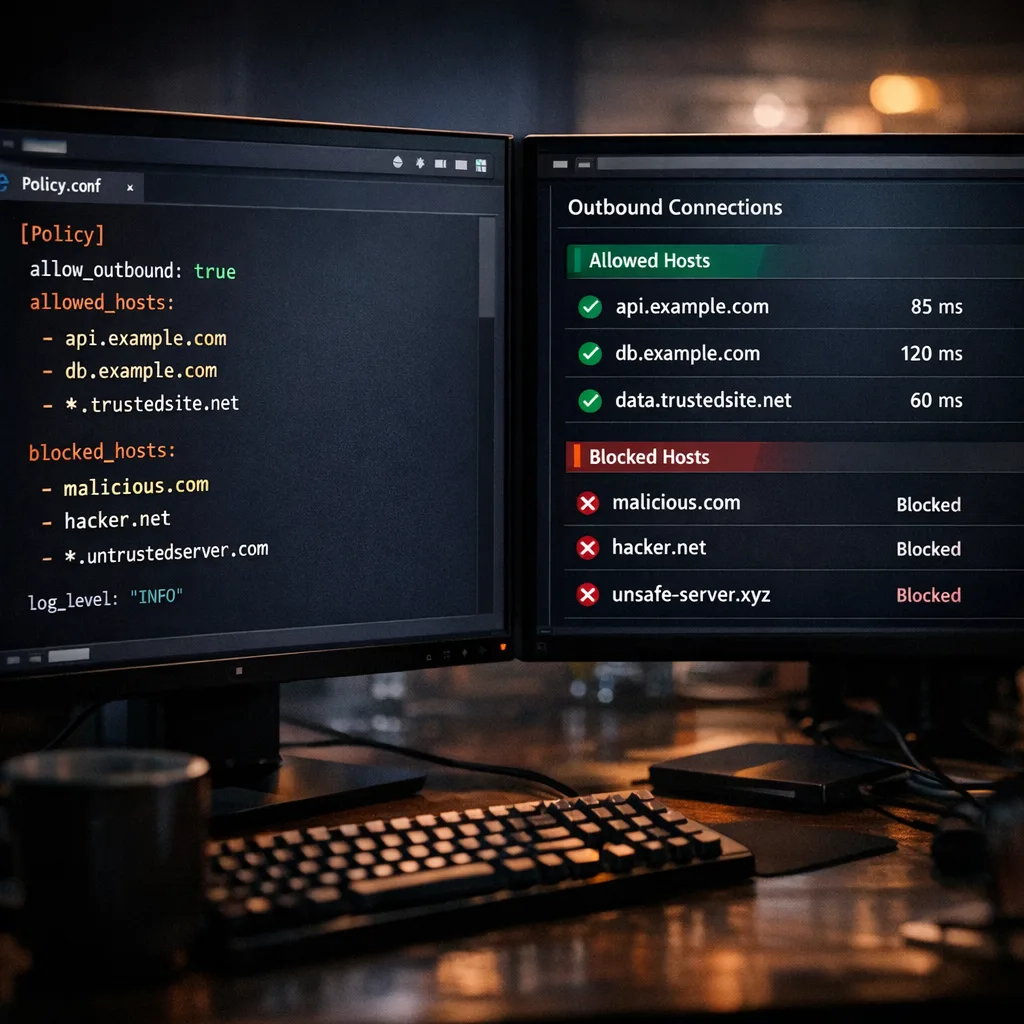
• SNI host allowlists that permit only specific domains—matching the hostname presented in TLS—so a compromised script can’t quietly beacon elsewhere.
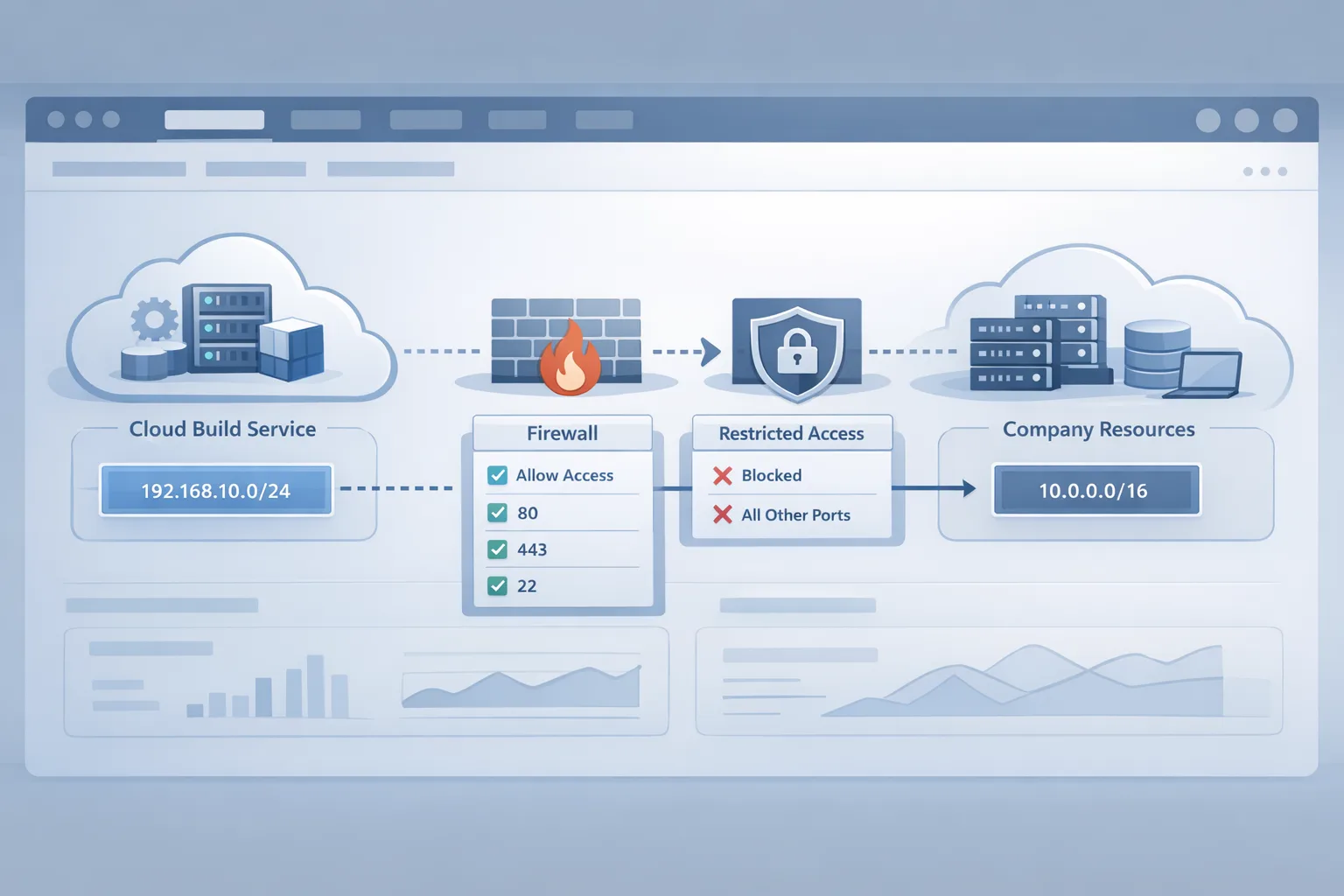
• CIDR rules for non‑TLS or private services where hostname matching doesn’t apply.
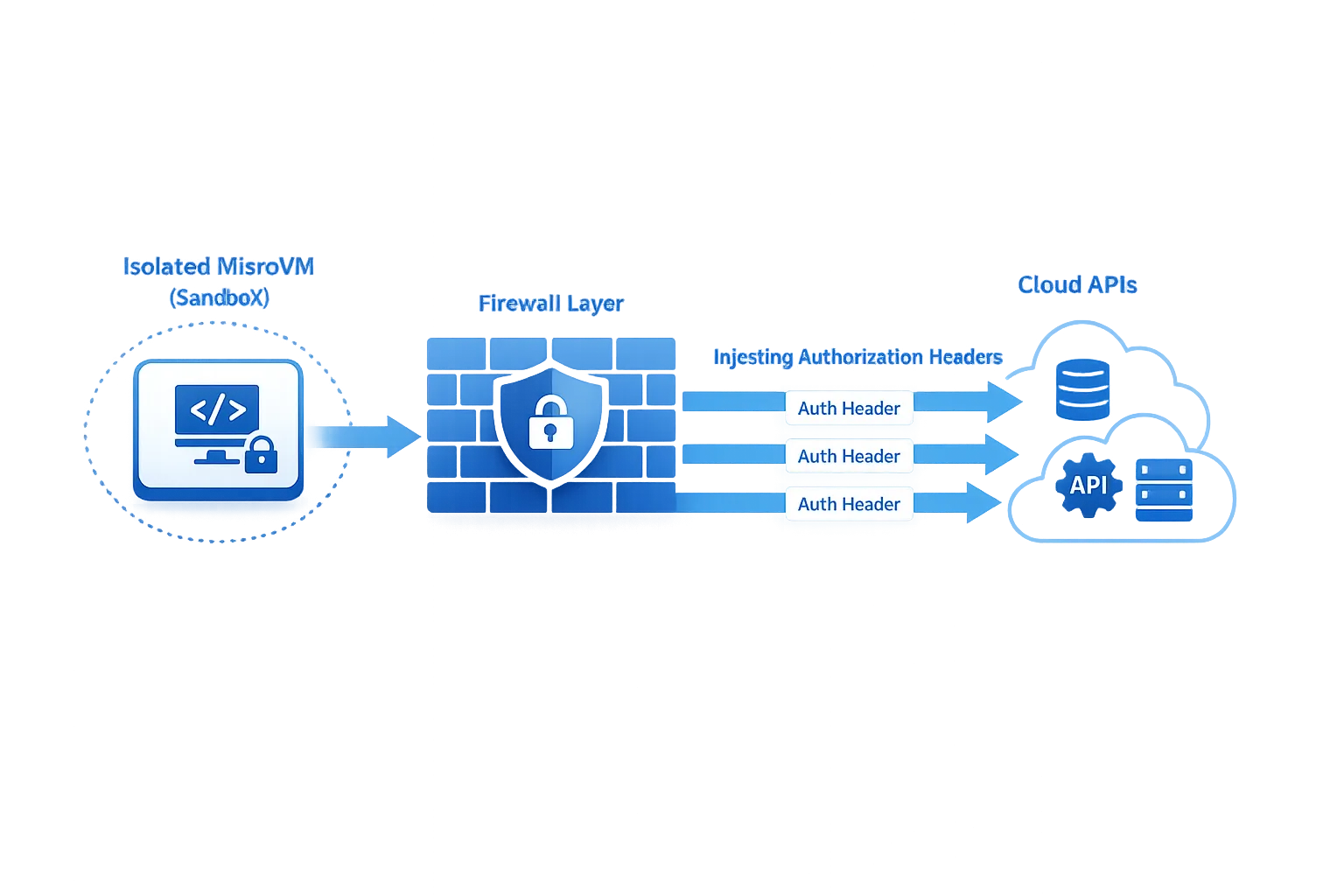
• Header injection that overwrites whatever the sandboxed code tries to set, preventing credential substitution and keeping real keys out of process memory and logs.
It’s not theoretical. Teams running doc‑ingesting agents, ephemeral test runners, and code‑execution features can now structure multi‑phase flows: allow broad egress for setup, then lock down before executing untrusted steps, with live policy updates and no restart.
“No keys in the VM”: a practical pattern for Vercel Sandbox
The safest place for a secret is outside the microVM. With header injection, you define a network policy that says, in effect: “When outbound traffic targets api.github.com or my‑payments‑gateway, add this Authorization header and ignore anything the process tries to set.” The sandboxed code issues a plain HTTPS call. The firewall layer attaches the credential at egress. Your token never appears in the VM’s env, filesystem, or process memory.
Use host wildcards sparingly but purposefully. If you allow *.github.com for cloning and API calls, confirm whether you also need the parent domain (wildcards don’t match the apex). For multi‑tenant APIs behind the same hostname, prefer scoped service tokens and path‑based authorization at the provider, not broad allowlists. And for non‑TLS protocols—say a Redis instance inside your VPC—use CIDR rules, then bind requesting code to the minimum subnet necessary.
One more advantage: policy inheritance and live updates. You can start a sandbox with permissive rules for bootstrapping (pulling models, npm deps, or fetching fixtures), perform the work that truly needs those privileges, and then switch the network policy to deny‑all before executing anything user‑controlled. If a prompt or plugin gets spicy, there’s nowhere for it to call out.
What about performance and debuggability?
Because the firewall peeks only at the TLS handshake to read the hostname, there’s no full decryption step in the path. In practice, that means you preserve end‑to‑end confidentiality and avoid the operational weight of managing HTTP proxies. For debugging, rely on sandbox logs, network policy events, and provider‑side request logs. Keep your own logs free of secrets—header injection helps by ensuring tokens aren’t present in process stdout/stderr in the first place.
Let’s get practical: a 30‑minute hardening pass
If you’ve been running agents or untrusted workloads in Sandboxes already, you can implement a solid baseline in one short session:
- Upgrade SDKs and CLIs. Pull the latest Sandbox SDK and confirm your project can update network policies at runtime. Validate your runtime versions (Node 22/24 or Python 3.13 equivalents) match your toolchain.
- Inventory outbound dependencies. List the exact hostnames your workloads must reach: model endpoints, vector DBs, artifact stores, Git hosts, payment/webhook providers. Note any non‑TLS targets that will require CIDR allow rules.
- Write a narrow policy. Start with an allowlist of specific hosts plus any necessary wildcards. Add subnets.deny for your private networks unless you explicitly need them.
- Add header injection per host. For each service that needs credentials, declare the Authorization or custom headers in the policy. Remember: injected headers overwrite what code sets, blocking credential swapping.
- Stage the run in two phases. Phase 1: permissive egress for setup. Phase 2: switch to deny‑all or tight host allowlist just before executing untrusted code.
- Test failure modes. Deliberately call a disallowed host and confirm it fails at handshake. Intentionally omit a header and ensure the request is rejected by the provider.
- Seal your token lifecycle. Adopt the new, clearly prefixed token formats and enable automatic secret scanning in your repos. Rotate long‑lived tokens and remove any env vars that were previously injected into sandboxes.
If you need a second set of eyes on the plan, our team can help you design the policy and phase transitions. See how we approach platform hardening on our what we do page and browse relevant work in our portfolio.
People also ask
Does header injection expose my API keys in logs?
No—when configured correctly, the keys never exist inside the VM. Injection happens at the egress boundary, not in user code. Your process can’t read the header it didn’t set, and overwrite semantics prevent a compromised script from swapping your credential. Still, check upstream service logs and any reverse proxies to ensure sensitive headers aren’t mirrored in access logs.
Can I keep the internet open and still inject credentials safely?
Yes. Injection works with open‑internet policies. A pragmatic pattern is to allow all egress but declare injection rules only for whitelisted hosts, which prevents secrets from riding along to unapproved destinations. If you want stronger isolation, combine injection with strict host allowlists and subnets.deny for your private ranges.
How do I verify that egress is actually blocked?
Try a simple outbound request to a non‑allowed host and watch it fail at the TLS handshake. Use provider dashboards to confirm no traffic reached them. For non‑TLS services, test with a known IP outside your allowed CIDR. Build these checks into CI so a policy regression fails builds immediately.
Tradeoffs vs. proxies, VPC firewalls, and k8s
Traditional egress controls lean on HTTP proxies or VPC‑level firewalls. Proxies can’t handle all protocols gracefully and often require terminating TLS, which adds privacy and operational overhead. VPC egress rules are coarse and usually IP‑centric; with host‑shared IP pools and CDNs, you end up punching larger holes than you’d like. Sandbox egress rules match how the modern internet works—hostnames over TLS—without breaking protocol semantics, while microVM isolation keeps env vars and runtime state walled off by default.
There are limits. SNI matching applies to TLS only; for legacy or raw TCP you’ll need CIDR rules. Wildcards are powerful but blunt—use them as guardrails, not gates wide open. And remember that allowlists don’t validate what you send, only where it can go; keep strict auth scopes at your providers.
Common pitfalls (and how to avoid them)
Wildcard confusion. A leading wildcard like *.example.com matches subdomains but not example.com itself. If the apex hosts APIs, add it explicitly.
Header collisions. Injection overwrites same‑name headers set by code. That’s a feature, but it bites when libraries implicitly set Authorization. Standardize on one scheme per host and document it.
Hidden CNAMEs. Your app might target api.vendor.com that resolves to a different hostname in redirects. SNI rules check the TLS hostname, not the final IP. Test the exact hostnames your HTTP client presents in the handshake.
Leaky logs. Developers sometimes print request configs for debugging. Even with injection, remove any code that prints headers. Also audit reverse proxies and observability tools that capture request metadata.
Non‑TLS services. For Redis, Postgres, or internal gRPC without TLS, lean on CIDR allowlists and, where possible, add TLS so you can return to host‑based rules later.
Dates and dependencies to track
February 23, 2026: Header injection for Sandbox egress shipped. Teams can inject or overwrite headers for specific domains, enabling the “no keys in the VM” pattern out of the box.
February 11, 2026: SNI and CIDR‑based egress filtering landed, letting you reject unauthorized destinations at the handshake rather than after data flows.
February 9, 2026: New token formats and automatic secret scanning rolled out, with compromised tokens revoked if they appear in public repos or packages.
March 31, 2026: Legacy now.json config support is removed. Migrate to vercel.json (or programmatic vercel.ts) to avoid surprises in CI/CD.
April 28, 2026: If you ship iOS apps, Apple requires builds with Xcode 26+ starting April 28. That deadline may pull shared platform engineers; plan Sandbox work around it. We’ve published a detailed upgrade playbook for that date—see our April 28 ship checklist for timelines and testing tips.
A simple framework: the 3×3 Sandbox Zero‑Trust Grid
Use this to set scope, pick controls, and verify outcomes:
Scope (pick all that apply): Agent tools; third‑party code execution; user‑generated uploads/ETL.
Controls (choose per scope): 1) SNI host allowlist; 2) CIDR allowlist for non‑TLS; 3) Header injection for credentials.
Verification (repeat each release): 1) Simulated exfiltration blocked; 2) Secrets absent from logs and memory; 3) Provider‑side access limited to least privilege.
Run the grid at kickoff, on every major feature, and quarterly as dependencies change. Tie each control to an owner and an automated check in CI.
What to do next
• Developers: implement the 30‑minute hardening pass, add negative tests to CI, and document per‑service headers and scopes. If you use feature flags to gate agent tools, review targeting and rollout safety—our take on that is in Vercel Flags and Sandbox Egress: Ship Safer Now.
• Engineering managers: schedule a half‑day to migrate now.json projects, review token inventory, and run the Zero‑Trust Grid with your team. If your roadmap is colliding with Apple’s April deadline, sequence upgrades accordingly.
• Founders & product leaders: turn isolation and egress control into a sales proof point. Being able to say “agents run with no keys in the VM and can’t call unknown hosts” wins RFPs. If you need help packaging that story—or implementing it—start a conversation via our contact form or explore our services.
Zooming out
Agents and untrusted code aren’t going away; the winners will be the teams that turn them into safe, debuggable, cost‑bounded capabilities. The recent Sandbox updates remove a huge amount of glue work—no more bolting on proxies or sprinkling env vars into processes you can’t trust. Write the policy once, keep secrets out of the VM, and make the network work for you. Then measure it: blocked exfiltration attempts, reduced token sprawl, faster incident response when a key shows up in a public repo.
If you’re starting from scratch, that’s fine. Begin with one workload and one provider, prove the value, then expand host by host. By the time the next platform deadline rolls around, you’ll have a hardened, auditable path for anything risky—and a cleaner story for security reviews and enterprise deals.




Comments
Be the first to comment.