
Upgrade GitHub Actions Self‑Hosted Runners by Mar 16
Your GitHub Actions self-hosted runner strategy needs attention this week. On March 16, 2026 (00:00 UTC), GitHub will enforce a minimum version for runner configuration: anything older than v2.329.0 will be blocked from registering. That sounds small—until your autoscaler can’t register new machines and your queue time grows by the minute. If you rely on elasticity, the GitHub Actions self-hosted runner change is the kind that breaks silently and then all at once.
There’s also a brownout period through mid‑March where old runners intermittently fail to register. And in parallel, new hosted images landed (including macos-26), which will shift a lot of mobile build lanes. Here’s what’s changing, where teams usually get cut, and a practical, one‑hour upgrade plan you can run today.
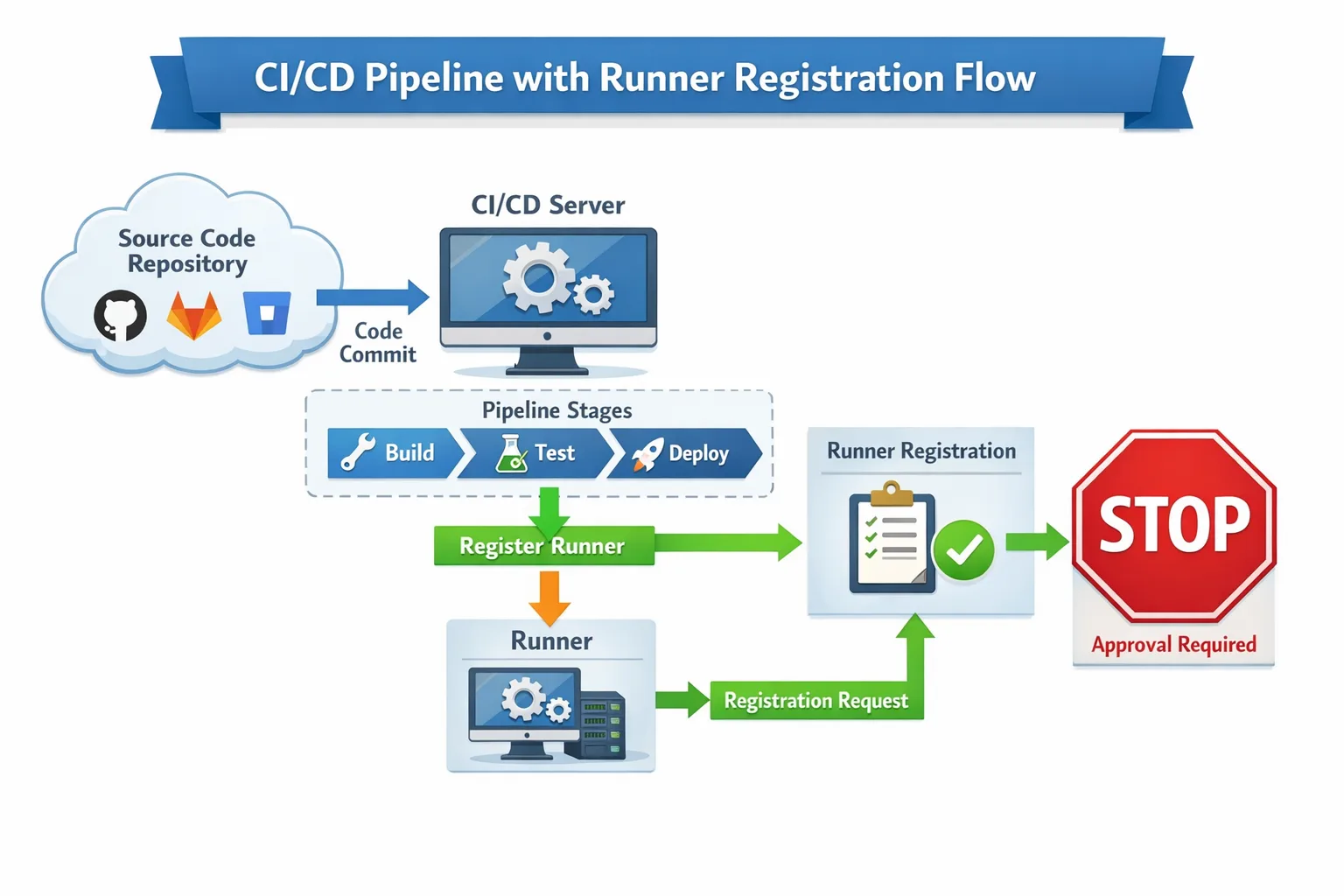
What exactly is changing on March 16, 2026?
GitHub will block configuration of self‑hosted runners older than v2.329.0. Practically, that means anything that calls the runner’s config.sh/config.cmd to register a runner (autoscalers, golden images, ephemeral patterns) will fail unless the binary is v2.329.0 or newer. GitHub has been running scheduled brownouts between February 16 and March 16 to help teams spot impact ahead of the cutoff, then permanent enforcement begins at 00:00 UTC on March 16, 2026. The required baseline, v2.329.0, shipped October 15, 2025.
Two fine‑print callouts teams miss:
- It’s a configuration‑time gate. Long‑lived, already‑registered runners might keep picking up jobs for now, but don’t rely on that lasting. Your elasticity is where pain shows up first.
- Older binaries also miss recent reliability and security fixes. Even if things “seem fine,” you’re running behind the platform.
Who’s most at risk?
I’ve reviewed a lot of CI fleets. Breakages rarely appear on the pet box under someone’s desk. They show up where you stamp out runners on demand. If any of these sound familiar, prioritize the upgrade:
- Ephemeral runners (one job per runner) — every job attempts registration; failures are immediate.
- Autoscaling platforms — custom scripts, scale sets, ARC, or cloud‑init that download a pinned runner version.
- Golden images — AMIs, VM templates, or Docker images that quietly bundle an old runner binary.
- Proxied networks — TLS inspection or overzealous egress rules that block the runner from fetching updates.
- Mixed OS matrices — Linux, Windows, and macOS fleets upgraded inconsistently.
GHES customers: this enforcement targets GitHub.com. But don’t tune out—operationally, the same image hygiene applies. If you disable automatic updates or bake runners into images, you still need a version floor and a rebuild cadence.
The 60‑minute upgrade plan
Set a timer and run this in a staging org first. The goal is to rebuild your images/templates with a current runner, validate registration, and add guards so you don’t repeat this fire drill.
0–10 min: Inventory and version floor
Quickly enumerate where runner binaries live:
- Dockerfiles, cloud‑init scripts, Packer templates, AMIs, VM images, Kubernetes DaemonSets/StatefulSets, autoscaler code.
- Check for
RUN curl ... actions-runner/releases/download/...or a bundledactions-runner-*.tar.gz.
Decide your floor: upgrade directly to the latest stable runner release that’s ≥ v2.329.0. Avoid pinning exactly at 2.329.0; go current to pick up fixes.
10–30 min: Rebuild images with a pinned, checksummed download
In each template, fetch the runner via a version variable and verify integrity. Example Linux snippet:
RUNNER_VERSION=2.33X.Y  # >= 2.329.0
RUNNER_SHA256=<published-checksum>
curl -fsSLo actions-runner.tar.gz \
  https://github.com/actions/runner/releases/download/v${RUNNER_VERSION}/actions-runner-linux-x64-${RUNNER_VERSION}.tar.gz \
  && echo "${RUNNER_SHA256}  actions-runner.tar.gz" | sha256sum -c - \
  && tar -xzf actions-runner.tar.gz -C /opt/actions-runner
For Windows images, use Invoke-WebRequest and Get-FileHash. For macOS, place the runner into a writable path and remember launchctl or a user agent to keep it alive.
30–45 min: Registration rehearsal
Spin up one fresh runner per OS target and confirm:
- Registration succeeds with your token.
- Job executes and reports back.
- Self‑update policy is set the way you want (disabled if you always rebuild, enabled if you don’t bake images).
Use labels like self-hosted, linux, windows, macOS, and an environment label (for example, staging) so you can route trial jobs explicitly.
45–60 min: Guardrails so this doesn’t happen again
- Version policy. Add a step in your shared workflow that fails fast if
RUNNER_VERSION < your_floorby reading the--versionoutput. - Rebuild cadence. Weekly image rebuilds catch silent drifts (SDKs, certs, CA bundles) and future runner updates.
- Checksum verification. Treat runner downloads like any supply‑chain artifact.
- Brownout smoke tests. During scheduled brownouts, create/destroy one runner and alert if registration fails.
How to upgrade by OS (copy‑paste friendly)
Linux with systemd
Install the runner under /opt/actions-runner, create a dedicated actions user, then register and install the service:
sudo ./config.sh --url https://github.com/<org>/<repo> \
  --token <reg-token> --labels self-hosted,linux --unattended
sudo ./svc.sh install
sudo ./svc.sh start
Pin RUNNER_ALLOW_RUNASROOT=1 only when you fully control the workload; prefer non‑root and grant Docker access deliberately if needed.
Windows Server
Run PowerShell as Administrator, then:
./config.cmd --url https://github.com/<org>/<repo> ^
  --token <reg-token> --labels self-hosted,windows --unattended
./run.cmd  # or install as a service with ./svc install
Be explicit about TLS inspection: outbound 443 must not rewrite GitHub endpoints or break SNI.
macOS builders
Keep the runner binary current and align with the new hosted image ecosystem. GitHub’s macos-26 images are GA with Apple Silicon and Intel options (macos-26, macos-26-intel, plus large/xlarge variants). If you maintain your own macOS fleet, test Xcode installs and codesigning after the runner upgrade; subtle SDK diffs tend to surface only at archive time.
Containers and Kubernetes
If you wrap the runner in a container, rebuild the image now. Many teams discover a months‑old base image dragging in an ancient runner and CA bundle. For K8s, redeploy with an image tag that encodes the runner version, then drain old Pods to force re‑registration.
People also ask
Will old runners still work after March 16?
The enforcement targets registration. Already‑registered, long‑lived runners may keep working temporarily, but count on that changing and avoid a single point of failure. The unsafe path is hoping your elastic capacity can register during a brownout; the safe path is rebuilding now.
How do I find every runner version across my org?
Two quick ways: 1) use the REST API to list org runners and parse the version field, 2) add a one‑line job at workflow start that prints runs-on and runner.tool_cache/ACTIONS_RUNNER_VERSION, then aggregate in logs. You’ll expose drift between templates and reality.
Do I need to rebuild my Docker images?
Yes, if your Dockerfiles download or bundle the runner. Even if you keep the runner external (mounted volume), your base image may carry stale certs or runtimes. Rebuild and validate the end‑to‑end job.
Autoscaling and scale sets: what’s new and what to watch
GitHub made progress on first‑class autoscaling. If you maintain your own scaler, look at the runner scale set client (public preview) to integrate directly with scale set APIs without Kubernetes as a requirement. It doesn’t remove your responsibility for image hygiene, but it simplifies lifecycle orchestration and can reduce custom glue code in bigger fleets.
Either way—DIY or scale sets—your registration path is now a production dependency. Monitor it like one: latency from token request to runner online, registration failure rates, and time from job queued to job picked up.
Network and security gotchas (learned the hard way)
Self‑hosted runners need clean outbound HTTPS to GitHub domains. TLS interception and WAFs frequently break runner upgrades, especially during brownouts when many instances stampede to fetch binaries. Give runners a direct path or carve out exceptions for the runner download endpoints and API calls. If you’re in a restricted subnet, pre‑stage the tarballs and checksums in a private bucket and verify integrity there.
Also review automatic updates. GitHub’s docs note that runners can auto‑update on job assignment. That’s good for pets, not for herds. If you operate at scale, prefer controlled, periodic rebuilds so you can coordinate image and runtime shifts across your matrix.
Mobile pipelines: mind the macOS 26 shift
If you also rely on GitHub‑hosted macOS builders, note that macos-26 images are generally available. Expect toolchain drift versus older images (new SDKs, new default shells or CLTs, updated signing notaries). Run a smoke matrix across your iOS lanes now, especially ones using older CocoaPods, SwiftPM pins, or custom toolchains. If you maintain a self‑hosted macOS fleet, align your images and Xcode versions with your CI expectations to avoid “works on my laptop” surprises.
For deeper iOS build planning around Apple’s yearly tooling shifts, our piece on what iOS teams must do for the Xcode 26 cycle lays out realistic timelines. If you’re orchestrating both hosted and self‑hosted builders, decide which lanes you keep on GitHub’s images and which you anchor on your own metal, then document the version split.
A quick validation checklist you can reuse
- Runner binary ≥ your floor (current stable, not just 2.329.0).
- Registration succeeds unattended on Linux, Windows, macOS.
- Golden images rebuilt and tagged by date and runner version.
- Autoscaler paths tested during a known brownout window.
- Outbound HTTPS to GitHub endpoints clean (no TLS interception).
- Checksum verification enforced for runner tarballs.
- Alert if regression detected (registration failure rate > 0.5% over 15 minutes).
What to do next (this week)
Here’s a short, no‑excuses plan you can drop into your sprint:
- Block a 60‑minute working session to rebuild images with a current runner release.
- Run a registration rehearsal for each OS; route one production lane through the new images.
- Add a version‑floor step to your shared workflow template; fail fast when drift appears.
- Schedule a brownout drill and set alerts for registration errors.
- Decide on a weekly image rebuild cadence; automate it with Packer or your preferred tool.
Need a second set of hands?
We’ve helped teams avoid last‑minute CI outages more times than we can count. If you want a proven, step‑by‑step path tailored to your fleet, start with our zero‑drama March 2026 runner upgrade plan, or tap our engineering services to pair on autoscaling and golden images. Curious how we’ve done this for peers? Browse a few representative outcomes in our portfolio of shipped work. And if you just need an hour to pressure‑test your plan, reach out on our contact page.
Zooming out
This moment is bigger than a one‑time cutoff date. Platform vendors are accelerating policy levers (minimum versions, image rotations) to deliver reliability and security improvements faster. The lesson for teams is simple: treat runners as code. Pin versions, verify checksums, rebuild on a predictable cadence, and monitor the registration path the same way you watch deploys. Do that, and March 16 will be just another Monday with happy pipelines.










Comments
Be the first to comment.