Oracle July 2026 CPU: Your 10‑Day Patch Plan
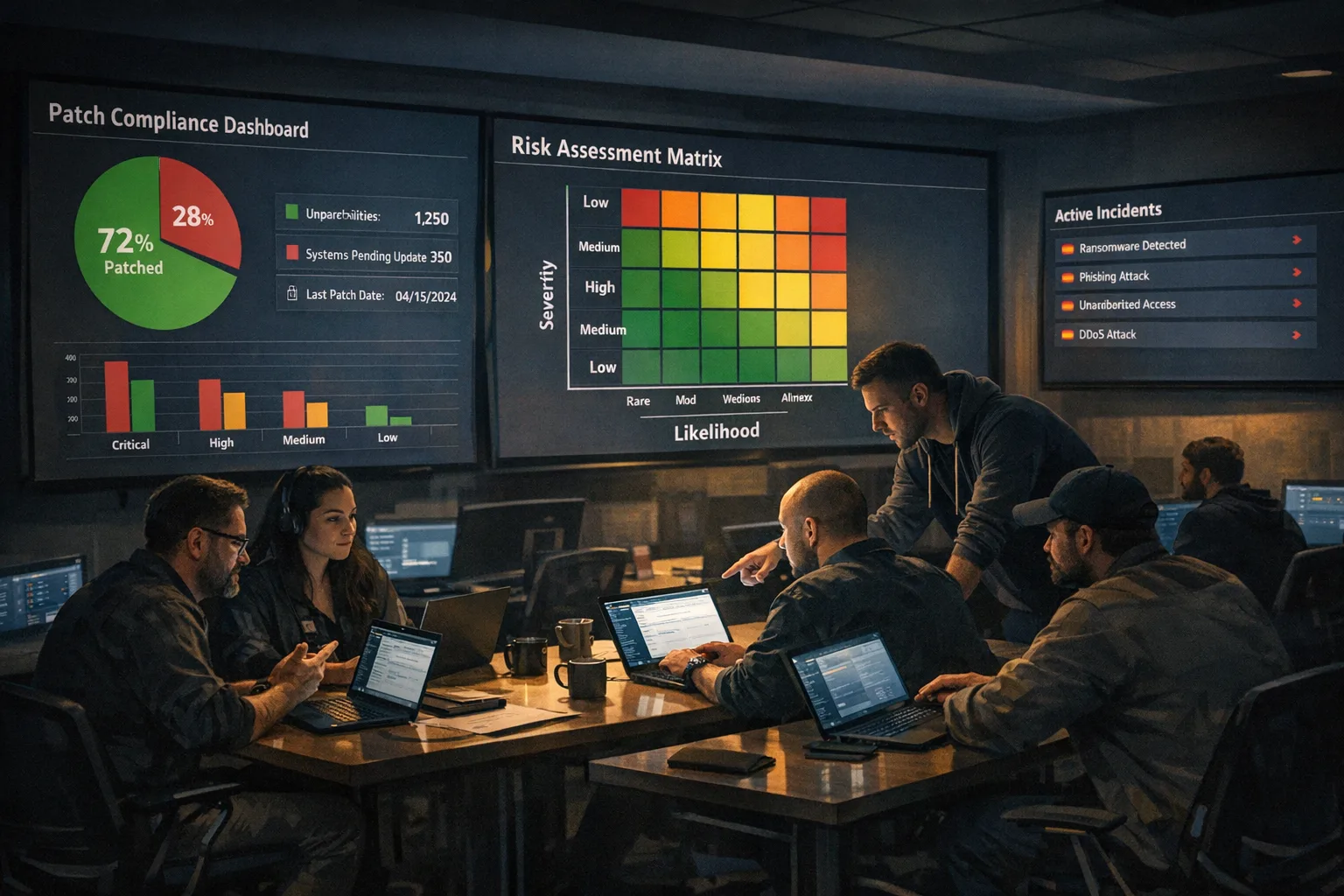
The Oracle July 2026 CPU is massive—1,449 security updates spanning 32 product families—and it’s tempting to punt until “after quarter close.” Don’t. The density of remotely exploitable issues (no credentials required) in Fusion Middleware, E‑Business Suite, and select Database components means your internet‑facing and partner‑exposed systems are at real risk this week. Below is a concise, field‑tested plan to triage in 72 hours, ship safely in 10 days, and finish hardening by day 30—without lighting up your change board.
What’s new in the Oracle July 2026 CPU
Let’s anchor on facts you can brief upwards. Oracle’s July 2026 Critical Patch Update arrived the week of July 21, 2026, with 1,449 patches1,235 unique CVEs
Fusion Middleware: 355 new patches, with a large share remotely exploitable without authentication over HTTP/HTTPS. This is where many orgs carry public exposure via WebLogic, Oracle HTTP Server, Access Manager, Platform Security for Java, and WebCenter components.
E‑Business Suite: 410 new patches; 45 of those vulnerabilities can be exploited over a network without credentials. If you front-end EBS with internet-accessible self-service modules or supplier portals, assume elevated risk.
Database Products: 15 new patches; 6 are remotely exploitable without authentication. Pay attention if you’ve enabled cloud‑adjacent packages, network‑reachable listeners, or permissive ACLs.
GoldenGate: 27 new patches; 9 remotely exploitable without authentication. Many estates expose replication managers within partner networks—treat as semi‑public.
SQL Developer: 5 new patches; all 5 remotely exploitable without authentication. Even dev tools can expand blast radius across jump hosts and CI runners.
One more structural change matters: alongside quarterly CPUs, Oracle introduced monthly Critical Security Patch Updates for select products beginning in May 2026. Translation: your old “wait for next quarter” habit is now riskier because targeted fixes arrive in between. Build your pipeline to absorb both cadences.
Who should drop everything for this CPU?
If any of the following describes your environment, prioritize an emergency window within 72 hours:
• Publicly reachable WebLogic, Oracle HTTP Server, Access Manager, or PSFT web tiers—even if you think WAF rules compensate. Attackers probe these constantly, and many issues in this CPU are network‑exploitable pre‑auth.
• E‑Business Suite instances exposing iSupplier, iStore, iRecruitment, or time/expense modules to partners or contractors. History shows attackers love EBS because credentials often unlock finance or HR data.
• Databases where DBMS_CLOUD or other network‑touching packages are installed and broadly granted, or where Connection Manager is open to untrusted networks. If your listeners are on the internet, treat as a Sev‑1 until proven otherwise.
• GoldenGate managers reachable from partner networks, or adapters that embed third‑party HTTP components. These nodes are frequently under‑monitored yet route sensitive replication traffic.
72‑hour triage for the Oracle July 2026 CPU
Here’s the fast path I run with clients when the patch load is overwhelming.
1) Asset cut and external exposure map (2–4 hours)
• Enumerate all internet‑facing Oracle surfaces: WebLogic domains, Oracle HTTP Server, SSO/Access Manager, EBS DMZ tiers, and any listener/CMAN endpoints.
• From there, include partner‑exposed services (B2B links, vendor portals, replication managers). Score each by public exposure, authentication requirement, and data sensitivity.
2) Align products to the highest‑risk buckets (2 hours)
• Bucket A: Fusion Middleware public web tiers; EBS DMZ; GoldenGate managers reachable from outside the core network; any DB listener on the internet. These get emergency treatment.
• Bucket B: Internal but multi‑tenant tiers and shared app servers; SQL Developer on jump hosts; CI agents that pull Oracle client bits.
• Bucket C: Non‑prod and air‑gapped systems. Track but don’t block A/B for these.
3) Compensating controls you can ship today (Day 0)
• Put WAFs in “blocking” for the specific URI patterns used by your exposed Oracle tiers. Yes, signatures lag, but practical rules (block serialized objects, deny verb tunneling, restrict dangerous headers) close common exploit paths.
• Lock down listener/CMAN to known IPs, enforce valid SNI/ServerName, and turn on TLS 1.2+ only.
• Narrow ACLs around packages like DBMS_CLOUD and audit grants. If it isn’t installed, keep it that way.
4) Pre‑patch validation gates (same day)
• Snapshot configs (domain XMLs, opatch lsinventory, DBA registry, GoldenGate params). This is your rollback insurance.
• Smoke test plans ready: start/stop, health checks, app probes, critical batch flows. If you don’t have synthetic probes hitting real business paths, add two today.
10‑day rollout: a realistic, low‑drama sequence
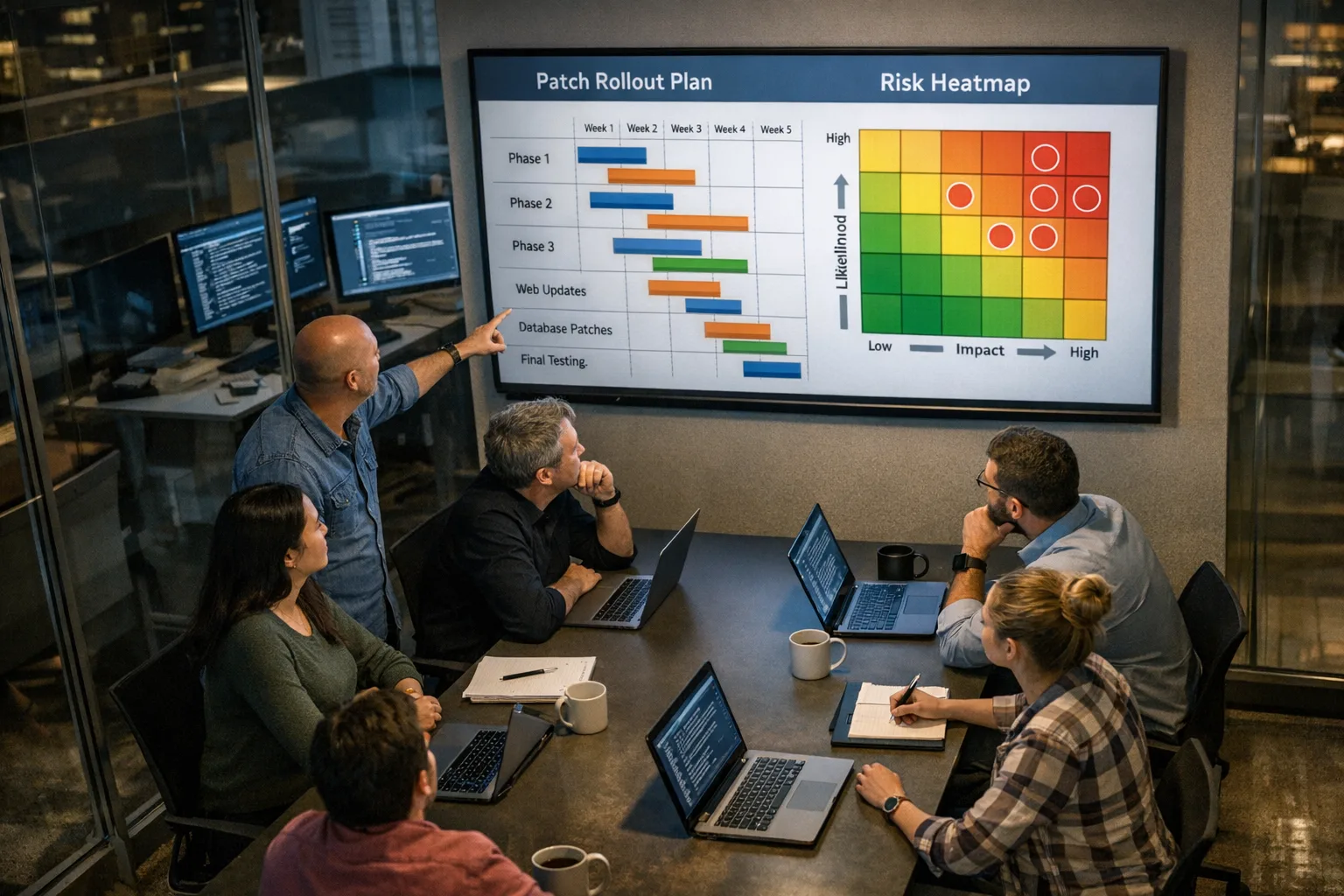
You can’t patch 1,449 things in a weekend, but you don’t need to. The sequence below balances risk reduction with test depth we’ve seen succeed at banks, healthcare, and marketplaces.
Days 1–2: Pilot and perimeter
• Patch one representative Fusion Middleware domain in a lower environment that mirrors your DMZ topology (same plug‑ins, modules, and SSO flows). Validate login, session management, uploads, and long‑running requests.
• Patch a non‑prod EBS DMZ node and run smoke on supplier/self‑service flows. Confirm reverse proxies, SSO/IDP hand‑offs, and custom OA Framework pages.
• Patch a staging GoldenGate manager and verify extract/replicat stability under real traffic replay if you have it. Check lag metrics and error handlers.
Days 3–5: Internet‑facing prod
• Roll to production for Bucket A web tiers and EBS DMZ after pilot sign‑off. Use canary nodes with 10–20% traffic and watch error rates, 5xxs, and latency. Keep a backout ready with pre‑captured inventories and config bundles.
• Patch exposed GoldenGate managers. If you can’t hit all partner links, isolate high‑risk peers behind IP allowlists until their change windows align.
Days 6–7: Core database exposure
• Apply Database patches to systems with network exposure first: those with public listeners, open CMAN, or broad grants around cloud/network packages. Refresh client drivers where required; mismatched clients are a silent outage vector.
• Validate backup/restore, Data Guard, and key batch jobs. Run read/write probes from application tiers to catch auth/token and TLS regressions.
Days 8–10: The rest of the shared tiers
• Roll patches to internal Fusion Middleware and EBS app tiers, then PeopleSoft/Siebel if they’re in scope for your estate this quarter. Maintain the same canary approach and expand traffic as metrics stay green.
• Sweep developer and CI workstations for SQL Developer updates; these are often neglected and create lateral movement risk if left behind.
People also ask: common questions this week
Do I have to install everything from the Oracle July 2026 CPU?
No one installs “everything” in one shot. Prioritize internet‑facing tiers, unauthenticated network vectors, and systems handling payroll, payments, personal data, or trade secrets. Use your SBOM and opatch inventory to confirm coverage, and track the remainder into sprint backlogs with clear owners and dates.
Is it safe to wait until the next quarterly CPU?
Waiting increases risk. Oracle now supplements quarterly CPUs with monthly critical updates for select products. If you skip July, you’ll accumulate both July and August content, and you’ll do it under pressure from fresh advisories. Patch the exposure you carry now; treat the next CPU as an opportunity to finish stragglers.
We run Autonomous Database—do we still need to act?
Autonomous services are maintained by Oracle, but exposure isn’t just a DB binary. If your apps call into Fusion Middleware, GoldenGate, or EBS, you still need to patch those tiers. Also review network controls, secrets rotation, and client driver versions.
What about third‑party components bundled in Oracle?
Several patches roll up multiple upstream CVEs (for example, OpenSSL and Jetty). Don’t chase each CVE individually on those nodes; install the Oracle patch level and verify the effective versions with opatch and runtime banners, then regression test.
Smoke tests that catch 80% of post‑patch issues
After each wave, run quick, high‑signal checks before widening traffic:
• Auth and session: login, token renewals, SSO hand‑offs, and logout redirect loops.
• Uploads and large payloads: attachments, media, and XML/JSON >5 MB; watch for proxy and timeout regressions.
• Batch/ETL: GoldenGate lag, ETL job completion, and downstream data freshness SLAs.
• Payments/GL: a representative end‑to‑end business transaction that touches finance or PII, including reversals.
• Observability: error budgets and SLOs. If your 95th percentile latency climbs more than 15% for a sustained 30 minutes post‑patch under steady traffic, pause and inspect logs for new warnings around TLS, headers, or auth.
A lightweight RACI that actually moves patches
Assign the following for each product family to unstick approvals:
• Technical Owner (one per system): makes the call to canary, roll forward, or roll back; owns smoke test scripts and exit gates.
• Risk Officer (security/ITGC): validates exposure class, documents exceptions with dates, and signs the variance.
• Change Manager: books windows, coordinates vendors/partners, and secures rollback windows that aren’t just theoretical.
• Comms Lead: sends the “what’s changing and when” mail with outage expectations and a hotline. If users are surprised, it’s on us.
Practical framework: the CPU Risk Triage Loop
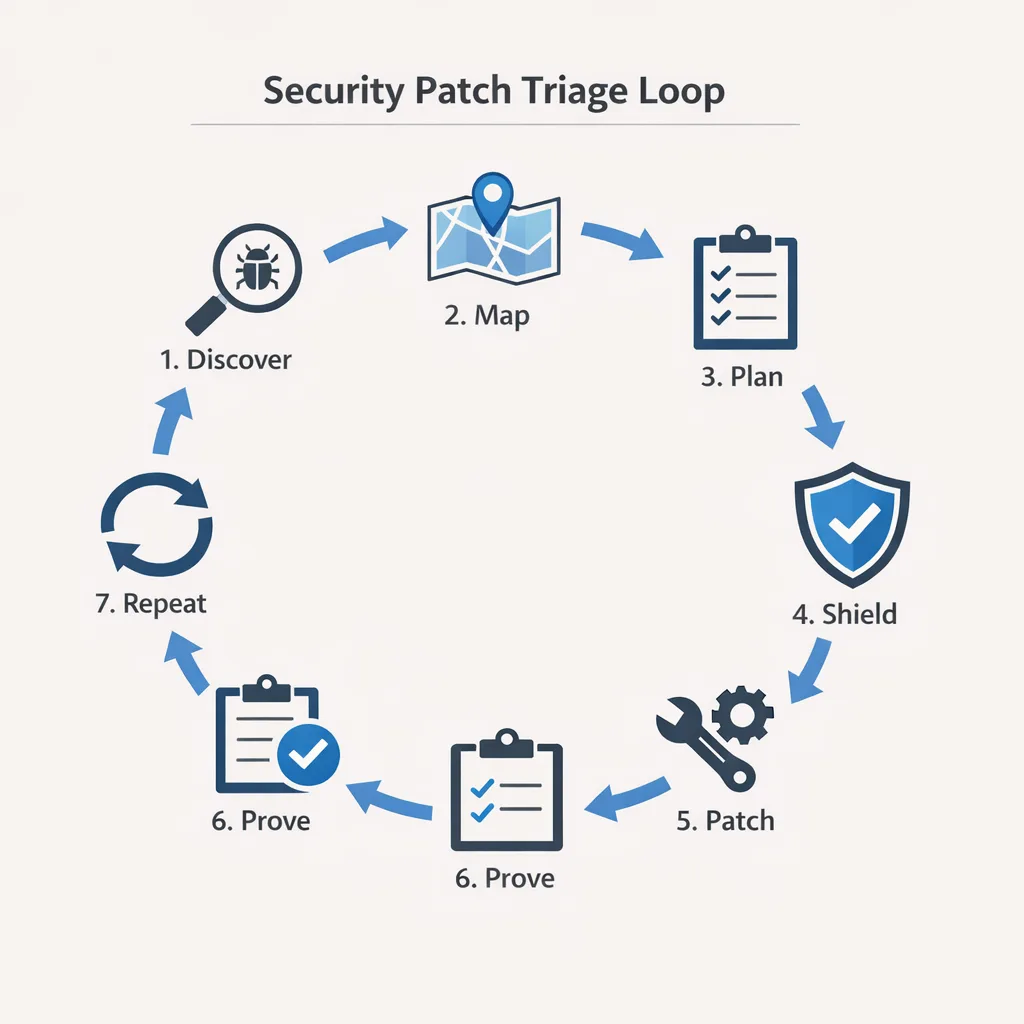
Here’s the loop we use at Bybowu when a client says, “1,449 patches—where do we even start?”
1) Discover: Export opatch inventories, list product families, and identify internet/partner‑exposed surfaces. Keep a single spreadsheet with columns for exposure class, data class, and control owner.
2) Map: Attach each product to Oracle’s risk matrix summary for this cycle (e.g., Fusion Middleware remote unauth counts, EBS remote unauth counts). Don’t guess; read the tables.
3) Plan: Slot changes into 72‑hour, 10‑day, 30‑day tracks. Give every deferral a date and a signer.
4) Shield: Turn on compensating controls immediately (WAF, IP allowlists, strict TLS, package ACLs). Document what you turned on and when you’ll remove it.
5) Patch: Canary -> observe -> widen. Never big‑bang an estate the size of Oracle’s footprint.
6) Prove: Capture screenshots of health checks, version banners, and opatch outputs. Auditors love evidence; so do future you.
7) Repeat: Re‑run exposure and coverage weekly until Bucket A and B are green. Then regroup for the next monthly/quarterly drop.
Testing and rollback: gotchas you’ll want to avoid
• Mixed client libraries: Don’t patch database servers and leave old Oracle clients in app containers. Pin and upgrade clients in lockstep where driver behavior changes (TLS, ciphers, metadata).
• WebLogic plug‑in mismatches: If you front WebLogic with Apache or NGINX, ensure the proxy plug‑in version matches what the CPU expects. Incompatibilities surface as sporadic 502s under load, not at idle.
• GoldenGate latency surprises: Post‑patch, expect a brief spike in lag as checkpoints and caches warm up. Monitor until you’re back to baseline before declaring victory.
• EBS personalization drift: Custom OA Framework personalizations can regress after cumulative updates. Re‑run your UI diff and smoke tests; keep the rollback patch staged.
Executive readout you can send today
Subject: Oracle July 2026 CPU—risk reduction plan through Day 10.
• What: Oracle released 1,449 security updates with concentrations of remote unauthenticated web issues in Fusion Middleware and dozens in E‑Business Suite.
• Now: We’ve mapped internet‑facing surfaces, enabled WAF blocking, and locked down listeners/CMAN. Canary patches began in lower environments.
• Next 5 days: Patch public web tiers and EBS DMZ, then GoldenGate and exposed DBs. Canary first, widen on green metrics. Business impact: short rolling maintenance windows; no expected prolonged downtime.
• By Day 10: Complete shared internal tiers and developer tooling; holdouts tracked with owners and dates. Residual risk declines sharply once Bucket A completes.
Where Bybowu can help
If your team needs a second set of hands for discovery, canary design, or test automation, we’ve done this across regulated industries. See how we structure engagements in our What We Do overview, browse outcomes in the client portfolio, and get pricing options on the service prices page. For security‑heavy backlogs, you might also find our GitHub secret scanning playbook useful for parallel risk reduction: close leaked credentials before they meet an unpatched server.
What to do next (today and this week)
• Today (July 27, 2026): Finish your external exposure map; enable WAF blocking on Oracle web tiers; restrict listeners/CMAN to known IPs; prepare canary scripts and backout bundles.
• Next 48 hours: Patch a pilot Fusion Middleware domain and EBS DMZ node in lower environments; validate end‑to‑end auth, uploads, and long‑running requests; roll canaries to production on public‑facing nodes.
• By Day 5: Patch GoldenGate managers and exposed databases; update client libraries; verify batch and replication SLAs; document evidence.
• By Day 10: Complete internal app tiers and developer tooling; schedule remaining Bucket B/C with signed variances; remove any temporary firewall exceptions added for testing.
• By Day 30: Revisit hardening: tighten package ACLs, re‑key TLS, rotate secrets, refresh SBOMs, and rehearse response to a simulated exploit against a previously vulnerable path.
Stuck or short on hands? Ping us through Bybowu contacts. We’ll help you land this without outages.






Comments
Be the first to comment.