
Node.js 20 EOL: Ship Your Upgrade by April 30, 2026
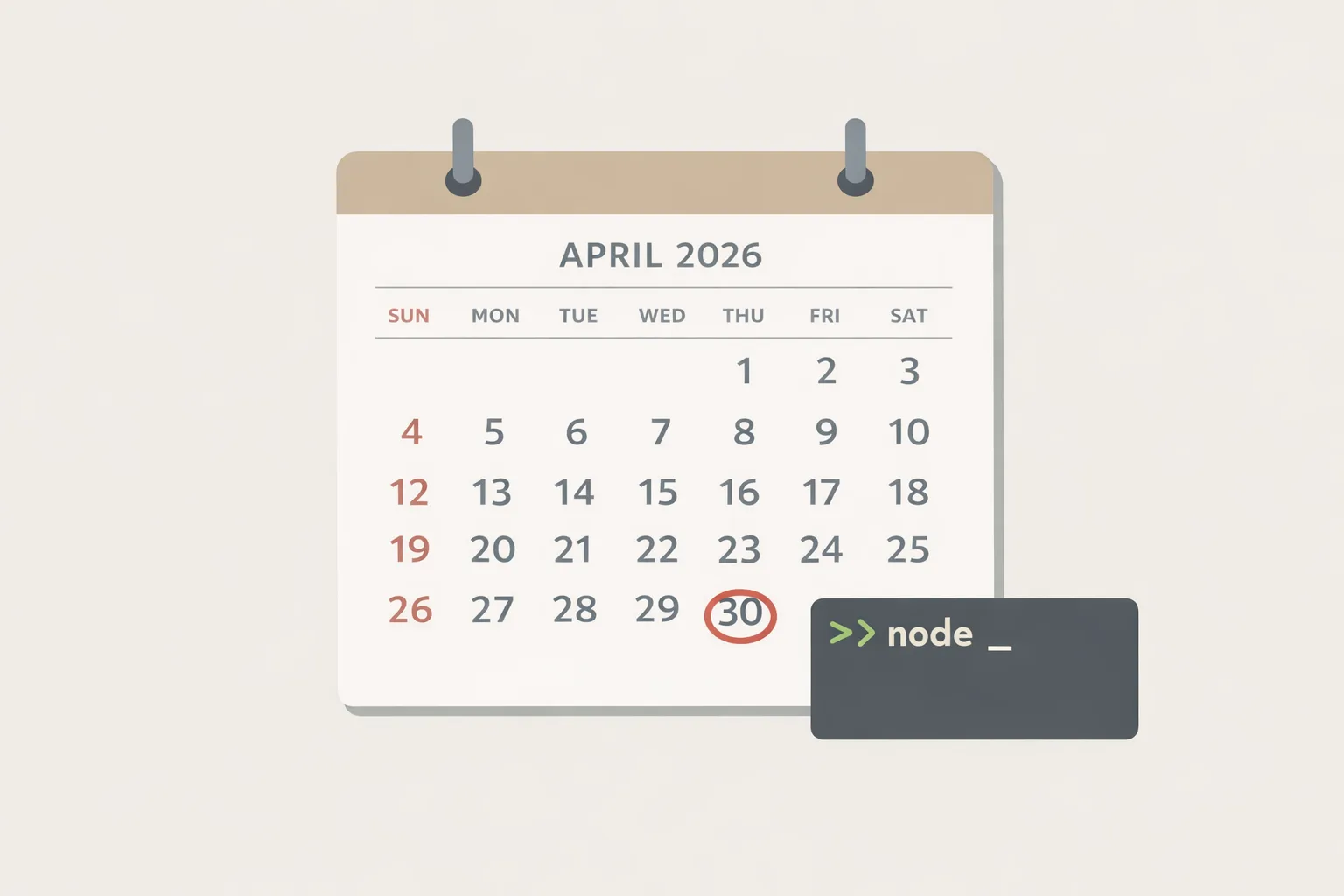
Node.js 20 EOL is April 30, 2026. After that day, your runtime stops receiving security patches, and downstream platforms begin moving defaults away from v20. If you run production Node services, treat this as a hard stop—not a suggestion. (github.com)
What exactly changes on April 30, 2026?
Three things you’ll feel quickly.
First, Node 20 leaves maintenance LTS. New vulnerabilities disclosed in May and beyond won’t be patched for 20.x—your only fix path is “upgrade.” That’s not theoretical; it’s how the project’s LTS policy works, and the official release schedule pins Node 20’s EOL to April 30, 2026. (github.com)
Second, GitHub Actions is migrating JavaScript actions execution from Node20 to Node24. Starting June 2, 2026, runners will prefer Node24 by default; you can temporarily opt out, but Node20 will be removed later in 2026. If your pipelines or custom actions assume Node20, you’ll see noise—or failures. (github.blog)
Third, you’re losing runway toward the next crypto milestone: OpenSSL 3.0 LTS hits end of full support on September 7, 2025, and only receives security fixes until September 7, 2026. Node 20 relies on OpenSSL 3.0, so staying on an unpatched runtime as OpenSSL’s window closes is a risk you don’t need. (openssl-library.org)
Node.js 20 EOL: should you move to Node 22 LTS or Node 24 LTS?
Both are good targets with different trade-offs. Node 22 (“Jod”) is LTS today and supported until April 30, 2027. Node 24 (“Krypton”) became LTS in October 2025 and runs through April 30, 2028. If you must ship now and want maximum stability across your ecosystem, choose 22; if you want the longest runway and you’re ready to validate on latest libs, choose 24. The official schedule confirms these dates. (github.com)
Here’s the thing: most teams can move to Node 24 with low drama if their dependencies already publish Node 24 support in CI. If even one critical package blocks you, jump to 22 this week, then slot a minor follow-up to 24 after April.
What’s compelling in Node 22 and 24?
TypeScript without a heavy dev-time transpilations step is real now. Node introduced built-in type stripping behind a flag in Node 22.6 and enabled it by default (no flag) in Node 23.6; by Node 24 LTS, the ergonomics are solid for “erasable types” (no enums/namespaces). That can simplify dev workflows for CLIs, scripts, and microservices with light TS features. (nodejs.org)
Serverless folks get first-party Node 24 runtimes in major clouds, so cold-start and tooling improvements land without hacks. (aws.amazon.com)
A pragmatic, zero-downtime upgrade playbook
Policy: treat the runtime as a pinned production dependency, not a suggestion. Here’s the framework we use when leading upgrades for clients.
1) Inventory and risk map
List services, scheduled jobs, CLIs, lambdas, and build pipelines by repository. Flag any native addons (node-gyp) and security-sensitive features (crypto/TLS). Note package managers in play (npm, pnpm, yarn) and lockfile health.
2) Choose your target and window
Pick Node 24 LTS unless a dependency blocks it—then ship Node 22 now and schedule a 24 hop. The release calendar shows 20 → EOL on April 30, 2026; 22 supported to April 30, 2027; 24 through April 30, 2028. Anchor your dates to that. (github.com)
3) Create a “runtime upgrade” branch with guardrails
On that branch: update your engines field, CI matrix (22, 24), Docker base images, and local dev docs. Add “smoke on Node 24” to pull requests and nightly builds. If you run GitHub Actions, flip actions that support Node24, or you’ll get defaulted in June. (github.blog)
4) Update dependencies top-down
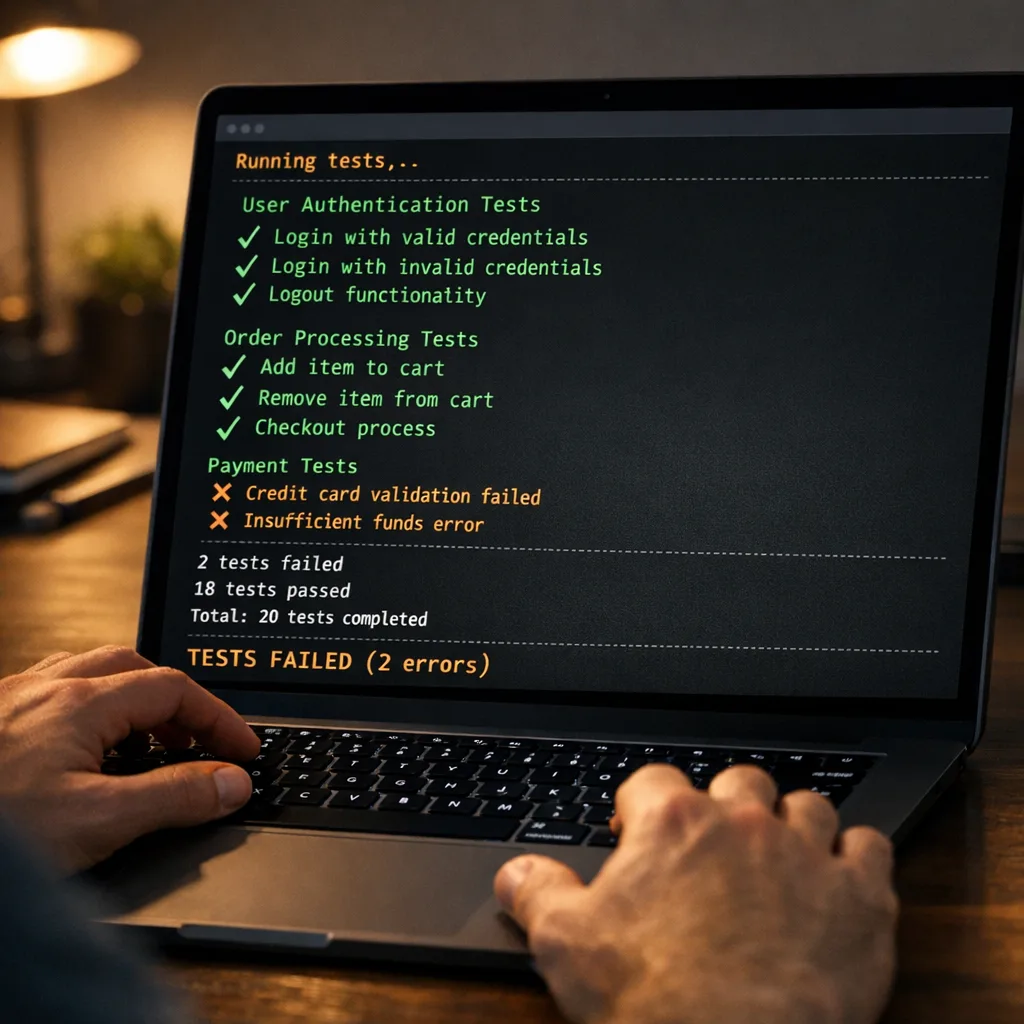
Upgrade frameworks and infra libs first (web servers, ORMs, HTTP clients, auth libs). Then app-layer libs. In each step, run test suites under your new Node target. Watch for deprecation warnings—especially packages still importing deprecated internals (for example, historical uses of punycode or legacy URL APIs can break as runtimes move on). (community.developer.atlassian.com)
5) Handle native addons and Node‑API
If you ship native modules, prefer Node‑API (ABI-stable) over V8 or NAN bindings. Recent Node lines expose Node‑API v10; many string/PropertyKey helpers appeared in Node 20.18+ and 22.9+, and addons can select a Node‑API version at build time for forward compatibility. You’ll still rebuild, but you won’t chase V8 ABI churn. (r2.nodejs.org)
6) Exercise the blast radius
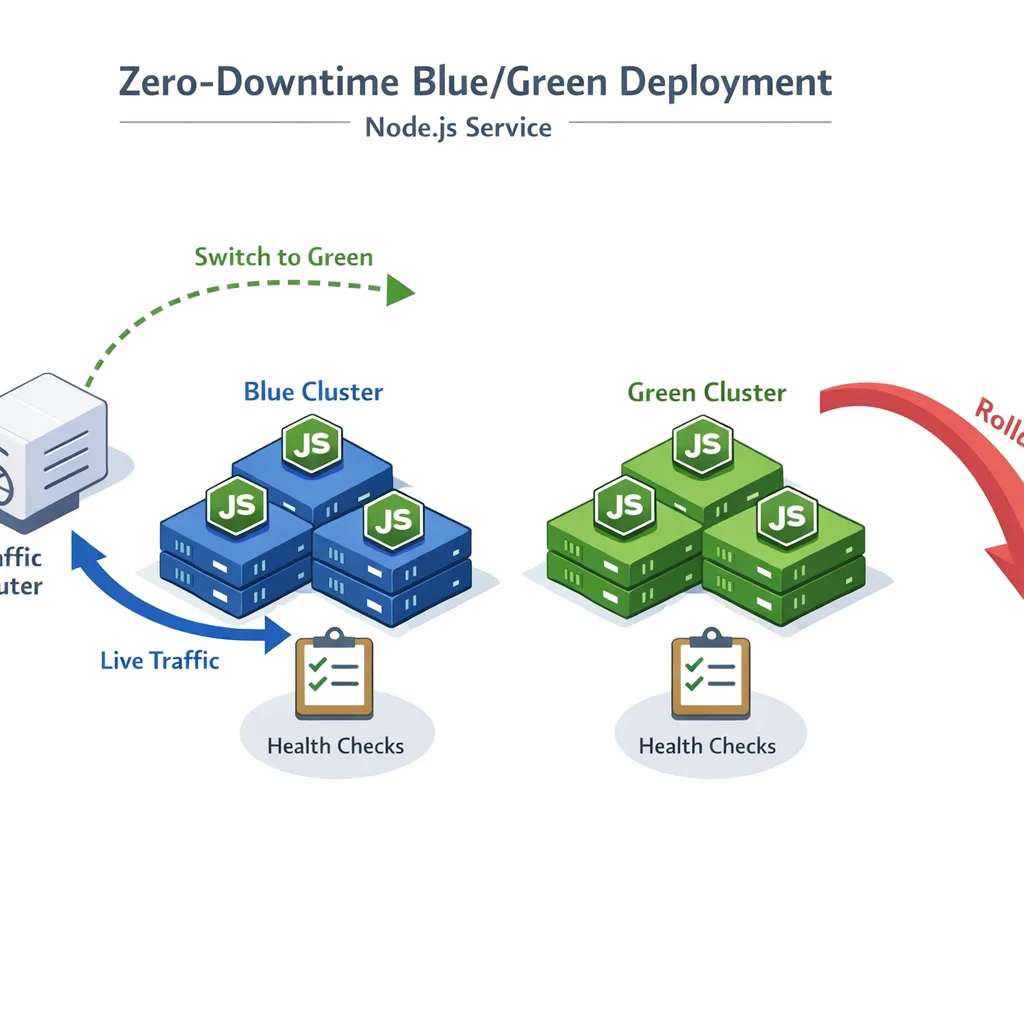
Roll through canary traffic, then 10%, 25%, 50%, and 100% with auto-rollback. Bake alerts on error rate, latency SLOs, and TLS handshake failures. Spin a 90‑minute “game day” to practice rollback on your blue/green deployment or Kubernetes canary path.
7) Lock it down
Pin Node version in production images, CI, and docs. Add a calendar reminder for the next LTS handoffs. Treat runtime drift as a Sev2, not a “later.”
People also ask: will Node 20 still get security fixes after April 30, 2026?
No. Once a major hits EOL, the project stops issuing releases on that line—even if a CVE affects it. That’s spelled out by the Node.js project and reflected in the release plan. (nodejs.org)
Do I need to rebuild native addons for Node 22/24?
Yes, plan to rebuild. If your addon uses Node‑API, you’re insulated from V8 ABI churn and can often just recompile and go. Node‑API v10 is available in the Node 20.18/22.9 era and carried through Node 24; new helpers like PropertyKey creation landed in that window. If you’re still on NAN or direct V8 calls, migrate to Node‑API to avoid whack‑a‑mole rebuilds. (r2.nodejs.org)
What about GitHub Actions—will things break?
Potentially. On June 2, 2026, runners begin using Node24 to execute JavaScript actions by default. You can set an environment variable to defer, but Node20 support is removed later in 2026, so treat June as the forced dress rehearsal. Update your workflows and action versions now. (github.blog)
Is OpenSSL a real risk here?
Yes. Node ships with a bundled OpenSSL. OpenSSL 3.0 LTS leaves full support on September 7, 2025 and only receives security fixes until September 7, 2026. Pair that with Node 20’s April EOL, and you’re effectively flying without a parachute if a TLS/crypto issue lands mid‑2026. (openssl-library.org)
Infrastructure gotchas you’ll wish you caught earlier
Containers: bump your base image to a Node 22 or 24 tag, and check for glibc vs musl builds if you run Alpine. That alone resolves many “prebuild not found” errors for native addons.
Serverless: confirm your provider’s Node 24 support and SDK minimums, then redeploy functions with a pinned runtime. AWS Lambda’s Node 24 runtime is available and documented—use it rather than a custom layer. (aws.amazon.com)
CI/CD: audit custom JavaScript actions and self‑hosted runners. Some OS versions and ARM32 runners lose support once Actions flips to Node24; plan upgrades before June. (github.blog)
Let’s get practical: a one‑week upgrade sprint
Today is Friday, March 13, 2026. Use this calendar to finish before EOL.
By Friday, March 20, 2026: choose target (22 or 24), open the “runtime upgrade” branch, update engines, CI matrix, and Dockerfiles. Add a CI job that runs your full suite on the new Node line.
By Friday, March 27, 2026: update top‑level frameworks and infra libs; fix deprecations. Rebuild native addons on the new Node version. Validate canary deploys.
By Friday, April 10, 2026: run the 90‑minute game day and a rollback drill. Confirm GitHub Actions workflows are compatible with Node24 execution.
By Friday, April 24, 2026: ship to 100% in at least one region. Monitor error budgets and TLS metrics for a full business day.
By Thursday, April 30, 2026: complete the cutover. Archive the upgrade branch and tag the release.
A lightweight test matrix that catches real breaks
Build the matrix around the code you ship, not a perfect grid. Here’s a sane baseline:
- Node 22 LTS and Node 24 LTS on Linux x64. If you serve desktop users or specialty hardware, add macOS and ARM64 runners where relevant.
- Your production Linux kernel/glibc baseline in containers. If you run Alpine in prod, test Alpine here too.
- End‑to‑end smoke hitting TLS endpoints and any fetch/HTTP client code paths.
- One run with
--testor your preferred test runner plus a minimal perf check (latency P95 across 1–2 hot endpoints).
Common failure patterns we keep seeing
Native addon prebuilds mismatched to libc or CPU: solve with correct image targets and ensure vendors publish Node 24 prebuilds.
Legacy polyfills colliding with built‑ins: libraries pulling node-fetch or shims sometimes fight Undici and built‑in fetch. Clean up transitive deps and prefer the platform.
TypeScript workflows assuming a transpile step: Node’s built‑in TS is great for erasable syntax. Keep tsc in CI for type‑checking and keep a bundler/transformer if you rely on non‑erasable TS features. (infoq.com)
Executive lens: risk, cost, and timing
This isn’t a refactor—it’s a routine safety upgrade. The cost is a focused sprint plus some dependency hygiene. The risk of waiting is unbounded exposure to security issues and surprise CI failures once shared tooling flips defaults in June 2026. Make the call and ship.
What to do next
- Decide your target: Node 24 if possible; Node 22 if any blocker remains. (github.com)
- Update CI to test 22 and 24, and fix Actions to run on Node24 ahead of June 2, 2026. (github.blog)
- Rebuild or migrate native addons to Node‑API to avoid ABI churn. (r2.nodejs.org)
- Pin runtime across Dockerfiles, lockfiles, and documentation.
- Schedule the 90‑minute rollback drill before April 24.
Helpful resources and further reading
We’ve been shipping these upgrades with clients for years. For a deeper playbook, see our zero‑downtime guide and pricing-ready CI advice:
A zero‑downtime Node.js 20 EOL upgrade plan • Runtime upgrade and reliability services • GitHub Actions pricing: what to change in 2026 • Or just talk to us about your timeline.
Zooming out
The runtime is infrastructure. Node.js 20 EOL is your reminder to treat it that way—pinned, tested, and rolled out intentionally. Whether you land on Node 22 LTS now or Node 24 LTS for the longer runway, the right answer is to move on time and prove it in prod. Your customers won’t notice the upgrade—and that’s the point.








Comments
Be the first to comment.