
July 2026 Browser Security Updates: Ship Now
Two things happened this week that should move you to action: Firefox 152.0.6 landed on July 14 with critical fixes, and Chrome’s Stable channel shipped a desktop update the same day with 15 security patches, including multiple critical issues. Microsoft Edge is tracking the Chromium fixes with new builds rolling through Stable and mobile. If you run a web product, the July 2026 browser security updates aren’t just “IT patches.” They directly affect account takeover risk, data exfil paths, and the reliability of every client‑side flow you ship.
I’ll make the case for urgency, lay out exactly what changed (with dates and versions), and give you a copy‑paste 48‑hour runbook that we use with clients who need to patch fast without breaking funnels.

What changed this week: versions, CVEs, timelines
Let’s anchor to specifics so your team can ticket the right work:
Firefox: Version 152.0.6 was first offered to Release channel users on July 14, 2026. Mozilla marked the advisory as critical and called out multiple vulnerabilities, including issues tied to JavaScript/WebAssembly and site isolation. The release notes also reference “various security fixes,” which is Mozilla’s standard phrasing when details are still embargoed or when fixes span multiple subsystems. If you support Enterprise, track ESR separately; some orgs pin to ESR for stability, but you still need to confirm the comparable fix landed on your fleet.
Chrome (desktop): The Stable channel update on July 14, 2026 lists 15 security fixes. Two are critical and several are rated high severity across components like Ozone, Skia, Media, GPU, and V8. As usual, Google is withholding some bug details until a majority of users are updated. If you manage Chromium‑based kiosk devices or packaged apps, confirm version parity there too.
Edge: Microsoft’s Edge release notes show July entries that pull in the latest Chromium fixes on Windows, macOS, iOS, and Android. On some days, Microsoft posts a “working on releasing a fix” notice first, then follows with a Stable build once validation completes. If your enterprise relies on Edge Extended Stable, confirm whether the fix is in that channel or whether you need a temporary policy exception to move critical endpoints to Stable.
Bottom line on timing: by Friday, July 17, 2026, you should assume your customers are mid‑rollout—some have updated, some haven’t. That means your risk is asymmetric right now: attackers can fingerprint version gaps on the client side while you still have exposed users in the field.
Why app teams should care: browser bugs become your bugs
“It’s a browser patch, not our stack” is a comforting myth. Here’s what actually happens in incidents we’ve worked:
• Memory safety bugs in rendering, GPU, or image libraries can enable drive‑by compromises that steal session cookies and refresh tokens from your app’s domain.
• Site isolation and iframe navigation bugs can weaken boundaries enforced by the browser, changing the threat model for embedded flows, third‑party widgets, and postMessage interactions.
• V8 and WebAssembly issues can elevate the impact of a malicious script injected elsewhere (e.g., a compromised CDN or extension), making your CSP gaps far more costly.
• Even “non‑exploited” bugs are worth patching fast because attacker tooling iterates quickly; publicly shipped diffs and crash signatures accelerate exploit development.
If you operate payments, healthcare, or admin consoles, these are not theoretical. We’ve traced real compromises to stale browsers on VIP machines and unmanaged contractor laptops using production SSO.
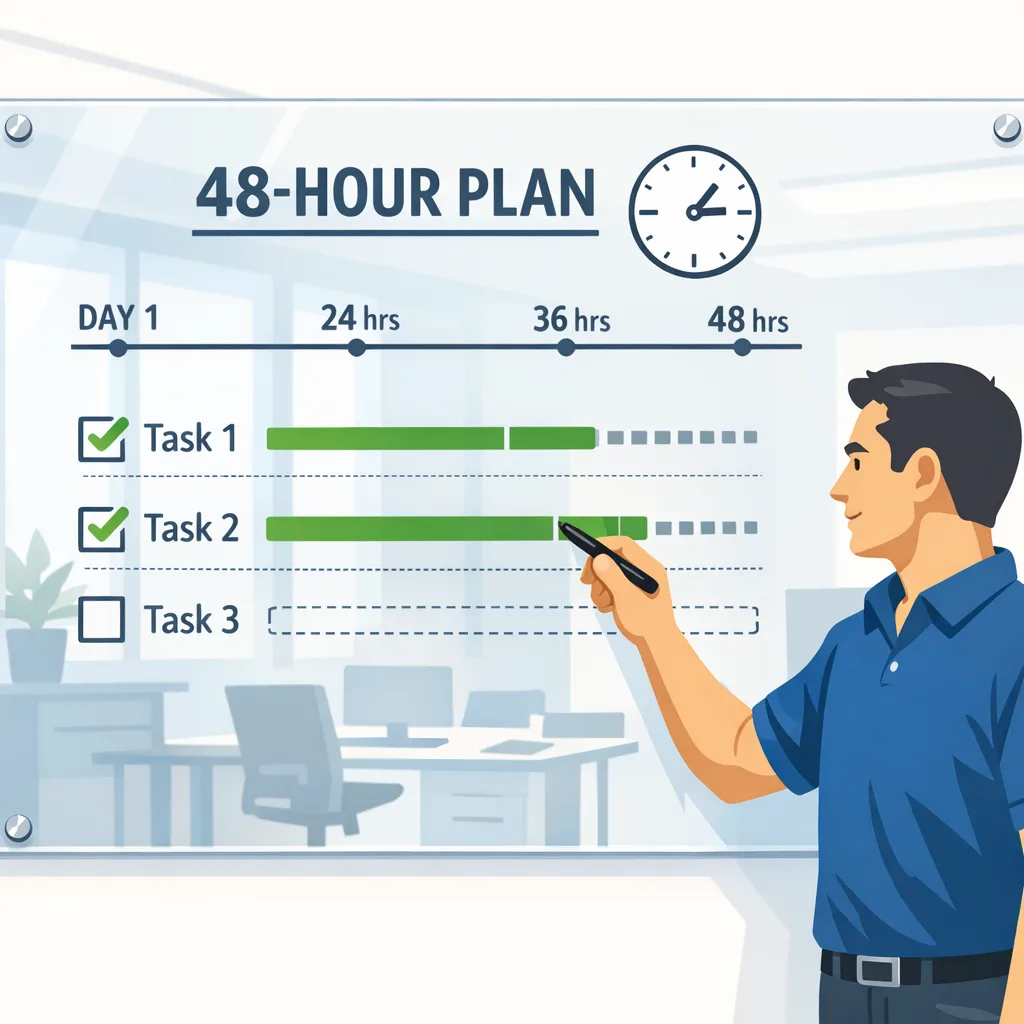
July 2026 Browser Security Updates: 48‑Hour Runbook
You don’t need a hero. You need a checklist that’s already aligned to engineering, IT, and support. Steal this.
Hour 0–6: Establish facts, reduce blast radius
• Version inventory: Pull telemetry from your analytics or RUM to see client browser versions hitting login, checkout, and admin routes. At minimum, segment by Firefox 152.x, Chrome 150.x build numbers, and Edge 150.x/149.x on desktop vs. mobile.
• Fleet posture: If you manage endpoints, push a forced update and restart policy for browsers in your MDM/Intune/Jamf. For BYOD, post an in‑product banner prompting users to update the browser, not just the OS.
• Session risk gates: On high‑risk roles (owners, billing admins, internal staff), require re‑authentication for sensitive actions for 72 hours. If you support WebAuthn, prefer passkeys for step‑up auth.
• CSP and cookie hardening: Ensure all app routes send HttpOnly, Secure, SameSite=Lax (or Strict where possible), and add __Host‑ prefix to cookies served from the root. Confirm a non‑trivial Content‑Security‑Policy that disallows inline script on finance/admin pages.
Hour 6–24: Patch, verify, and communicate
• Browser upgrade prompts: Add soft prompts in your application shell for outdated versions detected via UA/Client Hints. Make the CTA a one‑click “Update and restart” where supported.
• Validate critical user journeys on updated builds: Run smoke tests for sign‑in, checkout, and any embedded payments or identity provider flows (iframes, popups, cross‑origin redirects). Pay attention to postMessage origins, window.opener expectations, and tightened navigation behaviors that could break brittle code.
• Regenerate sensitive tokens: If you have long‑lived JWTs, rotate signing keys or tighten TTLs for the next 7 days. For OAuth, reduce refresh token lifetimes or enforce one‑time use where possible.
• Support macros: Give your CX team a short script: what changed, how to check the browser version, and how to update. Include screenshots for Windows, macOS, iOS, and Android.
Hour 24–48: Close gaps and instrument for next time
• Cache busting with intention: Roll a minor deployment with asset version bumps only if you’ve changed CSP or client‑side code that depends on tightened browser behavior. Don’t churn caches just to “look active.”
• Admin segregation: For employees with production access, require updated browser versions before granting SSO to admin panels. Block old versions with an allowlist and a grace‑period override that logs a ticket automatically.
• Extension hygiene: Detect and block known‑bad browser extensions on corporate endpoints. Remind users that “private” windows don’t disable extensions by default.
• Post‑mortem lite: In one page, capture: versions seen pre‑ and post‑push, % of traffic updated by role and platform, incidents or anomalies, and the playbook changes you’ll keep.
Want a deeper incident template? We’ve published a 72‑hour response outline for enterprise SaaS teams; it maps well to this scenario even though the trigger there is a server‑side CVE. See our field guide to a 72‑hour response and adapt it to client‑side risk. Use our 72‑hour incident response playbook.
People also ask: quick answers for your team
Should we force‑logout all users?
Not by default. If you see signs of session theft, revoke tokens and force re‑auth for affected cohorts (admins, finance roles, users on high‑risk networks). Otherwise, pair targeted re‑auth gates with stronger step‑up on sensitive actions. Full‑fleet logout is noisy and can backfire during an update window.
Do we need to bust every cache after a browser patch?
No. Cache busting is for changed assets or policies. If you tightened CSP or adjusted feature detection due to spec clarifications, bump versions there. Unnecessary cache churn just adds risk during outage‑prone hours.
How do we verify users are actually protected?
Build a simple client capability check: read the browser/version from Client Hints, compare to a server‑side minimums table, and log both the version and whether your user passed a brief security banner acknowledging the update. Report coverage by route and role each day for a week.
We’re on ESR/Extended Stable. Are we safe?
“Safe” depends on whether the fixes were backported to your channel. Check ESR/Extended release notes and set a separate minimum version gate for staff endpoints. If you can’t move quickly, compensate with stricter session TTLs and enforced WebAuthn for admin functions.
Data that matters (and what it means)
• July 14, 2026: Firefox 152.0.6 released with critical security fixes. Action: prioritize user prompts and admin‑panel minimum versions for Firefox today.
• July 14, 2026: Chrome Stable desktop update published with 15 security fixes, including multiple critical issues across Ozone, V8, and graphics subsystems. Action: ensure your desktop fleet auto‑updates to the specified build numbers and validate GPU‑accelerated pages and canvas‑heavy features for regressions.
• July 9–14, 2026: Edge posts multiple entries rolling in Chromium fixes across desktop and mobile; some days denote “working on releasing a fix” before Stable builds go live. Action: don’t assume Edge parity—verify version coverage in your telemetry and MDM.
Translation: this is a cross‑browser moment. Attackers don’t care which engine your customer uses; they care about the slowest‑moving subset of your audience.
Risk‑based triage: where to focus first
• High‑value roles: Owners, billing admins, B2B connectors, and anyone with export/report access. Add step‑up and shorten session lifetimes now.
• Pages with embedded third parties: Payment frames, analytics tags, authentication widgets, or anything using postMessage. Audit target origins and feature detection because isolation and navigation bugs change assumptions.
• Graphics/AI features: If your product uses canvas, WebGPU, WebAssembly, or on‑device inference in the tab, run targeted tests on freshly updated Chrome and Firefox builds. Rendering‑path fixes occasionally surface race conditions in app code.
Implementation notes from the field
• Avoid brittle UA parsing. Prefer Client Hints with a server‑side allowlist of minimum versions for admin and finance routes.
• Don’t over‑rotate on “zero‑day” phrasing. Many advisories hold details until deployed at scale; treat that as a signal to move fast, not to panic.
• Coordinate with marketing. Banner copy should be calm, short, and actionable; link to a help article with update steps by OS.
• Instrument once, reuse forever. The telemetry you add today (coverage by version and role) pays off every time a new dot‑release lands.
What to do next (today, not next week)
• Set minimum supported browser versions for admin and billing routes (Firefox 152.0.6+, current Chrome Stable build, current Edge Stable).
• Push managed updates and publish an in‑product banner for self‑managed users.
• Add a 7‑day step‑up policy for sensitive actions, prefer passkeys.
• Audit CSP and cookies on finance/admin pages; remove risky script sources and enforce HttpOnly/Secure/SameSite.
• Run smoke tests for embedded payments, identity providers, and canvas/WebGPU features on updated builds.
• Capture and share coverage metrics daily until 95%+ of traffic is on patched versions.
Need help turning this into a repeatable motion?
If you want an experienced partner to slot in alongside your team for the next 72 hours, talk to us. We help companies ship secure updates without breaking funnels or adding heroics to already‑tired teams. See what we deliver on real projects in our client case studies, review our security and web operations services, and if you’re ready to move, contact our team. You can also follow ongoing guidance on our engineering blog.
Zooming out
Patch velocity has become a product competency, not just a security checkbox. Vendors are shipping fixes faster; attackers are iterating faster. The teams that win aren’t the ones who read every CVE; they’re the ones who can turn “New Stable is out” into “95% of our traffic is protected” within two days, without blowing up conversion or support. Put this week’s releases to work to tighten how you operate, and keep this runbook close—you’ll need it again.






Comments
Be the first to comment.