GitHub Actions Runners Just Changed. Do This Now.
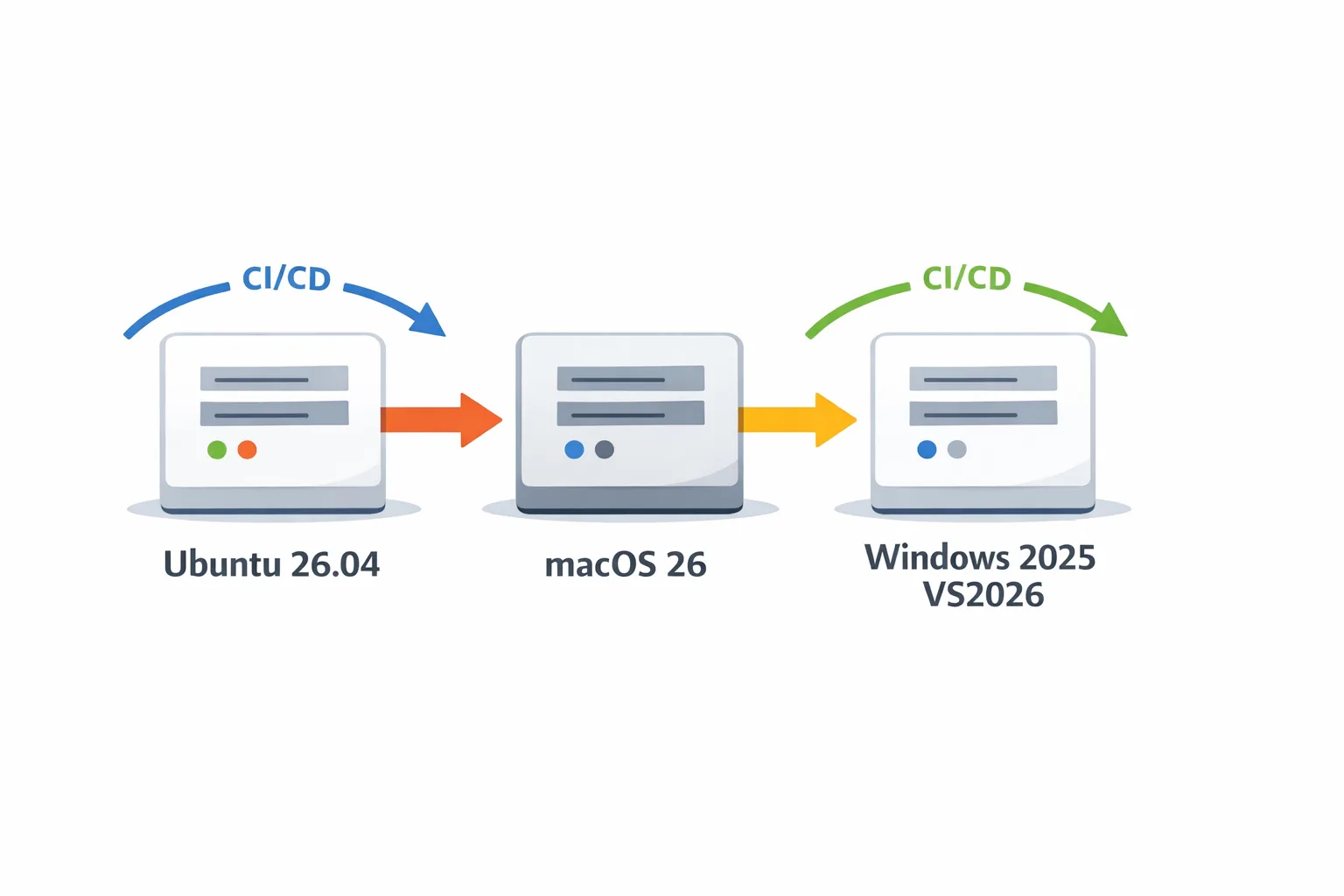
GitHub Actions runners are moving under your feet this month. Ubuntu‑26.04 entered public preview on June 11, 2026; macOS 26 images are broadly available and increasingly the default; and windows‑latest is migrating to Windows Server 2025 with Visual Studio 2026. If your pipelines lean on ubuntu‑latest, macos‑latest, or windows‑latest, you’re exposed to breaking changes in compilers, SDK paths, and preinstalled tools. This piece shows how to audit and upgrade GitHub Actions runners with minimal risk—and how to keep them drift‑proof going forward.
What changed for GitHub Actions runners in June 2026
Here’s the headline timeline you should factor into your plans:
• June 11, 2026 — Ubuntu‑26.04 runner images are available in public preview. Use them explicitly with runs‑on: ubuntu‑26.04 (and the Arm variant if you test on Arm).
• May 14, 2026 — GitHub announced upcoming image migrations: windows‑latest and windows‑2025 move to Visual Studio 2026; macos‑latest points to macOS 26; GitHub now directly maintains more Arm64 images.
• February 26, 2026 — macOS 26 runner image reached general availability across GitHub‑hosted runners, bringing new SDK versions and Xcode baselines.
• April 30, 2026 — Node.js 20 hit end‑of‑life. If your ubuntu‑latest image or build scripts assumed Node 20 (common in older Actions workflows), you’ve seen warnings or breakage by now. We published a focused fix plan here: migrate off Node 20 safely.
These are substantive shifts. They’re not just “new images available”—they change default compilers, SDK paths, kernel and libc versions, Homebrew formulas, Windows SDKs, and Xcode/Clang behavior. That’s why caching, package restoration, and path lookups are the first things to go sideways.
Why runner drift breaks stable builds
Runner drift is when your job definition stays the same but the underlying VM image changes. Your YAML says “do A, then B,” but the machine that executes it isn’t the same as yesterday’s. What changes?
• Toolchain versions: Clang/LLVM, MSVC, Go, Python, Java, Ruby, OpenSSL. A minor bump can alter ABI or flags. Your native extensions might recompile unexpectedly, invalidating caches.
• SDK locations: Visual Studio 2026 has a different layout than VS 2022; hard‑coded paths to \Microsoft Visual Studio\2022\ will fail. On Mac, new Xcode and SDKs shift default simulators and code signing behavior. On Linux, upgrading from Ubuntu 24.04 to 26.04 brings a newer glibc and kernel that can change binary compatibility and apt sources.
• Preinstalled packages: Image maintainers routinely add, remove, or pin software. Small deltas (e.g., jq versions, default pipx, or Homebrew formulae) cause “works on Monday, breaks on Wednesday” CI flakiness.
• Costs: macOS minutes cost materially more than Linux minutes, so accidental fallbacks to macos‑latest for general tasks can stealthily amplify your bill. Keep Linux for lint/unit tests; reserve macOS for code‑signing and device simulators.
Use this 30‑60‑90 upgrade plan
Here’s the pragmatic rollout plan we’re using with clients moving to ubuntu‑26.04, macOS 26, and Windows with Visual Studio 2026.
Days 0–7: Pin, inventory, and simulate
• Freeze moving labels: replace ubuntu‑latest, macos‑latest, and windows‑latest with explicit labels you run today (24.04, 26, 2025). Commit this as a safety baseline.
• Inventory toolchains: capture outputs of node ‑v, python ‑‑version, dotnet ‑‑info, clang ‑‑version, msbuild ‑version, java ‑version, and Xcode/SDK versions. Store them as job artifacts for reproducibility.
• Simulate the new images in a branch: add a parallel job matrix with runs‑on set to ubuntu‑26.04, macos‑26, and windows‑2025 (VS2026). Mark these jobs non‑blocking while you fix issues.
Days 8–30: Fix paths, caches, and hard‑pins
• Resolve Windows toolchain paths with vswhere, not hard‑coded directories. That avoids Visual Studio layout changes breaking MSBuild discovery.
• Rebuild caches: switch Node to actions/setup‑node and restore yarn/npm/pnpm caches by package‑lock.json/yarn.lock/pnpm‑lock.yaml keys that include Node and OS. Node 20 is EOL—pin 22 LTS or 24 LTS in your workflow. For npm auth and audit behavior on CI, see our npm v12 security defaults migration guide.
• Normalize Homebrew on macOS: run brew update‑reset once at job start, then install exact formula versions or use brew bundle with a committed Brewfile. This avoids silent tap drifts and restores identical toolchains across org runners.
• Align Linux dependencies: if you ship native binaries or glibc‑sensitive builds, retest on ubuntu‑26.04. Validate linker flags and LD_LIBRARY_PATH; refresh apt mirrors and GPG keys in setup steps.
• Re‑baseline mobile: validate Xcode version, SDK, codesigning identities, and simulator device names on macOS 26. Many orgs discover their signing logic relied on pre‑existing Keychain state that no longer exists on fresh runners.
Days 31–90: Rollout with guardrails
• Promote per‑repo: flip the main branch to the new images only after the parallel matrix is clean for 5–10 consecutive runs.
• Add policy checks: block new macos‑latest usage with actionlint/yq in a pre‑merge CI job. Keep macOS minutes for what truly needs Apple SDKs.
• Budget alerts: fetch Actions minutes daily and post to Slack. You’ll catch regressions within a day rather than at month‑end.
• Document golden baselines: store a manifest artifact per successful build that logs core tool versions and image digests. It’s your “what changed?” black box recorder.
People also ask: should I stick with ubuntu‑latest?
Short answer: pin now, test previews, then opt in deliberately. ubuntu‑latest is convenient, but it will inevitably advance. Treat the new 26.04 image like any OS upgrade—trial it in a non‑blocking job matrix, fix issues, then switch.
Will macos‑latest break my iOS builds?
It might, if you assumed a specific Xcode or codesigning environment. On macOS 26 images, Xcode, SDKs, and simulator runtimes update together. Always pin Xcode explicitly (via a setup action or a preinstalled path), inject signing assets at runtime, and re‑create Keychains and Provisioning Profiles fresh on every job.
What about windows‑latest and Visual Studio 2026?
Expect MSBuild detection and Windows SDK path differences. Don’t hard‑code \Microsoft Visual Studio\2022\ or specific versioned subfolders. Use vswhere (C:\Program Files\Microsoft Visual Studio\Installer\vswhere.exe) to locate MSBuild and toolsets. If you compile C++ with vcpkg, update baseline hashes and re‑audit triplets; minor compiler changes can subtly alter ABI.
Your runner drift‑proofing checklist
Use this checklist verbatim in your next CI PR:
• Replace moving labels with explicit images: ubuntu‑24.04, ubuntu‑26.04 (preview), macos‑26, windows‑2025 (VS2026).
• Pin language/tool versions via setup actions (Node, Python, Java, .NET, Go).
• Rebuild caches with keys that include OS, language version, and lockfiles.
• Resolve compilers and SDKs via discovery tooling (vswhere, xcode‑select), not hard‑coded paths.
• Add a parallel preview matrix job; keep it non‑blocking for a sprint.
• Gate macos‑latest usage and long artifact retention with a policy job.
• Export a manifest of tool versions and image digests as an artifact each run.
• Add a daily budget job that posts Actions minutes to Slack/Teams.
Gotchas we keep seeing (and how to fix them)
• Yarn/node‑gyp failures on Ubuntu 26.04: ensure build‑essential, Python, and the correct Node headers are available, and clear caches after Node upgrades. Pin Node using the official setup action.
• Android NDK and Java on Ubuntu/macOS: use explicit versions. Downloading “latest” can flip NDK revisions or JDK vendors mid‑week and poison Gradle caches.
• Certificate trust on Ubuntu 26.04: refresh CA bundles where you vendor internal roots; older scripts reading from deprecated paths fail quietly. Verify SSL_CERT_FILE and SSL_CERT_DIR usage.
• Visual Studio workload gaps: the Windows 2025 VS2026 image might not include niche components you previously installed manually. Script the Installer with workload IDs in your workflow so builds don’t implicitly depend on preinstalled components.
• Homebrew drift on macOS 26: new cores and formula updates can break deterministic builds. Use a Brewfile and pin taps; consider prebuilding bottles you rely on for speed and consistency.
How to test ubuntu‑26.04 preview safely
Do this in a single PR without breaking main:
1) Add a non‑blocking job named “ubuntu‑26.04‑preview” that runs your fastest test slice (lint + unit).
2) Duplicate key setup steps, but pin toolchains explicitly (e.g., Node 22 LTS).
3) Purge and re‑seed caches so you’re not reusing 24.04 artifacts.
4) If you ship native modules, add a smoke step that executes the built binary and checks ldd output for missing libs.
5) For Docker builds, ensure your base images support the newer glibc and kernel; retag from ubuntu:24.04 to ubuntu:26.04 in a preview Dockerfile and compare sizes and start‑up times.
When should I self‑host runners?
Consider self‑hosting if you’re an iOS‑heavy shop burning thousands of macOS minutes monthly, or if you need GPUs/NPUs that hosted runners don’t expose. Still, weigh the new platform charges and ops overhead. A hybrid model is common: keep Linux on hosted runners, run macOS signing and device simulators on dedicated Apple Silicon hosts, and standardize images with a configuration manager.
Performance and cost tuning that actually moves the needle
• Save macOS minutes for code signing, notarization, device simulators, and Xcode‑only steps. Everything else should run on Linux.
• Split monolithic workflows. Long serial jobs hide expensive macOS steps in the middle; parallelize and keep macOS jobs short.
• Use dependency graphs (e.g., Gradle build cache, TurboRepo, Nx) so only touched packages rebuild.
• Audit artifact TTLs. Big teams quietly spend most of their storage budget on week‑old artifacts nobody downloads.
• Measure cold vs warm runner performance. If cache hit rate is under 60%, you’re probably doing too much on macOS or not scoping keys correctly.

A simple resilience framework for CI
I teach teams a three‑layer model for resilient CI:
• Layer 1 — Declarative pins. Pin OS image labels and language versions. Avoid “latest” anywhere that matters.
• Layer 2 — Deterministic environments. Use lockfiles, Brewfiles, and requirements.txt/poetry.lock. Rebuild caches after major OS or runtime jumps.
• Layer 3 — Observability and policy. Log toolchain manifests; enforce YAML lint rules; alert on minute consumption; tag runs by OS so cost regressions are obvious.
What to do next
• Open a PR today that adds a non‑blocking job matrix for ubuntu‑26.04, macOS 26, and Windows with VS2026.
• Replace moving labels in your default jobs with explicit ones, then schedule a migration sprint.
• Pin Node via the setup action and plan your Node 20 exit using our Node.js 20 EOL playbook.
• If npm auth and audit behavior changed on you recently, review our npm v12 security defaults guide and align your CI tokens and audit gates.
• If you want help blueprinting a safe rollout or setting up hybrid macOS runners, reach out—our CI modernization services and case studies show the patterns we’ve shipped.
Here’s the thing: runner images will keep moving. That’s good—your builds inherit security patches and faster toolchains. But without pins, preview matrices, and cost guards, small bumps turn into late‑night fire drills. Put the guardrails in now, flip one switch at a time, and your team will notice only that builds are faster and bills are saner.





Comments
Be the first to comment.