
Ship Google Play External Links by Jan 28
If you build or monetize mobile products in the U.S., January is go time. The Google Play external links program becomes a hard requirement for linking users out of your Android app starting January 28, 2026, and Apple’s revamped App Store age rating questionnaire becomes mandatory for submissions on January 31, 2026. This guide gives you a pragmatic plan to ship Google Play external links compliantly, update your Apple ratings without getting blocked, and make smart decisions about fees and flows.
What changed—and why it matters this month
Two policy changes shape the next three weeks of your roadmap. First, Google is rolling out external content links in the U.S. with a January 28, 2026 compliance date. If your Play‑distributed app links users to a web checkout or to download an app outside Play, you must enroll, integrate Google’s external offers APIs, show Play’s information screen, and report qualifying events. Second, Apple has overhauled age ratings across iOS, iPadOS, macOS, tvOS, watchOS, and visionOS, adding new 13+, 16+, and 18+ tiers and removing the old 12+ and 17+ labels. Apple requires every developer to answer the new questionnaire by January 31, 2026 to keep shipping updates.
Here’s the thing: both changes affect product, engineering, payments, and legal in different ways. Trying to “just add a link” or “quickly update the form” is how teams invite rejections, surprise fees, or a submission freeze. Let’s get practical.
Google Play external links: what changes on Jan 28
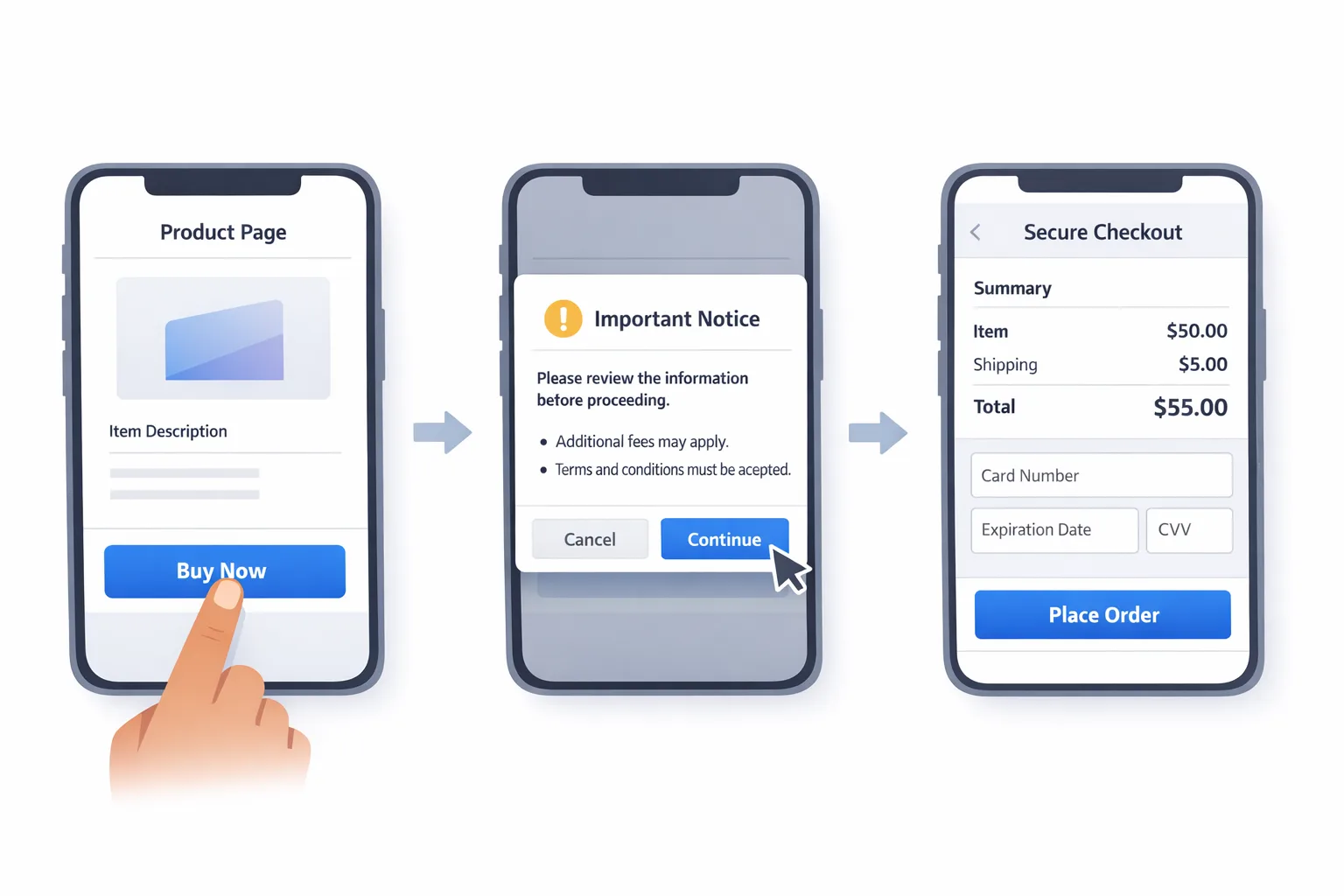
At a high level, Google Play external links let you do two things from your Play‑managed app for U.S. users: send people to a web page to complete digital purchases, and send people to download apps that aren’t managed by Play. To do that, you enroll your app, integrate the external offers APIs, present Play’s information screen before leaving the app, and report transactions or installs that result from those links.
Fees and flows you should model
Google’s fee model has three parts you must understand before you ship:
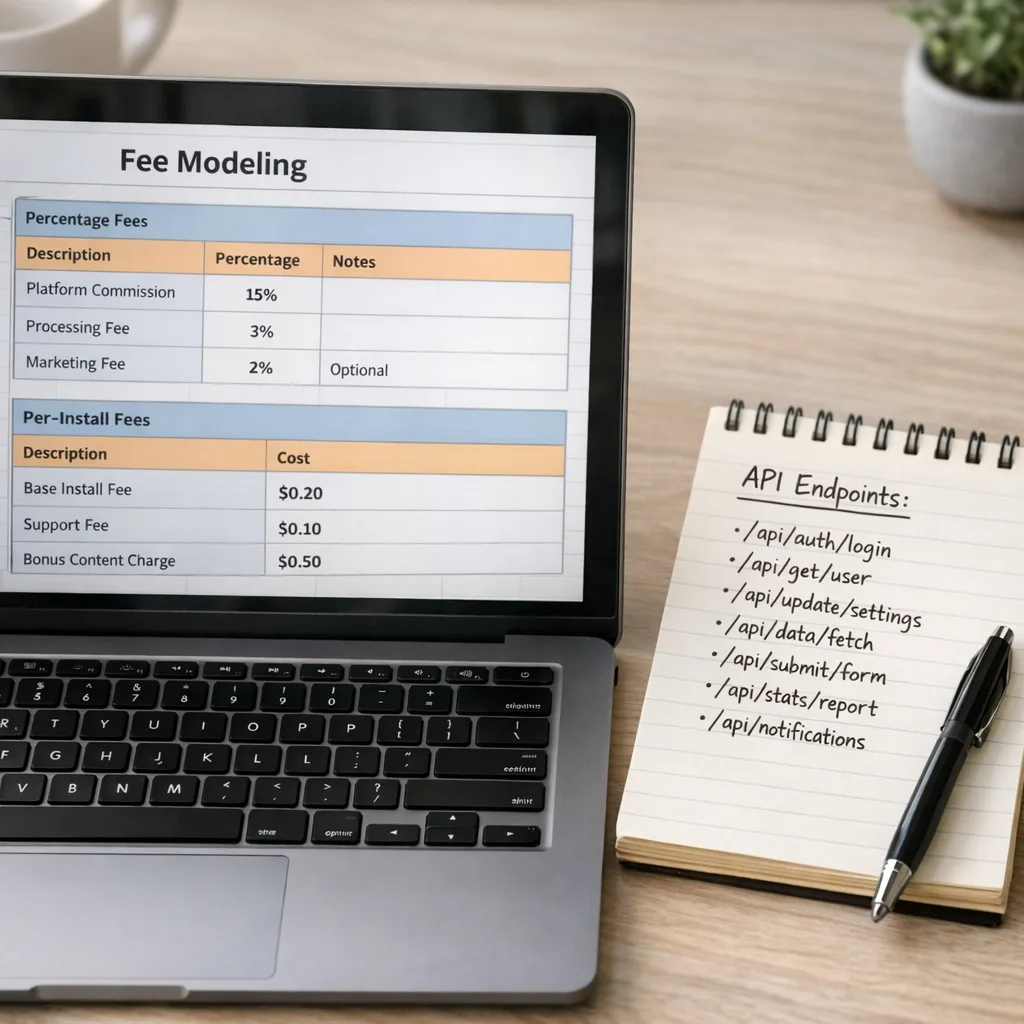
1) Initial acquisition fee on transactions driven within six months of the Play installation. That’s a percentage applied to the value of a qualifying digital purchase completed off‑Play after a user clicks your in‑app link within that six‑month window. After six months, the initial acquisition component drops to 0%.
2) Ongoing service fee on transactions completed off‑Play while your app continues receiving Play services. For most digital purchases, that ongoing service rate sits around the low double digits, with a lower rate for auto‑renewing subscriptions. Google has also offered single‑digit discounts under alternative billing programs in some regions, but treat that as a separate option with different eligibility and tradeoffs.
3) A fixed per‑install fee for external downloads initiated after your link. If a user clicks your link and installs an external app within a short window, you pay a fixed rate. Reported U.S. figures discussed publicly land around $2.85 per install for apps and $3.65 for games. Treat those as directional for modeling until Google finalizes the U.S. rate card and timing, and update your models the moment your console terms reflect concrete numbers.
What does that mean in practice? Suppose you link out to sell a $50 non‑subscription digital item within six months of a Play install. Model an initial acquisition percentage plus an ongoing service percentage on that $50. If you also link users to install a companion app outside Play, add a per‑install line item to your CAC model at the reported ranges above and sensitivity‑test ±25%.
Engineering plan: the minimal compliant build
Implementing Google Play external links is not just a URL and a button. Your sprint needs the following:
• API integration. Use Google’s external offers APIs to declare and launch external destinations. These APIs trigger the required information screen that makes the user decision explicit before they leave the app. Ensure your link intents are created via the approved flow instead of a hand‑rolled webview jump.
• Event reporting. Wire server‑side events to report qualifying purchases within 24 hours and external app installs as required. This includes $0 trials and promotions. Add retries with idempotency keys, alert on reporting failures, and log the external offer ID, timestamp, amount, and currency.
• State awareness. Your app must handle the “< six months since Play install” state to correctly identify when the initial acquisition fee applies. Persist the Play install timestamp at first launch and protect it from easy tampering. Treat it like a billing input, not a cosmetic field.
• UI requirements. Before any external destination opens, show the Play information screen via the API. Don’t bury the link. Don’t alter the text. Don’t stack additional distracting modals on top of it. In the destination, clearly show your business name, price, recurring terms, and support.
• External app registration. If you’re linking to an external APK or to another store, register the external app in your console, keep versions in sync, and ensure the landing page lists app name, version, size, and publisher details. Build an internal checklist so you don’t forget to re‑register on each update.
Want a deeper engineering cut with sample flows? See our implementation notes in Google Play External Links: The Engineering Plan and the business‑side modeling in Fees, Flows, ROI.
Product and policy: what PMs and legal must sign off
• Scope your links. External links are for your owned offers and your owned apps. Don’t route to a marketplace you don’t control. Keep destinations consistent with what the user was told in‑app. No bait‑and‑switch landing pages.
• Refunds and support. If you sell off‑Play, you own support. Publish a clear refund path and a contact method that’s not buried behind a login. Your help routes must work on mobile.
• Age gating and content parity. If your Android app is rated Teen and your external site sells 18+ digital items or user‑generated content, you need gating. Align your external content with the app’s declared capabilities and rating.
• Analytics and attribution. Use a single source of truth for external offer IDs so data matches your invoices. Reconcile weekly. Come quarter‑end, you’ll be glad you did.
Finance modeling: a quick ROI example
Let’s do napkin math for a game studio adding a link to download a companion app outside Play and a web link to sell a $20 cosmetic pack. You forecast 40,000 monthly external installs driven by your Play app link and a 3% attach rate to the $20 pack within six months of the Play install.
• External installs: model a per‑install fee using reported directional U.S. figures. At $3.65, that’s $146,000 in monthly install fees at 40,000 installs. At $2.85 (for a non‑game app), it’s $114,000. Run a sensitivity analysis at ±25% to book an upside/downside band.
• Transactions: 40,000 users × 3% buy rate × $20 ARPPU = $24,000 gross revenue. Apply an initial acquisition percentage for < six months, plus an ongoing service percentage. If your ongoing service rate is 10%, that’s $2,400. If an initial acquisition rate applies, add it for those purchases. The remainder must cover hosting, fraud, and support.
Does that math freak you out? It should if your attach rate is low or your per‑install volume is high. Your levers are better conversion design, higher ARPPU, throttling external install prompts, and narrowly targeting who sees the link.
App Store age rating update: ship by Jan 31
Apple’s new age ratings add 13+, 16+, and 18+ tiers and remove 12+ and 17+. Every developer must answer updated questions for each app by January 31, 2026 or App Store Connect will block submissions. These answers drive the rating users see on devices running the latest OS versions, and they feed into Screen Time controls and parental protections.
Here’s the catch: the new questions go deeper on in‑app controls, generative AI features, messaging, and user‑generated content. If your questionnaire answers don’t match what your app actually does, expect review friction or worse.
A three‑step process that avoids rejections
1) Inventory capabilities. List every surface that can display content you don’t fully control: comments, DMs, image uploads, AI chat, video remix features, link previews, and ad placements. Note the controls you expose: filters, block/report, human moderation hours, and any age assurance mechanism your region requires.
2) Map to questions. For each capability, pre‑draft yes/no answers with concise descriptions. If your app includes generative AI that could produce sensitive content, explain your mitigations: content filters, prompt controls, and appeal paths. Align answers with your in‑app disclosures and privacy policy.
3) Verify app copy and metadata. If your product page claims “No ads” but you run cross‑promos, fix it or answer accordingly. If you say “Safe for all ages” yet allow public DMs, don’t select the strictest underage assurances without implementing controls. Shippers earn their stars by reconciling words with reality.
Need a closer walkthrough? Use our detailed checklist in App Store Age Rating 2026: Ship‑Ready Playbook and our short deadline reminder in Ship by Jan 31.
People also ask
Do I owe Google if a user clicks my in‑app link but buys nothing?
For links to purchases, fees apply to successful qualifying transactions, not to clicks. For links to downloads, the per‑install fee is assessed when a user installs a linked external app within the defined window after clicking your link. Always check your program terms in Play Console for your product and region before you ship.
Does this replace user choice or alternative billing?
No. External links and alternative billing are different programs with different mechanics, eligibility, and economics. Alternative billing typically offers a small discount off standard service fees but keeps the transaction inside your app with your processor presented alongside Google Play Billing where offered. External links move the purchase to a destination you control and add disclosure and reporting requirements.
Is Apple’s new rating visible to end users immediately?
Developers will see updates in App Store Connect now. End users see the new ratings on devices running the latest OS releases that implement the new system. Regardless, Apple requires your updated questionnaire by January 31, 2026 to keep submitting updates.
Do I need to change my Android security posture this month?
Yes—at least to verify coverage. January’s Android security bulletins set patch levels for 2026‑01‑01 and later. Coordinate with your device fleet owners to ensure test devices and CI emulators receive current patches, especially if you ship media playback, camera, or low‑level codecs. For a developer‑focused checklist, see Android January 2026 Security Update: Dev Playbook.
An eight‑day sprint you can run right now
Day 1: Decide scope. Will you link to off‑Play purchases, external app downloads, or both? Write a one‑pager with objectives, volumes, and a go/no‑go on launch gating. Identify the Apple age rating owner (usually PM or compliance).
Day 2: Enroll and stub. Enroll the app in the external links program, register any external apps, and stub the external offers APIs in a feature branch with a test flag. Draft your Apple questionnaire answers and note gaps.
Day 3: Implement flows. Wire the approved information screen invocation, destination rules, and server‑side reporting for purchases and installs. Add idempotent retries and monitoring. Update your privacy policy copy for off‑Play purchases and support.
Day 4: UX and legal pass. PM and legal review the disclosure flows, destination pages, refund language, and age gating. Fix any inconsistencies. For Apple, reconcile questionnaire answers with your app metadata and screenshots.
Day 5: Finance modeling. Build a workbook with three tabs: transactions, external installs, and invoices. Include an initial acquisition line, ongoing service line, and a per‑install line at $2.85/$3.65 placeholders with ±25% ranges. Sanity‑check CAC vs. LTV post‑fee.
Day 6: QA scenarios. Test: first‑launch vs. > six‑months users; link intent canceled vs. continued; purchase success, refund, and chargeback; multi‑currency; slow network; duplicate reporting; out‑of‑window installs. For Apple, validate that settings, help, and support screens match your questionnaire claims.
Day 7: Staging and docs. Merge behind a remote config flag. Prepare a runbook for support and finance: where to find external offer IDs, how to reconcile invoices, and what errors look like. Capture screen recordings for policy review.
Day 8: Ship and monitor. Roll to 10%, watch reporting and crash‑free sessions, and check policy center messages. For Apple, submit your questionnaire and keep a copy in your compliance folder. If rejections occur, revert the flag while you fix.
Cost control: four levers that actually move the needle
• Show links only to likely converters. Use server‑driven targeting based on tenure, geography, and behavior. External links are not a billboard; they’re a scalpel.
• Raise ARPPU with bundles. If the per‑install cost looks heavy, shift your offering toward higher‑value bundles or season passes off‑Play. You need more revenue per conversion to clear fixed install charges.
• Shorten the path. Every extra click kills conversions and pushes your breakeven farther away. Land users directly on the relevant product or download, not a generic home page.
• Instrument everything. Without clean offer IDs and timestamps, you can’t reconcile, you can’t optimize, and you can’t dispute.
Risks, edge cases, and gotchas
• Game vs. app economics. If you’re a game, the reported per‑install fee is higher. Don’t ship a link that invites external installs without testing conversion at scale in a controlled holdout.
• Six‑month window mistakes. Teams forget the initial acquisition window is tied to the Play installation date, not when a user first taps the link. Clock starts at app install, not the campaign.
• Unregistered external apps. If you link to unregistered APKs or unapproved destinations, expect rejections or worse. Build an internal “version bump” checklist that includes re‑registration.
• Apple answer drift. Your team ships new features, but nobody updates the age rating answers. Assign ownership and put a recurring task on your release train.
Where to go deeper
We’ve been in the weeds with teams shipping these changes. If you need a detailed unpacking of the flows, numbers, and risk tradeoffs, read our companion pieces: Google Play External Links: 2026 Builder’s Guide and January Ship List for App Store and Play. If you’re planning Node.js upgrades alongside this sprint, park that work behind a feature flag and schedule a focused window—see Node.js 20 EOL: 90‑Day Migration Playbook.

What to do next
• Decide whether external links are strategic or tactical. If fees erase your margin, consider alternative billing or keep purchases in‑app until your conversion is stronger.
• Enroll and integrate now, not on January 27. You need time to pass review.
• Finish Apple’s age rating questionnaire this week. Don’t risk a submission block.
• Build the finance workbook and share it with leadership. Decisions need numbers, not vibes.
• Assign one DRI for policy compliance who owns both programs for Q1.
When the rules change, shippers adapt. Treat these two deadlines as a forcing function to clean up flows, tighten your analytics, and get crisp on your unit economics. Future‑you—and your app reviewers—will thank you.








Comments
Be the first to comment.