
On December 3, 2025, the React team disclosed a maximum‑severity remote code execution flaw in React Server Components (the “Flight” protocol), now tracked as CVE‑2025‑55182. If you run React 19 with RSC or a downstream framework like Next.js App Router, you’re in scope. Patched React releases (19.0.1, 19.1.2, 19.2.1) and fixed Next.js releases are available, and major providers pushed emergency WAF protections. But patches don’t deploy themselves. This guide lays out a concrete, one‑week plan to identify exposure, patch fast, watch for compromise, and harden your stack so you don’t repeat this sprint in Q1.

What changed—and why this one matters
The React Server Components vulnerability allows an unauthenticated attacker to coerce your server into executing arbitrary code via crafted RSC requests. The blast radius is large because many projects adopted RSC by default in recent React 19 and Next.js App Router templates. Even teams that never consciously opted into “Server Functions” might have the plumbing present through framework defaults. POCs surfaced within a day of disclosure, and hosting/CDN providers observed active probing. Treat this as exploitable and urgent.
Key details you can anchor on:
- Affected upstream packages: react-server-dom-webpack, react-server-dom-parcel, react-server-dom-turbopack in 19.0.0, 19.1.0, 19.1.1, 19.2.0.
- Fixed upstream versions: 19.0.1, 19.1.2, 19.2.1.
- Downstream impact: Next.js App Router releases across 15.x and 16.x (plus specific canaries). Fixed builds are published in each train; upgrade to the latest patch in your series.
- Providers rolled out WAF mitigations the day of disclosure. Use them, but don’t confuse a virtual patch with a real fix.
Am I affected? Quick checks that work under pressure
Here’s the thing: you don’t have to guess. Run a few fast tests to classify risk before you plan a weekend.
Repository and build checks
Search your lockfiles and manifests for RSC packages and RSC‑aware frameworks. In a monorepo, run at the root:
git grep -n "react-server-dom-"
npm ls react-server-dom-webpack react-server-dom-parcel react-server-dom-turbopack || true
npm ls next || true
If you see those packages at affected versions—or Next.js App Router in 15.x/16.x—you’re in the risk set. Don’t forget templates: cloud functions, internal tools, or demos spun up with create-next-app count too.
Runtime and surface checks
Inventory public endpoints that handle RSC or “server actions.” On platforms with observability, filter recent HTTP logs for multipart/form‑data requests hitting /_rsc, /_next RSC endpoints, or similar server action routes. If you use a reverse proxy or CDN, pull edge logs to see what actually reached your origin.
Containers and images
Scan your container layers for vulnerable packages and stale lockfiles copied into production. It’s common to copy a package-lock.json during docker build and accidentally freeze a vulnerable tree. If your image is older than December 3, rebuild even if your package.json looks fine.
React Server Components vulnerability: the 7‑day remediation plan
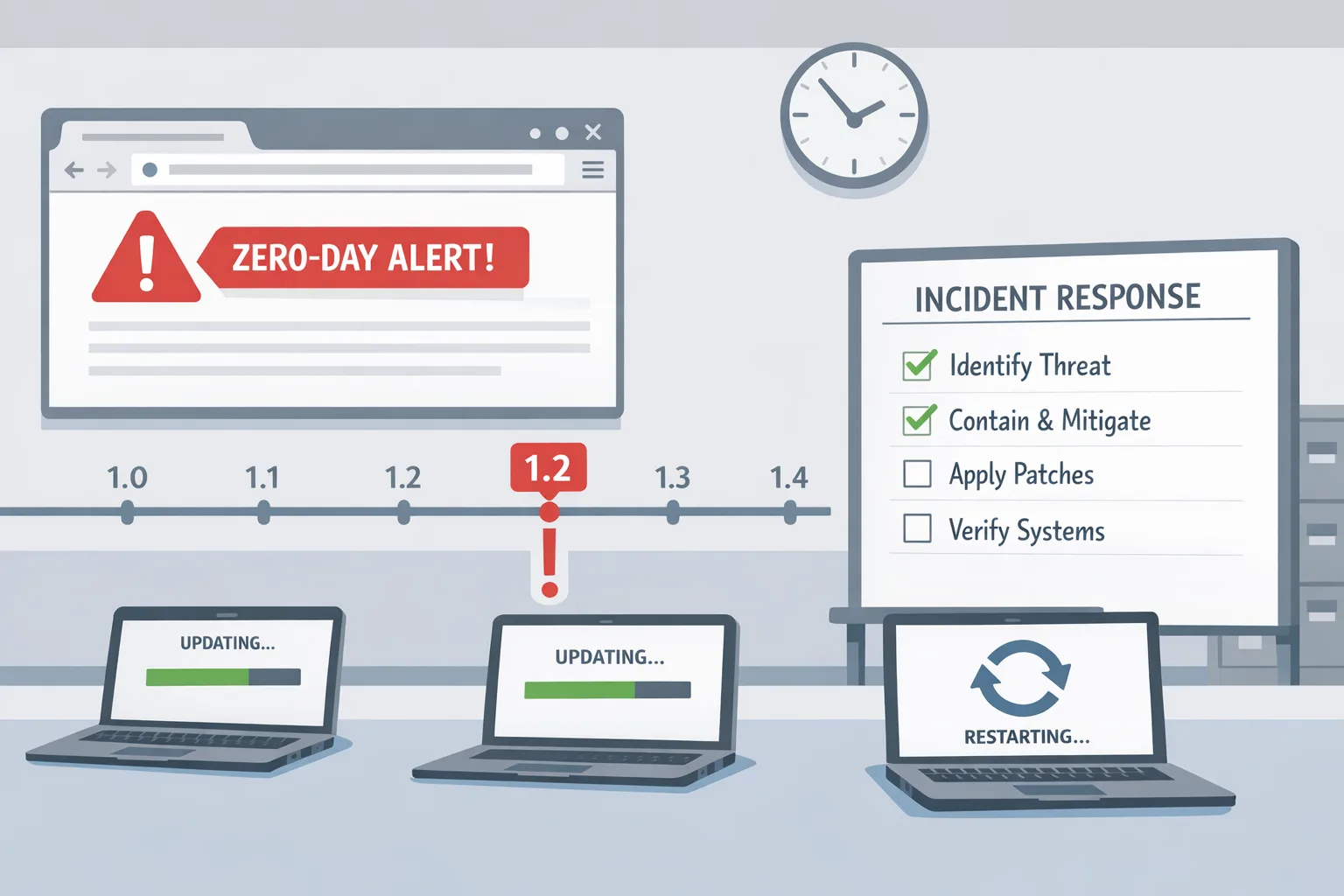
You need two tracks in parallel: remediation and detection. Here’s a plan that has worked for teams shipping customer‑facing React apps at scale.
Day 0–1: Lock down exposure and pick your patch target
Start with guardrails while you patch:
- Enable or tighten a WAF rule that specifically covers the RSC RCE pattern. If you’re on a major provider, look for the managed rule referencing CVE‑2025‑55182 and set it to block. On AWS, ensure your WebACL is attached to the front door, not just an internal ALB.
- Restrict RSC/Server Function endpoints behind a proxy that can rate‑limit, log, and IP‑deny traffic if needed. If you have internal admin routes using server actions, consider temporarily IP‑allowlisting trusted networks.
- Choose your patch path: upgrade React to a fixed minor (19.0.1, 19.1.2, or 19.2.1) and upgrade your framework to its fixed point release. For Next.js, move to the latest patch within your major series.
Decision tip: if you’re already on React 19.2.0 and Next.js 16, jump to the fixed 19.2.1/16.x patch to minimize diff. Don’t attempt large major upgrades while the fire is burning.
Day 2: Patch, rebuild, redeploy—without breaking your app
In each affected repo:
npm install react@^19.2.1 react-dom@^19.2.1 && \
  npm install next@<your-fixed-series>
Rebuild images and clear caches aggressively. Many CI systems cache node_modules across branches; don’t ship a stale transitive dependency. If you vendor a build artifact (for example, you bake .next into an image), ensure you’re rebuilding with the patched toolchain.
Before you push to prod, run a smoke suite that exercises server actions—form submissions, account settings, and any feature that calls into server functions. Watch the server logs for unexpected module resolution failures; that’s where we’ve seen teams uncover brittle plugin behavior after the hardened input handling in the patched libraries.
Day 3: Verify coverage and hunt for compromise
Now validate that your estate is actually clean. Build a quick checklist:
- Every public service upgraded to a fixed React and fixed framework version.
- Every container image rebuilt and tagged post‑Dec 3, 2025 (keep SHA notes).
- Edge/CDN caches purged where server action routes or RSC responses are cached.
- WAF rule still enabled and logging: baseline how many attempted blocks you see per hour.
On the detection side, assume probes hit you. Search for suspicious multipart requests to RSC endpoints and commands executed by your Node process that don’t match app behavior. On Linux, correlate process trees for the app user and flag child processes like sh, bash, or node -e spawning shells. If your platform emits audit events, set a 14‑day look‑back and alert on anomalies.
Day 4–5: Patch the long tail and close auth gaps
This is where teams miss the small stuff. Track down:
- Internal tools and admin dashboards built from recent templates.
- Preview environments and ephemeral deploys. If your PR stacks are public, they’re targetable.
- Serverless functions that render RSC routes separately from your main Next.js app.
- Edge adapters and custom RSC transport glue in monorepos.
Then review auth on server actions. Even after you patch, an action that accepts untrusted input and touches filesystem or shell is risky. Add explicit input validation and permission checks. If you’re using feature flags, you can gate high‑risk server actions until the patch is fully rolled out.
Day 6–7: Prove resilience and document the runbook
By the weekend, you want measurable confidence. Do a red/blue rehearsal: replay benign RSC exploit probes against staging to verify your WAF blocks and your logs capture the attempt. Record the exact package versions and image SHAs you shipped. Publish a 2‑page internal memo with the incident timeline, detection notes, and the maintenance window needed for minor updates next week.
If you need a more tactical, time‑boxed response, borrow steps from our 72‑hour emergency workflow in this hands‑on plan and adapt it to your environment size.
Patch matrix and commands you can copy
Use these as examples; always pin to the latest released patch in your series.
- React RSC packages fixed in 19.0.1, 19.1.2, 19.2.1. If you’re already on 19.2.0, aim for 19.2.1 to minimize surprises.
- Next.js App Router fixed builds exist for the active lines (15.x and 16.x). Install the newest patch in your line rather than hopping majors mid‑incident.
Common installs:
// React 19.2.x users
npm install [email protected] [email protected]

// Next.js 16 users
npm install [email protected]

// Next.js 15 users
npm install [email protected]
After upgrading, regenerate your lockfile if your org requires deterministic builds: npm ci or pnpm install --frozen-lockfile to avoid drift, then rebuild containers and redeploy.
How attackers exploit CVE‑2025‑55182 (plain English)
RSC uses a protocol to serialize the intent to call specific server functions and ship their results back to the client. The vulnerability lived in how the server trusted fields in that protocol. An attacker could craft a request that made the server resolve internal modules and invoke sensitive functions—think shelling out via child process APIs—without any authentication. The patches harden deserialization and tighten the validation checks so only legitimate, exported server actions run.
This is why a WAF helps in the short term: it can spot the abnormal structure of a malicious RSC request and block at the edge. But only the library fix closes the root cause.
People also ask
Does Create React App or React 18 need patching?
If you’re on React 18 with no RSC support and you aren’t using a framework that added RSC, you’re outside the primary blast radius. Still, confirm your build didn’t sneak in RSC packages through transitive deps. Search your lockfiles and verify.
Are purely static sites safe?
Static exports without a server runtime for RSC are not directly exposed to this issue. Many apps are hybrid, though—static shell with a few server actions. Validate the reality, not the assumption.
Do I need to rotate secrets?
If your logs show suspicious RSC requests reaching origin, or if you find evidence of process execution, rotate cloud credentials, API keys, and JWT signing secrets. Assume read access to env vars in the worst case.
Long‑term guardrails so you don’t repeat this sprint
Incidents like this are a forcing function. Use it to tighten the way you build and operate React apps.
- Boundary hygiene: keep server actions thin and narrowly scoped. For anything that reads from the filesystem or touches shell, isolate behind a service layer with explicit input validation.
- Transport validation: even with patched libraries, add application‑level checks on RSC payloads—the equivalent of schema validation for your action inputs.
- Defense in depth: keep a WAF in block mode on production front doors. Treat managed rules as standard, not an emergency switch.
- Dependency discipline: enable automated pull requests for security patches, but never auto‑merge to production. Require a smoke suite to run on every dependency bump, especially framework minors.
- Runtime policy: disallow child process execution from the web tier container unless it’s required. AppArmor/SELinux or seccomp profiles can blunt exploitation impact.
- Secrets posture: keep secrets in a dedicated provider, not env files baked into images. Enforce short TTL tokens and automated rotation.
- Observability: tag RSC endpoints and actions in your tracing so you can isolate them quickly during the next advisory.
If you want help building these guardrails into your pipelines and platform, our team does this work every week. See what we do and how we approach secure build‑to‑run workflows, or contact us directly.
A pragmatic checklist teams can adopt today
Here’s a one‑page checklist you can paste into your incident channel:
- Inventory: list apps using React 19 and Next.js App Router; include internal tools and previews.
- Shield: enable RSC‑specific WAF rules in block mode at the edge.
- Patch: upgrade React to a fixed version and your framework to its matching patch; rebuild and redeploy.
- Verify: confirm fixed versions in prod via runtime introspection or an exposed
/versionendpoint. - Detect: query logs for abnormal multipart/form‑data to RSC endpoints; flag anomalies.
- Hunt: inspect Node child process trees and shell spawns in the web tier; scan for unusual outbound connections.
- Tidy: remove dead routes, disable unused server actions, and delete orphaned preview deployments.
- Document: capture versions, SHAs, and WAF rule IDs. Schedule a 30‑minute retro.
What to do next
For engineering managers: confirm your teams have the patch window and SRE coverage they need. Track progress on an incident board with three columns: exposed, patched, verified. For product leaders: communicate externally if your status page promises transparency on security incidents. For everyone: make sure the fixes stick—bookmark a recurring dependency update slot on the calendar.
If you want a partner to help run the remediation or to bake long‑term controls into CI/CD, check our security and platform services, browse relevant projects in our portfolio, and reach out via contacts. We’ll meet you where you are—framework, cloud, and budget included.

Zooming out: why this will keep happening—and how to stay ahead
Modern web stacks are powerful because frameworks wire together lots of behavior on our behalf. That’s also the risk: capabilities appear as defaults before teams have time to draw new boundaries and add monitoring. The best defense is to assume that any new server‑side feature in your client framework creates a second API surface. Treat it accordingly with authentication, validation, and rate limits. Run regular tabletop exercises for dependency emergencies so you can move with muscle memory, not ad‑hoc threads.
If you’ve just fought through this incident and want a deeper dive on multi‑cloud edge controls, secure build pipelines, or AI agents that harden remediation workflows, explore related write‑ups on our blog. And if you’re planning broader cloud upgrades in Q1, our take on high‑value modernizations—like better instance families and cross‑cloud networking—can help you prioritize the work that pays back.

You don’t control when the next CVE drops. You do control how fast you find exposure, patch confidently, and prove to yourself—and your customers—that the fixes stuck. Ship the patch. Verify the result. Write the runbook. Then get back to building.







Comments