The latest wave of the Shai‑Hulud campaign is an npm supply chain attack aimed at stealing developer credentials and hijacking CI/CD. It spreads through trojanized packages, install-time scripts, and poisoned GitHub repos—then pivots using any token, PAT, or cloud key it can touch. If you maintain Node.js projects or deploy from CI, assume exposure until proven otherwise.

What just happened—and why this wave is different
Shai‑Hulud re-emerged in late November 2025 with a second wave that looks purpose-built to thrive in real build systems, not just developer laptops. The telltale signs: malicious packages publishing new install scripts, payload files named like setup_bun.js and bun_environment.js, and aggressive secret harvesting that targets npm, GitHub, and cloud providers. Some variants attempt destructive cleanup if persistence fails.
Attackers are leveraging compromised maintainer accounts and automated propagation, which is why you’ll see multiple related packages flip within minutes. On the GitHub side, tainted repos often add or modify Actions workflows to exfiltrate secrets silently during CI. This is a supply chain worm, not a one-off package typo.
Why this npm supply chain attack hurts teams right now
Here’s the thing: your pipeline is only as strong as its weakest credential and install step. Shai‑Hulud is optimized to:
• Steal secrets quickly: environment variables, repository and org secrets, cloud keys, and classic npm tokens if any linger.
• Persist via CI: slipped-in workflows or new steps under familiar file names.
• Spread laterally: once one maintainer or system is owned, every linked repo and package becomes a stepping stone.
The timing also collides with major npm credential changes. Many teams are migrating off classic tokens to granular tokens or to trusted publishing. Migrations create gaps—temporary bypasses, newly granted scopes, or dormant secrets that attackers love to find. That’s the backdrop to plan against.
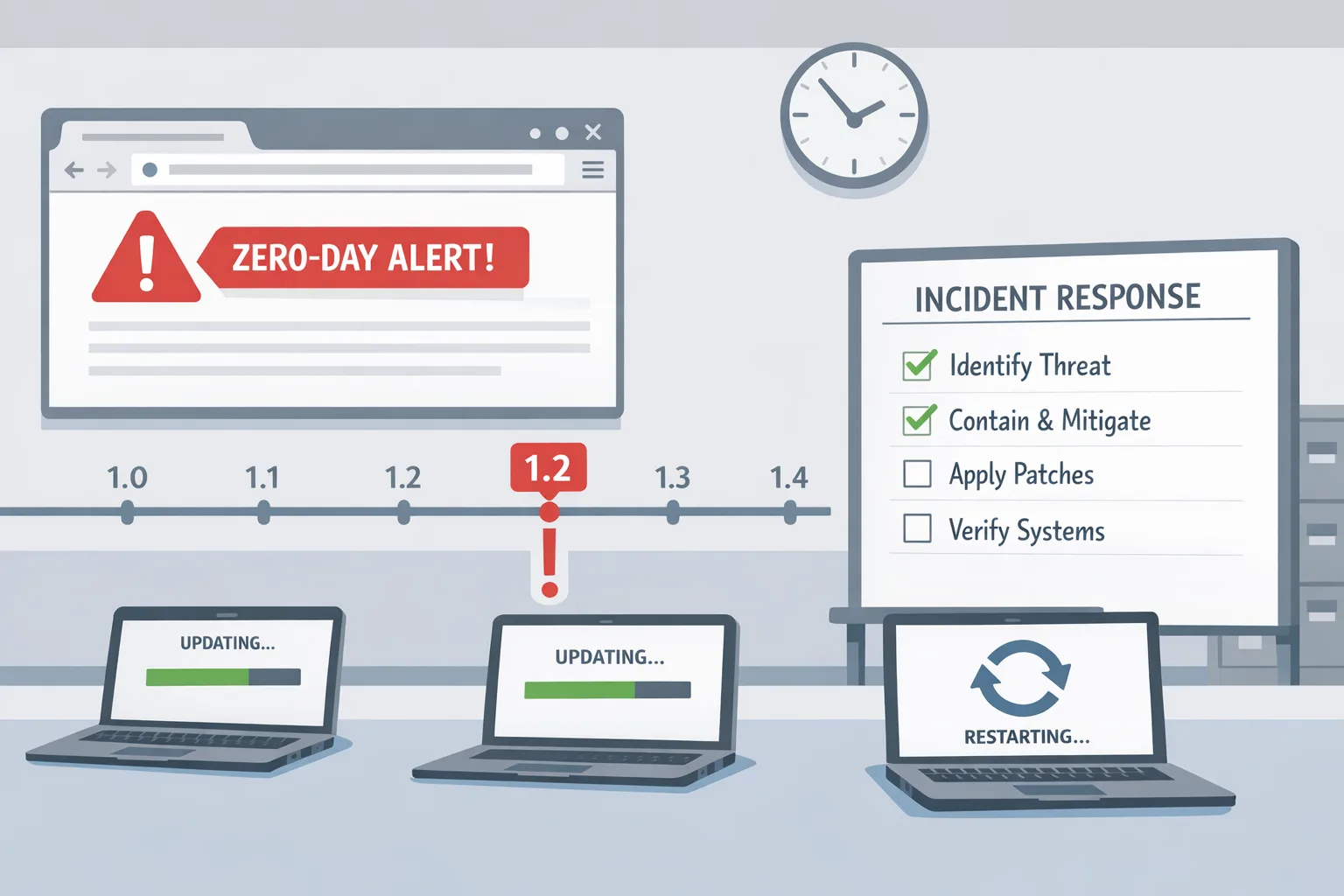
Your 72‑hour incident playbook
If you suspect exposure, treat this as a concurrency problem: stop the spread first, then rotate and rebuild with provenance. Work in parallel streams with a named incident lead.
Hour 0–6: Halt, isolate, inventory
• Freeze deploys and new package publishing. Communicate a short, timeboxed change freeze—think hours, not days.
• Disable install scripts in CI immediately. Add npm_config_ignore_scripts=true to runner environments and pass --ignore-scripts to npm ci, pnpm install, or yarn install.
• Snapshot and quarantine recent build artifacts. Preserve evidence for forensics—don’t wipe yet.
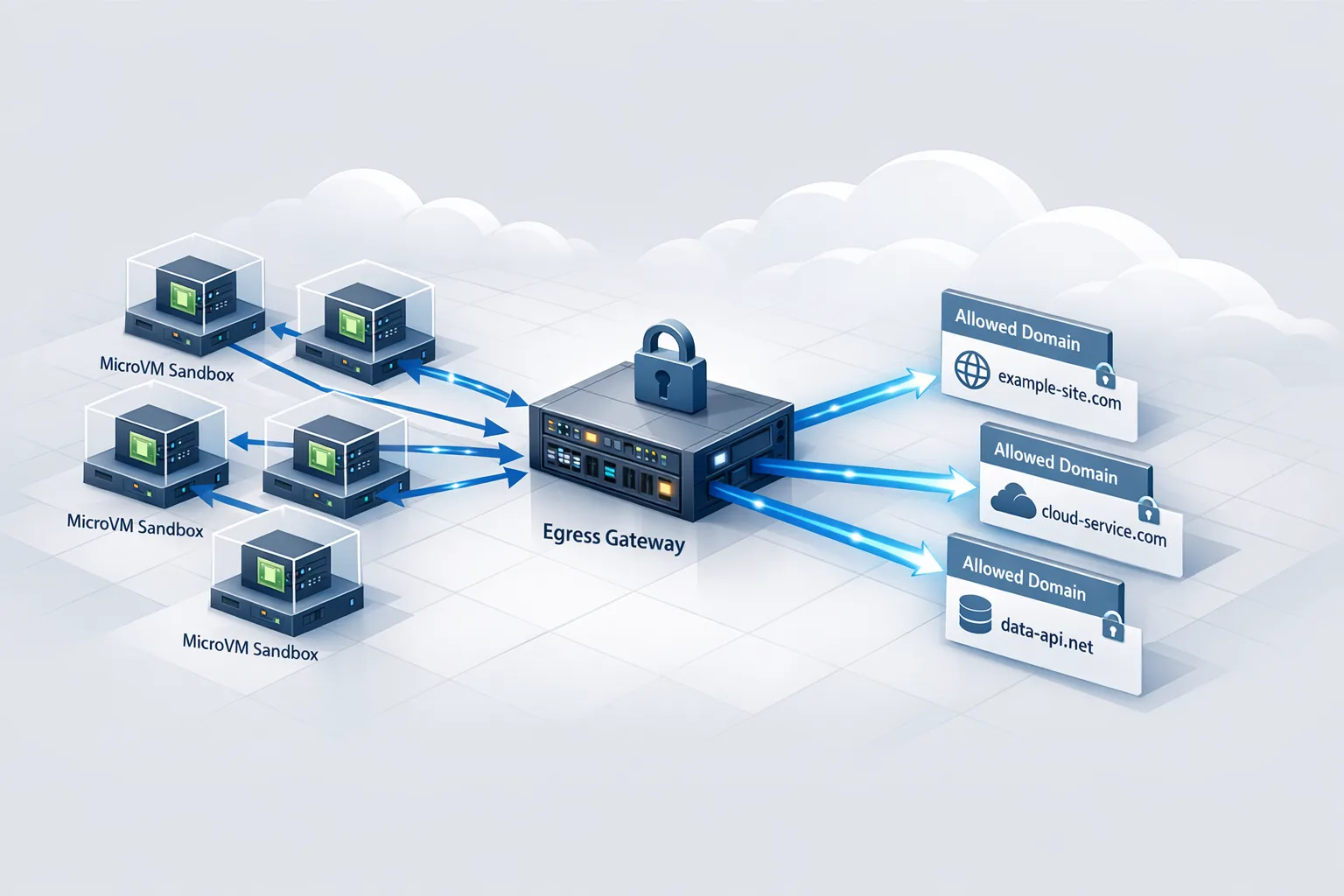
• Block known exfiltration endpoints at egress. If your egress filter is permissive, temporarily restrict to allowlisted domains for build runners.
• Inventory dependencies and maintainers. Generate a dependency graph per service from lockfiles and note any packages with releases in the last 14 days. List maintainers with publish rights.
Quick triage checks to run right now:
• In your repos, search for unexpected workflow files, new steps, or odd curl/wget posts.
• In package.json, look for newly added preinstall, install, or postinstall scripts.
• On developer machines and CI workspaces, hunt for setup_bun.js or bun_environment.js and unfamiliar temp files.
• Inspect network logs from runners for callbacks to disposable webhook and paste domains.
Hour 6–24: Credentials and CI/CD sweeps
• Rotate npm and GitHub credentials. Replace any classic or long‑lived tokens with granular ones tightly scoped to what the job needs. Shorten expirations and record owners.
• Enforce phishing‑resistant MFA for maintainers. Require passkeys or security keys for all org owners and package publishers.
• Audit GitHub Apps, OAuth apps, webhooks, and secrets. Remove unused apps, re‑approve only those you recognize, and purge any secret that ever touched a compromised environment.
• Lock down branch protections and required reviews on package repos. Block force pushes; require status checks and signed commits if feasible.
• Quarantine compromised packages. Unpublish if allowed, or deprecate loudly with clear guidance. Pin to known‑good versions and rebuild from clean tarballs.
CI hygiene you can implement the same day:
• Turn off script execution for dependency installs in all non‑build steps. Only allow install scripts where strictly necessary.
• Split build jobs: one runner for dependency resolution and compilation without network egress, another isolated step for tests that need network.
• Prefer ephemeral, sealed runners. Recycle VMs or containers per job; never reuse mutable workspaces.
• Eliminate secrets from default contexts. Pass them only to the jobs that require them, and disallow secrets in forked PRs.
Hour 24–48: Forensics and package hygiene
• Recreate SBOMs from the exact lockfile states you shipped in the last two weeks. Compare with a fresh SBOM generated after you pinned or removed suspect packages.
• Verify package provenance for anything you publish. Use signed provenance so consumers can validate that your package was built from your repo, by your workflow, at a given commit.
• Review maintainer activity timelines. Correlate unusual logins, token creation, and package publishes. Require two maintainers for sensitive releases.
• Rebuild base images and developer environments. Assume node_modules caches and global npm directories are tainted; rebuild from source in clean containers.
Hour 48–72: Bring production back safely
• Stage deployments by blast radius. Start with low‑risk services that don’t handle secrets, then roll to core APIs with additional eyes on telemetry.
• Keep --ignore-scripts in CI where possible. When you must re‑enable scripts, do it package by package with explicit allowlists.
• Add runtime safeguards. Egress allowlists on app servers and runners, canary alerts for unexpected outbound traffic, and anomaly detection on build duration and artifact sizes.
• Close the incident with a written timeline, owner assignments, and backlogs for long‑term fixes.
Quick detection cheatsheet
Use this as a fast checklist across repos, runners, and laptops:
• IOC files: setup_bun.js, bun_environment.js, newly created temp files during install.
• Package.json changes: fresh or obfuscated install/postinstall scripts, base64 or hex‑encoded strings, and unexpected curl/node -e one‑liners.
• GitHub workflows: added schedules, new jobs that run on pull_request from forks with secrets enabled, uploads to unfamiliar URLs.
• Network traces: callbacks to disposable webhook or paste services from build networks.
• Maintainer anomalies: new tokens, password resets, or logins from unusual locations around the time a package updated.

People also ask: How do I disable npm postinstall in CI?
Two fast ways. First, set the environment variable npm_config_ignore_scripts=true and keep it at the runner level. Second, pass --ignore-scripts to your install commands: npm ci --ignore-scripts, pnpm install --ignore-scripts, or yarn install --ignore-scripts. Be aware that a few packages legitimately need install scripts; for those, create a precise allowlist and run them in an isolated job with no write access to secrets.
People also ask: What’s the fastest way off classic tokens?
If any classic npm tokens still exist in your org, remove them now. Replace with granular access tokens scoped to publish only for specific packages, with short expirations, and enable MFA for any maintainer with write permissions. Better, adopt trusted publishing with your CI provider so jobs mint short‑lived credentials via OIDC rather than storing long‑lived secrets. In GitHub Actions, set permissions: id-token: write on the workflow that publishes, register that workflow as a trusted publisher for your package, and then delete the old publishing token from repository secrets. Test the path on a dry‑run registry or a canary package before flipping production.
Practical hardening framework you can reuse
Use this five‑part framework for npm and JavaScript services, even after this incident fades from the headlines:
1) Identity: passkeys for maintainers, short‑lived granular tokens, no personal PATs in org secrets, and mandatory 2FA for all publishers.
2) Build isolation: ephemeral runners, split build stages with zero egress during dependency install, and artifact signing.
3) Package discipline: pin versions, use lockfiles as truth, enable provenance for your own packages, and maintain a curated allowlist for install scripts.
4) Observability: alerts on egress anomalies from CI, drift detection for workflow YAML, and diff reviews on package.json scripts.
5) Recovery: playbooks for credential rotation, repo quarantine procedures, and a 24‑hour rollback SLO for suspicious releases.
How this intersects with your roadmap and budget
Security work competes with features unless you make it part of your delivery system. The immediate spend is people time for rotations, reconfiguring CI, and hardening workflows. The medium‑term payoff is fewer production pauses and a smoother release train when the next registry incident lands. Companies that remodel their pipelines around trustworthy provenance and short‑lived credentials are the ones that keep shipping during ecosystem shocks.
If you need a deeper guided plan, we published a longer remediation guide in our 7‑day npm supply chain attack fix plan. For logging and alerting specifics—especially if you run workloads on AWS—our CloudWatch generative AI observability playbook shows how to wire alerts around CI/CD and dependency changes. If you want hands‑on help, see our security and platform services or just reach out.
People also ask: Should I stop using postinstall scripts entirely?
No—but treat them like privileged operations. Most apps don’t need them in CI; the few that do should run scripts in a sandbox with no secrets and strict egress rules. Document the packages that require scripts and verify their maintainers and provenance regularly. If any package suddenly adds a postinstall, treat it as a P1 review until proven safe.
People also ask: How do I know if a maintainer account was hijacked?
Look for unusual token creation, logins from new geographies, and package releases outside normal cadence. On GitHub, review your audit log for new GitHub Apps, OAuth grants, and changes to organization secrets. On npm, verify which users have publish rights for your packages and prune the list to current maintainers only.
What to do next (developers)
• Add npm_config_ignore_scripts=true to runners and re‑run installs.
• Rotate all npm and GitHub tokens used in CI; scope them tightly or move to trusted publishing.
• Search for the known payload filenames across repos and build caches.
• Restrict egress from runners to a small allowlist.
• Stage safe deploys with pinned dependencies and signed provenance.
What to do next (engineering leaders)
• Set a 72‑hour incident window and assign an incident lead.
• Require phishing‑resistant MFA for all maintainers and org owners.
• Budget a sprint for CI isolation and provenance. It pays back the next time this happens.
• Make the five‑part hardening framework a platform mandate, not a one‑off project.

Zooming out
Shai‑Hulud won’t be the last npm supply chain attack. But teams that treat credentials as short‑lived, provenance as table stakes, and CI as a zero‑trust environment will absorb these waves with fewer scars. Shipping fast and safely isn’t a tradeoff when the pipeline itself enforces the rules. Make those rules real this week, not next quarter.







Comments
Be the first to comment.