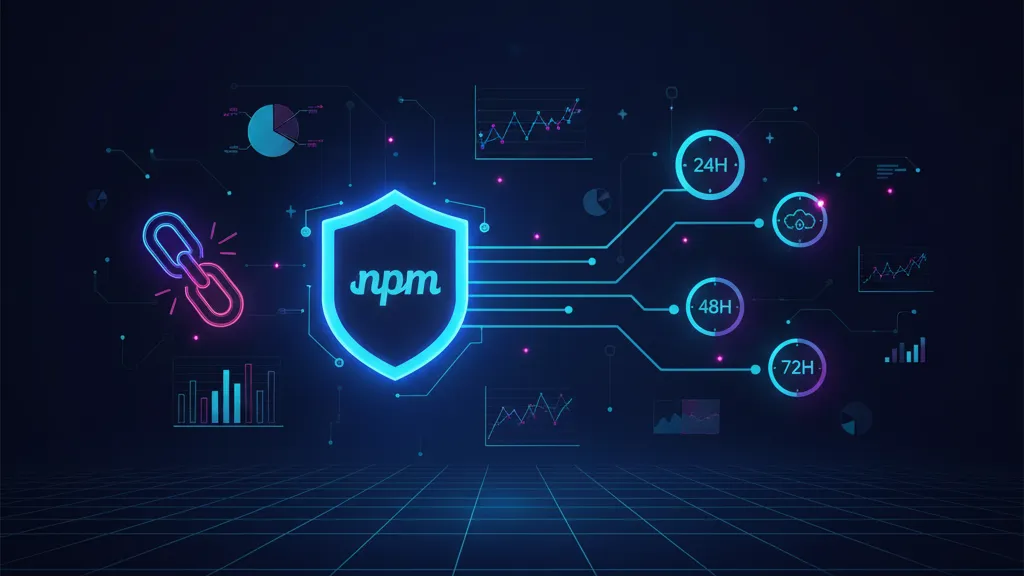
The latest npm supply chain attack wasn’t a one‑off blip. In September 2025, a self‑replicating worm dubbed Shai‑Hulud poisoned popular packages with install‑time credential theft. GitHub and maintainers ripped out the malicious versions and tightened controls. Then on November 24, 2025, a fresh wave—“Shai‑Hulud 2.0”—landed, swapping in new payloads and a broader blast radius. If your CI or laptops touched npm during those windows, treat this like an active incident, not a theoretical risk. (github.blog)

What actually happened (and when)
Here’s the thing: clarity on timeline and behavior is what separates a calm recovery from a month of false alarms.
First wave (mid‑September 2025): compromised maintainer accounts shipped malicious post‑install scripts that exfiltrated secrets and tried to auto‑publish backdoored versions of any packages reachable with stolen tokens. GitHub removed 500+ poisoned packages and introduced guardrails to curb re‑propagation. (github.blog)
Second wave (November 21–24, 2025): new trojanized versions hit npm, this time leaning on preinstall execution with files like setup_bun.js and bun_environment.js. Analysts observed stolen secrets sprayed into public GitHub repos, with growth spikes of ~1,000 new repos every 30 minutes and an eventual footprint of 25,000+ repos tied to the campaign; estimates of affected packages landed around ~700. An advisory pinned first detections to November 24 at 03:16:26 GMT, and GitLab’s database logged specific packages (e.g., package‑tester, pkg‑readme) as compromised. (wiz.io)
Why this matters: preinstall and postinstall scripts run during dependency resolution—often with access to cloud credentials, GitHub tokens, and internal package registries via environment variables and CI secrets. That’s all an attacker needs to escalate and persist in your software factory. (wiz.io)
Is my org impacted? The fast triage
If you installed or updated npm dependencies between September 14–18 or November 21–27, 2025, assume potential exposure. Also assume developers synced repos or ran builds on laptops in that period. CISA urged immediate credential rotation and hardened auth after the first wave; those recommendations still apply. (cybernews.com)
72‑hour recovery plan (do this now)
Use this phased response to stop active harm, then clean up. Adjust the order to fit your org’s on‑call and change windows, but move with intent.
Hour 0–12: Stop the bleeding
- Freeze deploys that originate from CI pipelines touching Node/npm unless business‑critical. Document exceptions with named owners and rollback plans.
- Block suspicious egress from build systems. If you can’t go full denylist, at least restrict outbound to your artifact registry, GitHub APIs, and trusted SaaS. Many victims saw secrets exfiltrated to attacker‑created repos. (wiz.io)
- Disable lifecycle scripts in CI: run
npm ci --ignore-scriptsor setnpm_config_ignore_scripts=trueand the Yarn equivalent. Re‑enable only for known‑good builds after review. (wiz.io) - Pin dependencies to known‑clean versions. Practically: lock to tags from before November 21, 2025 for npm packages with active compromise chatter. Keep a separate allowlist for “must‑upgrade” security patches. (wiz.io)
Hour 12–24: Cut off attacker access
- Rotate secrets—prioritize CI and developer tokens first. Replace GitHub PATs/SSH keys, npm tokens, and all cloud creds used by build agents. Enforce phishing‑resistant MFA (FIDO2/WebAuthn) on GitHub and npm orgs. CISA explicitly recommended rotation and stronger auth controls after this campaign. (cybernews.com)
- Audit GitHub orgs for weird repos and workflows. Search for repos created with “Shai‑Hulud” references or unfamiliar names, unexpected self‑hosted runner registrations (e.g.,
SHA1HULUD), or a.github/workflows/discussion.yamlworkflow that can act as a backdoor trigger. (wiz.io) - Invalidate all npm automation tokens and re‑issue with least privilege and short TTLs. Scope tokens to read‑only where possible for CI installs.
Hour 24–48: Clean and verify
- Blow away
node_modulesand npm caches in CI and on dev machines; run clean installs with scripts ignored for the first pass. Confirm checksums for internal packages match your registry. (wiz.io) - Diff your lockfiles against a pre‑Nov 21 snapshot. If you don’t have a baseline, compare to a fresh install under
--ignore-scriptsand inspect deltas for suspect packages published in the window. - Scan for IoCs: filenames like
setup_bun.js,bun_environment.js,cloud.json,environment.json, and suspicious workflow files. Flag anypreinstall/postinstallscripts added recently. (wiz.io)
Hour 48–72: Restore confidence
- Run staged, script‑enabled builds in an isolated CI project with minimal credentials. Observe outbound traffic and artifact contents. Promote only if clean.
- Re‑enable lifecycle scripts selectively—prefer per‑package allowlisting over org‑wide flips. Keep egress restrictions in place for CI indefinitely.
- Retire or quarantine developer machines that executed compromised installs. Redeploy from gold images rather than trying to surgically fix.
People also ask: Will npm auto‑updates bite me again?
They can. Auto‑merge + floating ranges (^, ~) are a great way to absorb future fixes—and future compromises. For security‑critical services, pin exact versions and upgrade on a cadence backed by automated tests and SCA checks. Save ranges for leaf apps with strong runtime isolation.
People also ask: How do I know if my data was leaked to GitHub?
Search your org’s GitHub audit logs for repo creation bursts around November 24–27, 2025. Look for repos you didn’t create that contain JSON dumps of environment variables or cloud creds. Reports observed cross‑victim exfiltration—your secrets might land in someone else’s org, and their secrets in yours—so rely on rotation and key revocation, not just repo takedowns. (wiz.io)
Technical notes for incident responders
What changed versus September? Two big items: the second wave moved earlier in the install lifecycle, broadening reach across CI and local environments, and it attempted persistence via GitHub workflows and self‑hosted runner registration. Package variants created files like cloud.json and truffleSecrets.json, then pushed them to attacker‑controlled or cross‑victim repos at high velocity. GitHub and vendors reduced exposure by revoking tokens and privatizing malicious repos, but the sheer rate (hundreds to thousands per hour) created a lag between detection and containment. (wiz.io)
Two concrete references worth bookmarking: GitHub’s incident summary of first‑wave mitigations and policy changes, and GitLab’s advisories for specific packages (e.g., package‑tester GMS‑2025‑544). These help anchor timelines and confirm IoCs during your post‑mortem. (github.blog)
Hardening for the next 30 days
Let’s get practical. This is how you reduce the probability and impact of the next wave without derailing delivery.
1) Lock down CI/CD
- Turn on network egress controls and deny all outbound by default; explicitly allow GitHub, your artifact registry, and required SaaS endpoints.
- Run dependency installs in a sandbox with short‑lived, scoped tokens (OIDC‑minted where supported). No long‑lived PATs on runners. (wiz.io)
- Enforce phishing‑resistant MFA on GitHub, npm, and cloud consoles. USB keys for admins. CISA flagged this as a top control during the campaign. (cybernews.com)
- Pin builds to a private, curated mirror (Artifactory/Nx Proxy/Verdaccio) that only syncs reviewed versions, and only during a staffed window.
2) Tame lifecycle scripts
- Default CI to
--ignore-scripts; allowlist specific packages that require install scripts (native modules) and review them quarterly. - Fail the build if a new lifecycle script appears in your lockfile diff. This single rule catches most supply‑chain surprises.
3) Strengthen provenance and visibility
- Generate SBOMs on every build and sign artifacts. Track dependency provenance and publish SBOMs internally so responders can answer “were we exposed?” in minutes, not days.
- Adopt the OWASP Software Component Verification Standard (SCVS) as your checklist for third‑party components and build pipelines. Several advisories recommended SCVS after this incident for long‑term resilience. (esentire.com)
4) Build developer muscle memory
- Run a 90‑minute tabletop: compromised maintainer, malicious update, CI sees
preinstall. Who decides to freeze deploys? Who rotates what? Who talks to customers? - Add pre‑commit hooks to flag
package.jsonscript changes and unexpected registry sources. If your team uses VS Code + Copilot, pair these guardrails with budget/safety controls to avoid surprise expenses when you crank up security scans. See our take on Copilot Premium Requests spending guardrails.
A simple framework: Stop, Scope, Scrub, Seal
When you’re tired and the Slack channel is on fire, use this four‑step loop:
- Stop: Freeze risky deploys. Block egress. Ignore scripts.
- Scope: Diff lockfiles. Search for IoCs (
setup_bun.js,bun_environment.js,discussion.yaml). Inventory tokens used by CI. - Scrub: Clear caches, reinstall, rotate creds, and purge suspicious GH repos/workflows.
- Seal: Enforce MFA, short‑lived tokens, pinned mirrors, and egress control. Bake checks into CI.
Data points to brief leadership
Executives don’t need a SANS course; they need the why and the when. Here’s a crisp brief you can paste into your update:
- Attack windows: September 14–18 and November 21–27, 2025; second wave first detected November 24 at 03:16 GMT. (github.blog)
- Scale: ~700 packages implicated across waves; 25k+ repos created by the second wave within days; peaks of ~1,000 new repos per 30 minutes. (wiz.io)
- Impact vector:
preinstall/postinstallscripts stealing CI and developer secrets; persistence via GitHub workflows and runner registration. (wiz.io) - Our status: [fill in] deploys paused, creds rotated, CI locked down, mirrors pinned, investigation ongoing.
Edge cases and gotchas
Monorepos with mixed package managers (npm, pnpm, Yarn) can hide script execution behind tooling wrappers. Verify all runners respect ignore‑scripts and that no pre‑ or post‑install hooks are re‑enabled by per‑workspace configs.
Private registries that cached malicious versions might still serve them even after npm yanks them. Purge caches, then rehydrate from safe versions only. If you’re using a transparent proxy, switch to an “approve then sync” workflow for a week.
Developer laptops matter. If you rely on “just CI is zero‑trust,” you’ll miss browser‑resident secrets and SSH keys that a compromised npm install could have scraped. Treat endpoints that installed during the window as suspect and reimage when in doubt.
Related reading from our team
If you’re coordinating patches across front‑end stacks, our 7‑day RSC patch playbook and the React2Shell incident analysis show how we stage fixes without blowing up velocity. And if you need hands‑on help, our security engineering services cover SBOMs, CI hardening, and incident playbooks tailored to your stack.

What to do next (this week)
- Run a one‑day dependency freeze; ship only pre‑approved hotfixes.
- Rotate GitHub, npm, and cloud credentials used by CI. Enforce FIDO2 MFA for admins. (cybernews.com)
- Lock CI to
--ignore-scriptsand deny egress by default. - Purify your mirrors and caches; republish internal packages from known‑clean commits.
- Schedule a 2‑hour tabletop on supply‑chain response with engineering, security, and finance.
FAQ: Can we safely turn scripts back on?
Yes—after you’ve rotated credentials, purged caches, reviewed lockfile diffs, and confined CI egress. Start by allowlisting specific packages that truly need scripts (native modules), watch network traffic, and roll back fast if anything looks odd.
FAQ: Should we ban npm entirely?
No. The ecosystem is too central to modern web stacks. The goal isn’t avoidance; it’s containment. With pinned mirrors, script controls, egress filters, and strong auth, npm can be run safely—even under active adversary conditions.
Zooming out
Open source won’t get less critical. Attackers understand our pipelines and incentives. The second Shai‑Hulud wave proved that install‑time hooks are still an efficient path into real businesses. Treat them like untrusted code execution points. With a bias toward isolation and verification—plus a muscle memory for rotate‑and‑rebuild—you’ll ship with confidence even when the feed is noisy. And if you need a seasoned crew to co‑own the response plan, talk to us. We’ve done this before.




Comments
Be the first to comment.