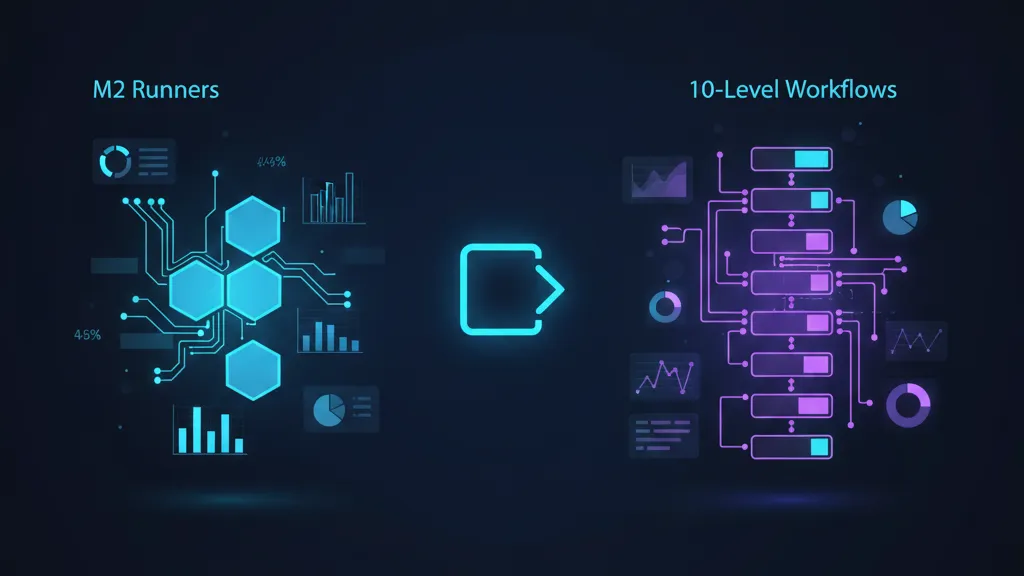
Three quietly huge GitHub Actions updates landed in November 2025: Apple Silicon M2 macOS runners are now generally available, reusable workflow limits expanded to 10 levels (with up to 50 calls per run), and Copilot’s coding agent no longer requires Actions to be enabled at the org level. If you own iOS CI, run large monorepos, or are evaluating AI automation, these changes remove real constraints and unlock cleaner architectures.
I’ve helped teams ship hundreds of pipelines across iOS, Android, web, and serverless. Here’s the thing: most CI problems aren’t about YAML; they’re about platform choices and limits that force awkward workarounds. These updates relax those limits. Below, we’ll translate the announcements into concrete decisions, gotchas, and an upgrade path you can copy.

What changed in November 2025—and why it matters
Here are the specific updates that shipped in early November 2025, with the key implications for engineering teams:
M2 macOS runners are GA
GitHub’s larger macOS runners now include M2-based XLarge configurations exposed under labels like macos-latest-xlarge, macos-15-xlarge, and macos-14-xlarge. For iOS projects, moving Apple-platform CI workloads to Apple Silicon eliminates a class of emulation and toolchain edge cases, and enables hardware GPU acceleration for Metal tests and UI rendering tasks. In practice, teams often see noticeably faster Swift builds, more stable simulator behavior, and fewer code signing oddities compared with older Intel-hosted images.
Who benefits most? iOS apps with multiple targets, Swift Package Manager-heavy repos, UI test suites, and teams compiling frameworks that use Metal or Core ML. If your pipeline still depends on Intel-only binaries, this is your nudge to audit and replace them.
Reusable workflow limits increased: 10 nested levels, 50 total calls
Previously, you could only nest four reusable workflows and call at most 20 in a run. That ceiling pushed teams back to duplication or awkward composite actions. With 10 levels and up to 50 calls, you can finally model your delivery system the way you model your software: small units, composed deliberately. Think: organization-wide policy workflows at the top, product-level build/test orchestration under that, and service- or package-level jobs below, each owning its own caching and secrets policy.
Copilot coding agent no longer requires Actions enabled org‑wide
Before, trying the coding agent meant turning on Actions across the org—often a nonstarter for regulated companies or security teams who prefer gradual rollouts. Now you can evaluate the agent without flipping the big switch. That said, on December 2, 2025, GitHub starts removing default $0 budgets for premium requests on many enterprise and team accounts. If you’re testing Copilot features, read our explainer on this change: Copilot Premium Requests: The December 2 Switch.
Should you switch to M2 macOS runners now?
If you build and test iOS or macOS apps in CI, yes—start planning the move. Apple’s platform trajectory favors Apple Silicon builds and testing. Simulator reliability and GPU-accelerated tasks are better aligned with M-series hosts. You also reduce the mismatch between developer laptops (very likely Apple Silicon) and CI machines.
There are caveats. Some closed-source tools still ship Intel-only binaries. A handful of older CocoaPods or Carthage builds may assume Intel. If you wrap native dependencies for React Native, Unity, or Swift cross-platform code, validate the toolchain. But if you’re green on those fronts, M2 runners are the default choice going forward.
Will M2 runners always be faster?
It depends on your workload. Swift and Xcode-heavy pipelines benefit most. Workloads bottlenecked on network I/O, artifact uploads, or package registry latency may see modest gains. That’s why the migration checklist below includes cache tuning and artifact policy—because CPU alone rarely fixes end-to-end time.
A practical migration checklist for M2 runners
Use this step-by-step plan to switch safely and quantify results:
- Inventory your jobs. List all workflows using macOS labels, split by purpose: build, unit tests, UI tests, notarization, fastlane release, etc. Note job duration, queue time, cache hit rate, and flakiness for a two-week baseline.
- Audit toolchains and binaries. On a developer machine, run
fileon custom tools and checklipo -infofor your frameworks. Replace Intel-only utilities. For Ruby gems, ensure native extensions compile on arm64. For Node tasks, pin to versions that publish arm64 prebuilds when possible. - Switch labels in a canary workflow. Update a single pipeline to
macos-15-xlarge(ormacos-latest-xlarge) and run on a staging branch. Confirm Xcode selection viaxcodebuild -versionand toolchain paths. If you depend on a specific simulator runtime, install it explicitly. - Tune caches for Apple Silicon. Bust and rebuild caches that embed arch-specific paths. For SPM, key on
Runner.os, Xcode version, andswiftpmmanifest hash. For CocoaPods, include the Ruby version, CocoaPods version, andPods/Manifest.lock. - Stabilize the simulator. Use headless boot flags for UI tests, set a consistent device (e.g.,
iPhone 16), and pre-create simulators in a setup step to avoid race conditions. Serialize long UI test suites withconcurrencygroups if they step on shared resources. - Measure like you mean it. Record build time, queue time, and failure rate for one week on the canary, then roll out to the rest of the pipelines if the results hold.
- Fail fast on Intel fallbacks. Add a job that asserts
uname -misarm64and that required binaries are universal or arm64. It’ll prevent silent regressions.
How to refactor with 10‑level reusable workflows
With 10 nesting levels and 50 total calls, you can break apart monolithic pipelines into layered building blocks. Here’s a pattern that’s worked for large orgs:
- Layer 1: Org policy workflow. Enforce mandatory steps: code scanning, license checks, SBOM generation, artifact retention defaults, and minimum test coverage. This runs for everything—services, apps, packages.
- Layer 2: Platform orchestration. Define iOS, Android, Web, and Backend orchestration workflows. Each sets up language/runtime, caches, and parallelizes platform-specific tests.
- Layer 3: Package/service jobs. Small reusable workflows that build and test a single library or microservice. They own their caching keys and environment matrix.
Example: a product workflow that composes org policy + iOS build + component test jobs. The composition remains readable while each layer stays maintainable.
name: app-ci

on:
  push:
    branches: [ main ]
  pull_request:

jobs:
  policy:
    uses: org/.github/.github/workflows/policy.yml@v2

  ios_build:
    uses: org/mobile/.github/workflows/ios-build.yml@v5
    with:
      xcode: '15.4'
      runner: 'macos-15-xlarge'

  ui_tests:
    needs: ios_build
    uses: org/mobile/.github/workflows/ios-ui-tests.yml@v3
    with:
      device: 'iPhone 16'

  packages_matrix:
    strategy:
      matrix:
        pkg: [core, networking, storage]
    uses: org/libs/.github/workflows/lib-ci.yml@v8
    with:
      name: ${{ matrix.pkg }}
Notice a few details:
- Version your reusable workflows. Use tags or shas. Don’t reference
@mainin production pipelines. - Propagate data via outputs, not env. Reusable workflows don’t inherit caller-level
env; use outputs for deterministic data flow. - Use
concurrencykeys for deploy jobs. Prevent overlapping deploys by scoping concurrency to the environment name.
People also ask: Will my old 4‑level compositions still work?
Yes. Nothing breaks; you simply have more headroom. The win is the architecture you can adopt now—separation of concerns, shared policy layers, and a sane path to scale across dozens of repos without copy-paste YAML.
Copilot agent, Actions optional—and the December budget change
Decoupling the agent from org‑wide Actions enables safer evaluations. You can pilot on a single repo without turning on workflows everywhere. Two notes for engineering managers:
- Guardrails still matter. Even without Actions enabled org‑wide, establish a policy for which repos can enable the agent, how it branches, and who reviews its pull requests.
- Budgeting is changing. On December 2, 2025, GitHub begins removing $0 default budgets for premium requests on many enterprise and team accounts created before August 22, 2025. Decide whether premium requests are ENABLED or DISABLED, and set a budget cap if you’ll allow overages. For a field guide, see our breakdown of the December 2 switch.

Cost and performance hygiene you should revisit now
These updates are a perfect excuse to sweep CI hygiene:
- Artifact policy. Default to short retention for intermediates (24–72 hours). Keep only release artifacts long-term. Large artifacts on macOS runners can dwarf compute savings.
- Caching keys. Include platform, tool versions, and critical manifests (e.g.,
Package.resolved,Podfile.lock). Bust intentionally on Xcode upgrades. - Queue time vs. run time. M2 is faster when your jobs run; it can be slower overall if you sit in the queue. Track queue time and consider spreading triggers or using additional concurrency.
- Fail on tool drift. Add a job that prints Xcode, Swift, Ruby, Node, and CocoaPods versions. Make it fail if any mis-match your required set.
- Policy as code. Move org-wide rules into a top-layer reusable workflow and enforce via branch protection requiring that job to pass.
Implementation examples you can copy
Pin an M2 runner and Xcode
jobs:
  build_ios:
    runs-on: macos-15-xlarge
    steps:
      - uses: actions/checkout@v4
      - name: Select Xcode
        run: sudo xcode-select -s "/Applications/Xcode_15.4.app/Contents/Developer"
      - name: Resolve packages
        run: xcodebuild -resolvePackageDependencies -workspace App.xcworkspace -scheme App
      - name: Build
        run: xcodebuild -workspace App.xcworkspace -scheme App -configuration Release -destination 'platform=iOS Simulator,name=iPhone 16'
Safe deploys with concurrency
jobs:
  deploy_staging:
    concurrency:
      group: staging-${{ github.ref }}
      cancel-in-progress: true
    runs-on: ubuntu-latest
    steps:
      - uses: actions/checkout@v4
      - run: ./scripts/deploy-staging.sh
Reusable workflow output handoff
# called workflow: org/mobile/.github/workflows/ios-build.yml
on: workflow_call
jobs:
  build:
    runs-on: macos-15-xlarge
    outputs:
      app_path: ${{ steps.export.outputs.path }}
    steps:
      - uses: actions/checkout@v4
      - id: export
        run: echo "path=build/App.ipa" >> "$GITHUB_OUTPUT"
Then, in the caller workflow, consume the output deterministically:
jobs:
  ios_build:
    uses: org/mobile/.github/workflows/ios-build.yml@v5
  notarize:
    needs: ios_build
    runs-on: macos-15-xlarge
    steps:
      - run: xcrun notarytool submit ${{ needs.ios_build.outputs.app_path }} --keychain-profile AC_CI
What about Intel-only edge cases?
If you truly need Intel (legacy binary, unported plugin), keep a small number of Intel runners and segment those jobs with explicit labels, while moving the rest to M2. Make the Intel job fail loudly when it encounters an Apple Silicon host to avoid accidental fallback. Meanwhile, assign an owner to replace or rebuild the dependency; treat it like tech debt.
Security and compliance considerations
The new freedom to enable Copilot’s agent without org-wide Actions doesn’t mean no guardrails. Keep credentials and secrets scoped to the least privilege required for the agent’s repos. If you allow the agent to create branches and PRs, enforce required reviews and status checks on those branches. For supply chain controls, pin actions by commit SHA and cap the set of allowed actions using org policies.
For customers who engage us to harden pipelines, we apply the same discipline we use on cloud workloads. If you’re looking for help refactoring CI, formalizing policy as code, or migrating build fleets, our team can partner with you—see our engineering services and how we structure engagements in what we do. You can also browse select outcomes in our portfolio of shipped projects.
People also ask
Do I need to rewrite my workflows to use the new limits?
No. Existing workflows continue to run. You only need edits if you choose to decompose monoliths into reusable pieces. Start by extracting one job (e.g., iOS build) into a reusable workflow and iterate.
Are M2 runners more expensive?
Larger runners cost more per minute than standard ones, but total cost depends on run time and queue time. If an M2 job finishes faster and uses fewer retries, your monthly bill can be flat or even drop. Track cost per successful build, not cost per minute.
What if my org has Actions disabled?
You can now try Copilot’s coding agent without enabling Actions org‑wide. If you later decide to adopt Actions, bring it in with tight allowlists and pinned SHAs. If you never adopt Actions, that’s fine—the evaluation no longer depends on it.
Decision guide: which changes to adopt first
If you’re resource-constrained, adopt in this order:
- Switch iOS builds to M2 runners. It’s the highest impact for mobile teams.
- Extract a reusable workflow layer for policy. One shared file can eliminate a lot of duplicated steps.
- Enable Copilot agent in a sandbox repo. Define branch/PR rules, then measure whether it reduces toil on well‑scoped tickets.
What to do next
- Pick one iOS pipeline and migrate it to
macos-15-xlarge. Compare run and queue times for a week. - Extract a policy reusable workflow (lint, SBOM, license check) and require it via branch protection.
- Audit your Copilot premium request settings before December 2. If you want to avoid charges, ensure premium requests are disabled or capped. Our article covers the switch.
- Codify cost hygiene: shorter artifact retention, smarter caches, and
concurrencyfor deploy jobs. - Document the M2 migration path in your repo’s
CONTRIBUTING.mdso new services follow the pattern.
Shipping is a series of small, right decisions. These updates remove friction—no heroics required. If you want a partner to pressure‑test your plan or need hands-on help, reach out through our services page. We’ve led similar upgrades for teams moving to new runtimes, including the ones in our AWS Lambda Node.js 24 upgrade playbook; the same playbook mindset works here, too.








Comments
Be the first to comment.