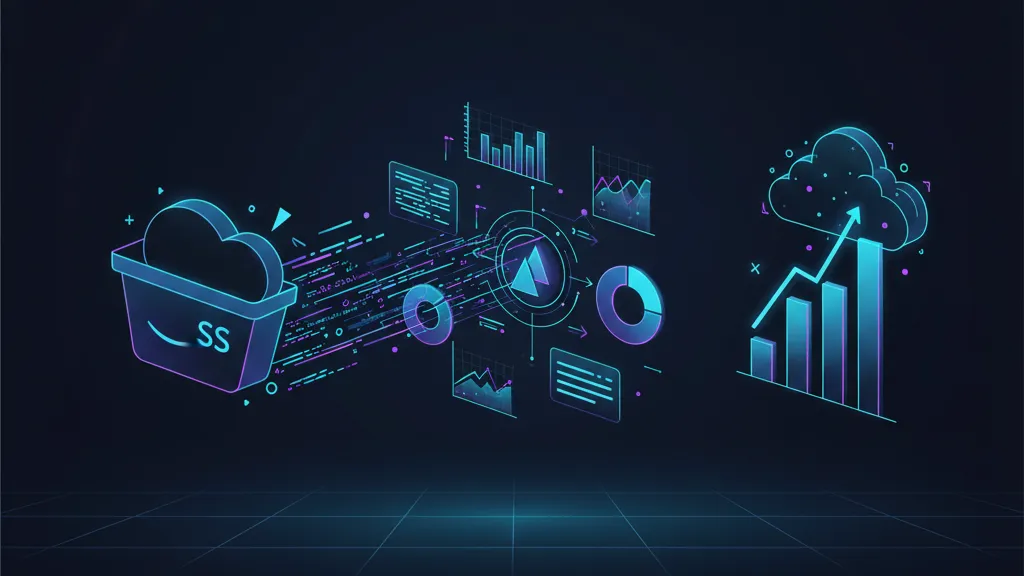
Amazon S3 Vectors is now generally available, and that matters if you’re maintaining an overgrown vector database just to keep your RAG or agent memory alive. The headline: Amazon S3 Vectors brings native vector storage and search into S3 with serious scale—up to two billion vectors per index and sub‑second queries, often around 100ms for frequently accessed datasets. AWS also claims cost reductions up to 90% compared with specialized vector databases. (aws.amazon.com)
Here’s the thing: by putting vectors where your data already lives, you remove a whole class of operational glue—connectors, replication jobs, bespoke backups, finicky autoscaling. If you own search quality, latency budgets, or AI ops costs, this release gives you a new default to consider.

What just shipped: Amazon S3 Vectors, at a glance
General availability landed on December 2, 2025, with production-grade limits and performance: 2B vectors per index (a 40× jump from preview), up to 10,000 indexes per vector bucket, and sub‑second searches with ~100ms for frequent queries. Write throughput for streamed single‑vector updates targets 1,000 vectors per second, and you can return up to 100 results per query with up to 50 metadata keys per vector. It’s available in 14 Regions at launch. (aws.amazon.com)
Security and governance are first‑class: default SSE‑S3 encryption, optional per‑bucket default KMS keys, and even per‑index customer‑managed keys for clean multi‑tenant isolation. Tagging supports ABAC and cost allocation—a big deal for platform teams charging back usage. (aws.amazon.com)
The service plugs into existing AWS AI plumbing. Bedrock Knowledge Bases can read or provision S3 vector indexes directly, and Amazon OpenSearch Service can tier vector storage to S3 for lower‑cost, hybrid search patterns. (aws.amazon.com)
Why this changes your RAG architecture
Most RAG stacks evolved into a tangle: files land in S3, get chunked and embedded somewhere else, then synced to a standalone vector store. That extra system adds cost, duplicates data, and introduces failure modes. With S3 Vectors, your documents and their learned representations can live under one umbrella with consistent lifecycle, security, and backup models.
Practically, this means simpler ingestion (no separate cluster to warm), fewer migration headaches, and easier compliance audits. It also plays nicely with agents: your conversational or UI‑automation agents can retrieve context from the same durable store they use for long‑term memory, while you control cost through S3‑style policies instead of database‑specific tuning. If you’re testing Bedrock AgentCore in 30 days, S3 Vectors is the most straightforward memory layer to try first.
Is S3 Vectors a “vector database replacement”?
Sometimes. If your workload is primarily approximate nearest neighbor (ANN) search over large, mostly append‑only datasets and your query patterns look like “retrieve K docs with filters, then re‑rank and ground an LLM,” S3 Vectors is a strong default. You’ll likely get the scale you need, the latency your API can tolerate, and the operational simplicity your team will thank you for. (aws.amazon.com)
But there are caveats. If you require heavy transactional semantics, complex graph joins, custom HNSW tuning, or millisecond‑level tail latency SLOs at very high QPS, a specialized engine (or OpenSearch configured for hot tiers) may still be the better fit—especially for hybrid keyword+vector search with tight consistency guarantees. S3 Vectors integrates with OpenSearch precisely for that hybrid pattern; you can keep “hot” vectors in OpenSearch and offload “warm/cold” vectors to S3 Vectors. (aws.amazon.com)
How fast is Amazon S3 Vectors in practice?
AWS positions frequent queries near 100ms and infrequent ones under a second. In real builds, your end‑to‑end RAG latency is dominated by network hops, embedding and reranking calls, and LLM generation. The right mental model: S3 Vectors gives you predictable, sub‑second retrieval without operating a high‑throughput vector cluster. Design your app to batch queries when possible and co‑locate in‑Region with your LLM runtime to keep p99s reasonable. (aws.amazon.com)
Pricing math without the hand‑waving
AWS says S3 Vectors can reduce total costs up to 90% versus specialized vector databases. Your mileage depends on a few levers you control: cardinality of stored vectors, metadata size, read/write mix, and how aggressively you use lifecycle policies (e.g., archiving or deleting stale vectors). Because pricing is S3‑style and usage‑based, you avoid overprovisioning clusters for peak. If your current vendor bills primarily on provisioned capacity, you likely see immediate savings at moderate scales; if you’re already on elastic, pay‑per‑query pricing, model the break‑even carefully. (aws.amazon.com)
Here’s a quick way to estimate: 1) tally daily writes (new and updates) and average vector dimensionality; 2) estimate metadata per item; 3) estimate read QPS and typical result count; 4) apply S3 Vectors storage + request pricing for your Region; 5) compare against today’s blended bill including overprovisioning and ops time. If you haven’t updated your S3 strategy since the 50TB object size increase, reconcile any workflows that still shard large assets unnecessarily—fewer objects can mean fewer vector records downstream. (aboutamazon.com)
Migration playbook: move from your vector DB to S3 Vectors in 7 steps
Let’s get practical. Below is a plan we’ve used with clients to de‑risk the switch without pausing feature delivery.
- Inventory your embeddings. Export a sample of N=100k vectors with metadata and labels. Measure average dimensionality, metadata bytes, and sparsity of filters. This defines the performance envelope you need.
- Define your partitioning scheme. In S3 Vectors, you’ll organize data into vector buckets and vector indexes. Create indexes by tenant, locale, or domain to bound worst‑case scans and simplify ABAC. Map these to your current namespaces/collections.
- Create a canary index. Build one S3 vector index per dominant use case (e.g., “support articles EN‑US”). Replicate daily writes from your current DB to that index for a week, then enable shadow reads in the app behind a flag. Validate recall@K and latency against production traffic.
- Switch Bedrock Knowledge Bases or your retriever to S3 Vectors. If you use Bedrock Knowledge Bases, point it to your S3 vector index or let the Quick Create flow provision one. If you’re on a custom retriever, wire the S3 Vectors API through your data‑access layer and keep your reranker unchanged. (aws.amazon.com)
- Tune filters and metadata. Push frequently used attributes into the 50 metadata keys to avoid post‑retrieval database lookups. Keep keys compact and consistent to maximize filter performance. Validate that your filters match real query distribution, not just what’s easy to index.
- Hedge with hybrid search. For high‑QPS subsets or where strict keyword recall is non‑negotiable, keep those “hot” vectors in OpenSearch and let it hydrate from S3 Vectors for colder segments. This gives you a tiered path without double‑entering content. (aws.amazon.com)
- Cut over by cohort. Migrate tenant by tenant or product by product. Keep the old system in read‑only for 2–4 weeks. Track recall@K, click‑through, and resolution rates. If metrics regress, rollback is a flag flip, not a fire drill.
If you need hands‑on help structuring the rollout, our team can scope a lightweight engagement—start at cloud and AI services or drop us a line via Contacts.
Reference architecture: S3 Vectors + Bedrock + OpenSearch
Zooming out, the cleanest pattern we’re seeing in the field looks like this: documents land in S3, an event pipeline generates embeddings, embeddings and metadata go into S3 Vectors, and your retriever pulls from S3 Vectors into an LLM (Nova, Mistral, or whichever you’ve standardized on) with optional re‑ranking. For workloads demanding hybrid search or ultra‑low‑latency facets, OpenSearch holds a “hot” subset while automatically managing colder vector storage in S3. Bedrock Knowledge Bases can skip a ton of glue here by reading S3 vector indexes natively. (aws.amazon.com)

Security and multi‑tenancy without screaming
S3 Vectors gives you per‑index KMS keys, which means you can isolate encryption domains per tenant and rotate independently. Pair that with attribute‑based access control on tags, and you’ve got a clean enforcement story: platform sets policies globally; product teams tag resources and build like adults. Auditors love it because it’s consistent with the rest of S3’s controls, logging, and key management. (aws.amazon.com)
Tip: define a standard key policy template and a resource tagging contract on day one. Treat tenant, region, data‑classification, and retention as non‑optional tags. Your cost allocation, quotas, and deletion jobs will all lean on those tags later.
Performance tuning that actually moves the needle
Start with sane index boundaries—by tenant or domain—and avoid mixing fundamentally different content types in one index unless your filter distribution is uniform. Keep metadata lean; don’t dump entire JSON blobs into the 50 keys. If your QPS spikes are predictable, pre‑warm by issuing representative queries on a schedule and cache the top‑N results in your app tier.
For write‑heavy pipelines, batch updates and consider low‑priority ingestion windows if you share bandwidth with other S3 traffic. Co‑locate your LLM runtime and S3 Vectors in the same Region to save p99s. And if your retrieval chain includes a reranker, profile carefully—many teams discover reranking, not vector search, is their real latency hog.
People also ask
Can Amazon S3 Vectors replace my current vector database?
For straightforward ANN retrieval with filters, yes—especially if you value lower ops overhead and S3‑native governance. For complex transactional semantics or extreme QPS with strict millisecond SLOs, keep a specialized engine or use OpenSearch for the “hot” tier and S3 Vectors for the rest. (aws.amazon.com)
How many vectors can I store and how fast is it?
Up to two billion vectors per index and roughly 100ms retrieval for frequent queries, with sub‑second for infrequent ones. Your app’s end‑to‑end latency will depend on embedding, reranking, and model generation time. (aws.amazon.com)
Does it work with Bedrock Knowledge Bases?
Yes. You can point Bedrock Knowledge Bases at an existing S3 vector index or let it create one for you, cutting a lot of glue code from typical RAG builds. (aws.amazon.com)
Trade‑offs and risks (read this before you migrate)
Cold‑start behavior: Sub‑second doesn’t mean microseconds. If your product requires steady 5–20ms retrieval at high QPS, you’ll want an in‑memory tier in front or a specialized engine for the hottest slice.
Query semantics: If you rely on advanced graph or hybrid ranking features beyond filters + ANN + rerank, evaluate OpenSearch alongside S3 Vectors. Don’t force a square peg.
Cost illusions: “Up to 90% cheaper” is real for many footprints, but not all. If you store extremely sparse vectors with heavy metadata or you hammer the service with high‑QPS, low‑result queries, request costs and metadata bloat can erase the advantage. Model your workload before committing. (aws.amazon.com)
Governance drift: Without a resource‑tagging standard, ABAC becomes an afterthought. Bake tagging and per‑index KMS into your platform templates, and validate in CI.
What to do next
For developers:
- Stand up a canary vector bucket and index this week; shadow your top retriever for seven days.
- Instrument recall@K, latency p50/p95/p99, and downstream conversion or resolution rate.
- Trial Bedrock Knowledge Bases with your S3 vector index to reduce glue code. (aws.amazon.com)
For product and platform leaders:
- Run a 30‑day cost/latency bake‑off vs. your current vendor. Require per‑tenant KMS and ABAC tagging in the design.
- Evaluate an agent use case with S3 Vectors as long‑term memory; AgentCore is a strong pairing if you’re exploring agents. Start with our 30‑day AgentCore plan.
- If you’re investing in deeper model customization, consider how Nova Forge custom models change your retrieval and evaluation loops.
Want a structured migration? Our team has shipped large‑scale S3 programs (including those adapting to the new 50TB S3 object size). If you’re ready to cut vector costs and simplify your RAG stack, start here: what we do.








Comments
Be the first to comment.