
GitHub Actions Self‑Hosted Runner: March 2026 Plan
On March 16, 2026, GitHub will enforce a minimum version for GitHub Actions self-hosted runner registration: v2.329.0 or newer. Between late February and mid‑March, brownout windows will intermittently block runner registration below that version. It’s a configuration‑time gate—your old runners might still execute jobs—but autoscalers, ephemeral runners, and any flow that calls ./config.sh will fail to register if you don’t upgrade. Let’s keep your CI/CD boring and green.

What’s changing, in plain English
Registration (configuration) for runners older than v2.329.0 will be blocked. If your process spins up new machines, containers, or VMs and then runs ./config.sh to register them to a repo, org, or enterprise, those registrations will be denied during brownouts and permanently blocked after March 16. GitHub Enterprise Server (GHES) customers aren’t included in this enforcement; this is for GitHub.com. The minimum version v2.329.0 shipped on October 15, 2025, and current releases are already beyond it, so upgrading directly to the latest stable is safest.
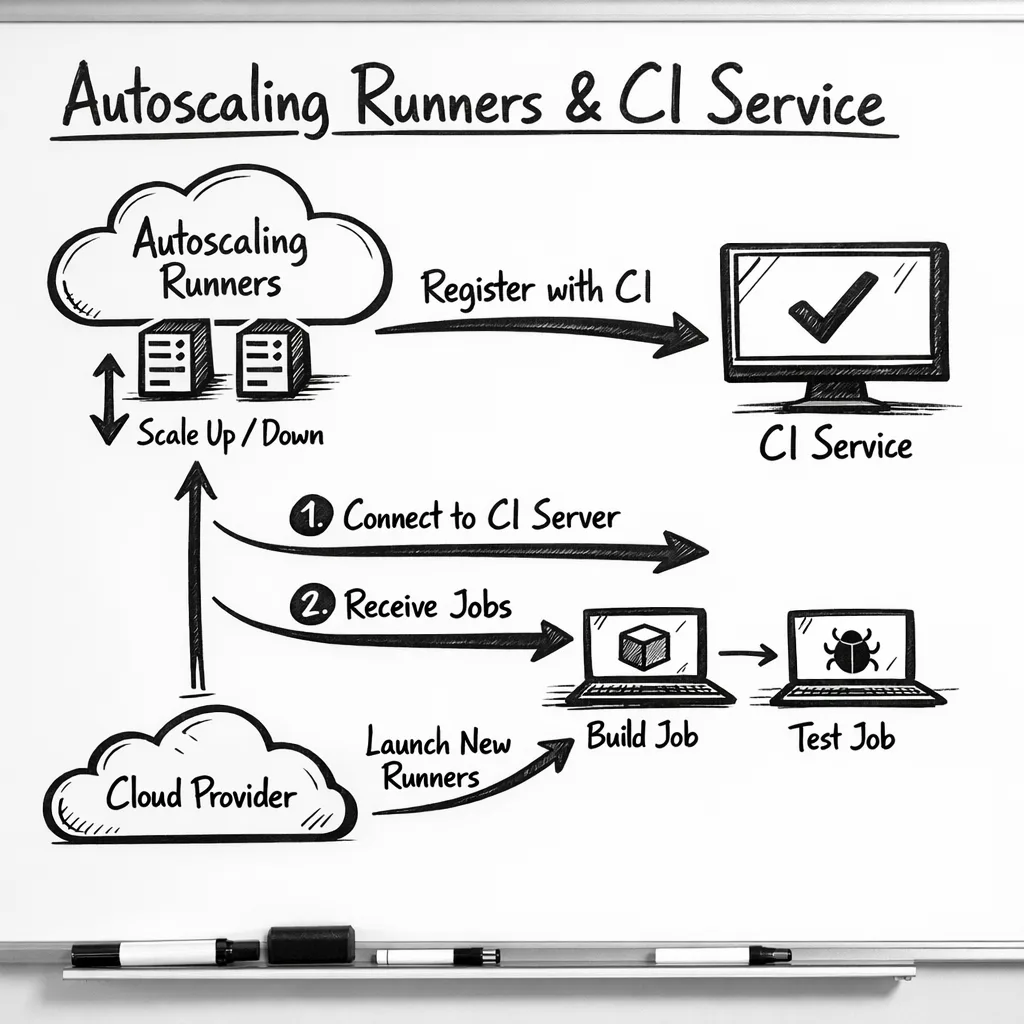
Here’s the thing: most breakages won’t show up on your long‑lived boxes. They’ll show up in your automation—scale sets, cloud‑init, Packer/AMI images, Dockerfiles, or Kubernetes operators that stamp out runners from templates baked months ago. That’s why teams who “upgraded” a test runner by hand still hit production failures.
Brownout dates you’ll actually feel
Expect intermittent registration blocks for old runners during these windows leading up to full enforcement. Plan validation runs around them:
- Week of Feb 23, 2026: short blocks (for example, Feb 23 and Feb 25 UTC windows)
- Week of Mar 2, 2026: longer blocks (for example, Mar 2, Mar 4, and Mar 6 UTC windows)
- Week of Mar 9, 2026: final rehearsals (for example, Mar 9 and Mar 13 UTC windows)
At 00:00 UTC on March 16, 2026, sub‑v2.329.0 runner registrations are permanently blocked. Treat March 13 as your internal cutover, leaving March 14–15 for soak time.
Why this matters even if jobs still run
If you only patch existing boxes, you’ll miss the real failure mode: new runners can’t register. That means autoscaling plateaus, queues grow, and deploys wait behind stuck jobs. Ephemeral runner patterns—one job per runner—will fail loudly. Any golden image pinned to an older runner binary will quietly cause every registration attempt to bounce until you rebuild.
GitHub Actions self‑hosted runner: the hidden risks
Let’s name the sharp edges so you can blunt them before they cut you:
- Golden images out of date. AMIs, VM images, and Docker images often carry the runner binary. If that’s pre‑v2.329.0, registrations die. Rebuild, don’t apt‑get in place.
- ARC and custom autoscalers. If you rely on Actions Runner Controller (Kubernetes) or a custom Go/Python scaler, ensure the image has a compliant runner and that any init scripts don’t download an older tarball.
- Ephemeral runners. Patterns that pass
--ephemeralguarantee re‑registration every job. These will be the first to break during brownouts. - Network egress. Runners behind strict proxies sometimes fail self‑updates. With registration enforcement, you can’t rely on lazy auto‑update at first boot.
- Windows/macOS services. Service wrappers that start the runner before an update finishes can race and register with the old version.
- Tooling drift. Node.js 20 in the Actions runtime has a published deprecation date of June 2, 2026. New runner releases already emit warning annotations. If your workflows or custom actions pin Node 20, budget time to test Node 22.
Quick triage: are you actually exposed?
Use this 10‑minute sniff test:
- Find images. Search your infra‑as‑code for
actions/runnerdownloads or embedded tarballs. Look for Packer templates, Dockerfiles, AMI build scripts, cloud‑init, or Terraform modules. - Check versions. On a running self‑hosted box, run
./run.sh --version(Linux/macOS) or review_diag/SelfUpdate*logs. Anything <2.329.0 is in the blast radius. - Scan autoscalers. For ARC, inspect the container image tag. For custom scalers, grep for the runner download URL and confirm it points to 2.329.0+ or “latest”.
- Pretend it’s brownout. Temporarily set
RUNNER_ALLOW_RUNASROOT=falseon Linux and try to./config.sha fresh instance with an intentionally old runner. Watch it fail. That’s the failure you must eliminate.
Your upgrade playbook: 45‑minute test, 1‑day rollout, 1‑week hardening
Phase 1 — Local proof (≈45 minutes)
Spin up one new instance per OS you support and register it against a sandbox org:
- Download the latest runner (as of this week, v2.332.0 is current; anything ≥2.329.0 clears the gate).
- Register with
./config.shusing a PAT with minimal scope or an org‑scoped registration token. Validate labels, group, and URL. - Run a job matrix that covers container jobs, service containers, caching, artifacts, and your heaviest build. Note timings; compare to baseline.
- Assert clean shutdown and service restart. On Windows, confirm the service account’s folder permissions still work after upgrade.
Phase 2 — Image rebuilds (≈1 day)
Fix the real problem: images that produce non‑compliant runners.
- Rebuild golden images (VM/AMI, container, VHD) with a pinned runner ≥2.329.0. Bake SHA256 checksums into builds to avoid “drift”.
- ARC users: bump to a base image that includes a compliant runner; double‑check init containers don’t fetch an old tarball.
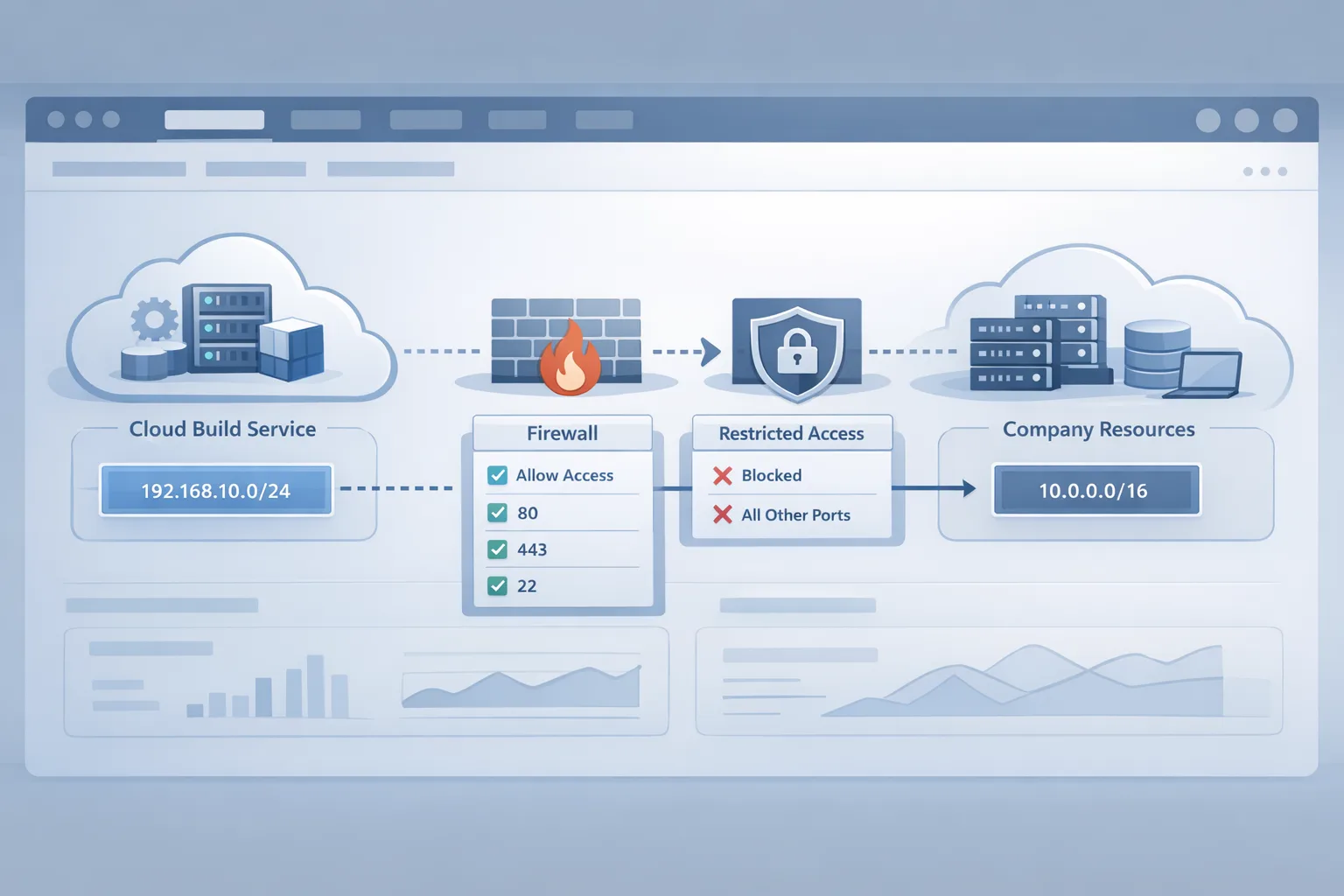
- Proxy/egress: explicitly allow outbound to GitHub release endpoints. If you block GitHub, pre‑stage the runner binary in internal artifact storage and verify the checksum before use.
- Service management: on Windows, stop the service, replace binaries, and restart; on Linux systemd, use
ExecStartPreto validate the version before starting.
Phase 3 — Hardening and policy (≈1 week)
Don’t rely on memory. Automate fitness checks:
- Enforce a version guard. Add a CI job that SSHes into a sample runner group weekly, reads the runner version, and fails if it’s below your floor.
- Auto‑fail stale runners. If you disable auto‑updates, remember GitHub can stop queueing jobs to very stale versions. Build a cron that tears down or updates anything older than 30 days.
- Alert on registration failures. Scrape logs for “not allowed to register” and page your on‑call. Brownouts are your time to catch laggards.
- Plan Node shifts. Inventory custom JavaScript actions; add a feature flag to run them under Node 22 where available, and fix deprecation warnings now.
People also ask: will my jobs stop on March 16?
Not necessarily. The enforcement is at registration time, so existing connected runners can continue to take work. But anything that needs to register (new, recycled, or ephemeral) must be compliant. If your fleet relies on churn to stay healthy, treat March 16 as a hard outage unless you upgrade.
Do GitHub Enterprise Server customers need to act?
For this specific enforcement, no—GHES isn’t included. That said, keeping runner versions near current is still good practice. Many features roll forward in lockstep between the service and runner binaries; fall too far behind and jobs can stop queueing or features break.
How do I check my runner version quickly?
On Linux or macOS, ./run.sh --version prints the runner version. On Windows, check the service console description or view _diag/SelfUpdate logs in the runner directory. If your fleet is big, add a tiny workflow that prints RUNNER_VERSION and surfaces it in job summaries, then scrape with your observability stack.
A pragmatic R.U.N.N.E.R. framework
Use this mnemonic to audit your setup in under an hour:
- Release pin: ensure images pin a runner ≥2.329.0, not “latest” without checksums.
- Update path: document exactly how a runner updates (auto vs. baked) and who owns it.
- Network: verify proxy and TLS interception rules for GitHub downloads.
- New registrations: run a dry‑run registration in each environment and log the outcome.
- Ephemeral: test
--ephemeralflows that re‑register every job. - Rollback: keep previous image digests to roll back if a build tool regression appears.
Edge cases you should test
Container‑in‑container builds: If your runner image bundles Docker, be sure the upgrade didn’t change cgroup behavior or break BuildKit mounts. macOS runners on Intel vs Apple silicon: Label mismatches post‑upgrade can force jobs to the wrong arch; verify labels and capacity. Windows long paths: Reinstalls sometimes reset long‑path settings; double‑check tools that generate deep directories (Node, Java). Cache and artifact flows: After upgrade, confirm cache restore/save and artifact upload/download still behave; version mismatches can change retry logic.
Related playbooks if you run customer‑facing builds
If your pipeline also builds Node backends, schedule that work alongside this runner effort. Our Node.js EOL 2026 upgrade playbook outlines a crisp, 45‑day path to move projects without downtime. And if your deploy path touches Vercel, see our now.json deprecation guide for a proven approach to handle platform changes without surprising customers.
Security‑sensitive teams running LLM agents or internal build bots should also revisit egress controls as part of the runner refresh. Our egress firewall playbook for AI agents shows how to contain network blast radius from CI‑invoked tools.
What to do next (today)
- Schedule a 60‑minute working session to rebuild runner images with v2.329.0+ and push to staging.
- Run a brownout rehearsal: destroy and recreate a runner in staging; confirm registration succeeds and jobs run.
- Audit and pin runner downloads in automation with checksum verification.
- Add a health check that fails pipelines if runner version < your floor.
- Plan a Node 22 test lane for custom actions before June 2, 2026.
- Create an incident runbook: what alerts fire, where logs live, who rotates images.
When should you ask for help?
If you’ve got fleets across multiple clouds, multiple OS targets, and regulatory constraints, the cost of a stuck deploy chain far outweighs a few hours of expert time. Our team ships this stuff for a living. See our engineering services, browse outcomes in the portfolio, or contact us to pair on the upgrade and bake in guardrails you’ll reuse all year.
Zooming out
This enforcement is part of a broader trend: CI vendors are pulling upgrade levers earlier to land platform changes, deprecations, and security fixes. The lesson for teams is boring but powerful—treat your CI as code, including the runner binary. Pin versions, checksum downloads, and rebuild images on a cadence. If you do that, March 16 becomes just another Monday.




Comments
Be the first to comment.