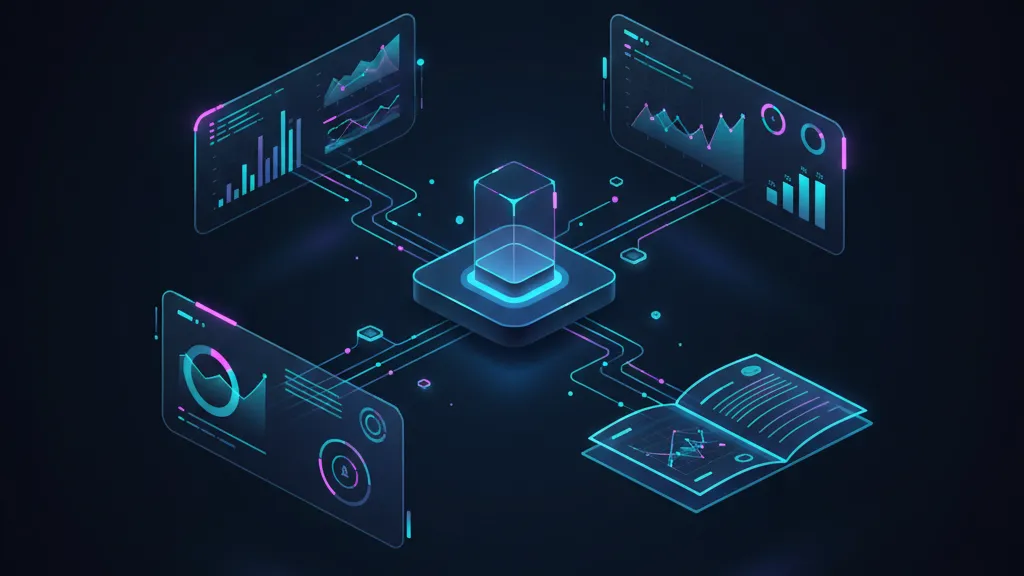
AWS quietly made a big move this week: CloudWatch now offers first‑party, CloudWatch generative AI observability—dashboards and tracing tailored to LLM apps and agentic workflows, with native support for Bedrock AgentCore and popular frameworks. It lands alongside fresh updates in CloudTrail (aggregation and Insights for data events) and CloudWatch RUM for iOS/Android. Together, these close a glaring visibility gap for teams shipping AI in production. (aws.amazon.com)

What changed this week (with dates)
On November 26, 2025, AWS’s Cloud Operations team published its re:Invent top announcements, headlined by generative AI observability in CloudWatch—including native prompt/agent tracing, token and latency metrics, and compatibility with AgentCore plus LangChain/LangGraph/CrewAI. The post also previewed MCP servers for CloudWatch and a GitHub Action that pulls observability into PRs. (aws.amazon.com)
On November 19–20, AWS expanded security and UX insights around the core stack: CloudTrail added data event aggregation (5‑minute rollups to tame noisy data events) and CloudTrail Insights for data events (automatic anomaly detection for data access), while CloudWatch RUM added mobile support for iOS and Android via OpenTelemetry. Those three moves round out the immediate story: trace the AI, watch the client, harden the audit trail. (aws.amazon.com)
Why CloudWatch Generative AI Observability matters
Most AI incidents aren’t a classic 500—they’re “everything looks green but the answers are slow, wrong, or weird.” Traditional APM only sees CPU, memory, and p95 latency. What it misses are the AI‑specific signals: prompt hops across tools, token burn, hallucination‑prone branches, retrieval misses, rate‑limit retries, and model‑switching paths. CloudWatch generative AI observability gives you first‑class visibility into those paths without bolting together custom logs, a tracing vendor, and a half‑maintained notebook. (aws.amazon.com)
Here’s the thing: AI reliability is now a product feature. If you can quantify “time‑to‑useful answer,” “cost‑per‑resolution,” and “agent success rate,” you can prioritize work ruthlessly and keep bills sane. Teams that can’t measure these will drown in vague bug reports like “the bot felt off after the last deploy.”
The 7 metrics that actually move the needle
I’ve reviewed dozens of AI telemetry setups this year. The same seven numbers separate noisy dashboards from operational control:
- Token spend per successful task (input+output tokens per resolved user intent).
- End‑to‑end answer latency (including tool calls and retrieval).
- Agent success rate (task completion without human escalation).
- Hallucination/accuracy proxy (precision on curated eval sets or rule checks).
- RAG hit rate and retrieval freshness (age of sources used by answers).
- Cost per 1k sessions (convertible to gross margin target for AI SKUs).
- Escalation funnels (where agents stall—tool, KB, model, or policy).
CloudWatch’s new GenAI views and traces give you a native doorway to collect and compute several of these without custom plumbing, and they’re designed to work with AgentCore or open frameworks if your stack isn’t Bedrock‑first. (aws.amazon.com)
How it works under the hood
The launch introduces preconfigured CloudWatch views for AI workloads plus end‑to‑end prompt tracing across components (model, tools, knowledge bases). It also surfaces token usage, latency, and error signals by step, not just at a coarse endpoint layer. If you’re using Bedrock AgentCore, CloudWatch understands agents, tools, and workflows out of the box; if you’re using LangChain/LangGraph, you still get standardized traces. (aws.amazon.com)
Two add‑ons matter for developer experience: GitHub Agent HQ and MCP: The Migration Playbook">Model Context Protocol (MCP) servers for CloudWatch so agents can query observability safely, and a GitHub Action that pulls Application Signals into PRs. That means your agent can ask “is the KB index behind?” and your reviewer can see performance regressions before merge. (aws.amazon.com)
Step‑by‑step: a one‑week rollout plan
Let’s get practical. Use this 5‑day plan to ship value fast without boiling the ocean.
Day 1: Define SLOs that match the product
Pick one AI flow that matters (e.g., onboarding QA bot, support assistant, catalog enrichment). Set three SLOs: p95 answer latency, agent success rate, and token cost per resolution. Write them down as budgets you’re willing to defend.
Day 2: Turn on GenAI observability
Enable the CloudWatch GenAI views and tracing for your chosen service; wire your AgentCore or LangChain execution to emit spans. Start with the default dashboards—don’t over‑customize yet. (aws.amazon.com)
Day 3: Light up RUM for mobile (if you have an app)
Instrument your iOS/Android client with the ADOT‑based RUM SDKs so you can correlate client latency and crashes with backend AI spikes. This capability went GA for mobile on November 19, 2025. (aws.amazon.com)
Day 4: Add CloudTrail guardrails
Enable CloudTrail data event aggregation and Insights for data events to catch anomalies such as sudden S3 deletes or Lambda errors—exactly the kind of “silent” failures that mask AI incidents. Both features landed November 19–20, 2025. (aws.amazon.com)
Day 5: Bring it into code review
Wire the CloudWatch Application Signals GitHub Action so PRs show performance diff hints. Add a budget check script for token cost deltas per endpoint. If regressions exceed thresholds, block the merge. (aws.amazon.com)
“People also ask” about CloudWatch GenAI
Do I need Bedrock to use it?
No. While Bedrock AgentCore gets first‑class treatment, CloudWatch’s GenAI observability is compatible with popular frameworks like LangChain and LangGraph, and integrates via standardized spans and traces. (docs.aws.amazon.com)
Will it replace my APM vendor?
Probably not immediately. Keep your general APM for infra and non‑AI endpoints. Use CloudWatch’s AI‑aware views to cover token and agent traces; over time, consolidation may make sense if your costs and capabilities line up. (aws.amazon.com)
What about PII and model prompts in logs?
Treat prompts and outputs as sensitive. Redact at the SDK or span‑creation layer; keep payloads minimal; and define data retention policies per use case. CloudWatch gives you the plumbing, but it’s your governance that keeps auditors happy.
Costs, limits, and traps to avoid
CloudTrail’s new data event aggregation reduces the firehose by summarizing activity into 5‑minute buckets, but you’ll still pay based on analyzed events. Also, enabling CloudTrail Insights for data events adds extra charges—budget it, and set alerts before you turn it on org‑wide. (aws.amazon.com)
CloudWatch RUM for mobile is powerful, yet noisy if you sample too high. Start with a small fraction of sessions and scale up as you find signal. The mobile SDKs ride on OpenTelemetry, so align with your existing OTEL exporters to avoid duplicate spans. (aws.amazon.com)
For the GenAI views themselves, the main “cost” is ingestion and storage of traces and logs. Keep payloads lean (avoid dumping full prompts/replies), emit business metrics separately from raw content, and define retention windows. Build a daily job that rolls up expensive spans into metrics you actually use.
Implementation blueprint: DIAL for AI reliability
Use this simple framework when you wire CloudWatch to AI apps:
- Define product‑level SLOs (latency, success rate, cost/resolution).
- Instrument with standardized spans (prompt → retrieval → tools → model), attach business IDs, and redact sensitive fields.
- Analyze token/latency hotspots daily; feed regressions into PR checks via the GitHub Action and open issues automatically. (aws.amazon.com)
- Limit blast radius with CloudTrail Insights alerts and spend caps on models. (aws.amazon.com)
Tying it into AI agents and developer workflow
The MCP servers for CloudWatch mean your agents can safely ask, “Is the tools API timing out more than usual?” and adjust tactics. That’s different from scraping your Grafana or giving an LLM carte blanche inside CloudWatch. Combine this with GitHub’s agentic workflows to close the loop from incident to fix. If you’re rolling out internal agents, our GitHub Agent HQ adoption playbook lays out a pragmatic 90‑day path. (aws.amazon.com)
How this fits the bigger AWS AI push
AWS has been stacking AI primitives all year—AgentCore, better CloudTrail Lake enrichment, and now first‑party observability. If you’re tracking the strategy angle and budgets, revisit our analysis of AWS’s $50B AI investment and what builders should do. Also see our notes on AWS Kiro GA and quiet launches worth adopting; together they hint at where the platform wants builders to standardize. (aws.amazon.com)

Security leaders: translate signals to controls
CloudTrail’s new data event aggregation helps your SOC reason about bursty access without scanning millions of rows, and Insights for data events gives anomaly alerts on sensitive resources in near real time. Map these to specific controls: S3 exfil spikes, unusual Lambda errors post‑deploy, or unexplained throttles on vector stores. Roll those findings back into agent policies and rate limits. (aws.amazon.com)
Engineering leaders: bake reliability into DORA
Make AI SLOs part of your Definition of Done. A feature that degrades agent success or doubles token cost per resolution doesn’t ship. Treat AI regressions like performance regressions: surfaced in PRs, blocked by policy, and visible in weekly release reviews. If you want help designing these gates, talk to our team about a runway plan via implementation services.
Setup mini‑guide: getting value in under an hour
Here’s a concrete sequence you can script this afternoon:
- Create a CloudWatch dashboard and add the GenAI widgets for token/latency/errors. Point them at the service boundary of one AI feature. (aws.amazon.com)
- Emit spans for prompt → retrieval → tool → model, attaching user/session IDs and a redacted “intent” label. (docs.aws.amazon.com)
- Enable CloudTrail data event aggregation on the affected accounts and set alerts for S3 deletes, DynamoDB hot‑partition errors, and Lambda timeouts. (aws.amazon.com)
- Install the Application Signals GitHub Action on the repo; set thresholds for p95 answer latency and cost delta. (aws.amazon.com)
- Optional: add RUM to the mobile client build and sample at 1–2%. (aws.amazon.com)
Limitations and edge cases
• If you run multi‑model routing across third‑party APIs outside Bedrock, expect to do a little adapter work so traces line up. The good news is the framework support is there. (docs.aws.amazon.com)
• For tightly regulated data, keep raw prompt/output bodies out of logs; store hashes or evaluation scores instead. Use short retention on verbose spans and durable metrics for reporting.
• RUM can expose performance debt you’ve been ignoring in the client. That’s good—but budget time to fix it, or you’ll drown in alerts. (aws.amazon.com)
What to do next (developers)
1) Pick one AI flow and define the three SLOs. 2) Enable CloudWatch generative AI observability for that flow and wire spans. 3) Turn on CloudTrail aggregation + data Insights in the same accounts. 4) Add the GitHub Action and set merge‑blocking thresholds. 5) After a week, prune spans, tighten budgets, and expand to the next AI flow. (aws.amazon.com)
What to do next (business owners)
Ask your team for a weekly one‑pager with: token cost per resolution, agent success rate, and incidents tied to AI features. Tie those to unit economics and roadmap prioritization. If you want an external gut‑check on AI spend versus value, book a working session through our contact page—we’ve helped teams cut AI infra costs 20–40% just by tightening observability loops.
Zooming out
AWS didn’t just add a few charts; they’re standardizing how we talk about AI operations: tokens, prompts, agents, tools, and traces as first‑class citizens in CloudWatch. Pair that with CloudTrail’s new anomaly detection and aggregation and you have the beginnings of a native “AI SRE” stack—end to end, from the phone in your customer’s hand to the last prompt hop in an agent graph. If you’ve been waiting for the platform to catch up so you can harden AI features like any other microservice, your window just opened. (aws.amazon.com)
When you’re ready to make this part of your operating rhythm, skim our related deep dives: pricing tradeoffs in serverless/CDN, platform shifts to agent workflows, and the practical effects of large vendor bets—start with our notes on AWS’s $50B AI investment and the GitHub Agent HQ playbook. For build‑with‑you help, see what we do.









Comments
Be the first to comment.