Mobile app development for teams who care about outcomes
Your users do not care which framework you picked. They care that the app opens quickly, does not crash, keeps their data safe, and makes an everyday task easier every time they tap it.
BYBOWU is a mobile and web product studio based in Phoenix, AZ, working with founders, product leaders, and operations teams across the US and worldwide. We treat your mobile app as a product that has to earn its keep in revenue, retention, and efficiency, not as a side project for the dev team.
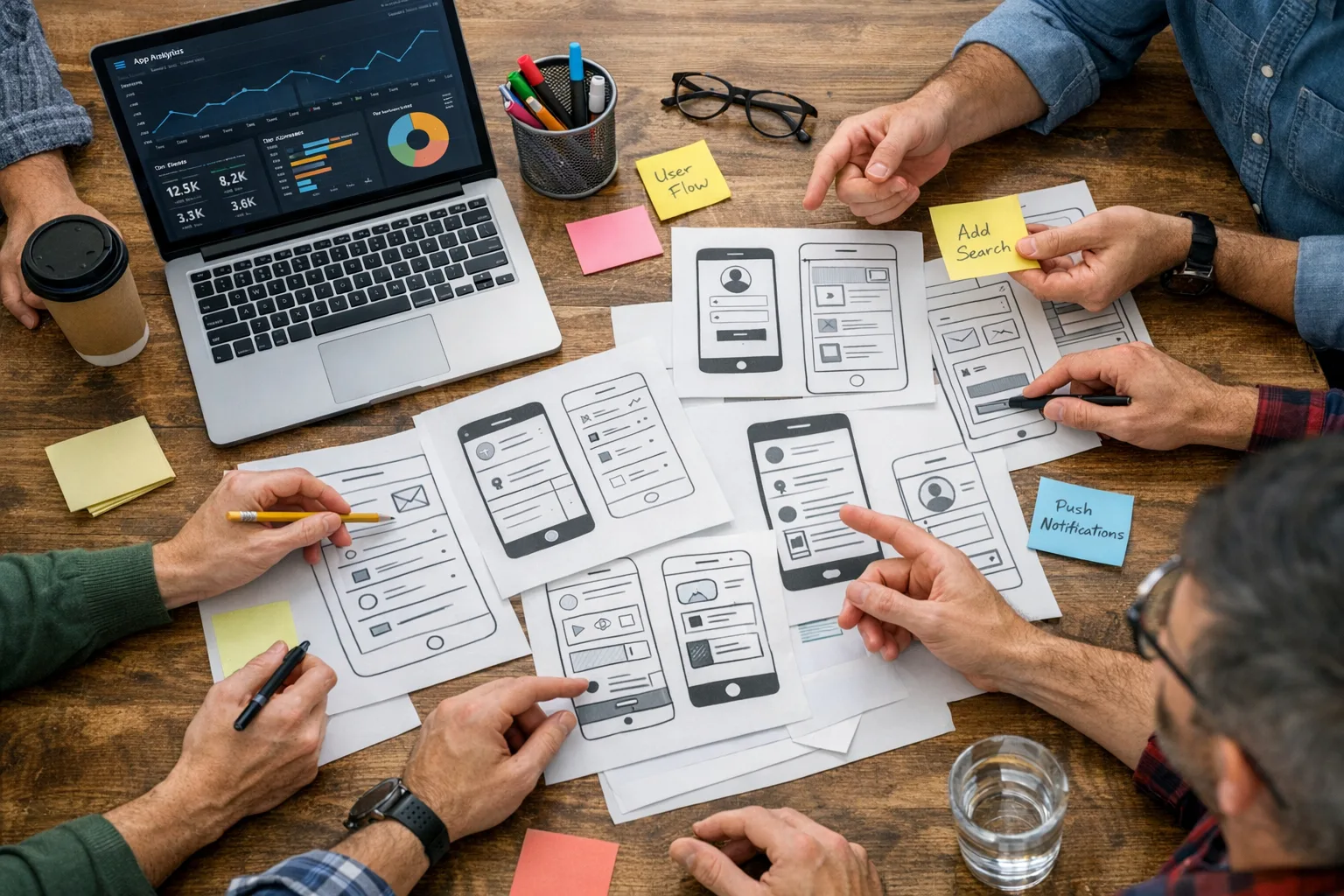
When it makes sense to bring us in
Most teams call us when they recognize that another round of quick fixes will not move the numbers that matter.
- You have an idea or scrappy MVP, but no clear, realistic plan for a version 1 that stakeholders trust and users keep using.
- Your current app is slow, buggy, or expensive to maintain, and every release feels like a gamble.
- Your in-house team is strong in marketing, ops, or web, but light on senior mobile architecture and store-release experience.
- You need iOS and Android coverage without doubling budget, complexity, or coordination overhead.
- The app has to connect to your web platform, CRM, ecommerce stack, or internal tools, and fragile integrations are not an option.
- You are flying blind on metrics with limited insight into activation, retention, and which features actually get used.
Our job is to de-risk the build, focus scope around measurable goals, and ship app versions that move metrics you already track: signups, paid conversions, orders, bookings, completed workflows, or fewer manual steps for your team.
How we run a mobile app project
The process is straightforward, visible, and anchored in your business model so you always know what is happening and why.
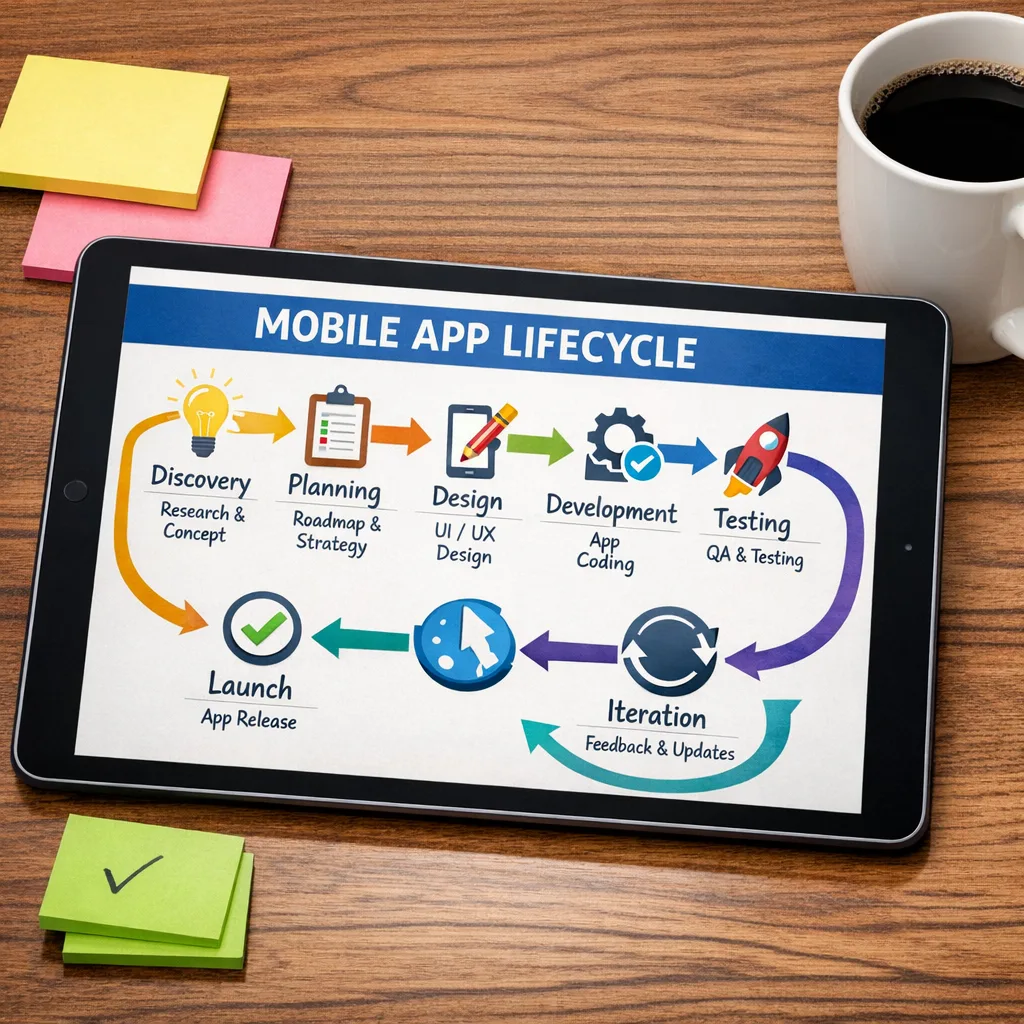
1. Discovery and product strategy
We start with focused sessions to understand how the app fits into your business today and what needs to be true for it to be considered a success.
- Core jobs the app must do for users and for internal teams.
- Non-negotiable user journeys that must work flawlessly at launch.
- The smallest viable scope for MVP and V1, and what gets pushed to later releases.
- Technical approach: React Native with or without Expo, Flutter, or native Swift/Kotlin, plus how the app will talk to your backend and third-party systems.
By the end of this phase you have a written scope, a high-level architecture, and a first-release plan that fits your budget and timeline. When you need deeper validation or stakeholder alignment, we pull in our Product Strategy Consulting and Product Discovery Workshop services.
2. UX/UI design and prototyping
Your app should feel obvious on first use and remain predictable as you add features. We design for real-life usage, not just Dribbble shots.
- Flow diagrams and wireframes for onboarding, navigation, and key tasks.
- Platform-appropriate patterns for iOS and Android so the app feels familiar to users of each ecosystem.
- High-fidelity screens, design tokens, and reusable components that scale with your roadmap.
- Interactive prototypes so you can test flows with stakeholders and early users before a single screen is coded.
When you need deeper visual identity or a full design system, we bring in our Mobile App UI/UX Design and core UI/UX & Branding Design teams.
3. Development and integrations
Once designs are approved, our engineers implement them using the stack that best matches your roadmap and internal skills.
- React Native and Expo for most cross-platform apps where shared code, fast iteration, and one team for iOS and Android matter. Related offerings: Custom React Native App Development, React Native & Expo Development, and React Native Development.
- Flutter when you want highly polished UI, smooth animations, and very consistent behavior across a wide range of devices. See our Flutter Mobile App Development services.
- Swift and Kotlin when you need specific native features, platform-level integrations, or strict performance characteristics.
We connect your app to existing or new backends, including Laravel APIs, Node or Django services, and SaaS tools such as payment gateways, CRM, analytics, messaging, and authentication providers. For more involved setups we collaborate with our Integrations & API Development, DevOps & Cloud Engineering, and Custom Software Development teams.
4. QA, performance, and store readiness
Before anything reaches real users, we run structured QA and real-device testing so you are not debugging through App Store reviews.
- Functional testing of main and alternative flows across a representative device and OS matrix.
- Performance checks for startup time, scroll and interaction smoothness, and battery impact.
- Offline and weak-network behavior coverage where it matters for your use cases.
- Security and privacy basics, including authentication flows and data handling.
- App Store and Google Play policy checks so review is smoother.
For larger products or regulated environments we involve dedicated QA & Testing Services and our Performance Audit for Websites & Apps.
5. Launch, analytics, and iteration
We set up build pipelines, support store submissions, and help you roll out safely, from internal testing to staged public releases.
- CI/CD pipelines and release automation with our CI/CD Pipelines & Release Automation specialists.
- Product analytics implementation so you can track activation, engagement, retention, and funnels with tools you already use.
- Crash monitoring and observability via our Monitoring & Observability services.
After launch, we help you interpret the data and prioritize improvements, not just keep the lights on.
What you can order
- Mobile MVP build — a focused iOS and Android app that covers your core use cases, includes basic analytics and a release pipeline, and gets real user feedback in weeks. Often paired with our Mobile App MVP Build and Startup MVP Development services.
- V1 product launch — a fuller product with onboarding, roles and permissions, payments or subscriptions, notifications, and integrations with your existing backend or web platform.
- Legacy app modernization — stabilize or rebuild a legacy app in React Native, Expo, Flutter, or native, reduce crash rates, clean up architecture, and simplify future releases. Related: React Native Migration & Modernization and Flutter App Modernization.
- Performance and UX optimization — a focused audit of your current app, with prioritized fixes to speed, UX friction, navigation, and key flows to improve ratings and retention. Often combined with Mobile App Redesign and React Native UI/UX Optimization.
- Ongoing mobile maintenance — a predictable monthly retainer for OS and library updates, bug fixing, release management, and small UX improvements, backed by our Mobile App Support & Maintenance and Support & Maintenance services.
- Mobile + web platform bundle — a coordinated build of your mobile app plus an admin, partner, or ops dashboard powered by Laravel, React, or Next.js. Related: Web Development Services and SaaS Product Development.
What we actually build
We cover the full spectrum of mobile apps, from customer-facing products to internal tools that keep operations running smoothly.
- Ecommerce and on-demand apps with product browsing, secure checkout, order tracking, and loyalty features that tie into your existing store or custom backend. Related: React Native E-commerce Apps and Flutter E-commerce Apps.
- Social and community apps with feeds, messaging, notifications, and moderation tools, often built on React Native or Flutter. See React Native Social Apps and Flutter Social Networking Apps.
- Booking and scheduling apps for healthcare, hospitality, fitness, field services, and logistics, including availability management, reminders, and payment integrations. Often combined with our Booking & Delivery Platform Development services.
- Productivity and field operations apps for inspections, inventory, route planning, safety checklists, and approvals that must work well on the move and in low-connectivity environments.
- Education and e-learning apps with structured content, progress tracking, quizzes, and engagement-focused notifications.
- Progressive Web Apps (PWAs) when you want app-like behavior, offline support, and installability without app store friction. See our PWA Development Services.
- AI-assisted and voice-enabled experiences such as guided workflows, chat-based support, and hands-free flows, using our AI & Automation Solutions, AI Chatbot Development, and AI Voice Assistant Integration services.
Why choose BYBOWU for mobile app development
- Product thinking before tech choices — we start with your business model and KPIs, then pick stacks and features that support them. The result is fewer vanity features and more impact per sprint.
- Senior engineers on the core — architecture, performance, and integrations are led by people who have shipped production apps before, so you avoid fragile foundations that are painful to extend.
- One accountable team — UX, engineering, QA, integrations, and releases sit under one roof, with regular demos and clear ownership instead of a patchwork of freelancers and vendors.
- Built to evolve, not just launch — we design data models, APIs, and modules so you can add roles, markets, and features without rewriting the app a year from now.
- Comfortable with distributed teams — we work with clients across time zones, keep communication async-friendly, and make priorities and decisions visible so you are never wondering what is happening.
Proof it works in the real world
Wholesale operations in your pocket
For a wholesaler and dropshipping business, we paired a Laravel backend with a React Native app so merchants could manage orders and inventory on the go instead of being tied to a desk.
Matching people, not just profiles
For a housing marketplace, we connected the existing web platform with mobile so users could discover, match, and chat with potential housemates seamlessly across devices.
From catalog to owned audience
For fashion and tactical clothing marketplaces, we supported mobile-first shopping and wishlists that made browsing and repeat purchases feel effortless, building on top of existing ecommerce infrastructure.
How engagement works with BYBOWU
You are busy. We keep collaboration predictable so you can focus on key decisions instead of chasing updates.
- 1. Quick intro call — you share where you are (idea, MVP, live app), your goals, and constraints. We flag risks and outline realistic options.
- 2. 24-hour estimate — within one business day you get an initial plan, recommended tech stack, and a budget range. For complex products we may propose a short paid discovery first. You can cross-check typical ranges on our Prices page.
- 3. Discovery and design — we refine requirements, prototype key flows, and lock scope for the first release so everyone knows what is included and what is not.
- 4. Build, test, release — we develop in focused sprints, show progress regularly, and guide you through test builds, store approvals, and rollout.
- 5. Support and growth — after launch, we can stay on to handle maintenance, new features, and performance work through a clear retainer or scoped follow-up projects.
Questions founders usually ask
What budgets do you usually work with for mobile apps?
Budgets depend heavily on scope and integrations. A focused MVP with a few core flows and one backend integration typically starts in the lower five figures. Multi-role apps with payments, complex logic, and admin panels land higher. After a short call and basic requirements we can usually give you a realistic range within 24 hours, and you can cross-check against our Prices page.
How long will it take to launch the first version?
For a lean MVP with clearly defined flows, we often see 4–6 weeks to a testable build and 6–10 weeks to a store-ready release, depending on design complexity and integrations. Feature-rich V1 products or apps with heavy integrations can take longer. We agree on milestones before we start and keep you updated as we go.
Should we use React Native, Flutter, or fully native?
There is no single right answer. React Native or Flutter are usually best if you want one team, shared code, and strong performance on both iOS and Android. Native Swift/Kotlin can make sense when you need very specific platform integrations or when your internal team is already set up that way. We walk you through the tradeoffs so the decision matches your roadmap, budget, and hiring plans, not our favorite framework.
Can you work with our existing backend and web team?
Yes. We regularly integrate with existing Laravel, Node, Django, or other APIs and collaborate with in-house or other vendor teams. We can help improve your API layer if needed through our API Development and Architecture Review services. If you do not yet have a backend, we can design and build one as part of the engagement.
What happens after launch? Are we locked in?
You are not locked in. We set up repositories, documentation, and pipelines so your internal team or another partner can take over if that is the plan. If you prefer a long-term partner, we provide structured maintenance and improvement options through Mobile App Support & Maintenance and our Monthly Support Retainer services.
Can you help with app store optimization and user acquisition?
We make sure your app is technically ready for App Store and Google Play search, and for tracking from day one, including metadata, links, and analytics. For broader acquisition and retention we coordinate with our SEO & Digital Marketing and Advertising teams or work alongside your existing marketing partners.
Next step: tell us what you want to build
Whether you have a full brief or just a rough idea, we can help you turn it into a clear plan. We will ask a few focused questions, suggest an approach that fits your constraints, and outline the stack we would use.
Contact us for a 24-hour mobile app estimate or, if you prefer in-person collaboration, request a local product workshop.