
On December 5, 2025, GitHub released a code generation insights dashboard for enterprises, and on December 4, 2025 it began rolling out GPT‑5.1‑Codex‑Max in public preview for Copilot. If you’ve been waiting for real visibility before scaling Copilot agents, this is your moment. The new GitHub Copilot metrics dashboard shows AI-driven lines of code, breaks down user-initiated vs agent-initiated changes, and lets you slice usage by model and language. Let’s turn these raw signals into decisions you can defend to your CFO and security board.
What shipped this week—and why it matters
Two updates landed back-to-back:
1) Copilot code generation metrics dashboard (Dec 5). An enterprise-level view under Insights → Code generation surfaces four core metrics: total lines of code changed with AI, user-initiated code changes (completions and chat actions you accept), agent-initiated code changes (edits applied by agents), and activity by model and language. There’s also an NDJSON export for deeper analysis in your BI stack.
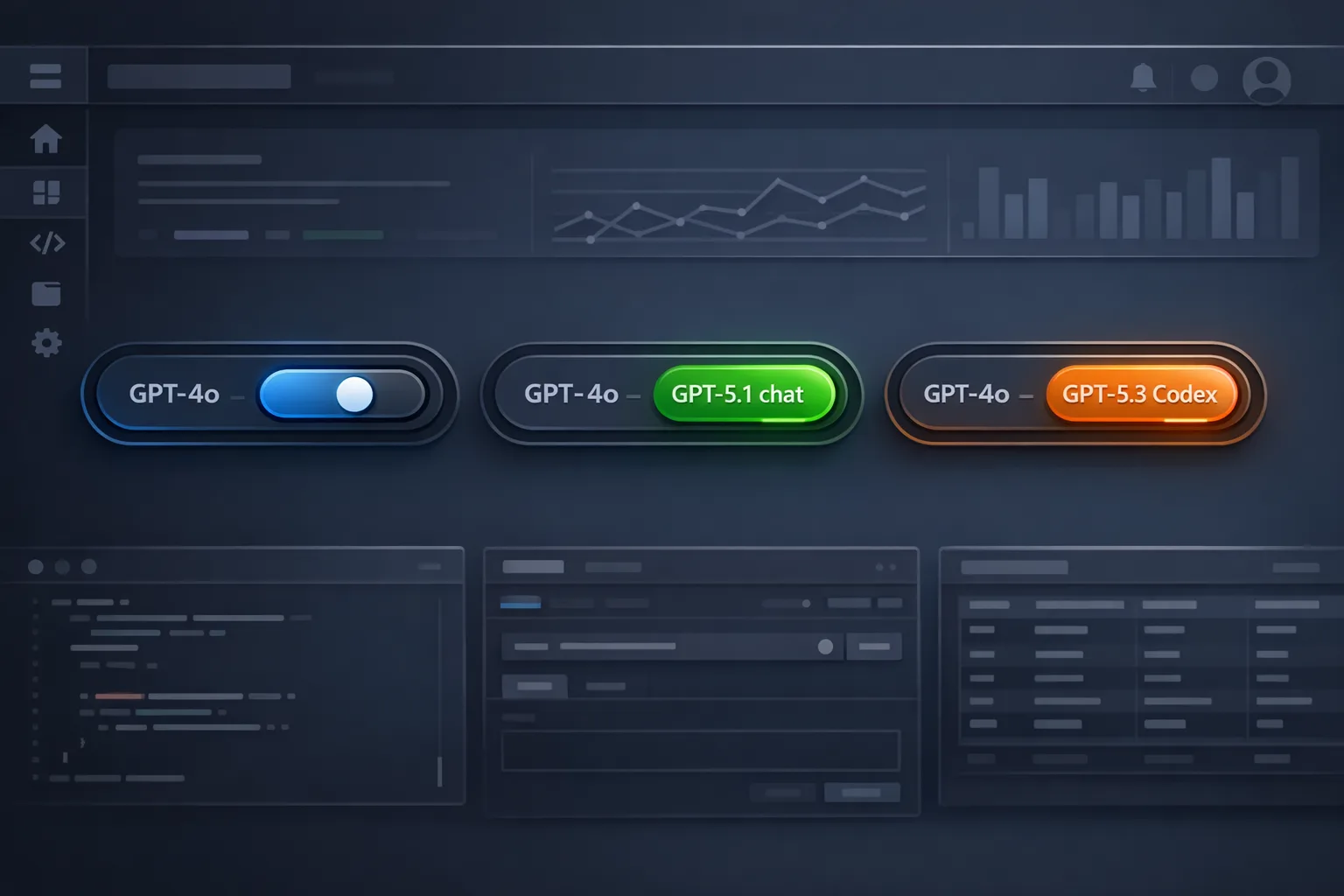
2) GPT‑5.1‑Codex‑Max in public preview (Dec 4). The model is selectable in the Copilot Chat model picker across VS Code (ask, chat, edit, agent modes), GitHub.com, Mobile, and the Copilot CLI. Enterprise and Business require an admin policy toggle; Pro and Pro+ users can opt in from the picker. Practically, this means your teams can compare output and outcomes by model—finally giving you a way to test policy decisions with data instead of gut feel.
There’s a backdrop worth noting: beginning December 1, 2025, GitHub standardized usage-based billing for self-serve enterprise credit cards to the first of the month. If your finance team suddenly cares a lot about monthly variance, you’re not imagining it. Pairing standardized billing with first-party usage metrics is how you’ll keep spend and value in the same conversation.

GitHub Copilot metrics: what’s actually measured
The dashboard focuses on code generation activity that comes from supported IDE telemetry. That means you’ll see:
- Lines of code changed with AI: aggregated adds and deletes linked to Copilot-assisted actions.
- User‑initiated code changes: suggestions or chat-driven edits you explicitly accept.
- Agent‑initiated code changes: edits the agent applies across edit/agent/custom modes.
- Activity by model and language: a comparative view to evaluate which models actually get traction per stack.
There are constraints you need to plan around:
- Telemetry opt‑in: Users must have IDE telemetry enabled; otherwise their contributions won’t appear in the metrics.
- Surfaces excluded: Copilot Chat on GitHub.com, GitHub Mobile, Copilot code review, and Copilot CLI aren’t included in the dashboard’s usage metrics today.
- Daily processing and retention: Data is processed once per day for the previous day. Organization-level API endpoints typically expose up to 28 days of history; enterprise endpoints can surface a longer window (commonly up to ~100 days). Your mileage will vary by which endpoint you use.
- Privacy thresholds: Most metrics only return for days where you had at least five users with active Copilot licenses. That prevents singling out individuals in small orgs or teams.
Bottom line: this is directional adoption data with enough fidelity to compare models and languages across teams, not a perfect mirror of every Copilot surface.
Primary keyword check-in: GitHub Copilot metrics for ROI
How do you turn GitHub Copilot metrics into an ROI story that finance actually accepts? Don’t sell the dream of faster coding. Measure the boring, provable stuff: fewer context switches, shorter review cycles, and reduced rework on routine changes. With GPT‑5.1‑Codex‑Max entering the chat, you also get a clean A/B test lane to compare models against team outcomes.
How to enable the metrics dashboard and model access
Enable metrics (enterprise)
Use this sequence:
- Enterprise account → AI Controls → Copilot → turn on “Copilot usage metrics.”
- Enterprise account → Insights → Code generation → verify data appears after the next daily processing cycle.
- Grant the “View Enterprise Copilot Metrics” permission to the people who need access (engineering leaders, FinOps, Security).
- Optionally enable the NDJSON export and pull it into your warehouse.
Enable GPT‑5.1‑Codex‑Max
Enterprise/Business admins: enable the policy toggle for GPT‑5.1‑Codex‑Max. Individual Pro/Pro+ users can pick the model in the Copilot Chat model picker and confirm the prompt. If you run a bring‑your‑own‑key setup, add the key via “Manage Models” and select the new model.
Is the dashboard enough? When to use NDJSON and the API
The dashboard is perfect for exposure and trend readouts. But the moment someone asks, “Which model increased accepted edits in Swift last week?” you’ll want the NDJSON export or the REST metrics API.
Here’s the thing: daily processing means yesterday is the freshest view. Plan reporting cadences accordingly. For rolling audits, ingest NDJSON nightly to your warehouse and keep a 90–180 day window so you can spot seasonal patterns (holidays crush acceptance rates) and correlate with release trains.
A pragmatic Copilot ROI framework you can run this month
Use this four-step loop. It’s fast, honest, and doesn’t require perfect data.
- Pick one product area and two models. For example, API backend in TypeScript. Start with your current default model and GPT‑5.1‑Codex‑Max.
- Define three observable outcomes. a) Pull request lead time (open → merge), b) Review iteration count, c) Defect rate in the first 14 days. You already track these in your repo analytics and incident queue.
- Add two Copilot adoption signals. a) Lines of code changed with AI for that service, b) Accepted edits per developer per day. Pull from the dashboard or metrics API.
- Run a two-week controlled trial. Half the team uses model A; half uses model B. Keep story sizes and release cadence consistent. At the end, compare outcome deltas, not just the AI lines of code. If a model lifts AI LoC but adds review iterations, it didn’t help.
Once you have a winner, set an enterprise policy that pins that model for the target languages. Rinse and repeat by stack (Swift, Python, C#) because performance varies.
People also ask
What does “lines of code changed with AI” actually include?
Additions and deletions associated with Copilot interactions that were accepted in supported IDEs. It’s activity, not value by itself. Pair it with review and defect metrics.
Why don’t my GitHub.com chat sessions show up?
Today’s dashboard is IDE‑telemetry-based. Web chat, mobile, Copilot code review, and the CLI aren’t counted in these usage metrics. That’s why adoption might look lower than what your developers feel day‑to‑day.
How fresh is the data?
Metrics update once per day for the previous day. If you change policies today, expect to see the impact tomorrow.
Do I need a minimum number of users?
Yes. Data typically appears only on days when at least five licensed users were active, which prevents identifying individuals in small teams.

Governance: model policy, BYOK, and who should see what
With GPT‑5.1‑Codex‑Max rolling out, you’ll want a clear policy stance:
- Model access policy: Explicitly allow the models you’ll support per environment (VS Code, JetBrains, Xcode) and per language family. Disable what you won’t pay to evaluate.
- BYOK (bring your own key): If your org uses vendor keys for specific workloads, require tagging in your warehouse to reconcile cost to team or project. Treat keys like any other cloud credential—rotations, scopes, and per‑env separation.
- Least‑privilege reporting: Use the enterprise permission that grants read‑only access to Copilot metrics so FinOps and Security can monitor without escalating to org admin.
We’ve helped clients formalize this using a one‑page “AI Controls Charter” that spells out permitted models by data sensitivity and use case. If you need help drafting yours, our services team can get you to a first version in a week.
Let’s get practical: a 10‑step rollout checklist
- Inventory your Copilot surfaces (IDE, web, CLI, code review). Note which are counted in the metrics.
- Enable the Copilot usage metrics policy at the enterprise level and verify the Insights → Code generation dashboard loads.
- Grant access to a small reporting group: VP Eng, DevEx, FinOps, Security.
- Pick stacks with high commit velocity (TypeScript and Swift are good candidates if they’re core to your product).
- Turn on GPT‑5.1‑Codex‑Max for those stacks only; leave the rest on your baseline model.
- Capture last two weeks of PR lead time, review iterations, and defect counts for baseline.
- Run a two‑week A/B on the models with stable sprint goals.
- Export NDJSON nightly and join with repo analytics in your warehouse.
- Decide model policy by language based on outcome deltas, not just AI LoC.
- Publish a one‑pager to engineers: default model per language, where to override, and how to request an exception.
Security and compliance angles you shouldn’t ignore
Metrics bring new visibility, but they also create new responsibilities. If you store NDJSON exports, treat them as sensitive: while they’re aggregated, they can still reveal patterns you might not want widely shared (e.g., which teams rely heavily on agents). Keep exports in your governed warehouse, enforce least‑privilege access, and align retention to your internal audit cycle.
On the agent side, expect oversight questions like: “Are agents allowed to apply large edits without review?” Use repository rulesets and CI checks to bound risk. For heavily regulated codebases, combine model policy with rulesets that require specific reviewers when agent-initiated changes exceed a line threshold.
If you’re re‑evaluating your AI threat model, our brief on defending against AI bots outlines practical control points you can borrow for Copilot agents too.
Comparing models without derailing the roadmap
Don’t overrotate into bake‑offs that stall delivery. Here’s a safe cadence:
- Quarterly: choose up to two models per language to evaluate in a two‑week window.
- Monthly: publish one metric: AI‑supported PRs merged per dev. That’s a clear signal that doesn’t gamify lines of code.
- Weekly: alert on anomalies (e.g., agent‑initiated deletions spike in Python). Investigate, don’t blame.
When the result is obvious—say GPT‑5.1‑Codex‑Max boosts acceptance in Swift without increasing rework—lock the policy and move on. If it’s murky, keep the baseline and revisit next quarter.
Edge cases and caveats
Some realities to set expectations:
- Language skew: A model that shines in TypeScript might underperform in Ruby. Your policy should vary by stack.
- IDE gaps: If a team prefers an IDE that’s behind on Copilot telemetry support, their work won’t show up fully. Don’t penalize them in performance reviews.
- Shadow usage: Web chat and CLI usage can be high, yet invisible in these metrics. If your support team raves about CLI agents, capture qualitative wins in your quarterly report.
- Attribution noise: Lines changed is easy to count and easy to game. Treat it as an exposure metric, not a KPI. The KPI is still outcome: lead time, quality, and incident volume.
What to do next
If you lead engineering or product:
- Enable metrics and stand up a lightweight NDJSON pipeline this week.
- Run one focused A/B with GPT‑5.1‑Codex‑Max on a high‑signal service.
- Decide a per‑language model policy by December’s third week, not per team. That keeps support sane.
If you own budget or procurement:
- Ask for the monthly trend of AI‑supported PRs merged per dev, side‑by‑side with Copilot license counts.
- Reconcile December billing (standardized on the 1st) against usage trends; flag anomalies for investigation rather than cutting licenses blindly.
If you’re security or compliance:
- Scope access to the metrics dashboard with a custom read‑only role.
- Apply data handling rules to NDJSON exports and rotate BYOK credentials on a schedule.
Where we can help
We’ve published several playbooks for teams navigating AI platform shifts. If you’re wrestling with policy and evaluation strategy, see our take on policy, evaluations, and what’s next. If spend control is your blocker, start with controlling Copilot requests and the follow‑on note about the December billing switch. And if you need help designing the guardrails and rollout plan, learn what we do and reach out via contacts.
Final take
Metrics always change behavior. Used well, the new GitHub Copilot metrics can align engineers and finance on the same question: are we merging valuable code faster with fewer regressions? Pair the dashboard with a disciplined A/B, adopt GPT‑5.1‑Codex‑Max where the data supports it, and codify the decision in policy. That’s how you scale Copilot with confidence, not hope.









Comments
Be the first to comment.