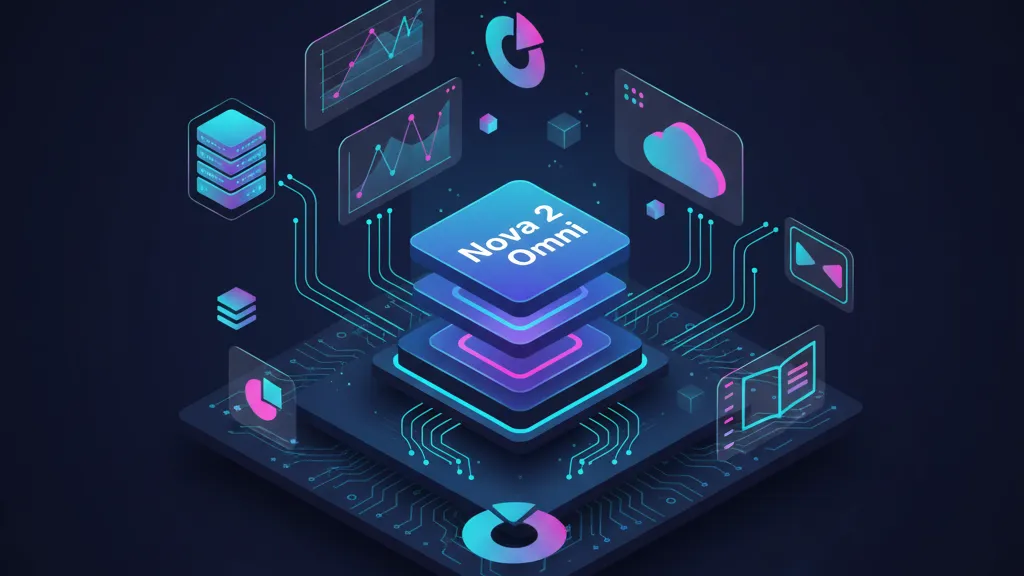
Amazon Nova 2 Omni just landed, and it’s the first time we’ve had a single model that accepts text, images, video, and speech while generating both text and images—plus the context window and controls to make it practical. If you’ve been waiting for a unified, production‑ready path to multimodal apps, Amazon Nova 2 Omni is the headline. Pair it with Nova 2 Sonic for real‑time voice, Nova Forge for organization‑grade customization, and Trainium3 UltraServers when you need serious training throughput. This article cuts through the noise and shows how to put the new stack to work—this week.
What changed this week (and why it matters)
On December 2, 2025, AWS announced four moves that reshape near‑term builder choices: Nova 2 Omni in preview with 1M‑token context and multimodal input/output; Nova 2 Sonic for speech‑to‑speech with polyglot voices and telephony integrations; Nova Forge general availability to start from early Nova checkpoints and blend your own data; and EC2 Trn3 UltraServers powered by Trainium3 with materially better perf/watt for training. (aws.amazon.com)
Two additional notes: AWS says Nova Forge customers get early access to new Nova models (including Nova 2 Omni), and Trainium4 plans include tighter Nvidia NVLink Fusion integration for future systems—useful for roadmap planning even if you’re buying Trn3 capacity today. (aws.amazon.com)
Amazon Nova 2 Omni: what’s actually new
Here’s the thing: most “multimodal” stacks still force you to chain different services to cover speech, images, long context, and reasoning. Nova 2 Omni collapses that sprawl. It supports text, image, video, and speech inputs; outputs text and images; and exposes a one‑million token context window with levers to tune depth of reasoning versus cost. It also claims support for 200+ languages for text and 10 languages for speech input. Early access runs through Bedrock with preview access coordinated by your AWS team; Nova Forge customers get prioritized entry. (aws.amazon.com)
Practically, this means you can stop shuttling transcripts to a separate speech model, pushing frames through a vision model, and then trying to stitch outputs back into a reasoning engine. Your architecture gets simpler, latency drops, and failure modes shrink. For teams wrestling with brittle prompt pipelines and escalating inference bills, that’s real money and real stability.
When to reach for Nova 2 Sonic instead
Nova 2 Sonic focuses on live, bidirectional voice. It adds polyglot voices (same voice, different languages), turn‑taking controls (you set pause sensitivity), cross‑modal interaction (switch between voice and text), and asynchronous tool calling so the agent can work while you talk. It’s available via Bedrock’s bidirectional streaming API and plugs into Amazon Connect as well as providers like Twilio and Vonage. AWS lists initial regions including N. Virginia, Oregon, Tokyo, and Stockholm. If you’re building conversational IVR, live agent assist, or voice‑first shopping/support, start here. (aws.amazon.com)
Will Omni subsume Sonic? Maybe down the line, but right now Sonic’s streaming and telephony fit are the right tool for voice‑centric UX. Omni shines when your workflow truly needs multi‑format inputs in a single pass.
Nova Forge vs. fine‑tuning vs. do‑it‑yourself: a decision matrix
Choosing a customization path is where teams stall. Use this matrix to decide in under an hour:
If you need the fastest path to value
Use managed Nova 2 models on Bedrock with prompt + tool strategies. You’ll trade maximum control for time‑to‑market. Keep your prompts in code, treat them like product surface area, and put cost and quality signals in CI.
If you need your company’s voice and knowledge to “stick”
Fine‑tune with Nova Forge from early Nova checkpoints. Forge lets you blend proprietary data with Amazon‑curated data, run reinforcement fine tuning with your own reward functions, and embed custom guardrails so the model stays “on brand” and within policy while preserving general reasoning capabilities. Available today in us‑east‑1 with more regions coming. (aws.amazon.com)
If you need hard requirements around IP or training regime
Forge is still the path—but plan for heavier training cycles on Trn3 UltraServers. Each Trainium3 chip delivers 2.52 PFLOPs FP8, 144 GB HBM3e, and 4.9 TB/s bandwidth; a fully configured UltraServer scales to 144 chips for ~20.7 TB of HBM3e. AWS claims up to 4.4× the performance and 4× the performance/watt over Trn2. That’s the difference between a weekend run and a week. (aws.amazon.com)
A 30–90 day pilot plan (copy/paste this into your backlog)
Days 0–30: carve a thin slice
Pick one workflow where multimodal reasoning beats today’s UX—examples: warranty claims triage from photos + receipts + call audio, field ops assistance from video + parts diagrams, or B2B onboarding that mixes contracts, screenshots, and voice notes.
- Define the happy path and the non‑negotiables (latency budget, languages, red‑lines).
- Stand up Bedrock projects for Omni and Sonic; capture baseline latency and token/second throughput under synthetic load.
- Build a tool layer with three tools max: retrieval, structured extraction, and a domain action (e.g., create ticket). Keep the rest out of v1.
- Instrument every turn: prompt, tool calls, cost, latency, and outcome labels. If you don’t log it, it didn’t happen.
Days 31–60: make it your model
- Run a small Forge fine‑tune (1–3B tokens if you have them; otherwise start smaller with targeted RFT). Focus on instruction following and format fidelity before tone.
- Add guardrails: define disallowed intents, PII scrubbing, and per‑tool rate limits. Bake these into Forge’s responsible AI toolkit rather than your app layer so they travel with the model. (aws.amazon.com)
- Swap your prompt‑engineered app to your Forge‑tuned checkpoint. Re‑run the same evaluation harness. Compare cost/quality per task.
Days 61–90: production‑grade
- Introduce live traffic in “shadow mode,” then limited beta. Expand languages the moment quality gates pass.
- Plan capacity: if your training backlog grows, benchmark on Trn3 UltraServers. Their perf/watt gains mean lower run costs and shorter iteration loops at the same budget. (aws.amazon.com)
- Codify rollback: a switch back to base Omni/Sonic plus safe prompts should be one flag.
How to design with a 1M‑token context
A million tokens can tempt you into indiscriminate stuffing. Don’t. Good patterns:
- Index first, then pack: retrieve the top‑K artifacts and only their relevant spans. Long contexts still benefit from ruthless trimming.
- Structure everything: wrap each artifact (image, transcript, clause) with a schema and a short caption; ask Omni to produce a “document map” before answering.
- Use budgeted depth: dial down Omni’s reasoning depth for routine paths; crank it up for escalations. The knob exists for a reason. (aws.amazon.com)
People ask: Is Nova 2 Omni better than GPT‑4o or Gemini?
Benchmarks will swing, and they go stale fast. What you can trust today: Omni removes integration tax by handling end‑to‑end multimodality with a giant context and explicit controls; Sonic’s telephony and streaming fit real call flows; and Forge closes the gap between “our model” and “their API.” Use that to evaluate—not a single leaderboard slice taken out of context. For many production teams, fewer moving parts beats a marginal win on an eval set.
Architecture sketch: one stack, two entry points
In practice I’m shipping two slices:
- Voice‑first (Sonic): Bedrock streaming API → speech understanding → async tools (CRM lookup, order ops) → speech response. Telephony via Amazon Connect or Twilio if you need bring‑your‑own carrier. (aws.amazon.com)
- Multimodal desk (Omni): chat + uploads (images, video excerpts, docs) → document map → tool calls → structured answer plus optional image generation for visual summaries. (aws.amazon.com)
Both share the same retrieval layer, safety policies, and evaluation harness. If you move to Forge‑tuned checkpoints, your app barely changes—just the model ARN and a few knobs.

Cost and capacity: why Trainium3 matters even if you won’t buy chips
Most teams won’t rack servers; they’ll rent clusters. Trainium3 still matters because it resets the cost curve under the services you use. AWS reports each Trainium3 chip at 2.52 PFLOPs FP8 with higher bandwidth and HBM capacity; a full UltraServer can wire up 144 chips, yielding up to 4.4× performance and 4× performance/watt over Trn2. If your vendor’s per‑token price doesn’t move, your iteration speed can—and that’s defensible advantage. (aws.amazon.com)
Looking ahead, AWS also flagged Trainium4 with Nvidia NVLink Fusion for faster inter‑chip communication. If your 2026 plan includes larger expert‑parallel training runs, note that in your procurement docs now. (reuters.com)
Governance and risk: the real gotchas
Multimodal inputs often include the riskiest data you hold: screenshots with tokens, scans of IDs, call recordings with PII, manufacturing videos of proprietary processes. Treat Omni/Sonic adoption like a data governance project as much as an AI rollout.
- Data residency and access: align regions with your residency requirements. Omni is in preview; Sonic is GA in specific regions. Check your accounts and SCPs. (aws.amazon.com)
- Guardrails in the model, not just the app: Forge’s responsible AI tools let you bake policies into the model pipeline. That reduces the chance a downstream app “forgets” a rule. (aws.amazon.com)
- Latency budgets: real‑time voice means round‑trip times under 300–500 ms. Keep your tool graph lean, push heavy work to async, and cache aggressively.
- Vendor concentration: if you’re multicloud, write adapters now. Our multicloud deployment playbook outlines how to keep egress predictable and avoid lock‑in.
Hands‑on: a minimal Nova 2 Omni pilot blueprint
Here’s a concrete “day one” pilot I’d greenlight for an enterprise support team:
- Ingest: Allow customers to upload photos of the issue, a short video, and a voice note. Transcribe voice inside Omni; don’t bounce it elsewhere.
- Reason: Ask Omni to produce a “triage record” with normalized fields (part number, error code, device model, timestamps) plus a confidence estimate per field.
- Tools: Hit your inventory system and KB retrieval; generate a one‑paragraph fix plus a simple labeled diagram image with an arrow pointing to the failing component.
- Guardrails: Block advice that involves safety‑critical actions without escalation; strip PII; log tool results.
- Evaluation: Score outcomes with three human labels (correctness, completeness, tone). Ship with 90%+ correctness on top‑100 intents before expanding.
What about budgets and AI ops?
If you’re recalibrating AI budgets this week, remember GitHub’s Copilot premium request policy change that started on December 2, 2025. If you’re the same budget owner for Copilot and Bedrock, you’ll want a single, visible policy gate for both. Our write‑ups of the Dec 2 switch and the rulebook include step‑by‑step settings we’ve deployed for clients. Align those guardrails with your Nova pilot to keep surprises off your cloud bill.
FAQ: quick hits from the field
How do we start with Nova 2 Omni?
Ask your AWS account team to enable preview access; if you’re using Forge, you’re already at the front of the line. Then stand up a Bedrock project with per‑environment IAM, a single retrieval index, and one tool chain. (aws.amazon.com)
Can we keep our current eval harness?
Yes. Treat modalities as features: add image/video fixtures and spoken utterances to your test set, keep your scoring functions, and record latency buckets. Expect different failure signatures across modalities.
Do we need Trainium3 to benefit?
No. Omni/Sonic will run fine from Bedrock. Trainium3 matters when you need faster training/finetuning cycles or when your vendor passes on price/perf gains. (aws.amazon.com)
What to do next (developers and leaders)
- Pick one workflow and stand up a Nova 2 Omni or Sonic pilot this week. Timebox to 30 days.
- Decide now if you’ll fine‑tune via Forge; if yes, budget a small RFT run and define reward signals early.
- Instrument everything—latency, token budgets, tool success—and wire these into Slack alerts.
- Create a rollback plan to base models and safe prompts.
- Brief your security team on data classes passing through voice, image, and video. Add PII scanners to your ingest path.
Zooming out
We’ve crossed a threshold: builders can ship one agent that sees, listens, and reasons without a Rube Goldberg chain of services. Nova Forge gives you the knobs to make it your company’s agent, and Trn3 sets the floor for how fast you can iterate. If you want a partner who’s implemented these patterns end‑to‑end—from evaluation harnesses to guardrails to multicloud routing—see what we do, browse the portfolio, or reach out on our contact page. Let’s ship something users love—and the CFO doesn’t hate.

Frequently Asked Questions
Why is this topic important for developers and businesses?
Staying current with web development trends and best practices directly impacts your product quality, security, and performance. Teams that adapt quickly gain a competitive advantage and avoid costly technical debt.
How can I implement these changes in my project?
Start by assessing your current setup and identifying what needs to change. Create a branch, implement the changes incrementally, and test each step. If you need expert help, our team at BYBOWU offers free project consultations.
How can AI tools help my business today?
AI can automate repetitive tasks, improve customer support with chatbots, enhance content creation, and provide data-driven insights. BYBOWU offers AI assessment and integration services to identify the highest-impact AI opportunities for your business.







Comments
Be the first to comment.